OptimaUserManual.pdf - 第77页
OPTIMA PROM SOF TW AR E Opti ma User M anual 71 In this dialog ue, you can specify the start ing and ending addresses. In the example show n, the start address is set to 100: Start address set t o 100 Th e f ile lo ad op…
OPTIMA PROM SOFTWARE
Optima User Manual
70
Memory>Address Range
For devices that support partial operations, or if the data file is required to begin at a
specific location, the Address Range… menu item may be used to establish the
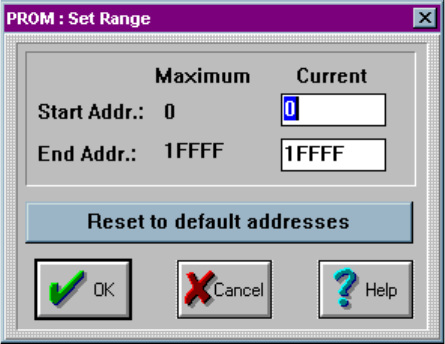
programming area of the device. Selecting the Memory>Address Range… produces
the following dialogue:
Setting the device address range
OPTIMA PROM SOFTWARE
Optima User Manual
71
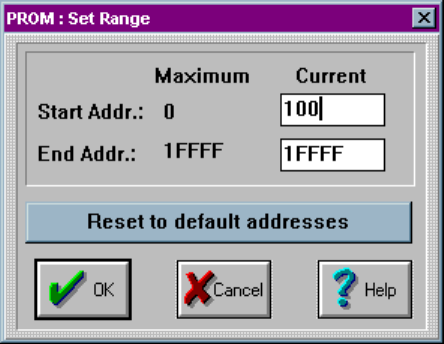
In this dialogue, you can specify the starting and ending addresses. In the example
shown, the start address is set to 100:
Start address set to 100
The file load operation will cause data to be loaded starting at address location hex
100. If a programming operation is performed, data will be programmed from location
100 to 1FFFF
OPTIMA PROM SOFTWARE
Optima User Manual
72
Memory>Checksum Options…
The Checksum Options…menu item is used to set the number of characters
representing the data checksum, ranging from four to eight characters.
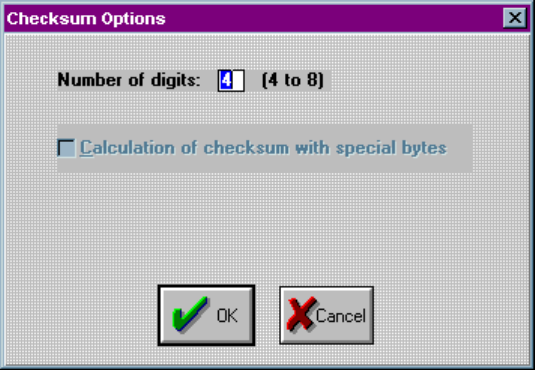
Selecting Memory>Checksum Options… will produce this screen:
Setting the checksum options
Here you have the option to select a 4 to 8 digit hexadecimal checksum. Checking the
Calculation of checksum with special bytes adds the special bytes to the displayed
checksum.