OptimaUserManual.pdf - 第117页
OPT IMA PAL SO FTW ARE Opti ma User M anual 111 sof t ware will tes t to se e if th e p at t er n in me mor y ca n be over -pr o gramme d, where additional data is programmed on top of the existing pattern in the device.…
OPTIMA PAL SOFTWARE
Optima User Manual
110
The Device Menu
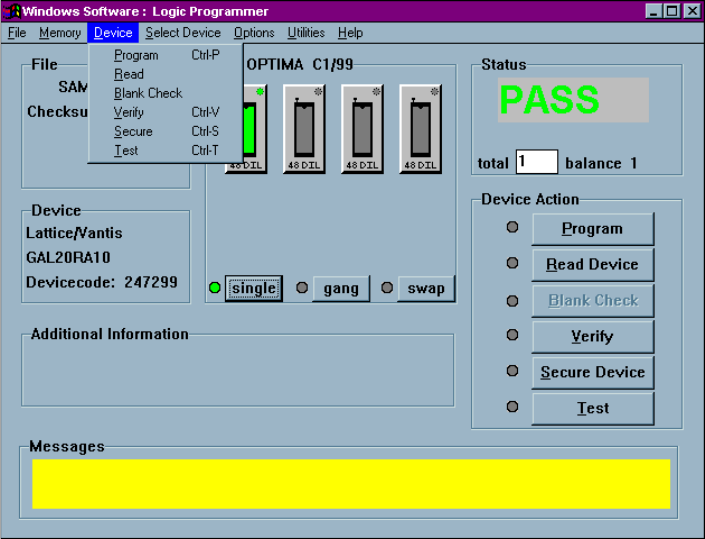
The third menu on the Main Programming screen is the Device menu. This menu is
used to select the programmer operation for the device inserted:
The Device menu
Device> Program
This selection initiates the programming operation using the data that is stored in the
memory buffer. The device type selected must match the physical device in the
socket.
The device will first be checked for blank state or electrically erased. If the device is
electrically erasable, then an erase cycle will be automatically executed. If it is not
erased—and is UV-erasable or is a one-time-programmable (OTP) device—the PAL
OPTIMA PAL SOFTWARE
Optima User Manual
111
software will test to see if the pattern in memory can be over-programmed, where
additional data is programmed on top of the existing pattern in the device. If over-
programming is possible, then you will be prompted to “Skip blank check.” If you
select <Yes>, then the device will be over-programmed. If you select <No>, you will
receive a “Device not blank” error, and programming will stop.
After the blank check or erase operation is complete, the device will be programmed
using the algorithm defined by the manufacturer.
After programming, the device will be verified to confirm proper programming. If
there are any errors in verification, you can create a detailed report of the errors on the
screen (see Device>Verify later in this menu description). If the device vendor
specifies it, verification will be done at the V
CC
high and V
CC
low levels in accordance
with manufacturer’s specifications. After verification, if the security fuse command
was included in the JEDEC file, the security fuse of the device will be set (see
Device>Secure later in this menu description). If test vectors were included in the
JEDEC file, they will then be used to exercise the device (see Device>Test later in
this menu description).
You are informed of the sequence of steps in the programming operation by messages
on the screen. PASS/FAIL messages are provided in the status box indicating
programming status. A cycle counter is provided below the PASS/FAIL message area
displaying the number of devices programmed with the same content.
OPTIMA PAL SOFTWARE
Optima User Manual
112
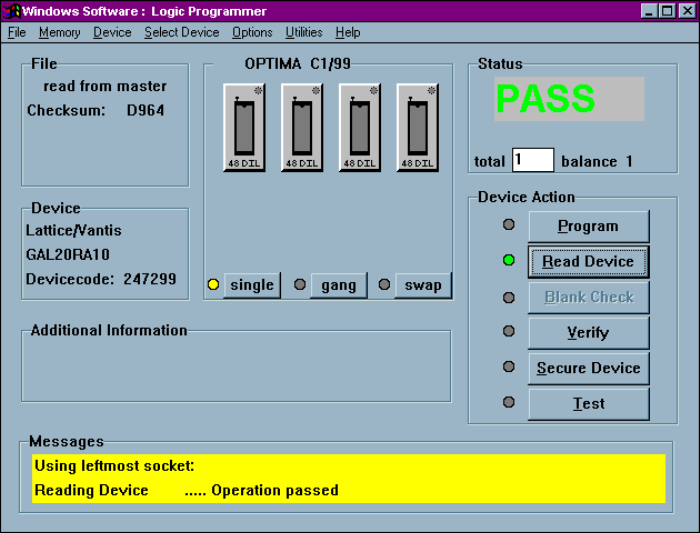
Device>Read
This selection reads the contents of the device inserted in the socket and stores it in
RAM memory. After the data has been read into memory, the device type may be
changed to a compatible device without altering any data stored.
Successful completion of a READ operation
When using a Multisyte programmer, insert the device in the left-most TOP for the
read operation.
Note: Not all logic devices are capable of having their fusemaps
read by a device programmer. For those that are readable,
if their fusemaps have been placed in a SECURE condition,
the programmer will not be permitted to read the fusemap,
or the data will be encrypted such that each read operation
will return different results, perhaps even blank. This is a
security feature on a number of logic devices that ensures