OptimaUserManual.pdf - 第31页
QUICK ST ART Opti ma User M anual 25 5. A fter t he data has been loaded, y ou’ll see a screen that repor ts the stat us of the load ing:
QUICK START
Optima User Manual
24
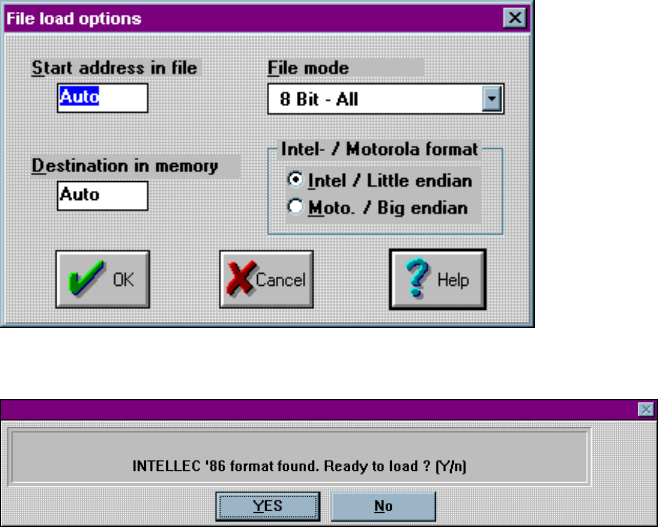
3. Click OK. The File load options dialog box is then displayed:
4. Click OK. You’ll be asked Ready to load? Click YES
QUICK START
Optima User Manual
25
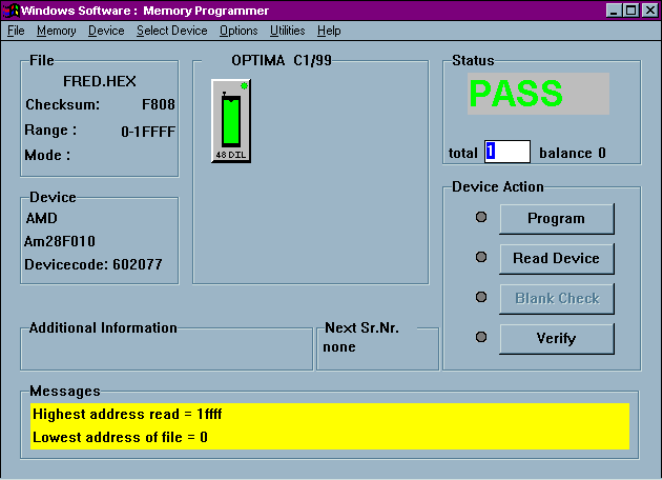
5. After the data has been loaded, you’ll see a screen that reports the status of the
loading:
QUICK START
Optima User Manual
26
P
ROGRAM THE
D
EVICE
Now that you have loaded valid data into the programmer’s RAM by loading a data
file, you’re ready to program the device. To program the device, follow these steps:
1. Insert the device you wish to program into the TOP with the green LED.
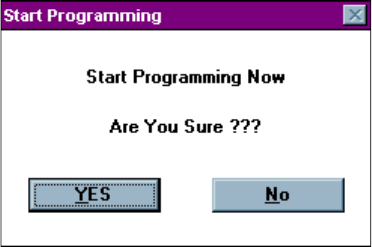
2. Click Program. You will be asked if you wish to Start Programming Now.