OptimaUserManual.pdf - 第18页
INTRO DUCT IO N Opti ma User M anual 12 5. Click YES to complete all the sy st em tests. The system config ur ation and the results of the tests are display ed on t he screen w hen they are com pleted. 6. Close the test …
INTRODUCTION
Optima User Manual
11
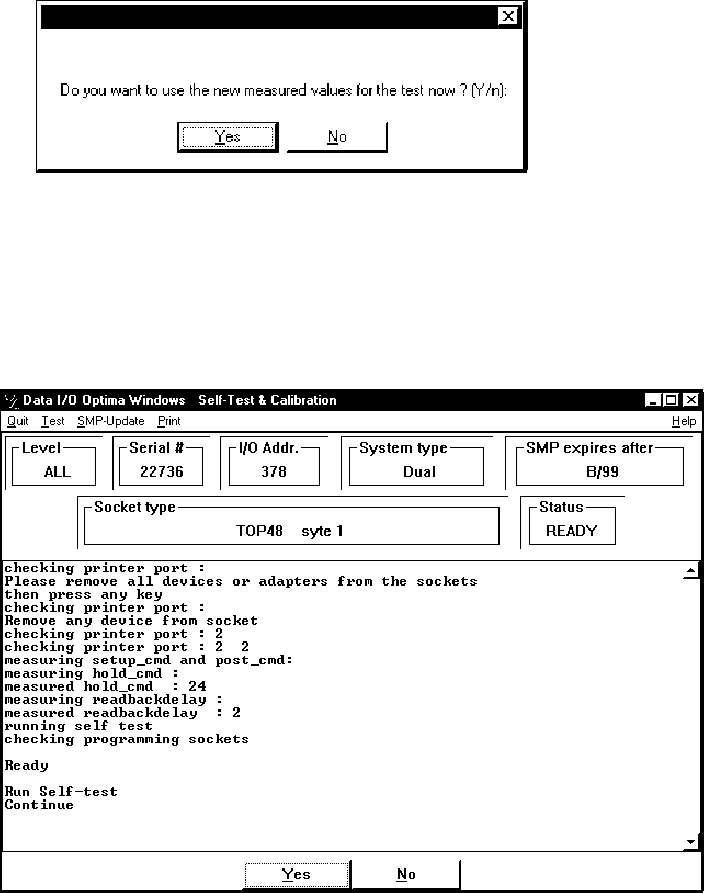
4. Click YES if the following window appears:
Note: If you see the message “Found slow printer port” during the
Self-Test, install the Optima-Booster according to the
instructions “Installing the Optima-Booster for a Slow
Printer Port.”
When the Self
-Test
has initialized the system, information such as the programmer’s
serial number, the system type, and maintenance expiration date is displayed:
INTRODUCTION
Optima User Manual
12
5. Click YES to complete all the system tests. The system configuration and the
results of the tests are displayed on the screen when they are completed.
6. Close the test software if you are prompted to do so.
INTRODUCTION
Optima User Manual
13
Installing the Optima-Booster for a Slow Printer Port
You may have seen the message “Found slow printer port” during installation or
during the Self
-Test
. This message means that the parallel port is having a problem
communicating with the programmer. As a solution, your system includes a piece of
hardware called the Optima-Booster, which has extra drive features and filters that
minimize hardware interference.
Follow these steps to install the Optima-Booster:
1. Make sure that both the computer and programmer power switches are turned
OFF.
2. Disconnect the parallel cable from the
parallel port
on the back of your computer.
3. Connect the PC-SIDE end of the Optima-Booster to the
parallel port
on your
computer.
The Optima-Booster is keyed and cannot be connected incorrectly.
Warning: Do not connect the Optima-Booster to a COM, SCSI,
or parallel (LPT) port/switch box. Otherwise damage to
the Optima-Booster or PC might result.
4. Connect the parallel cable to the other end of the Optima-Booster.
5. Turn the computer and programmer back ON.
Note: Some laptops do not provide enough power to have the
Optima-Booster installed.