OptimaUserManual.pdf - 第130页
OPT IMA PAL SO FTW ARE Opti ma User M anual 124 The follow ing v ector test options are avai lable: q Off pr ovides no vect or t es tin g of t h e de vice af te r p ro gra mming q Norm a l pr ovi des a sing le-pass vecto…
OPTIMA PAL SOFTWARE
Optima User Manual
123
Options>Auto Security
When selected, the security fuse(s) will be set during each programming cycle, after
verifying and before vector testing. If the JEDEC file contains the security fuse
command (G1*), the Auto Security mode is automatically enabled, and the Auto
Security feature will be checked regardless of initial condition.
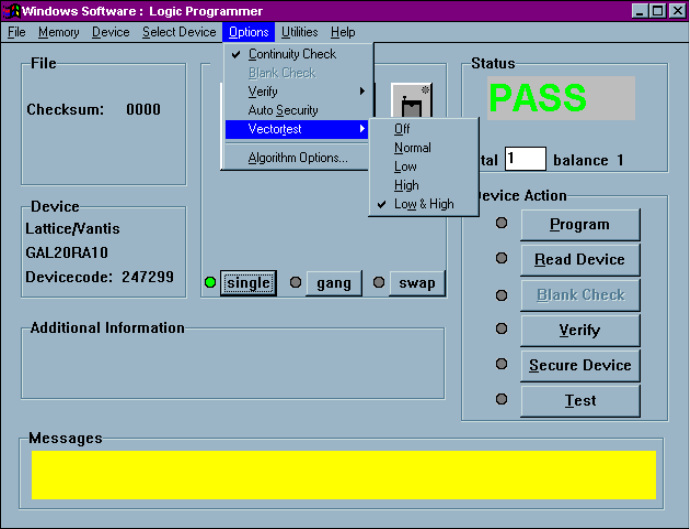
Options>Vectortest
This selection is used to select the vector testing methods of the device after
programming. If a JEDEC file with test vectors has been read into memory, then the
device in the socket can be tested for conformance with these test sequences with this
command:
Vector testing options in the Options menu
OPTIMA PAL SOFTWARE
Optima User Manual
124
The following vector test options are available:
q Off provides no vector testing of the device after programming
q Normal provides a single-pass vector test at nominal V
CC
for the device after
programming
q Low provides a single-pass vector test at device-rated low V
CC
q High provides a single-pass vector test at device-rated high V
CC
q Low and High provides a two-pass vector test; once at device-rated low V
CC
,
and a second at device-rated high V
CC
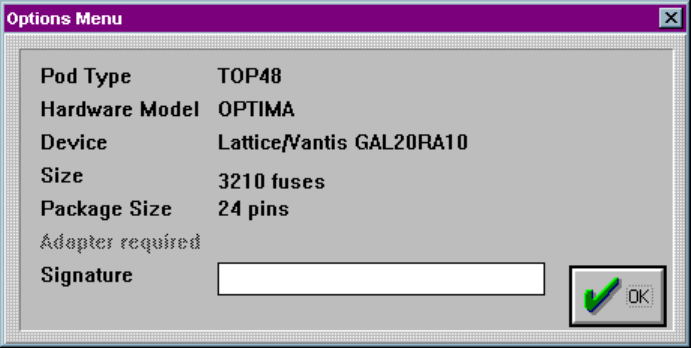
Options>Algorithm Options…
This selection provides device-specific information about the device to be
programmed:
Algorithm options screen
Certain PAL devices can store an electronic signature that contains user-defined data
such as ID codes, revision numbers, or inventory numbers.
The electronic signature is always available to the user independent of the state of the
security bit.
OPTIMA PAL SOFTWARE
Optima User Manual
125
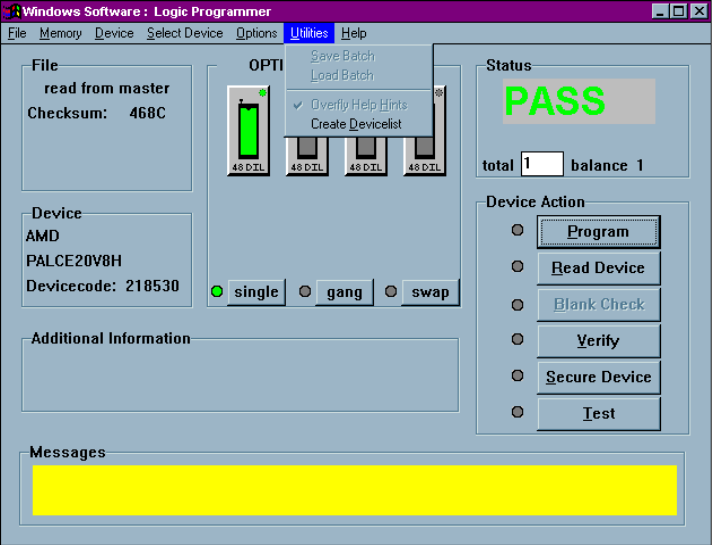
The Utilities Menu
The sixth menu on the Main Programming screen is the Utilities menu:
The Utilities menu
You can create a complete list of devices supported by the Optima Family
programmers by using the Utilities menu.