OptimaUserManual.pdf - 第41页
QUICK ST ART Opti ma User M anual 35 L OAD A D AT A F I L E : A fter you hav e selected the devi ce, you are ready t o load a data fil e into RA M. T o load a data fil e, follow these steps: 1. Sel ect Fil e > Load fr…
QUICK START
Optima User Manual
34
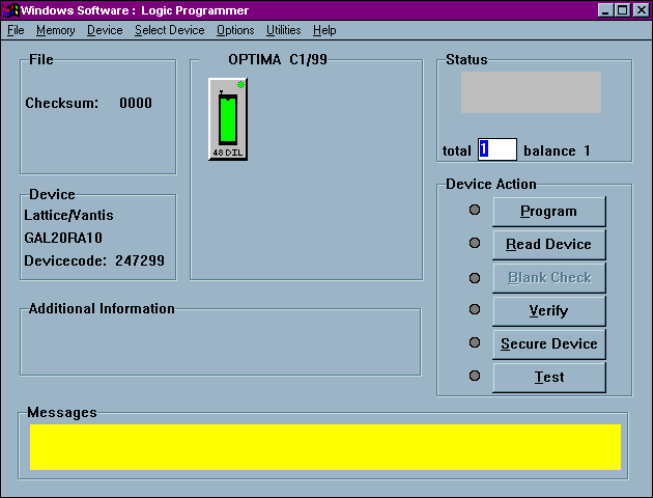
5. Click OK to save that selection and display the Main Programming screen:
QUICK START
Optima User Manual
35
L
OAD A
D
ATA FILE
:
After you have selected the device, you are ready to load a data file into RAM. To
load a data file, follow these steps:
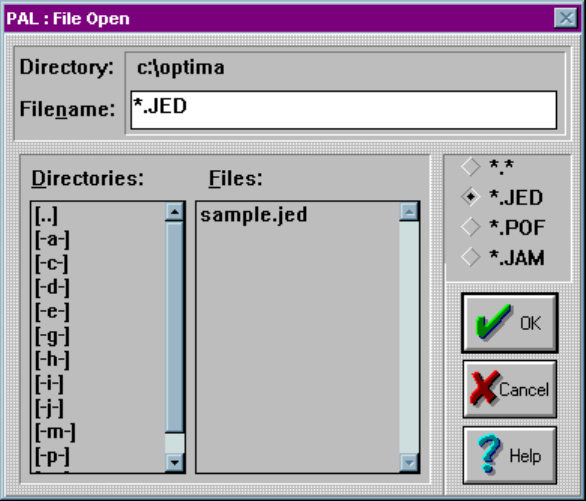
1. Select File > Load from the main menu bar. The File Open dialog box is
displayed:
2. Browse through the Files list and select the appropriate program data file name.
QUICK START
Optima User Manual
36
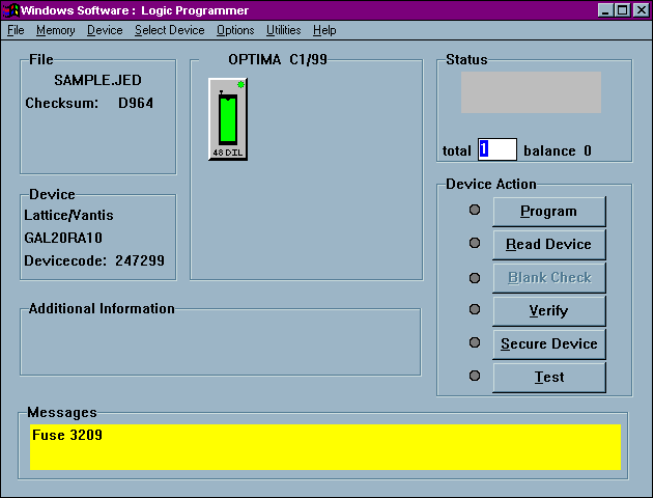
3. Click OK. The Main Programming screen is then displayed: