OptimaUserManual.pdf - 第52页
QUICK ST ART Opti ma User M anual 46 5. Click OK to save that selection and di splay the Main P rogram m ing screen:
QUICK START
Optima User Manual
45
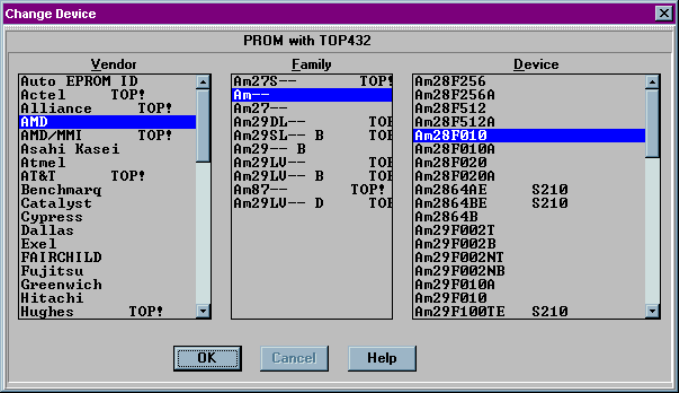
4. Click on a device part number from the Device list. In this example, an
AMDAm28F010 is selected:
QUICK START
Optima User Manual
46
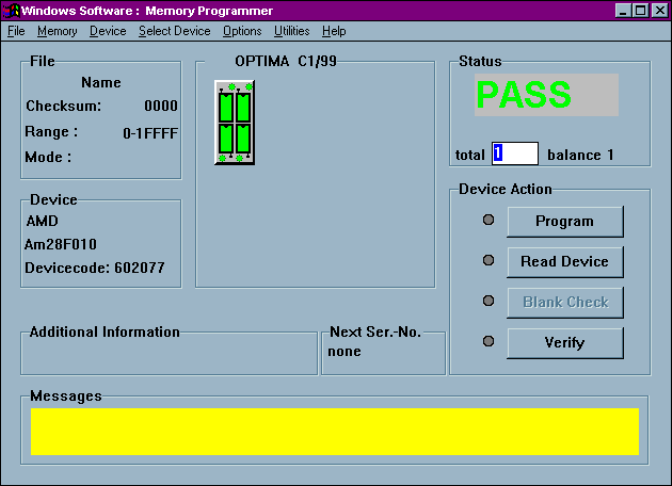
5.
Click OK to save that selection and display the Main Programming screen:
QUICK START
Optima User Manual
47
L
OAD A
D
ATA FILE
:
After you have selected the device, you are ready to load a data file into RAM. To
load a data file, follow these steps:
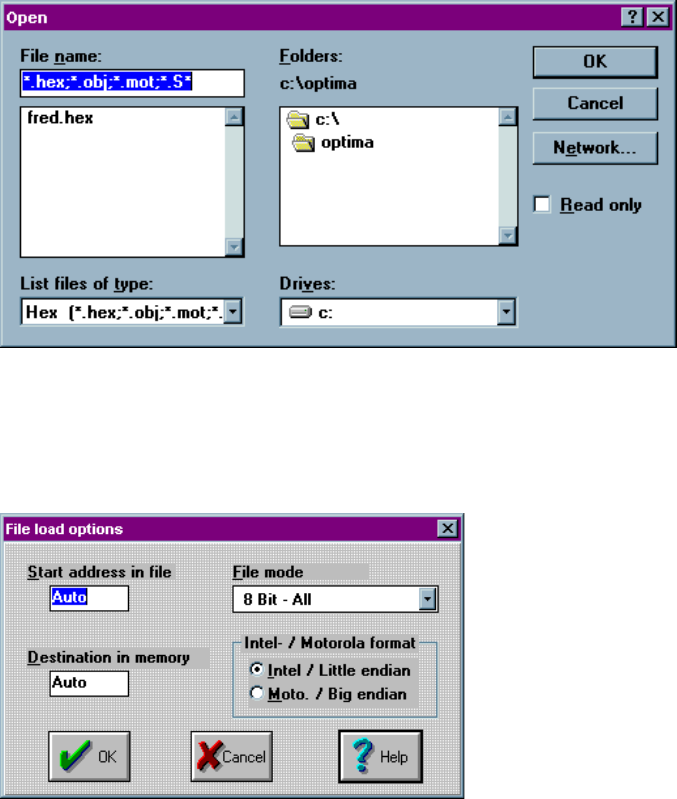
1. Select File > Load from the main menu bar. The Open dialog box is displayed:
2. Browse through the “List files of type” box and select the appropriate program
data file name from the list on the screen.
3. Click OK. The File load options dialog box is then displayed: