OptimaUserManual.pdf - 第36页
QUICK ST ART Opti ma User M anual 30 R EAD A M AST ER D EVICE : A fter you hav e selected the devi ce, you are ready to read t he Master Dev ice. To read the Master Devi ce, follow t hese steps: 1. Insert the Master Devi…
QUICK START
Optima User Manual
29
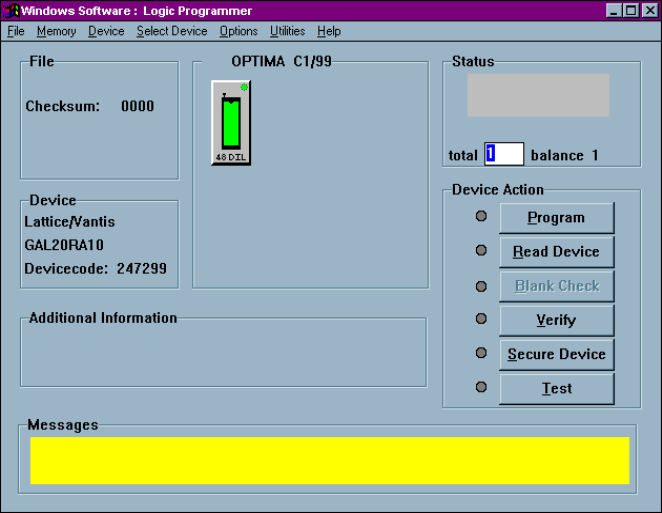
5. Click OK to save that selection and display the Main Programming screen:
QUICK START
Optima User Manual
30
R
EAD A
M
ASTER
D
EVICE
:
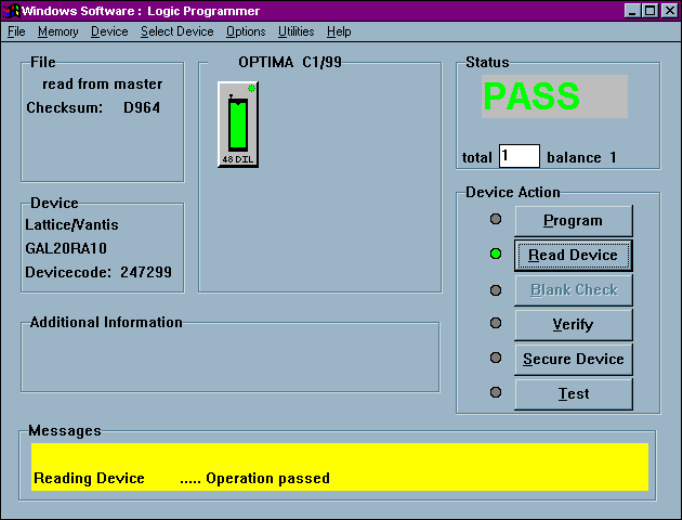
After you have selected the device, you are ready to read the Master Device. To read
the Master Device, follow these steps:
1. Insert the Master Device in the TOP lit with the green LED.
2. Click Read Device.
Data from the Master Device is loaded into the programmer’s RAM. When the
load operation is complete, the Status area in the Main Programming screen
displays the word PASS and the checksum for the data loaded into RAM is
displayed:
QUICK START
Optima User Manual
31
P
ROGRAM THE
D
EVICE
Now that you have loaded valid data into the programmer’s RAM by reading a Master
Device, you’re ready to program the device. To program the device, follow these
steps:
1. Remove the Master Device from the TOP.
2. Insert the device you wish to program into the TOP with the green LED.
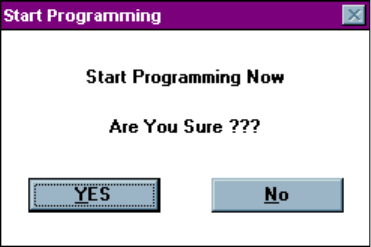
3. Click Program. You will be asked if you wish to Start Programming Now.