OptimaUserManual.pdf - 第84页
OPTIMA PROM SOF TW AR E Opti ma User M anual 78 x Store S/ N bytes —This setting speci fies w hich by t es are written to the memo ry array and in w hich order. The selections are: q All —Al l bytes of the serial number …
OPTIMA PROM SOFTWARE
Optima User Manual
77
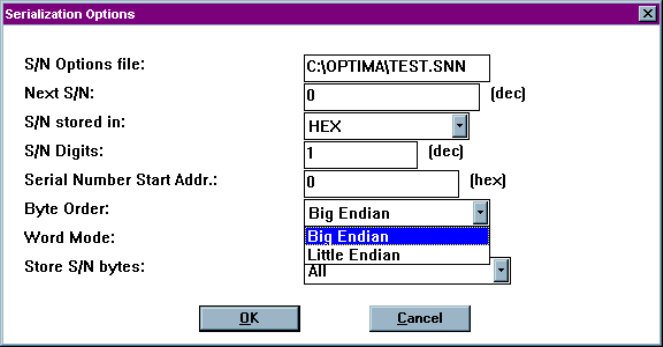
x Byte Order—Used to select the order that the serial number data is placed in the
device as related to the data file; choices include Big Endian (Hi byte/Lo byte—
Motorola) and Little Endian (Lo byte/Hi byte—Intel).
x Word Mode—Set when a serial number byte is to extend to the word width of
the device. If word mode is set to:
q Off—The default byte width of 8 bits is used.
q On—One byte of the serial number data will occupy the width of the
data path. If the data width of the device is 16 bits wide, then one byte
of the serial number will also be 16 bits wide. For unique devices, such
as some Microchip Technology devices, the word width may be 12 or 14
bits.
Selecting the byte order of a data file
OPTIMA PROM SOFTWARE
Optima User Manual
78
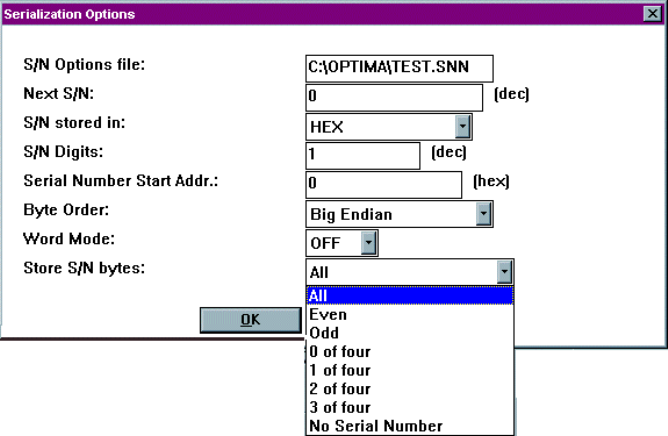
x Store S/N bytes—This setting specifies which bytes are written to the memory
array and in which order. The selections are:
q All—All bytes of the serial number are written to the memory array.
q Even—Only the even bytes of the serial number are written. If this
option is selected, then the number of serial number digits (selected in
S/N Digits) must be even (2, 4, 6, or 8).
q Odd—Only the odd bytes of the serial number are written. If this option
is selected, then the number of serial number digits must be even (2, 4, 6,
or 8).
q 0 of four, 1 of four, 2 of four, 3 of four—Only bytes in the
corresponding byte position in the serial number are written. For
example, if a HEX serial number of 00BC614Eh is generated, when 1 of
four is selected, BCh (byte #1 of four bytes total) is written to the
designated start address. The largest hexadecimal serial number allowed
is FFFFFFFFh, or 4,294,967,29510. The largest BCD serial number
allowed is 99999999h, or 2,576,980,37710
Selecting the method of storing serial number bytes
Note: The X of four mode works only with hexadecimal and BCD
serial number types as selected in the S/N stored in field.
OPTIMA PROM SOFTWARE
Optima User Manual
79
Selecting ASCII as a serial number value type will return an
error.
The Device Menu
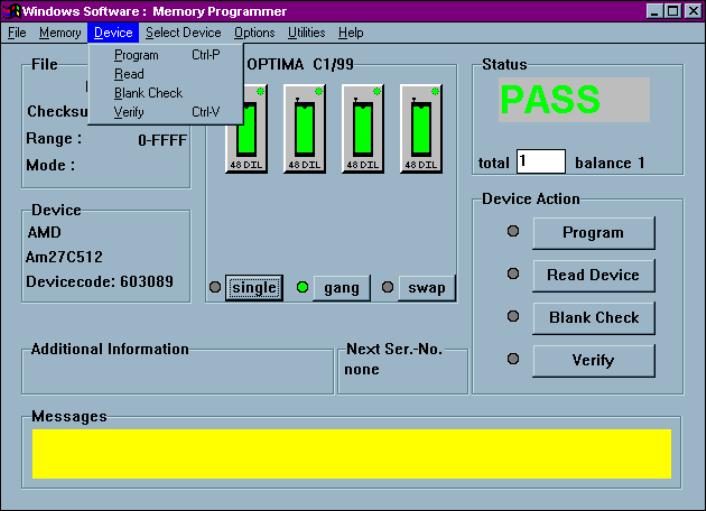
The third menu on the Main Programming screen is the Device menu. This menu
provides you with basic operational commands as shown in the figure below:
The Device menu
The Program, Read, Blank Check, and Verify commands can be initiated from this
menu.