OptimaUserManual.pdf - 第129页
OPT IMA PAL SO FTW ARE Opti ma User M anual 123 Options>A uto Sec urity When se lec te d, t h e s ecu rit y fu se (s ) will be se t dur ing each progra mming cycle, af t er veri fying and before vector testing . If th…
OPTIMA PAL SOFTWARE
Optima User Manual
122
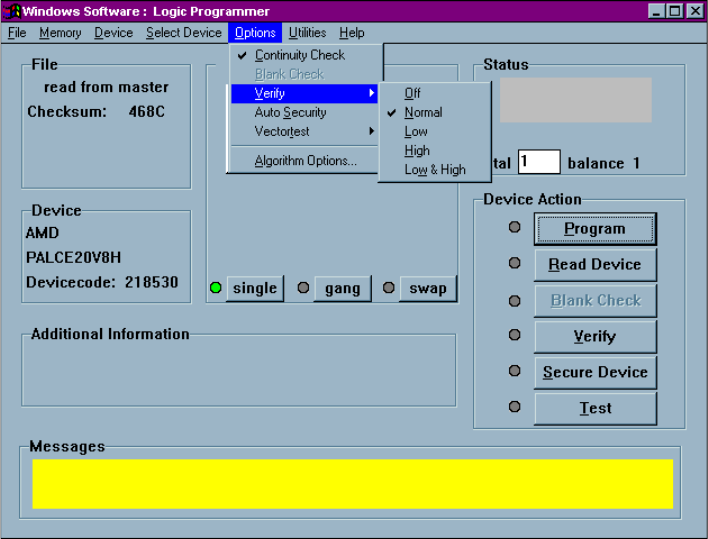
Options>Verify Options
This selection is used to set the methods of device data verification after
programming:
Verification options in the Options menu
The following device verification options are available:
q Verify Off provides no verification of the device after programming
q Verify Normal provides a single-pass verify at nominal V
CC
for the device after
programming
q Verify Low provides a single-pass verify at device-rated low V
CC
q Verify High provides a single-pass verify at device-rated high V
CC
q Verify Low and High provides a two-pass verify; once at device-rated low V
CC
,
and a second at device-rated high V
CC
OPTIMA PAL SOFTWARE
Optima User Manual
123
Options>Auto Security
When selected, the security fuse(s) will be set during each programming cycle, after
verifying and before vector testing. If the JEDEC file contains the security fuse
command (G1*), the Auto Security mode is automatically enabled, and the Auto
Security feature will be checked regardless of initial condition.
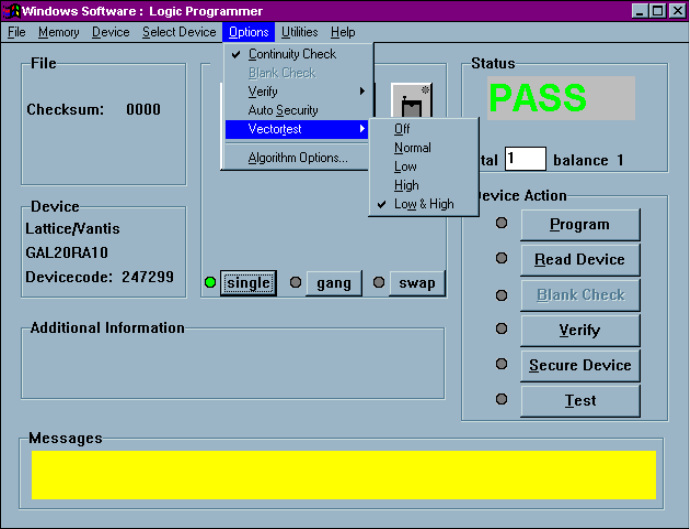
Options>Vectortest
This selection is used to select the vector testing methods of the device after
programming. If a JEDEC file with test vectors has been read into memory, then the
device in the socket can be tested for conformance with these test sequences with this
command:
Vector testing options in the Options menu
OPTIMA PAL SOFTWARE
Optima User Manual
124
The following vector test options are available:
q Off provides no vector testing of the device after programming
q Normal provides a single-pass vector test at nominal V
CC
for the device after
programming
q Low provides a single-pass vector test at device-rated low V
CC
q High provides a single-pass vector test at device-rated high V
CC
q Low and High provides a two-pass vector test; once at device-rated low V
CC
,
and a second at device-rated high V
CC
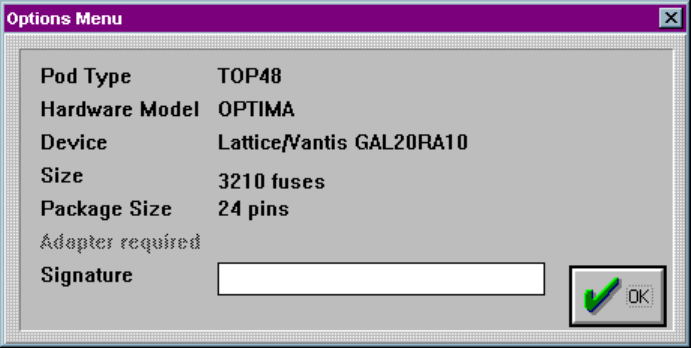
Options>Algorithm Options…
This selection provides device-specific information about the device to be
programmed:
Algorithm options screen
Certain PAL devices can store an electronic signature that contains user-defined data
such as ID codes, revision numbers, or inventory numbers.
The electronic signature is always available to the user independent of the state of the
security bit.