ALFeeder_E.pdf - 第17页
1. Overview 1-5 Chapter 1 Overview █ Precautions when setting feeder • Make sure to clean the feeder bank sur face before setting feeders. • If tape remains on slope, remove them. It is recommended to clean the inside of…
1. Overview
1-4
Chapter 1 Overview
1.2 Handling precautions
Take the following precautions when using Auto Loading Feeder to maintain the performance.
█
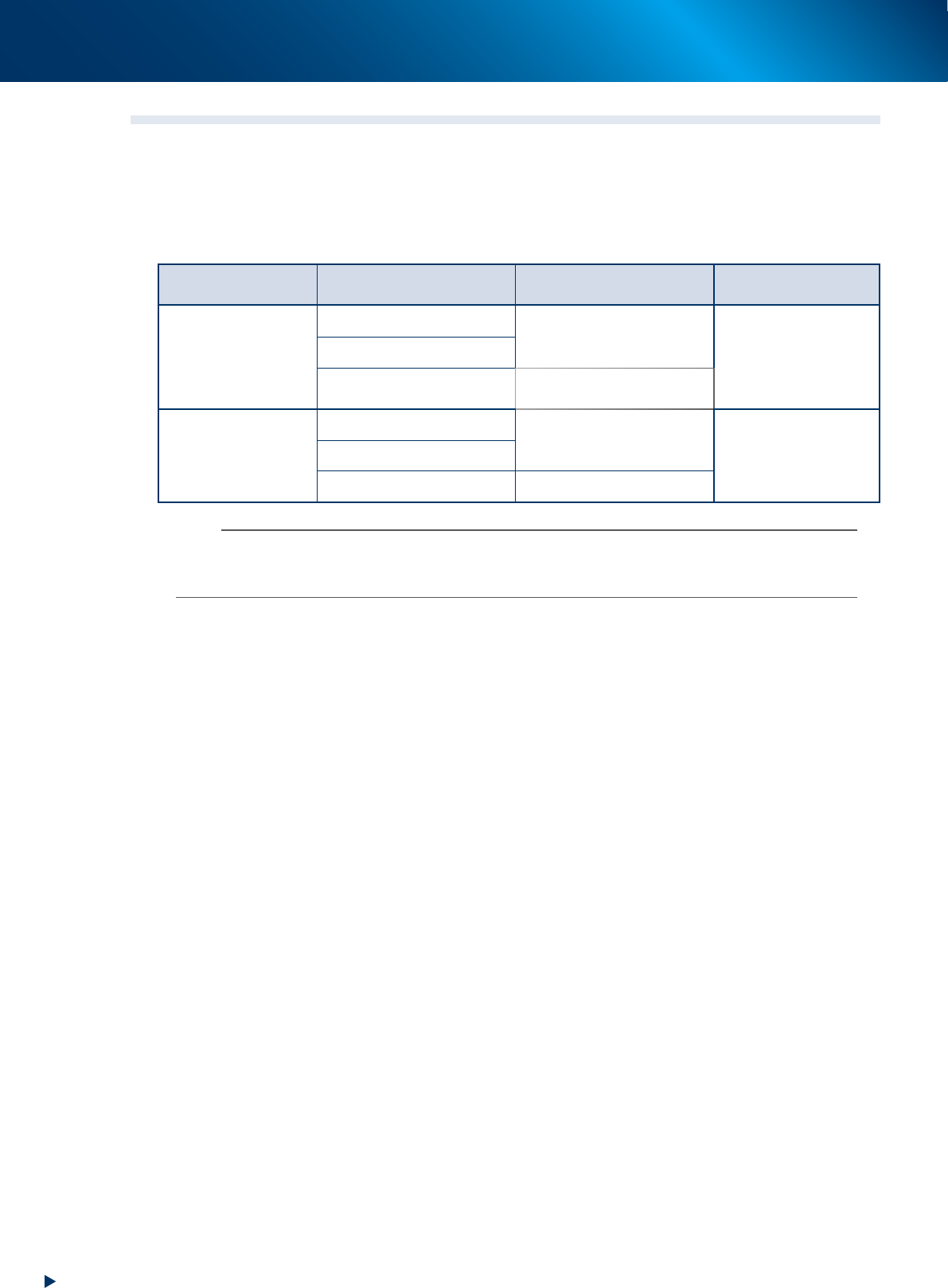
Available software versions
The using of Auto Loading Feeder (hereinafter referred to as "feeder") requires the following software
according to your operating conditions.
Feeder type Machine system
Off-line software
(YFacT, IT-System or YSUP)
SS pickup position
adjusting station
2S size is not used
V3.49 STD R3.000 or later
V1.63 STD R1.000 or later
V3.47 STD R9.000
V4.63 STD R4.000 or later
V5.01 STD R5.000 or later
(first release)
V5.01 STD R2.000 or later
(first release)
2S size is used
V3.53 STD R1.000 or later
V1.71 STD R1.000 or later
V3.53 STD R1.000V4.71 STD R1.000 or later
V5.03 STD R1.000 or later V5.03 STD R1.000 or later
n
NOTE
Handling of Auto loading feeder varies depending on whether the optional software such as IT Option are installed or not.
Although Auto loading feeder can be used with the machine that IT Option is not installed, Auto loading feeder functions
related to IT Option are not available.
1. Overview
1-5
Chapter 1 Overview
█
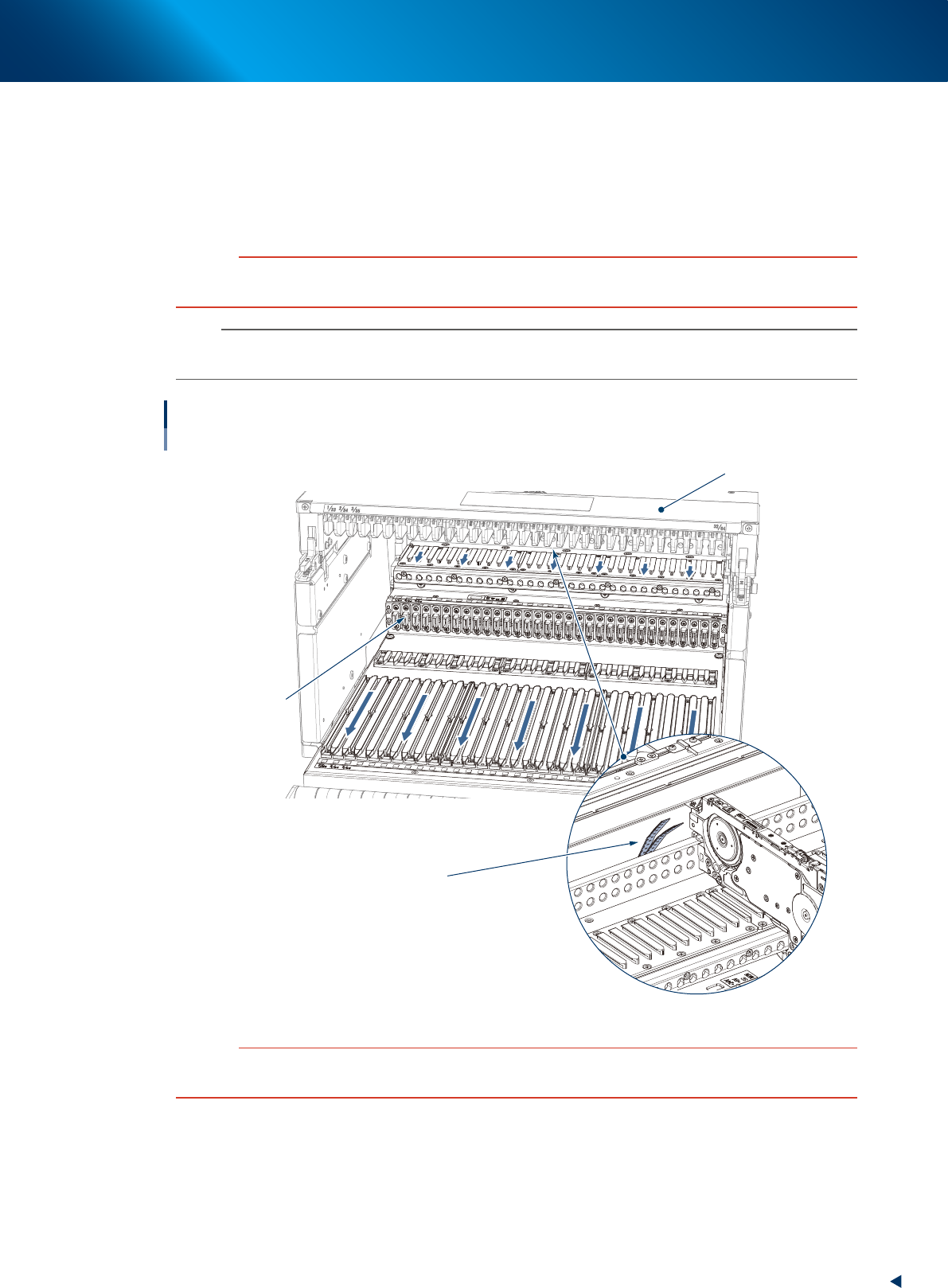
Precautions when setting feeder
• Make sure to clean the feeder bank surface before setting feeders.
• If tape remains on slope, remove them. It is recommended to clean the inside of slope periodically
(once a week).
• When attaching a feeder exchange carriage with feeders to a machine, check that no component or
tool remains on the guide rail cover.
c
CAUTION
If an Auto Loading Feeder is set on a feeder bank with foreign objects, feeder may be damaged and cause pickup error.
Make sure to prevent dust or dirt from entering through connection of connector when cleaning.
n
NOTE
Filling the empty slots with dummy feeders or other feeders is always recommended to prevent inserting the hands when
the auto loading feeders are set with intervals.
Peripheral of feeder bank
Connection of
connector
Guide rail cover
Tapes remaining on slope
63003-KLU-30
c
CAUTION
When setting feeders between feeders already set on left and right, do not set feeders by moving feeders left and right
aside. If not, the set positions are deformed and results in pickup error.
1. Overview
1-6
Chapter 1 Overview
█
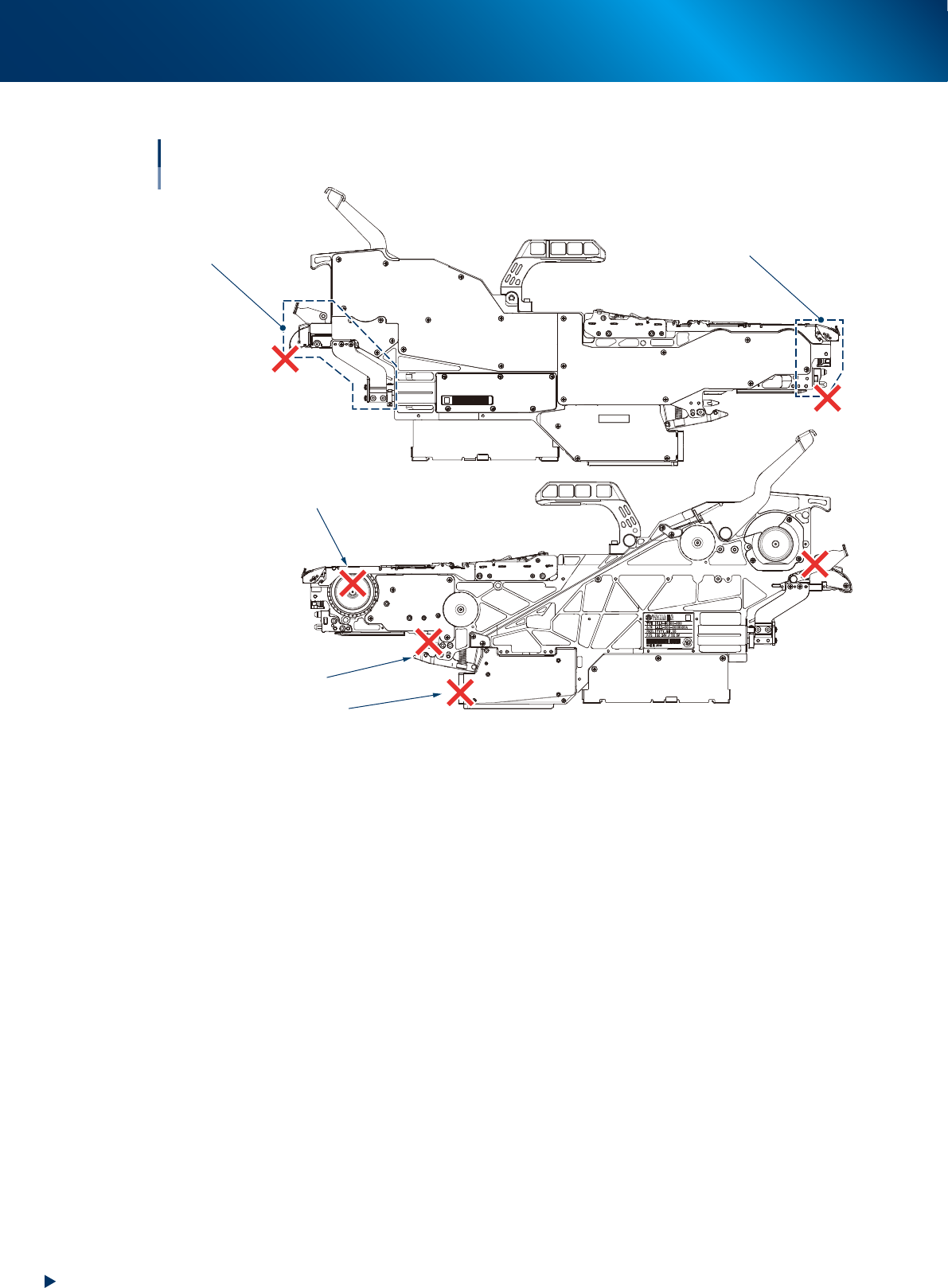
Handling feeder
Cautions when holding feeder
Sprocket
Connector
Front block
Loading unit
Clamp lever
63005-KLU-30
►
Cautions when handling feeder
• Do not hold a clamp lever. Doing so may pinch hand and cause injury.
• Do not hold a connector and sprocket. The feeder may be damaged.
• Do not apply strong impacts to a front block and loading unit enclosed by dashed lines above.