ALFeeder_E.pdf - 第83页
4. T roubleshooting 3-37 Chapter 3 Setting up 4.4 Feed pitch of fset █ Error : Component pickup err or occurs. The pickup position is offset on scr een. ► Cause Component tape is 2 mm offset when it is set. ► Countermeas…
4. Troubleshooting
3-36
Chapter 3 Setting up
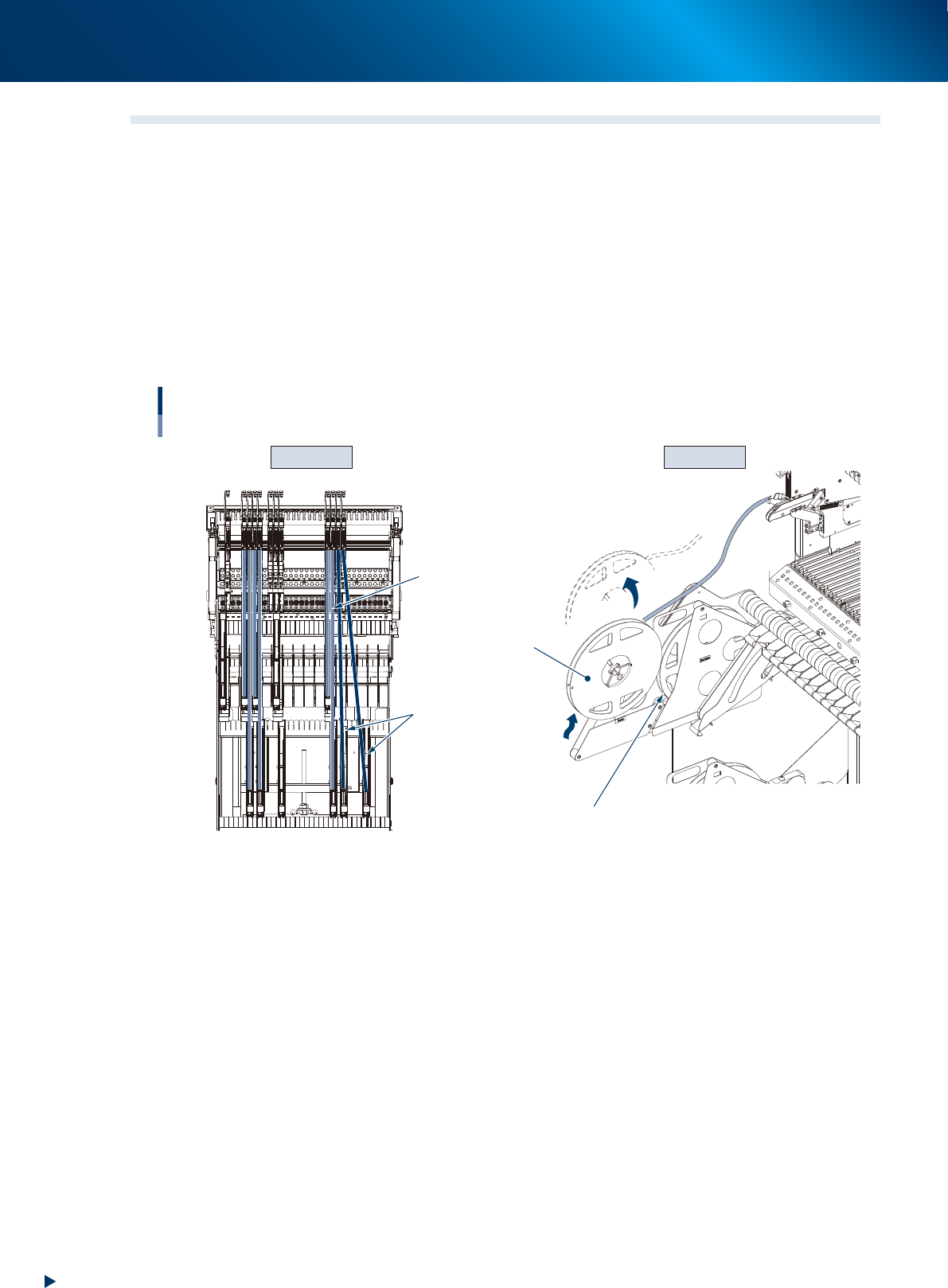
4.3 Components cannot be supplied correctly from reel.
█
Error : Components cannot be supplied as reel does not rotate correctly, causing
component pickup error.
►
Cause
1. As components are supplied from the 2nd reel, the reel moves up and comes off from preset holder.
2. As the reel is set obliquely, it does not rotate smoothly.
►
Countermeasure for cause 1
Detach the empty reel and set the 2nd reel in the storage for 1st reel.
►
Countermeasure for cause 2
Set the reel in the preset holder on the straight line of the feeder.
Cause 2 Cause 1
Components cannot be supplied correctly.
Reel moves up and
comes off from preset holder.
2nd reel
Correct set position
(Tape is on the straight line)
1st reel (empty reel)
Feeder and reel set position
are not aligned.
Upper
reel
holders
Lower
reel
holders
63303-KLU-30
4. Troubleshooting
3-37
Chapter 3 Setting up
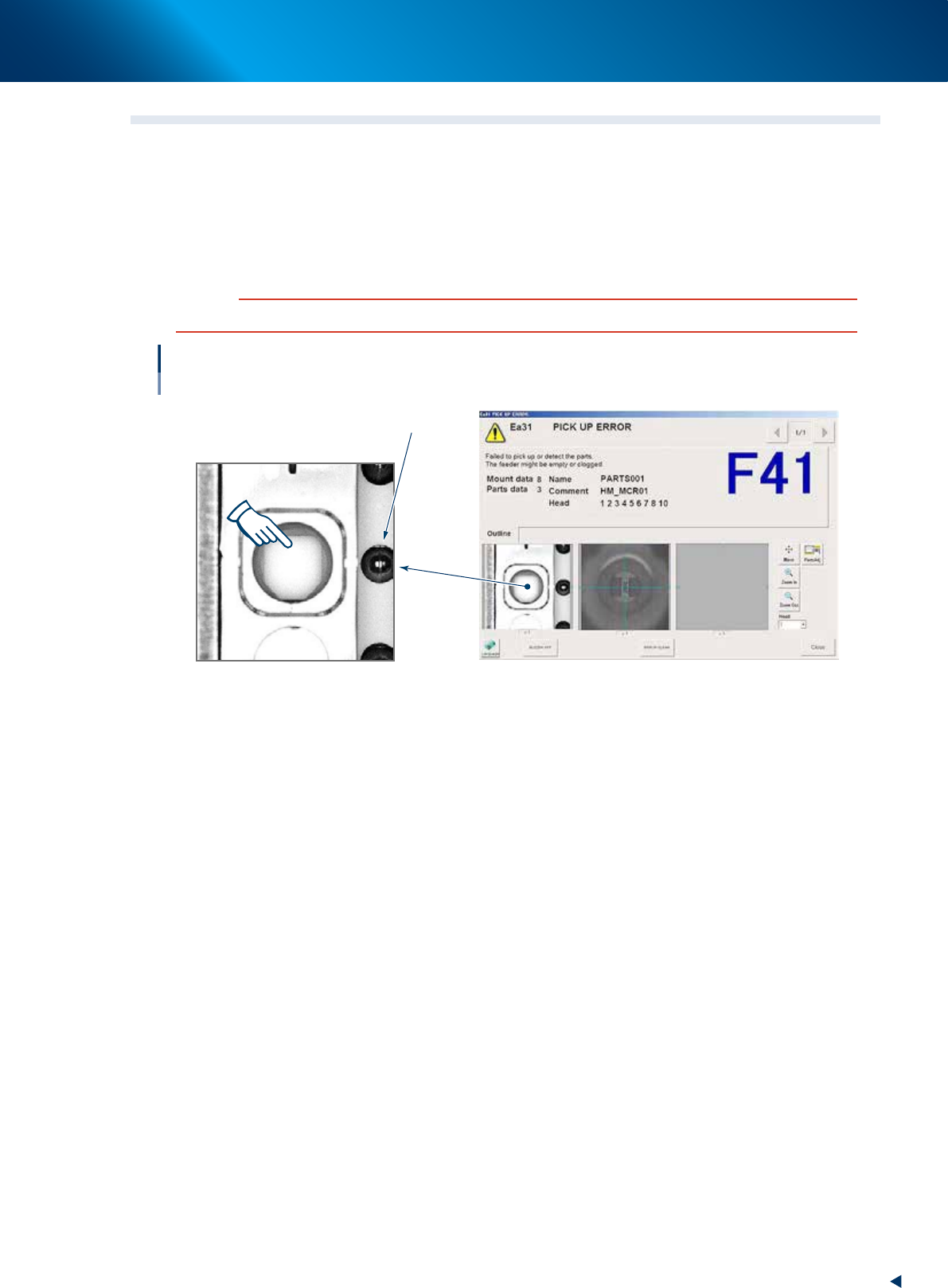
4.4 Feed pitch offset
█
Error : Component pickup error occurs. The pickup position is offset on screen.
►
Cause
Component tape is 2 mm offset when it is set.
►
Countermeasure
Align with the component pickup position by [FEED] button.
c
CAUTION
Align with component pickup position by [FEED] button. The [BACK] button cannot be used.
Feed pitch offset
Component pickup position
(No component)
Sprocket
64304-KLU-30
4. Troubleshooting
3-38
Chapter 3 Setting up
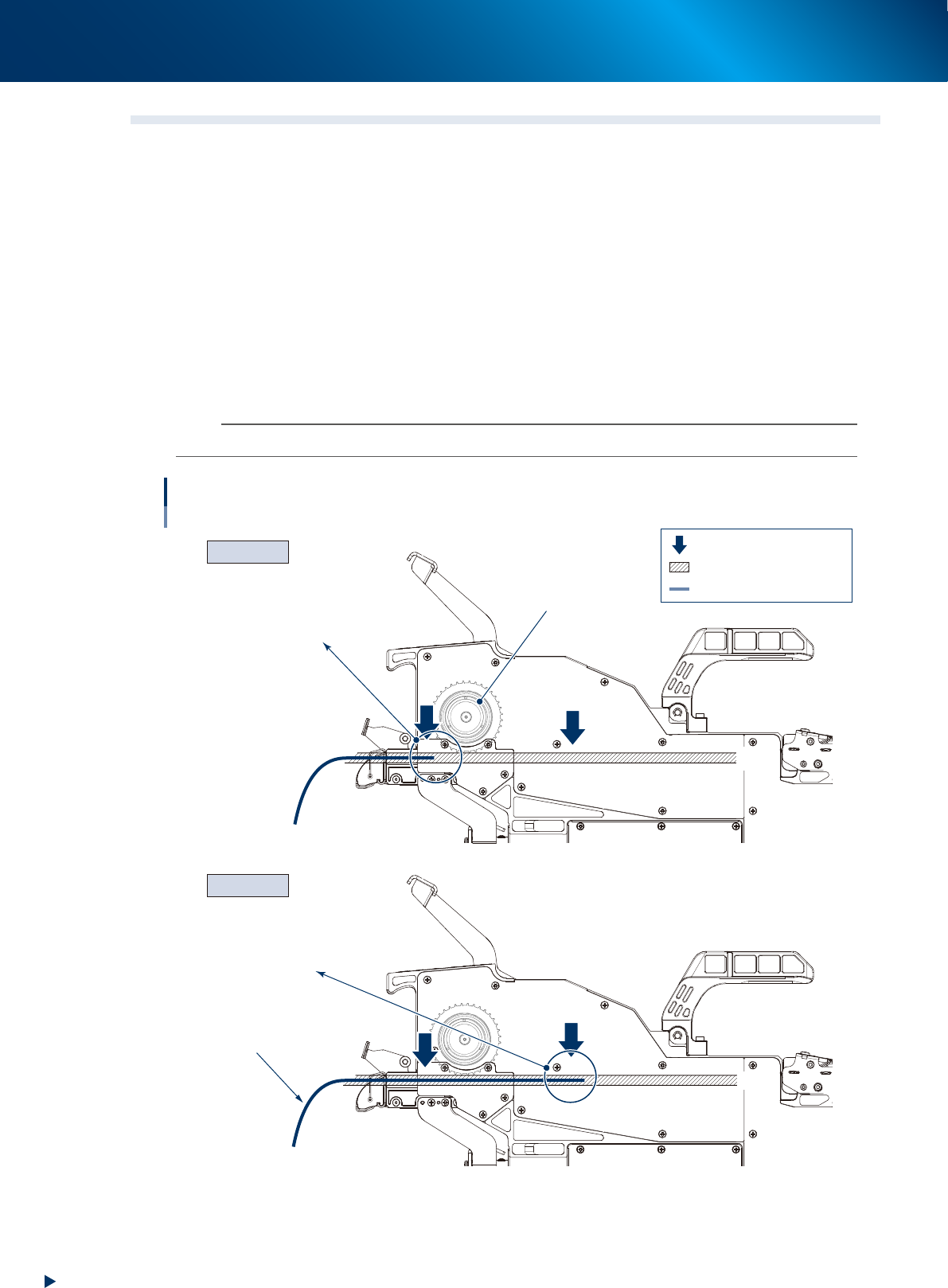
4.5 Component tape cannot be loaded/unloaded.
█
Error : Component tape cannot be loaded by pressing [LOAD] button.
►
Cause
1. The top of component tape does not reach at the sprocket.
2. The top of component tape reaches at the sensor 2.
►
Countermeasure for cause 1
When the top of component tape does not reach at the sprocket, pull out the loading unit and
component tape and insert the component tape set position more.
►
Countermeasure for cause 2
When the top of component tape reaches at the sensor 2, lower the clamp lever and pull out the
component tape to where is not detected by sensor 2.
n
NOTE
When the machine is operated or a component tape is at the position of sensor 3, component tape cannot be unloaded.
2
3
2
3
Cause 2
Cause 1
Component tape cannot be loaded.
Sprocket
Top of component tape does not
reach at sprocket.
Sensor 2 detects
component tape.
Component tape
: Component tape detection sensor
: Component tape path
: Component tape
63329-KLU-30