ALFeeder_E.pdf - 第82页
4. T roubleshooting 3-36 Chapter 3 Setting up 4.3 Components cannot be supplied corr ectly from r eel. █ Error : Components cannot be supplied as reel does not r otate correctly , causing component pickup error . ► Cause…
4. Troubleshooting
3-35
Chapter 3 Setting up
4.2.2 Element caused by feeder
█
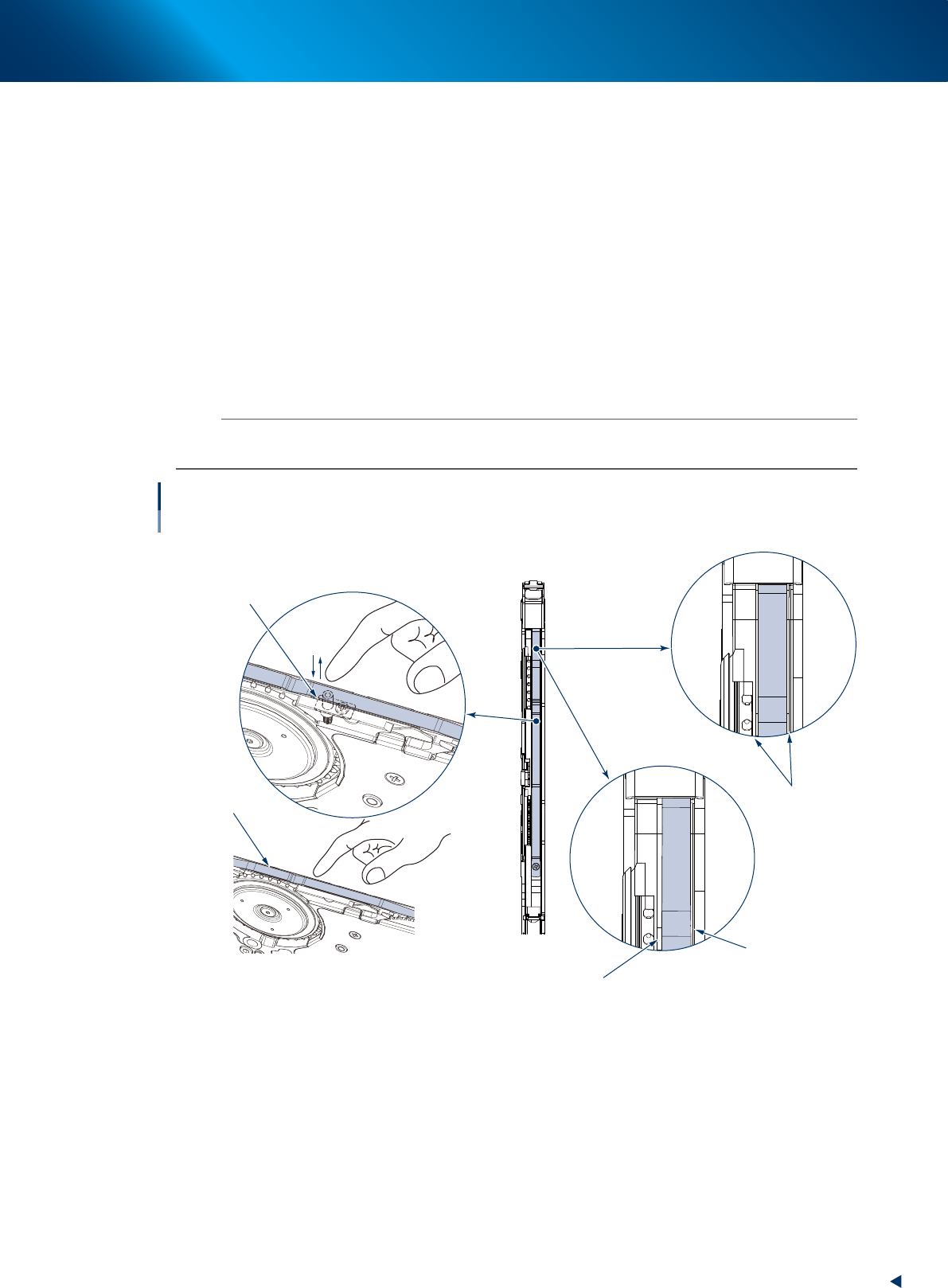
Error : Cutting cover tape is failed repeatedly and component pickup error occurs.
►
Cause
1. The mounting condition of leaf spring is not fine.
2. The pusher does not move smoothly.
►
Countermeasure for cause 1
• Check that the leaf spring mounted at the groove center of the equipment body.
• When the leaf spring runs on edge of groove, adjust the mounting position.
►
Countermeasure for cause 2
• Check that the pusher moves smoothly.
• When the pusher does not move smoothly, replace it.
n
NOTE
If an error still occurs even after performing countermeasures above, the blade on tape guide may be worn out. In this
case, maintain the tape guide referring to "3. Maintenance / Replacing procedure" in chapter 4.
Cover tape cannot be cut correctly.
Checking leaf spring/pusher assembly
Leaf spring
Pusher assembly
Clearances left
and right are equal.
Correct
Incorrect
Leaf spring protrudes
onto tape path frame.
Clearance is wide.
63328-KLU-30
4. Troubleshooting
3-36
Chapter 3 Setting up
4.3 Components cannot be supplied correctly from reel.
█
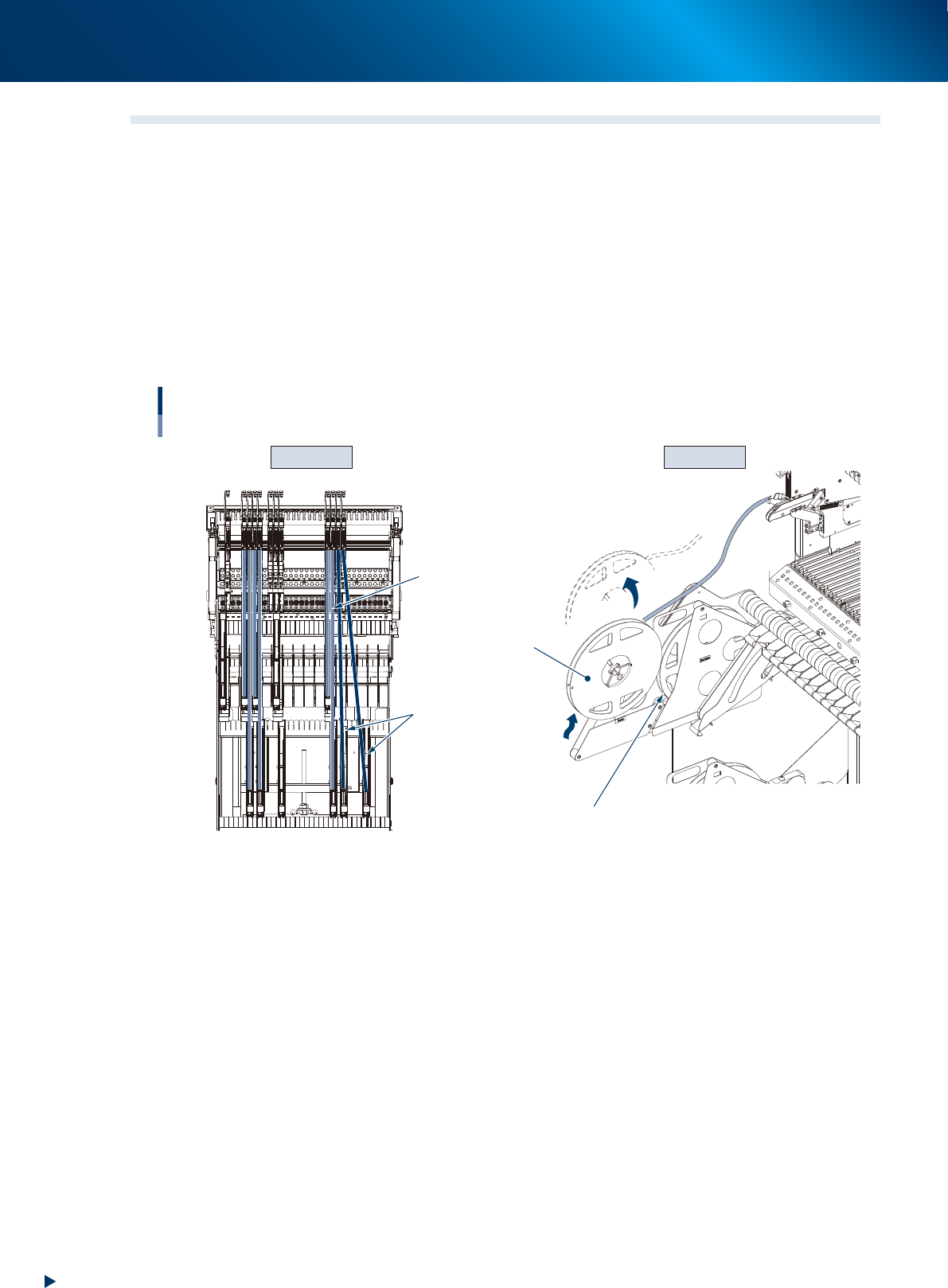
Error : Components cannot be supplied as reel does not rotate correctly, causing
component pickup error.
►
Cause
1. As components are supplied from the 2nd reel, the reel moves up and comes off from preset holder.
2. As the reel is set obliquely, it does not rotate smoothly.
►
Countermeasure for cause 1
Detach the empty reel and set the 2nd reel in the storage for 1st reel.
►
Countermeasure for cause 2
Set the reel in the preset holder on the straight line of the feeder.
Cause 2 Cause 1
Components cannot be supplied correctly.
Reel moves up and
comes off from preset holder.
2nd reel
Correct set position
(Tape is on the straight line)
1st reel (empty reel)
Feeder and reel set position
are not aligned.
Upper
reel
holders
Lower
reel
holders
63303-KLU-30
4. Troubleshooting
3-37
Chapter 3 Setting up
4.4 Feed pitch offset
█
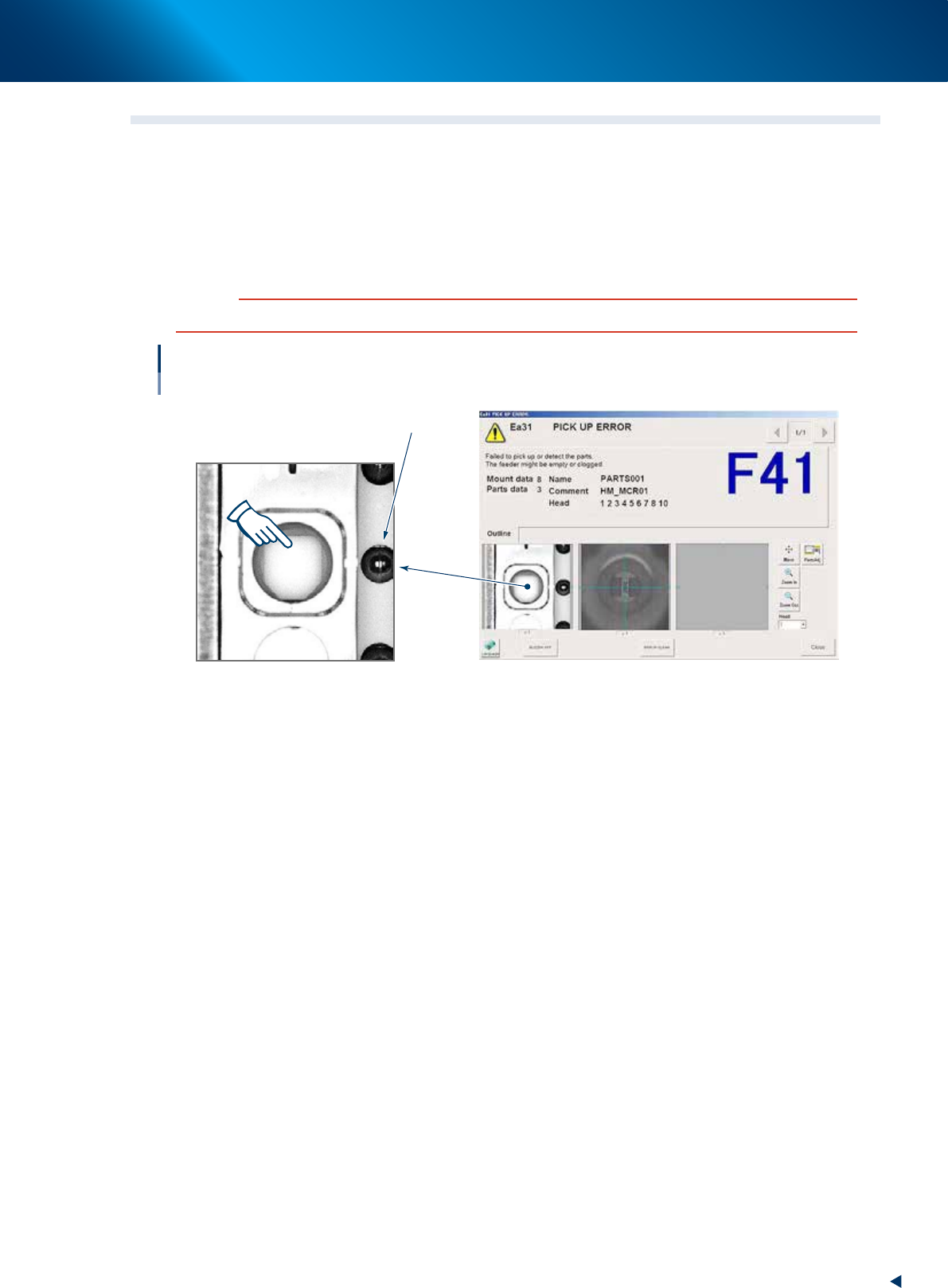
Error : Component pickup error occurs. The pickup position is offset on screen.
►
Cause
Component tape is 2 mm offset when it is set.
►
Countermeasure
Align with the component pickup position by [FEED] button.
c
CAUTION
Align with component pickup position by [FEED] button. The [BACK] button cannot be used.
Feed pitch offset
Component pickup position
(No component)
Sprocket
64304-KLU-30