ALFeeder_E.pdf - 第23页
1. Overview 1-11 Chapter 1 Overview 1.5 A vailable component tape and limitation items 1.5.1 Limitation items ► The length of empty pockets (sealed with adhesive cover tape but no components) from the end is 300 mm (600 …
1. Overview
1-10
Chapter 1 Overview
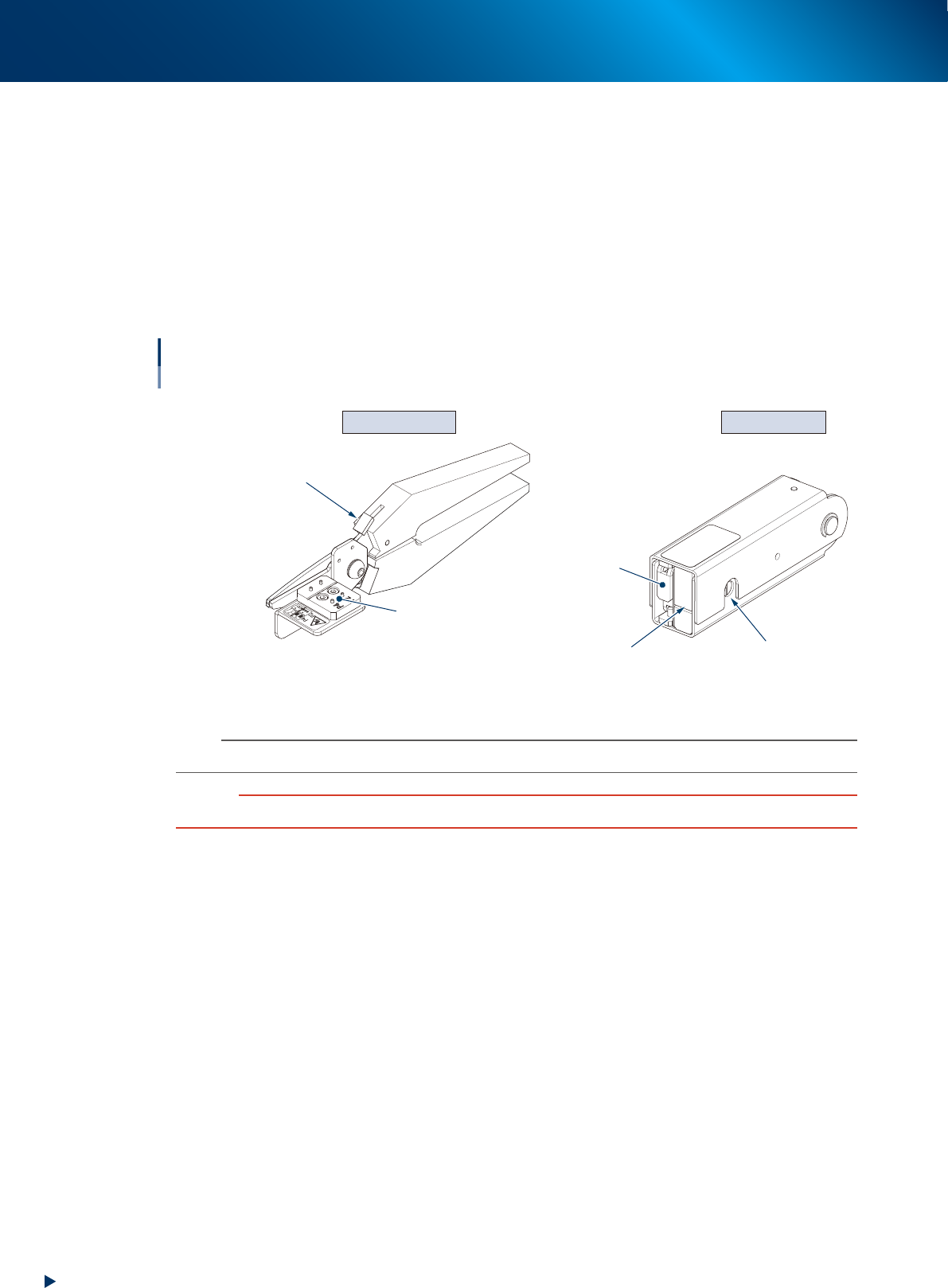
1.4.2 Tape cut jig / Tape leveler
The top of the component tape must be folded in advance to load a component tape correctly after cutting a
component tape with tape cut jig (scissors). Fold the top of component tape with tape leveler.
►
Tape cut jig (scissors)
Used to cut for cutting/folding top of component tape. The component tape is cut correctly by setting it
to prescribed position, and this jig is available for the cut position of both 2mm pitch and 4mm pitch.
►
Tape leveler (folding top of component tape jig)
Used to fold the top of component tape. The folding position can be checked through the window to
check folding position placed at side.
Tape cut jig Tape leveler
Tape cut jig / Tape leveler
Cutting component tape / Folding top of component tape
Insertion position
of component tape (paper)
Window to check
folding position
Do not use this side.
Locking lever
Tape set position
63110-KLU-10
n
NOTE
See Ch. 2 "1.1 Cutting component tape" to use the tape cut jig/tape leveler.
c
CAUTION
Make sure to cut and fold the top of component tape correctly. Otherwise component tape may not be loaded.
1. Overview
1-11
Chapter 1 Overview
1.5 Available component tape and limitation items
1.5.1 Limitation items
►
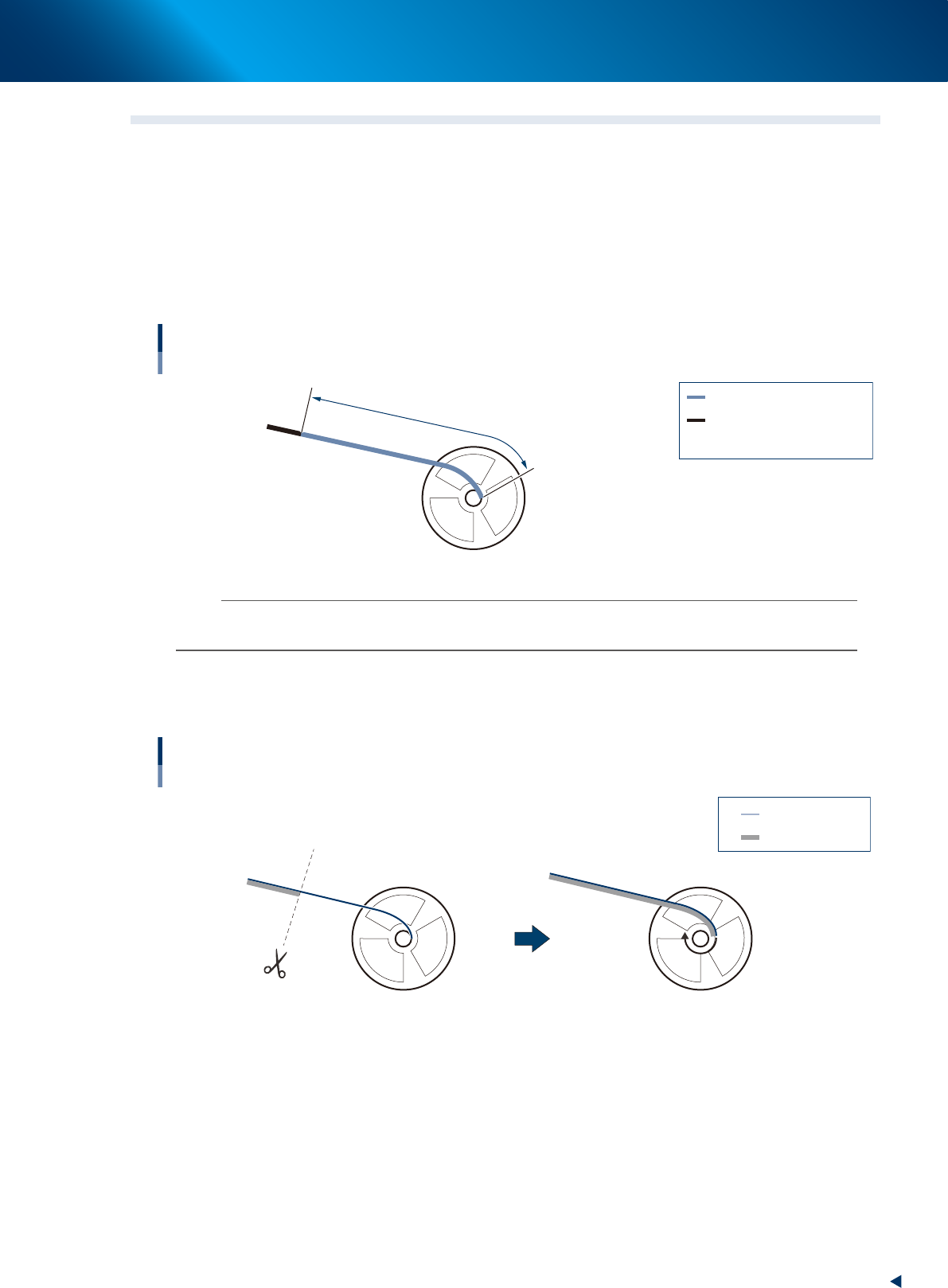
The length of empty pockets (sealed with adhesive cover tape but no components) from the end is
300 mm (600 mm upon using IT option) or shorter.
• If the length of component tape from the end is over 300 mm, the end of tape cannot be detected
and the automatic replacing with the component tape to be added is not available.
• After the feeder is stopped by pickup error due to consecutive empty pockets, eject component tape
by unloading.
Length of adhesive cover tape
Available component tape
: Adhesive cover tape
: Tape with components
: Length of adhesive cover tape
Standard type : A is 300 mm or shorter
Using IT Option : A is 600 mm or shorter
A
A
63105-KLU-30
n
NOTE
The end of component tape can be detected up to 600 mm of empty pocket area by using the splicing point checking
function of IT option.
►
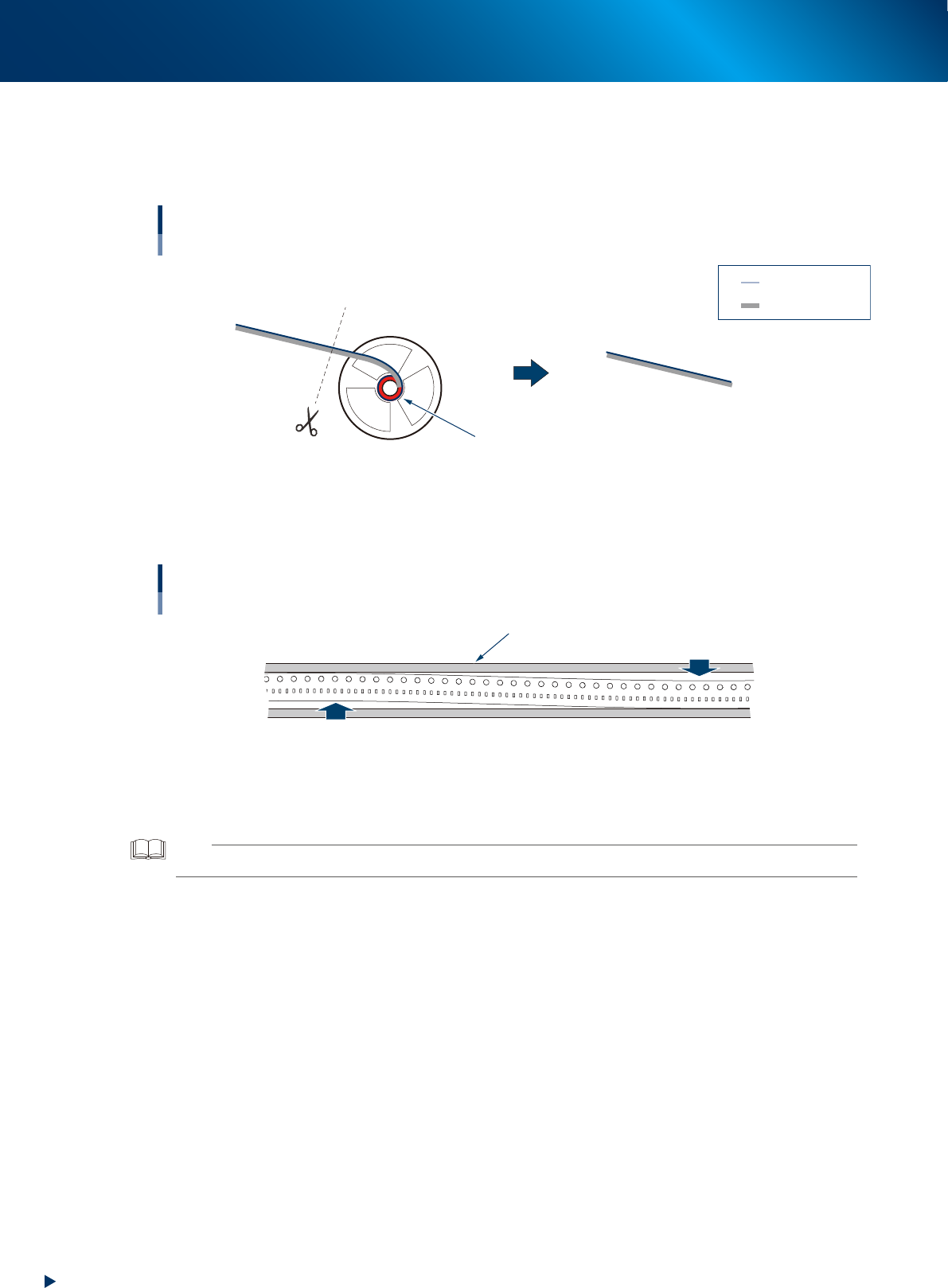
The cover tape from the end is shorter than carrier tape.
Cut same positions of the cover tape and carrier tape (both from the end) shown in the figure below
with scissors.
Ends of cover tape and carrier tape
Available component tape
: Cover tape
: Carrier tape
63106-KLU-30
1. Overview
1-12
Chapter 1 Overview
►
The end of component tape is not fixed to a hub of reel with adhesive tape.
The component tape whose end is fixed to a reel hub with adhesive tape is not available.
Cut the end of component tape at the point where the adhesive tape is not applied with scissors to
separate from reel.
Component tape is fixed with adhesive tape.
Ends of component tape
Available component tape
: Cover tape
: Carrier tape
63107-KLU-30
►
The meandering of component tape is not excessive.
If the meandering of component tape is excessive, the component tape cannot be loaded correctly due
to contacting to both sides of tape guide.
Meandering of component tape
Tape guide
Meandering of component tape
Meandering of component tape
63108-KLU-30
►
The end of component tape rolling a reel hub is not curling.
A curling component tape of thick paper may not be fed correctly.
TIP
A curling component tape may able to be fed by decreasing the feed speed.
►
Component tape without fold lines or wrinkle.
Component tape with fold lines or wrinkle may not be fed correctly.
►
Do not adhere things other than specified to component tape.
• Supplying component tape is performed with the procedures for Auto loading feeder.
• Joint tapes (tapes for splicing) are not available.
►
Make sure to change the component placement for Auto loading feeder.
• It is required to change the component placement as the relevant components are different from
those of previous feeders.
• Optimize the board data after changing the component placement.