ALFeeder_E.pdf - 第86页
4. T roubleshooting 3-40 Chapter 3 Setting up 4.5.1 Checking sensor status When the component tape cannot be loaded/unloaded even after performing countermeasures previously described, open [Unit] - [F eeder] screen to c…
4. Troubleshooting
3-39
Chapter 3 Setting up
█
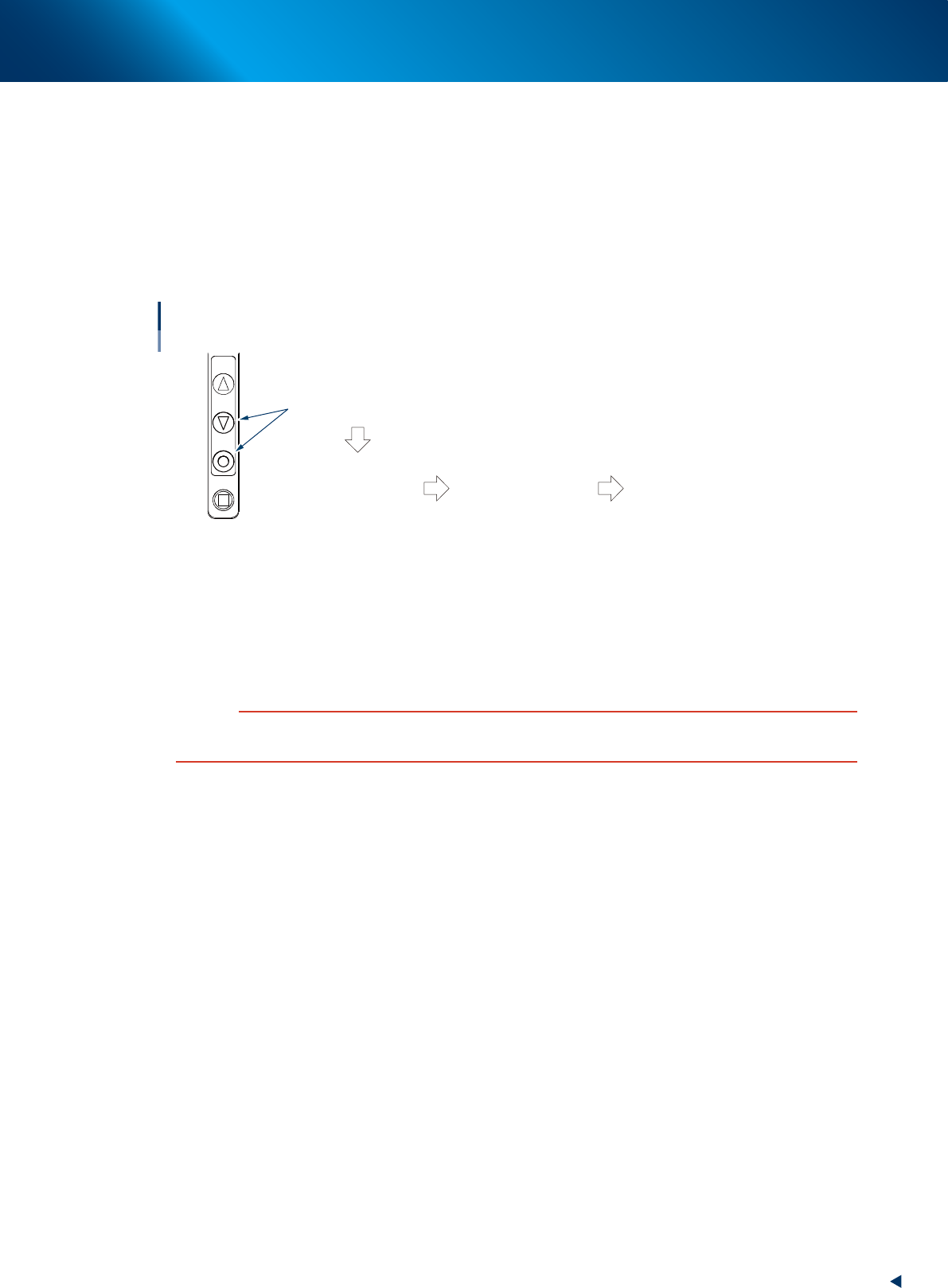
Error : Unloading stops in the middle.
►
Countermeasure
Press [FUNC] and [BACK] buttons simultaneously and unload again.
█
Error : Unloading is not performed.
►
Countermeasure
Detach Auto loading feeder from machine. Then pull the component tape manually while no power is
supplied to Auto loading feeder.
FEED
BACK
FUNC
LOAD
Component tape cannot be unloaded.
Component tape
cannot be unloaded
even after pressing
buttons.
Detach Auto loading
feeder from machine.
Pull component tape manually
while no power is supplied to
Auto loading feeder.
Press buttons simultaneously.
63330-KLU-30
█
Error : Loading and unloading cannot be performed.
►
Cause
Component tape may remain in the feeder.
►
Countermeasure
Remove remaining component tape by detaching the tape guide as needed.
c
CAUTION
Do not detach parts other than tape guide when removing remaining component tape. Make sure to return the original
tape guide to the original position after detaching tape guide.
4. Troubleshooting
3-40
Chapter 3 Setting up
4.5.1 Checking sensor status
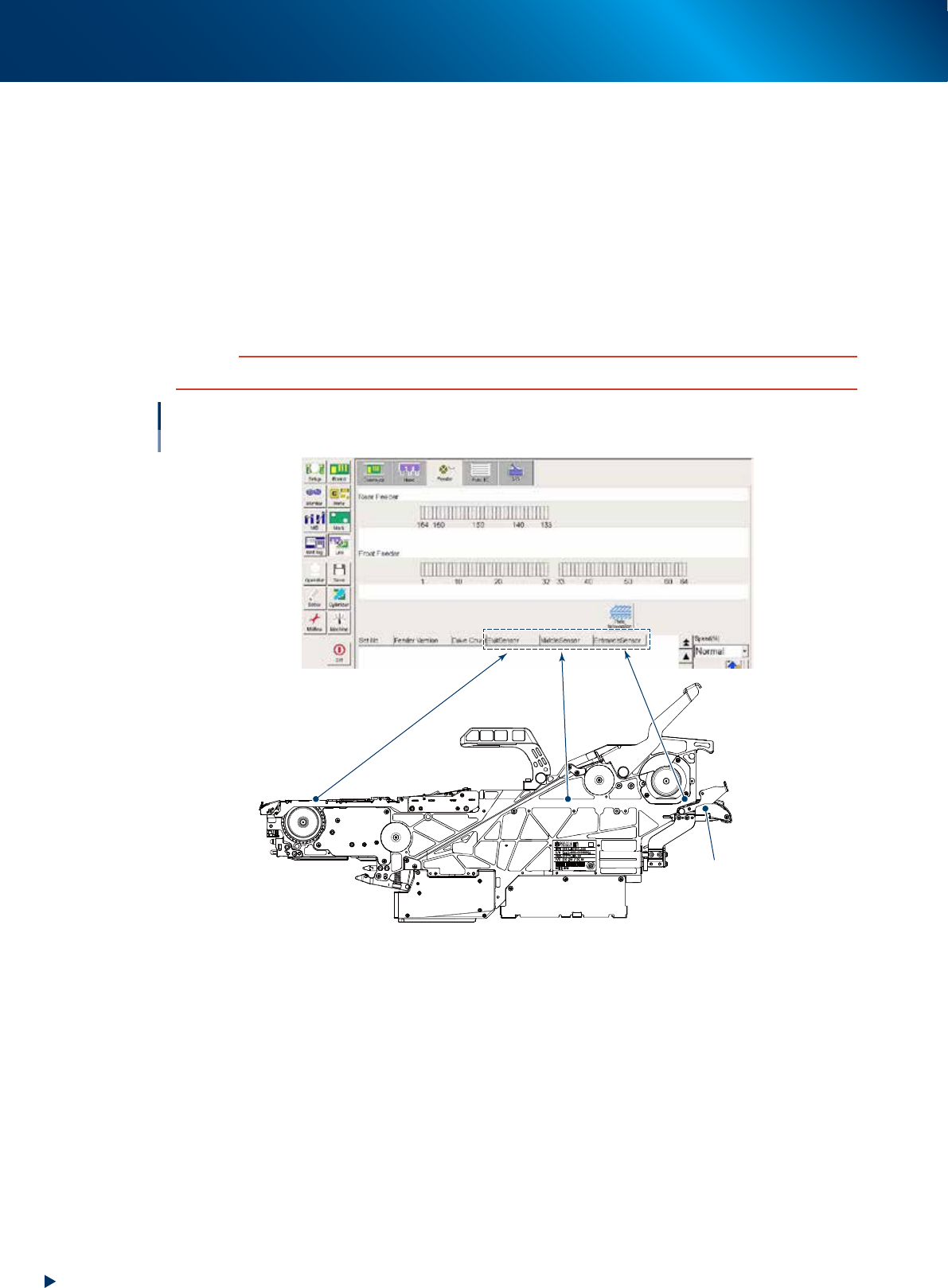
When the component tape cannot be loaded/unloaded even after performing countermeasures previously
described, open [Unit] - [Feeder] screen to check if sensors operate correctly.
►
Exit Sensor
Detach the tape guide and press the sensor with finger.
►
Middle Sensor
Insert a component tape from the rear of Auto loading feeder (loading unit side) 15 cm or more.
►
Entrance Sensor
Set a component tape to the loading unit.
c
CAUTION
Make sure to return the detached tape guide to the original position after checking sensor.
Checking sensor status
ON : Component tape is detected.
OFF : Component tape is not detected.
Loading unit
64312-KLU-30
4. Troubleshooting
3-41
Chapter 3 Setting up
4.6 Feeder Guide type is incorrect.
█
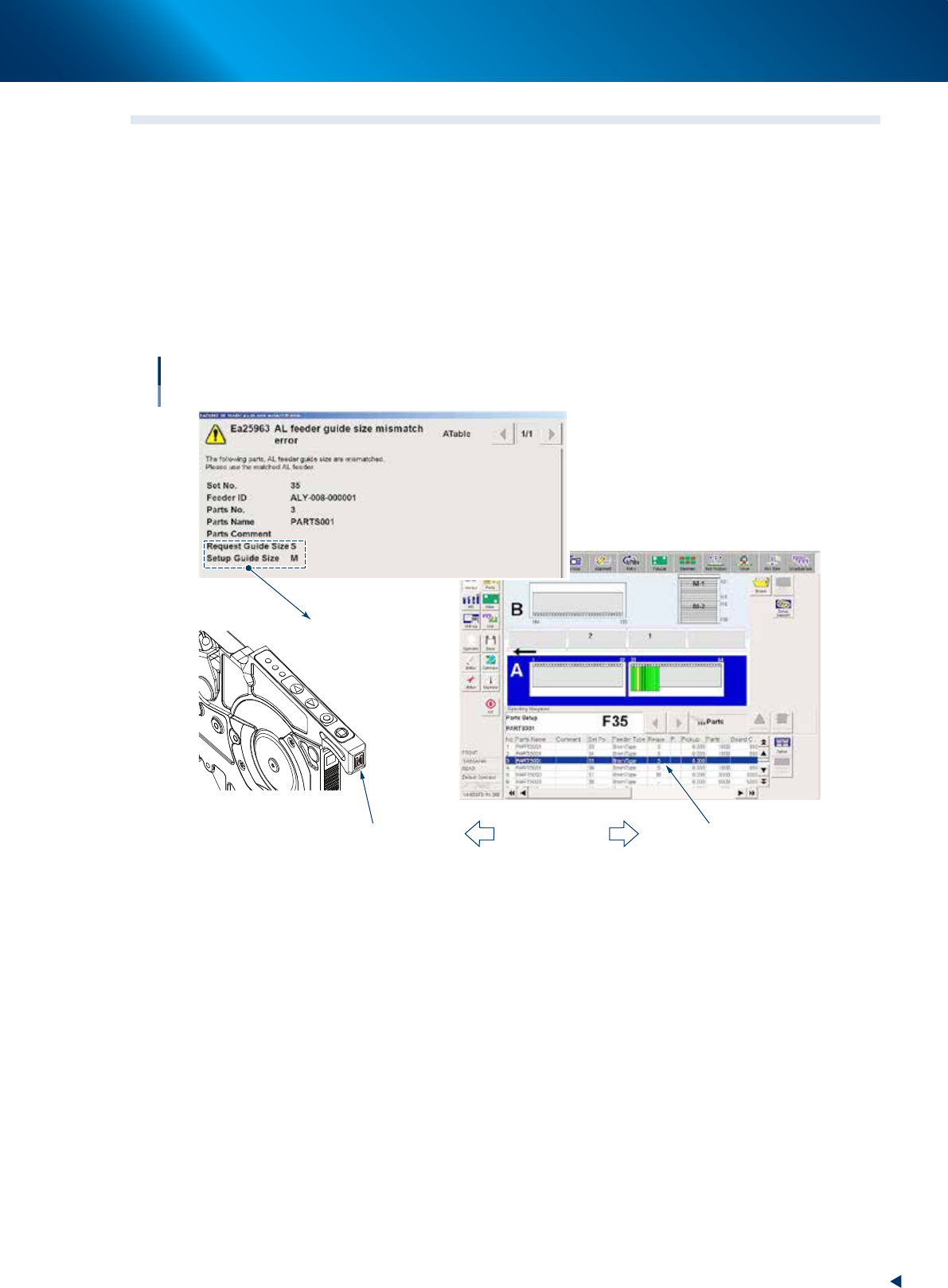
Error : Feeder does not operate as error message "AL feeder guide size mismatch error"
is displayed.
►
Cause
Request type of tape guide on board data and actual type of tape guide attached to Auto loading
feeder are different.
►
Countermeasure
Check the attached component and the type of tape guide to be used (2S/S/M/L/LL). Then replace the
feeder with one that type is same as request type of tape guide .
LED1
LED2
LED3
FEED
BACK
FUNC
LOAD
Feeder Guide type is incorrect.
Tape guide type is not same as feeder type
Types are different.
Cause of error
Tape guide type (M)
Request type of tape guide type (S)
64307-KLU-30