ALFeeder_E.pdf - 第73页
2. Preaparation for operation 3-27 Chapter 3 Setting up 7 Check the componen t tape se tting. The component t ape is set corre ctly if the follow ings are applied. 1. The yellow LED lights up for 1 second if the componen…
2. Preaparation for operation
3-26
Chapter 3 Setting up
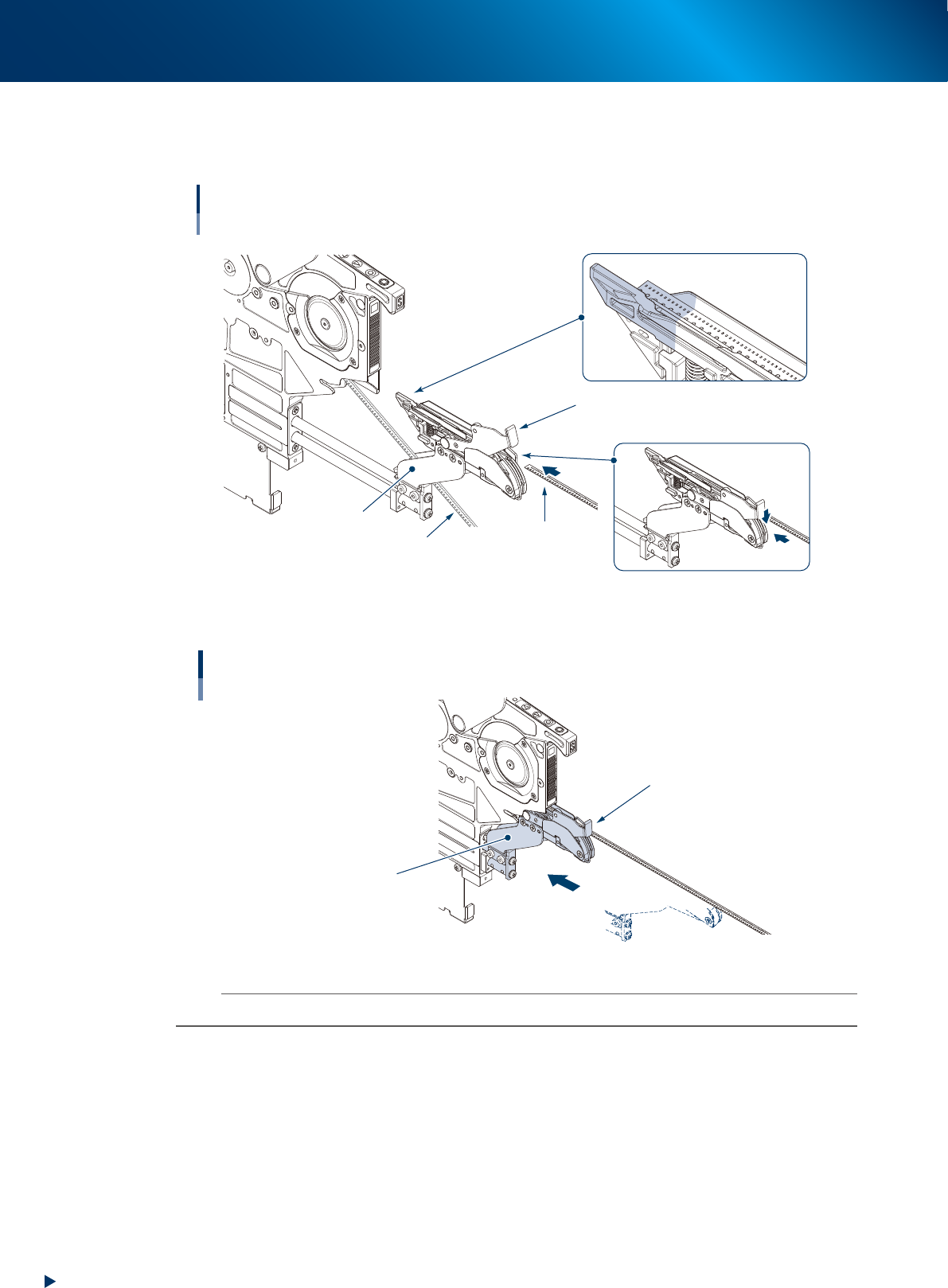
3. Close the clamp unit and move the loading unit just before the end to make it not open.
4. While pressing the tape clamp lever, insert the component tape to the loading unit, then insert
the top of component tape to the set area as shown in the figure below.
Setting component tape
Loading unit
Component tape
to be added
Component tape in operation
Tape clamp lever
Keep pressing down
tape clamp lever
Tape set area
Clamp unit
Set top of component
tape in this area
63305-KLU-50
5. Insert the loading unit into feeder body and release the tape clamp lever.
Inserting loading unit
Loading unit
Tape clamp lever
63332-KLU-00
n
NOTE
A loading error may occur unless the loading unit is inserted into the end.
2. Preaparation for operation
3-27
Chapter 3 Setting up
7
Check the component tape setting.
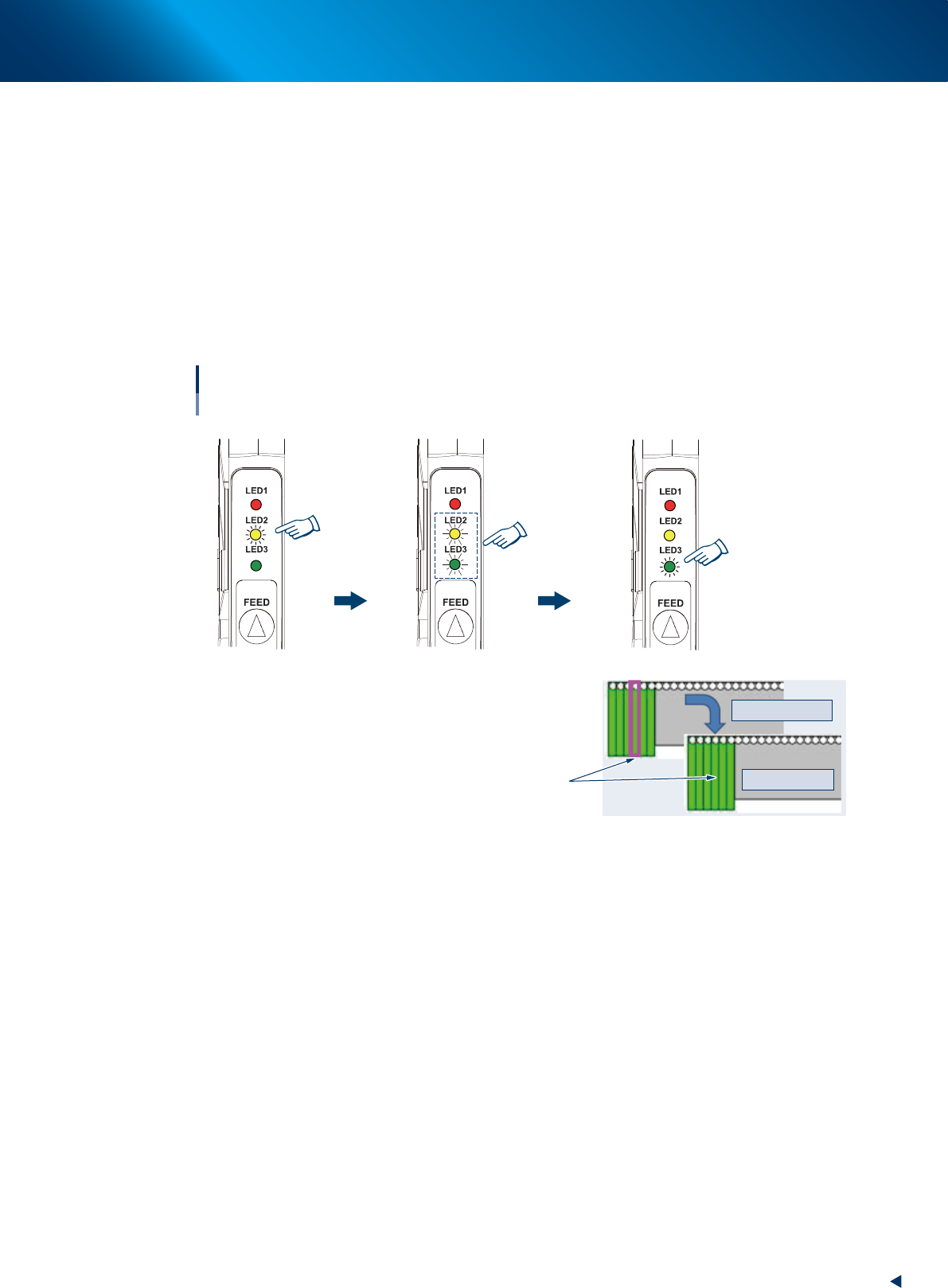
The component tape is set correctly if the followings are applied.
1. The yellow LED lights up for 1 second if the component tape insertion is detected.
2. The yellow and green LEDs flash simultaneously for 4 seconds.
<When supplying a component tape>
Check [Monitor] - [Production] screen. The feeder set position is enclosed with a magenta frame
when "presettable".
3. The green LED lights up after completing the component tape setting.
<When supplying a component tape>
The magenta frame disappears when the set for "presettable" is completed.
Yellow and green LEDs
flash simultaneously
for 4 seconds
Yellow LED lights up
for 1 second
Completing
Completing component tape setting
With IT Option
Magenta frame disappears
Before completing
After completing
Green LED lights up
[Monitor] - [Production] screen
63307-KLU-30
8
Start the operation.
When the reel was newly set.
Pressing [START] button loads component tape, set in the loading unit, to pickup position and starts
operation.
When the reel was preset.
If the component tape in operation becomes empty, other component tape set in the loading unit
loads to pickup position and supplying component is continued.
2. Preaparation for operation
3-28
Chapter 3 Setting up
2.3 Other functions
The following functions are available with the optional software (IT Option).
█
Presettable indication
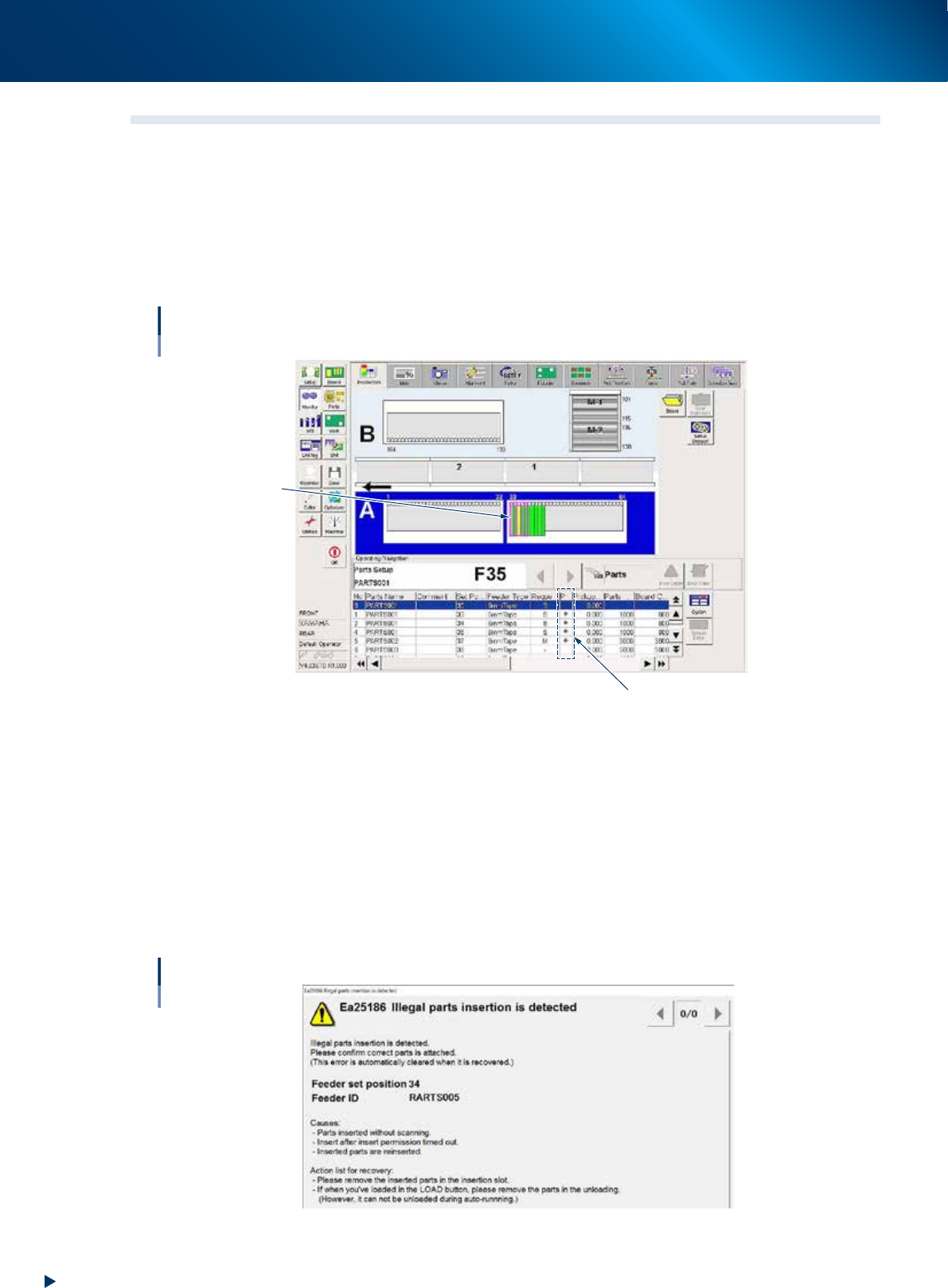
When there is "presettable" and it can be performed, it is indicated on [Monitor] - [Production] screen
as shown below.
• * (Asterisk) appears on the "presettable" column.
• The magenta frame appears on feeder placement graphic.
Presettable
“Presettable” column
Magenta frame
64309-KLU-30
█
Unauthorized Insert Detection
The insertion is detected in all statuses (Operation/Reset/Emergency Stop). The unverified component
tape is not loaded automatically.
• When Auto loading feeder is set to a machine and setting component tape to Auto loading feeder
that has no parts set request, it is regarded as an illegal parts insertion and the warning appears.
• When the illegal parts insertion is detected, the operation call is given. This can be cleared by
checking the error and detach the relevant component tape.
• When setting the detached Auto loading feeder to the correct position, it is required to verify the
component tape and the feeder.
Insert detection
64310-KLU-30