ALFeeder_E.pdf - 第20页
1. Overview 1-8 Chapter 1 Overview 1.3 T ypes of Auto loading feeder and available component size Auto loading feeder is classified according to the a vailable component size shown in the table below . Make sure to chec …
1. Overview
1-7
Chapter 1 Overview
█
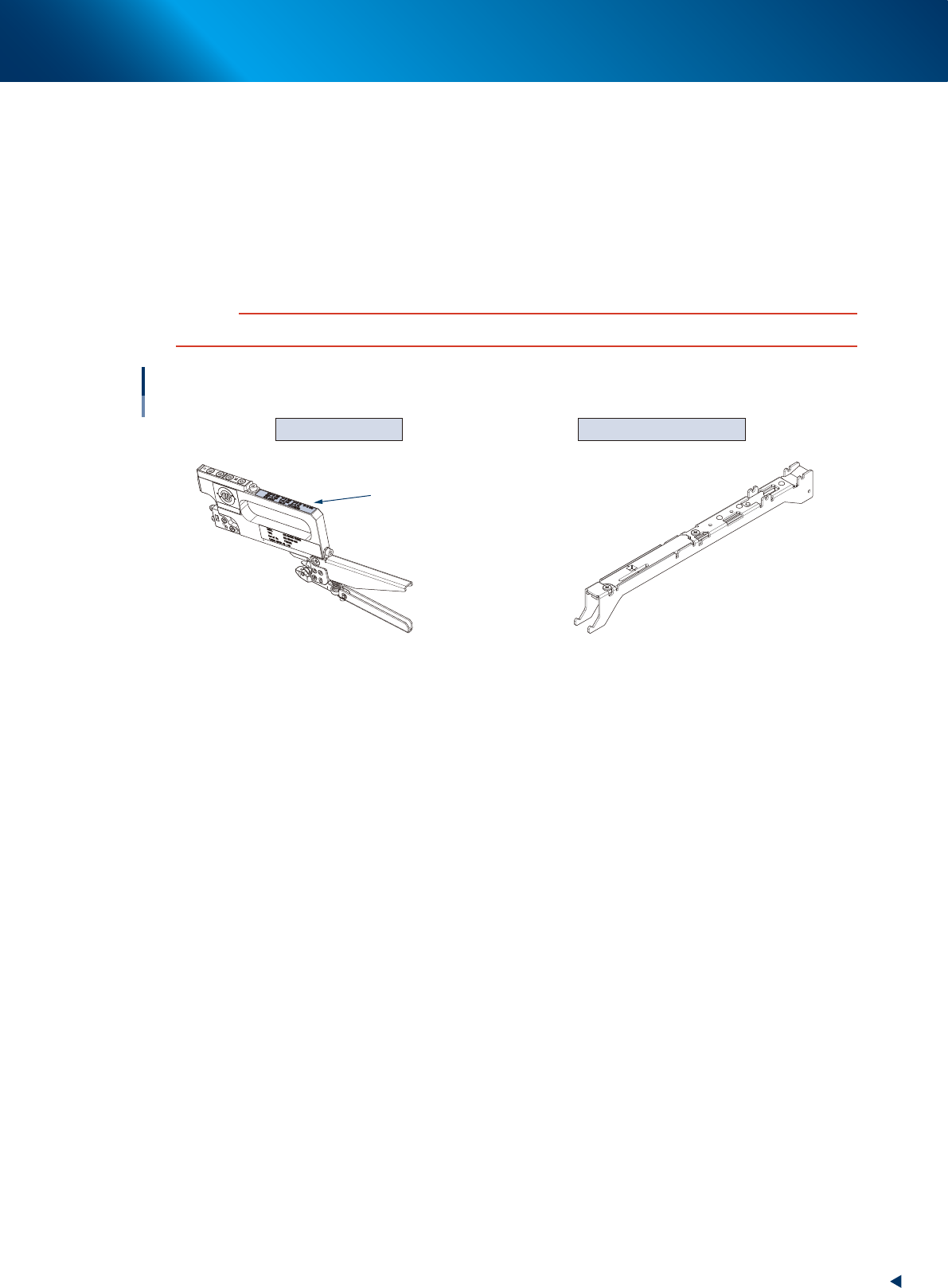
Adjustment jigs
►
Master feeder
Master feeder is a jig to adjust a pickup position of feeder. When 1 year or longer has elapsed from
the date marked on the calibration label, it is recommended to calibrate the master feeder.
►
Tape guide for tune-up station (dedicated for Auto loading feeder)
When using tune-up station, replace the normal tape guide assembly with the tape guide for tune-up
station. Reattach the original tape guide assembly after adjusting with tune-up station. See the
separate manual "Tune-Up Station" for details.
c
CAUTION
The master tape may be damaged if using tune-up station without changing to tape guide for tune-up station.
Master feeder/Tape guide for tune-up station
Calibration label
(Dedicated for Auto loading feeder)
Master feeder Tape guide for tune-up station
63123-KLU-30
1. Overview
1-8
Chapter 1 Overview
1.3 Types of Auto loading feeder and available component size
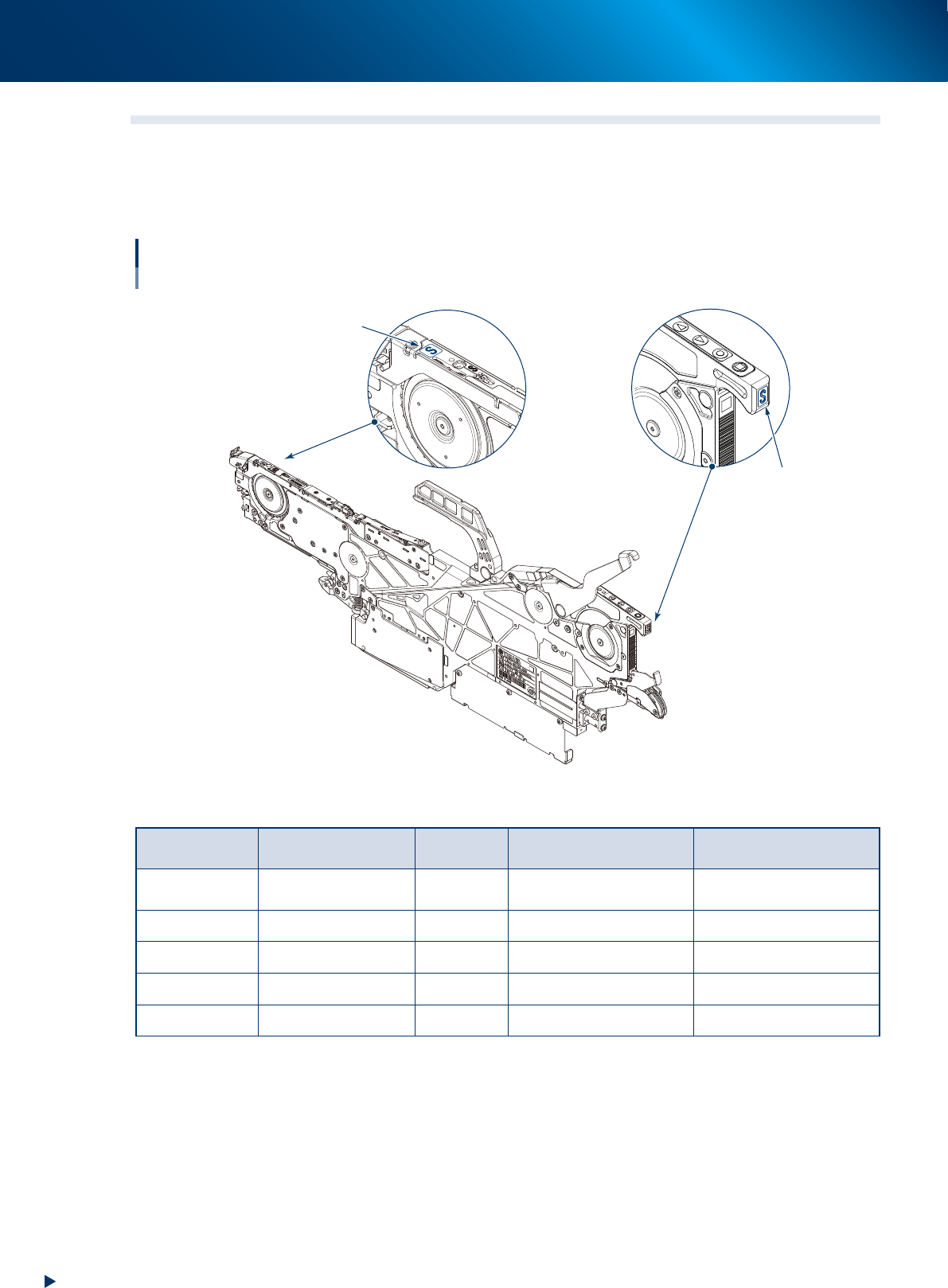
Auto loading feeder is classified according to the available component size shown in the table below. Make
sure to check the type displays on tape guide and operation panel shown in the figure below. Additionally,
use the special jig (cover tape checker) to select Auto loading feeder available for the component tape to be
used.
Types of Auto loading feeder
Type display positions
Tape guide
Operation panel
Type display
Type display
63100-KLU-40
Available component size: Unit is mm. Figures in ( ) are sizes in inches.
Type display/
Engraving
Available
component size
Tape Tape width Feed pitch (mm)
2S
0603 (0201)* / 1005
(0402)
Paper 8mm 2mm
S 1005 (0402) Paper 8mm 2mm
M 1608 (0603) Paper 8mm 2mm or 4mm
L 2012 (0805) Paper 8mm 2mm or 4mm
LL 3216 (1206) Paper 8mm 2mm or 4mm
*0603(0201) size supports only magnetic components.
1. Overview
1-9
Chapter 1 Overview
1.4 Selecting Auto loading feeder with special jig
1.4.1
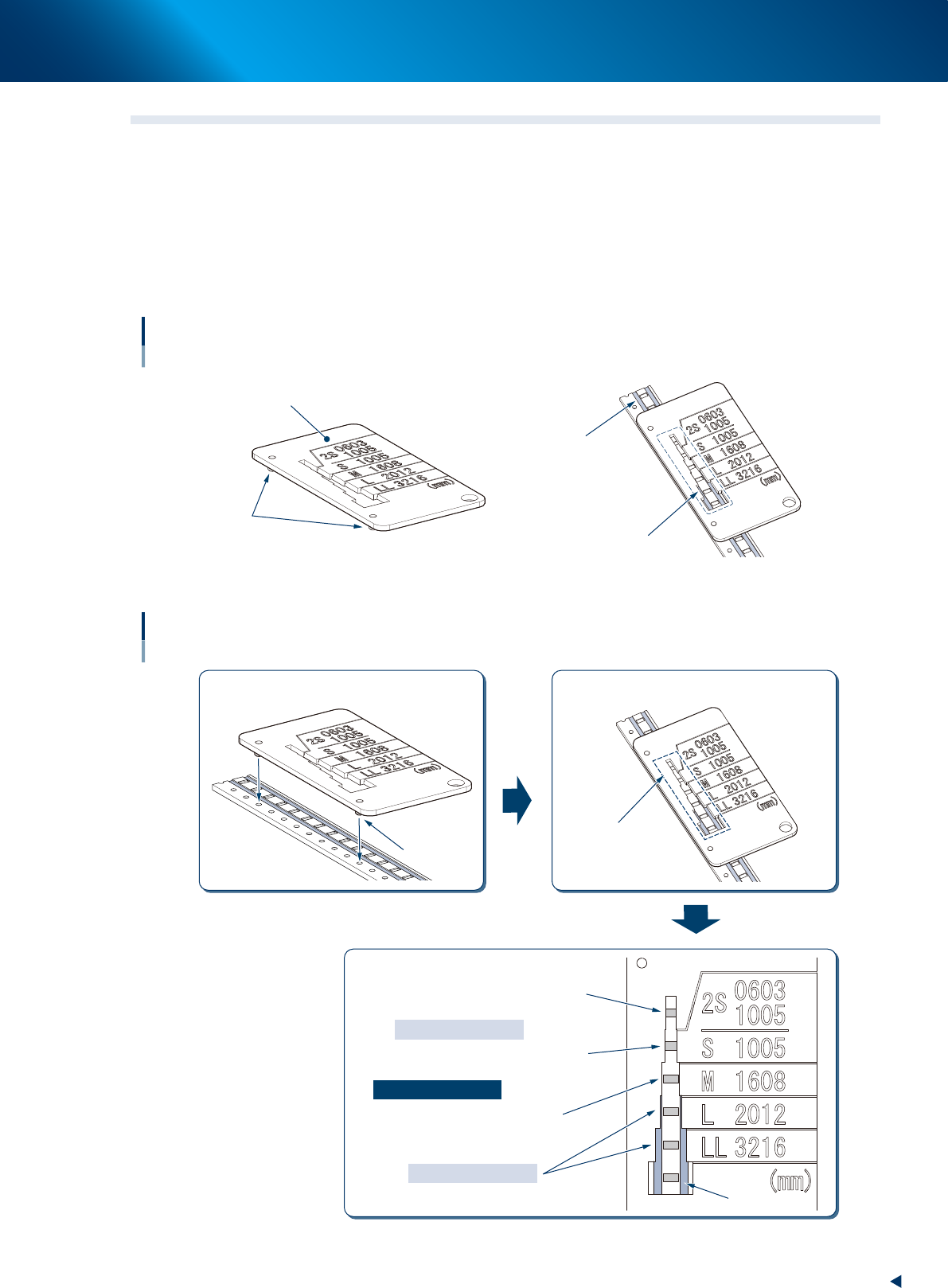
Cover tape checker (for checking the seal of cover tape and pocket size)
Selecting Auto loading feeder and judging the availability by checking the seal of cover tape and pocket size
with the special jig. The following is the availability conditions.
• The edge of the component pocket can be seen from the window for checking seal width.
• The seal cannot be seen from the window for checking seal width.
• The clearance is applied between the seals on left and right, and cover tape checker.
Cover tape checker
Jig for checking seal width
Cover tape checker
Locating pin
Seal
Window for
checking seal width
63109-KLU-50
Using cover tape checker
1
3
2
Locate pin
Window for
checking seal width
Insert locating pins into feed holes.
Checking through window for checking
seal width.
Determining targeted size.
Reason of inapplicable
Reason of applicable
Reason of inapplicable
The edge of component pocket
cannot be seen.
The edge of component pocket
can be seen, but the seal cannot be seen.
The seal can be seen.
Inapplicable
Inapplicable
63113-KLU-10