ALFeeder_E.pdf - 第22页
1. Overview 1-10 Chapter 1 Overview 1.4.2 T ape cut jig / T ape leveler T he top of the component tape must be folded in ad vance to load a component tape correctly after cutting a component tape with tape cut jig (sciss…
1. Overview
1-9
Chapter 1 Overview
1.4 Selecting Auto loading feeder with special jig
1.4.1
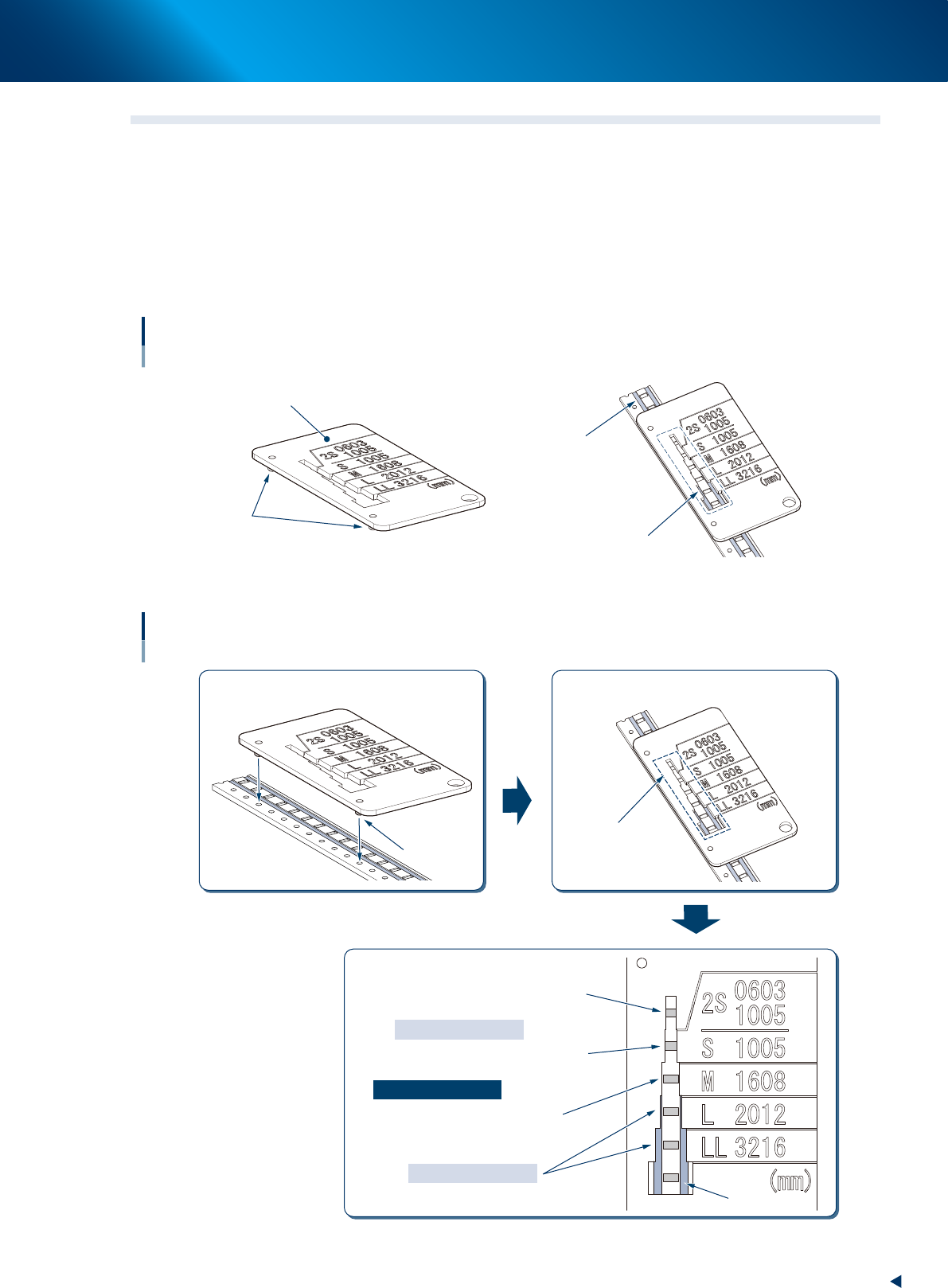
Cover tape checker (for checking the seal of cover tape and pocket size)
Selecting Auto loading feeder and judging the availability by checking the seal of cover tape and pocket size
with the special jig. The following is the availability conditions.
• The edge of the component pocket can be seen from the window for checking seal width.
• The seal cannot be seen from the window for checking seal width.
• The clearance is applied between the seals on left and right, and cover tape checker.
Cover tape checker
Jig for checking seal width
Cover tape checker
Locating pin
Seal
Window for
checking seal width
63109-KLU-50
Using cover tape checker
1
3
2
Locate pin
Window for
checking seal width
Insert locating pins into feed holes.
Checking through window for checking
seal width.
Determining targeted size.
Reason of inapplicable
Reason of applicable
Reason of inapplicable
The edge of component pocket
cannot be seen.
The edge of component pocket
can be seen, but the seal cannot be seen.
The seal can be seen.
Inapplicable
Inapplicable
63113-KLU-10
1. Overview
1-10
Chapter 1 Overview
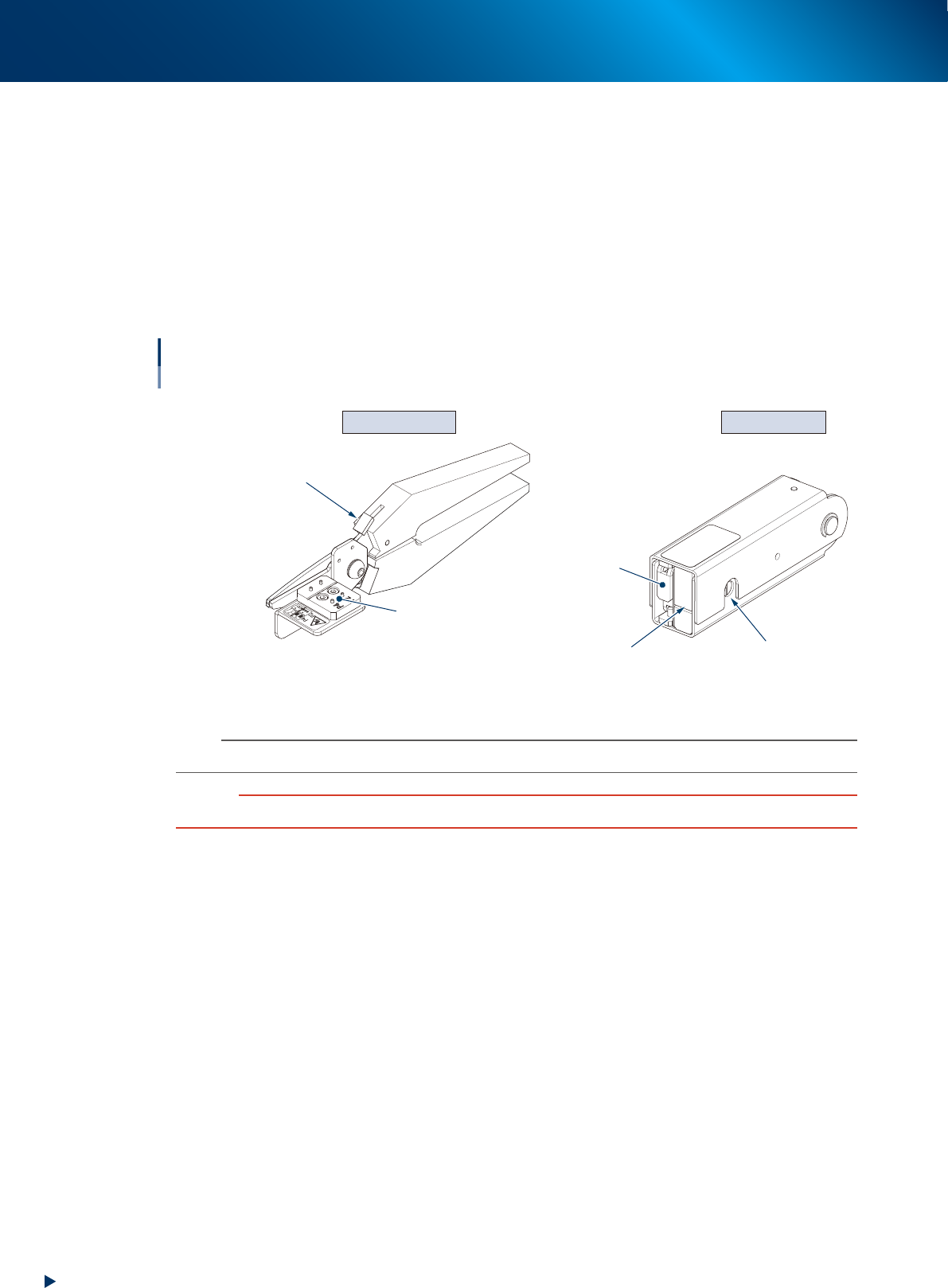
1.4.2 Tape cut jig / Tape leveler
The top of the component tape must be folded in advance to load a component tape correctly after cutting a
component tape with tape cut jig (scissors). Fold the top of component tape with tape leveler.
►
Tape cut jig (scissors)
Used to cut for cutting/folding top of component tape. The component tape is cut correctly by setting it
to prescribed position, and this jig is available for the cut position of both 2mm pitch and 4mm pitch.
►
Tape leveler (folding top of component tape jig)
Used to fold the top of component tape. The folding position can be checked through the window to
check folding position placed at side.
Tape cut jig Tape leveler
Tape cut jig / Tape leveler
Cutting component tape / Folding top of component tape
Insertion position
of component tape (paper)
Window to check
folding position
Do not use this side.
Locking lever
Tape set position
63110-KLU-10
n
NOTE
See Ch. 2 "1.1 Cutting component tape" to use the tape cut jig/tape leveler.
c
CAUTION
Make sure to cut and fold the top of component tape correctly. Otherwise component tape may not be loaded.
1. Overview
1-11
Chapter 1 Overview
1.5 Available component tape and limitation items
1.5.1 Limitation items
►
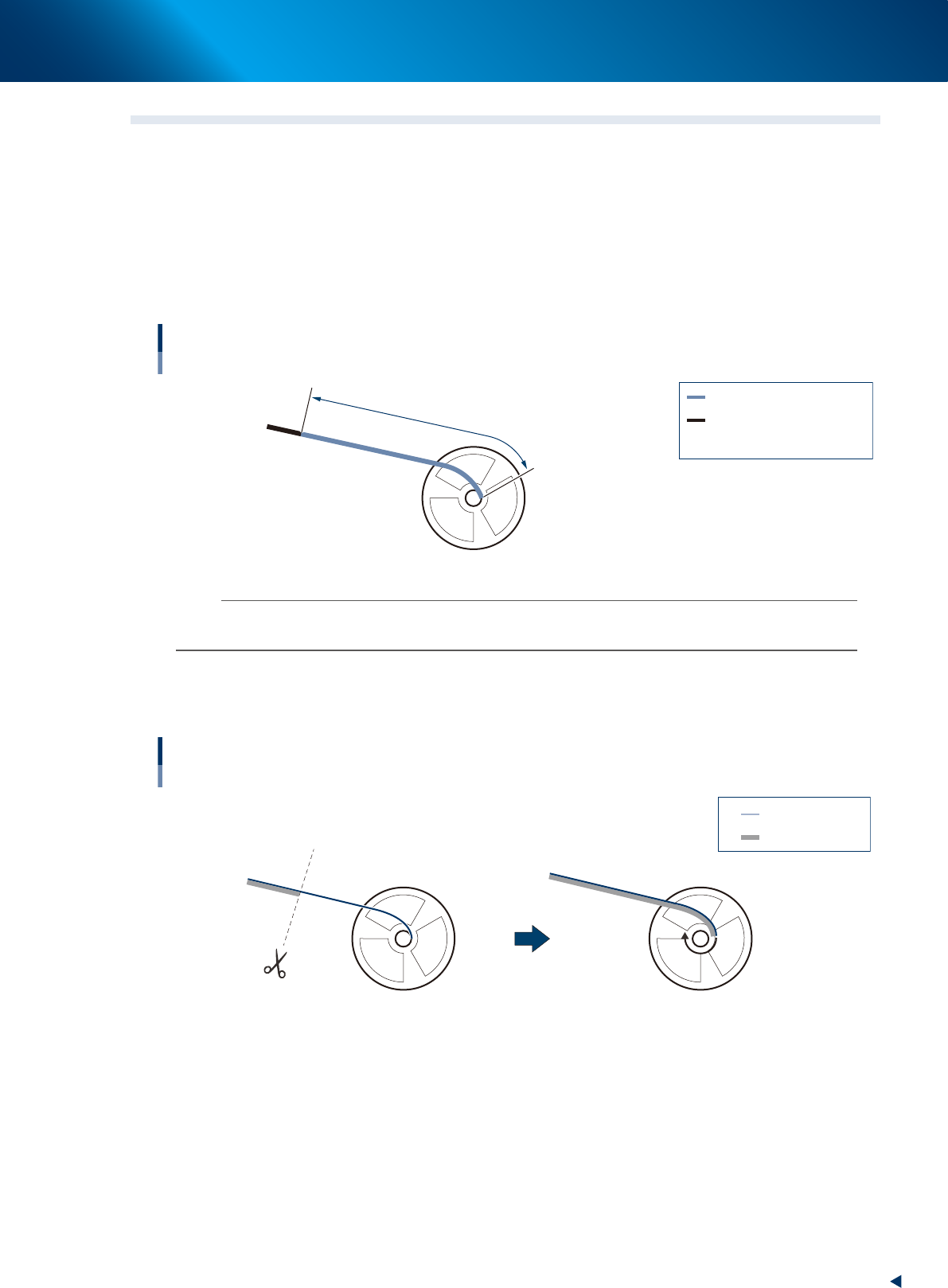
The length of empty pockets (sealed with adhesive cover tape but no components) from the end is
300 mm (600 mm upon using IT option) or shorter.
• If the length of component tape from the end is over 300 mm, the end of tape cannot be detected
and the automatic replacing with the component tape to be added is not available.
• After the feeder is stopped by pickup error due to consecutive empty pockets, eject component tape
by unloading.
Length of adhesive cover tape
Available component tape
: Adhesive cover tape
: Tape with components
: Length of adhesive cover tape
Standard type : A is 300 mm or shorter
Using IT Option : A is 600 mm or shorter
A
A
63105-KLU-30
n
NOTE
The end of component tape can be detected up to 600 mm of empty pocket area by using the splicing point checking
function of IT option.
►
The cover tape from the end is shorter than carrier tape.
Cut same positions of the cover tape and carrier tape (both from the end) shown in the figure below
with scissors.
Ends of cover tape and carrier tape
Available component tape
: Cover tape
: Carrier tape
63106-KLU-30