ALFeeder_E.pdf - 第77页
3. Operation panel 3-31 Chapter 3 Setting up 3.2 Single operation T he following describes the single oper ation of loading and unloading. T he following oper ation is not performed usually , as the used component tape t…
3. Operation panel
3-30
Chapter 3 Setting up
3.1.2 Buttons on operation panel
►
The [FEED] button
The [FEED] button feeds component tape to the pickup position. The continuous feed is available by
keep pressing the [FEED] button.
►
The [BACK] button
The [BACK] button is used with the [FUNC] button.
►
The [FUNC] button
The [FUNC] button is used with the [FEED] button or [BACK] button.
[FUNC]+[FEED]: Ejects component tape forcibly from the front side of feeder.
[FUNC]+[BACK]: Unloads component tape to the rear of feeder.
Feeder operation/Sensor detection status
Button operation Feeder operation
Tape detection status (sensor)
1 (Top) 2 (Center) 3 (Entrance)
[FEED]: Press once Feed 1 pitch (2 mm). No care No care No care
[LOAD]: Press once Feed component tape to pickup position OFF OFF ON
[FUNC]+[FEED]: Press once Eject component tape from front. ON No care No care
[FUNC]+[BACK]: Press once Eject component tape from rear. ON ON OFF
►
[LOAD] button
Feeds the preset component tape to the pickup position.
n
NOTE
The button operations above are not activated during automatic operation.
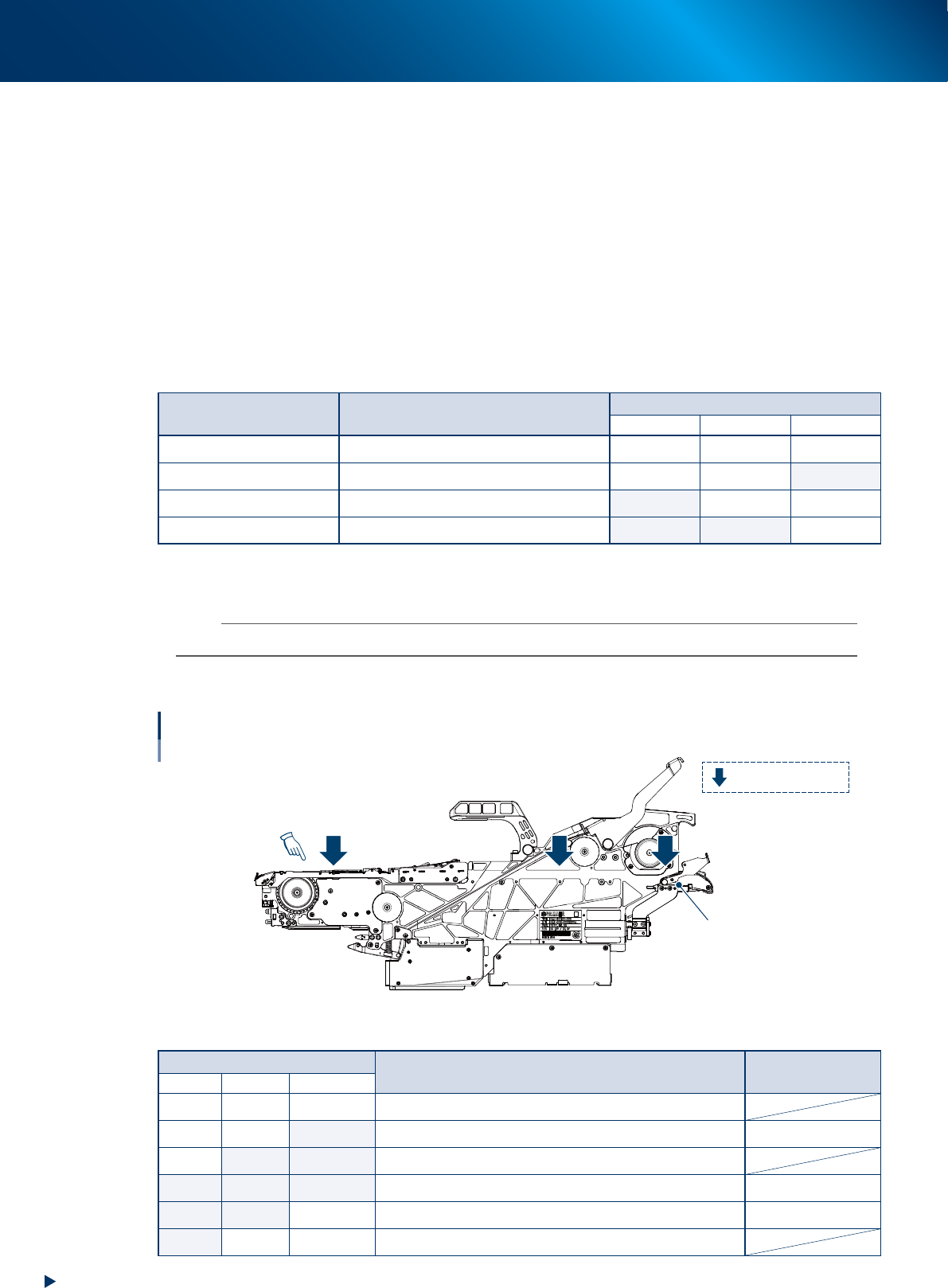
3.1.3 Sensors inside of the feeder body
1
2 3
Position of tape detection sensor
: Tape detection sensor
Loading unit
Pickup position
63311-KLU-40
Sensor detection status/Available operation
Sensor No.
Status Available operation
1 (Top) 2 (Center) 3 (Entrance)
OFF OFF OFF All sensors do not detect component tape.
OFF OFF ON Sensor 3 detects component tape to be added. Load
OFF ON ON Component tape to be added is being loaded to pick up position.
ON ON ON All sensors detect component tape. Pickup
ON ON OFF Sensor 1 and 2 detect component tape. Pickup/Unload
ON OFF No care Sensor 1 only detects component tape (end of tape component).
3. Operation panel
3-31
Chapter 3 Setting up
3.2 Single operation
The following describes the single operation of loading and unloading. The following operation is not
performed usually, as the used component tape that was in operation is ejected and the new component
tape is loaded automatically.
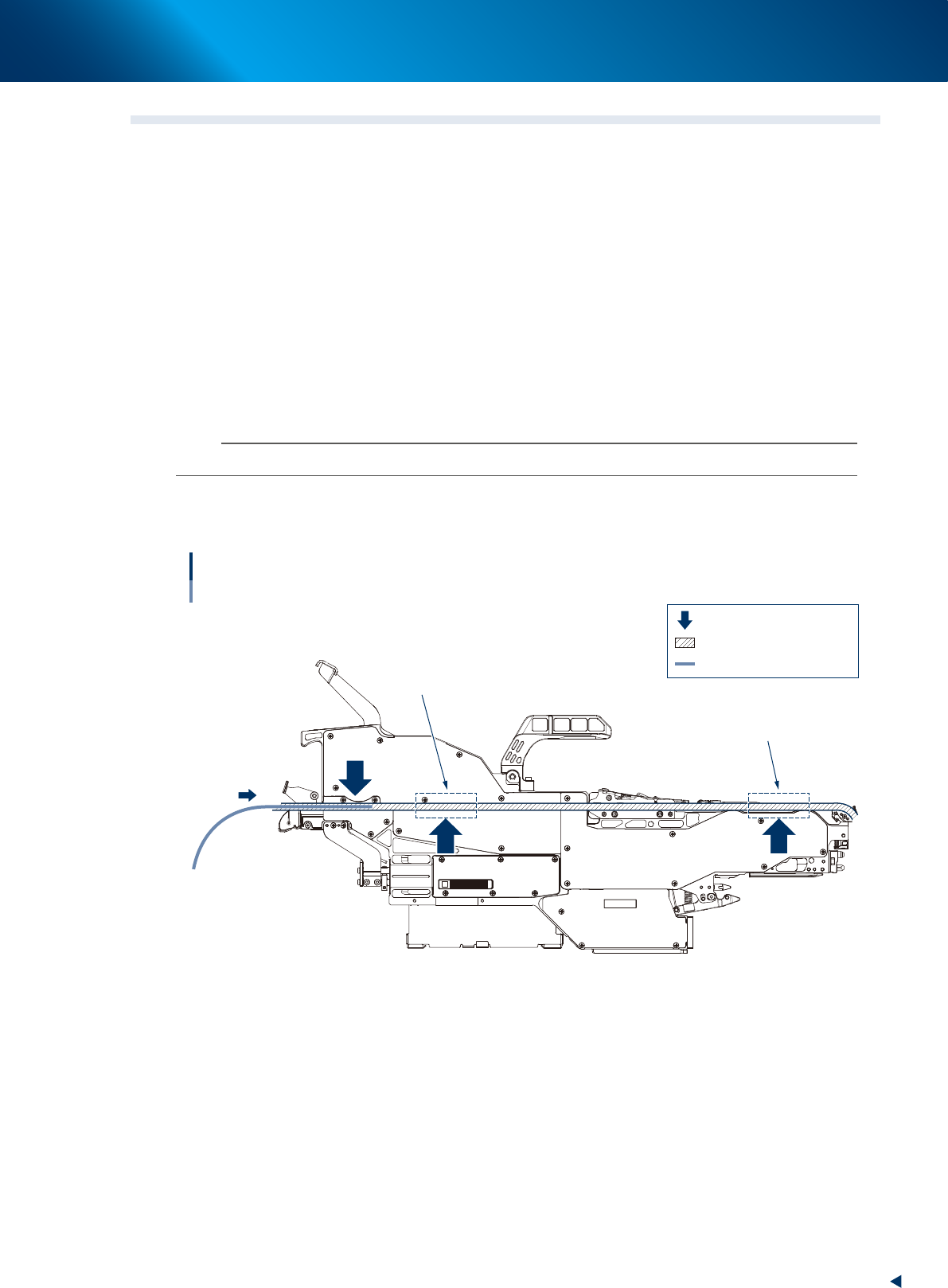
3.2.1 Loading component tape
The component tape to be added is fed into the feeder.
█
Operable conditions
• The component tape detection sensor 1 and 2 are OFF.
• No component tape is in the areas shown in the figure below.
1
Set the top of component tape.
Set the top of component tape to be added to the specific position on loading unit.
n
NOTE
See "2.2 Setting up component tape" for the procedure of tape setting.
2
Press the [LOAD] button.
The component tape is loaded. It is fed into the feeder. Then the setting is completed.
12
3
Loading component tape
: Component tape detection sensor
: Component tape path
: Component tape
No component tape must
not be in these areas.
No component tape must
not be in these areas.
63312-KLU-30
3. Operation panel
3-32
Chapter 3 Setting up
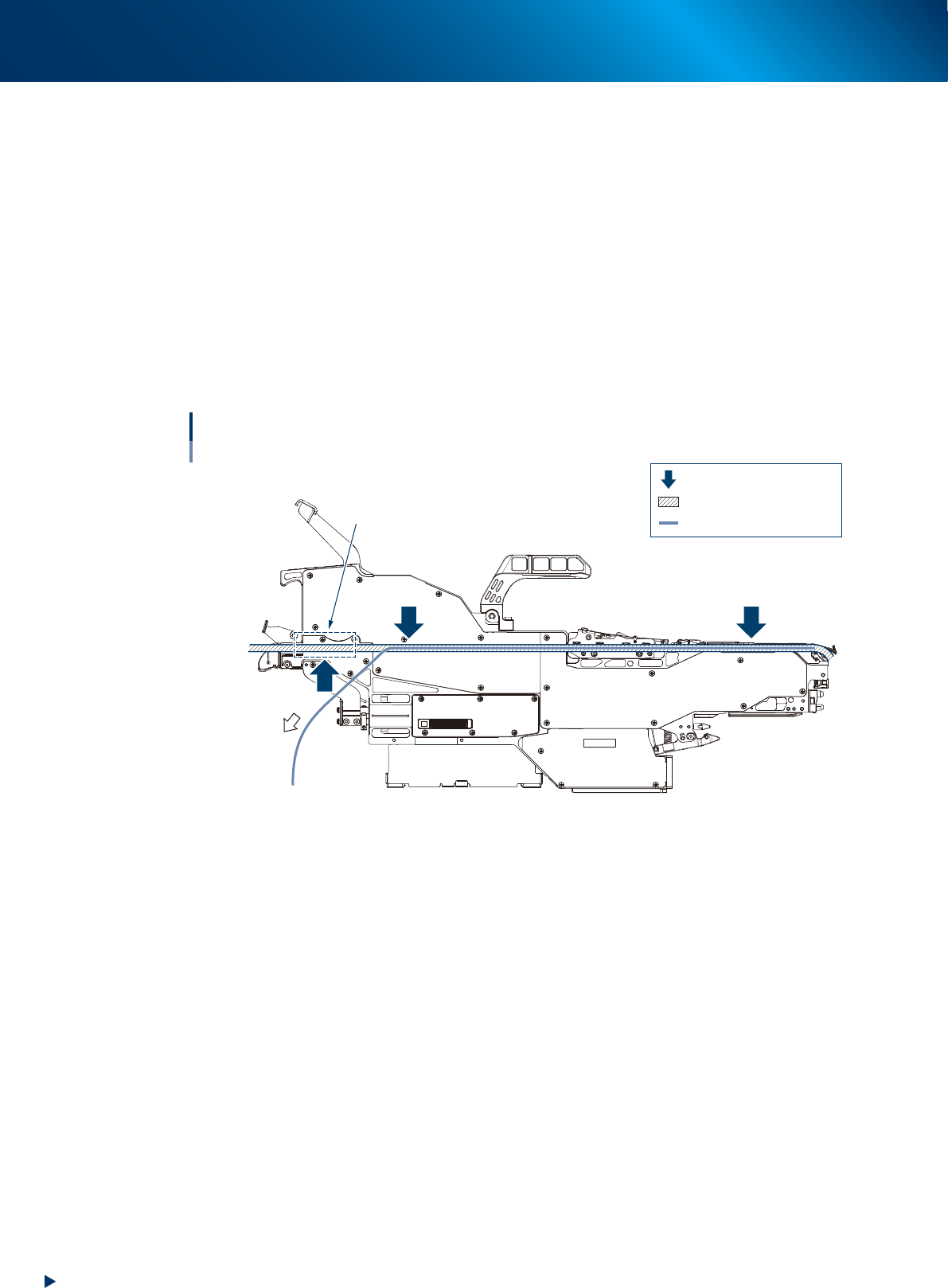
3.2.2 Unloading component tape
The component tape in operation is fed backward to eject.
█
Operable conditions
• The component tape detection sensor 3 is OFF.
• No component tape is on loading unit.
1
Eject the component tape.
Press the [BACK] and [FUNC] buttons once and simultaneously.
The component tape is unloaded automatically and ejected from the feeder.
2
Pull out the component tape.
When the motor stops spinning(ejection movement), pull it out manually.
12
3
No component tape must
not be in the area.
Unloading component tape
: Component tape detection sensor
: Component tape path
: Component tape
63313-KLU-30