ALFeeder_E.pdf - 第78页
3. Operation panel 3-32 Chapter 3 Setting up 3.2.2 Unloading component tape T he component tape in operation is fed bac kward to eject. █ Operable conditions • The component tape detection sensor 3 is OFF . • No componen…
3. Operation panel
3-31
Chapter 3 Setting up
3.2 Single operation
The following describes the single operation of loading and unloading. The following operation is not
performed usually, as the used component tape that was in operation is ejected and the new component
tape is loaded automatically.
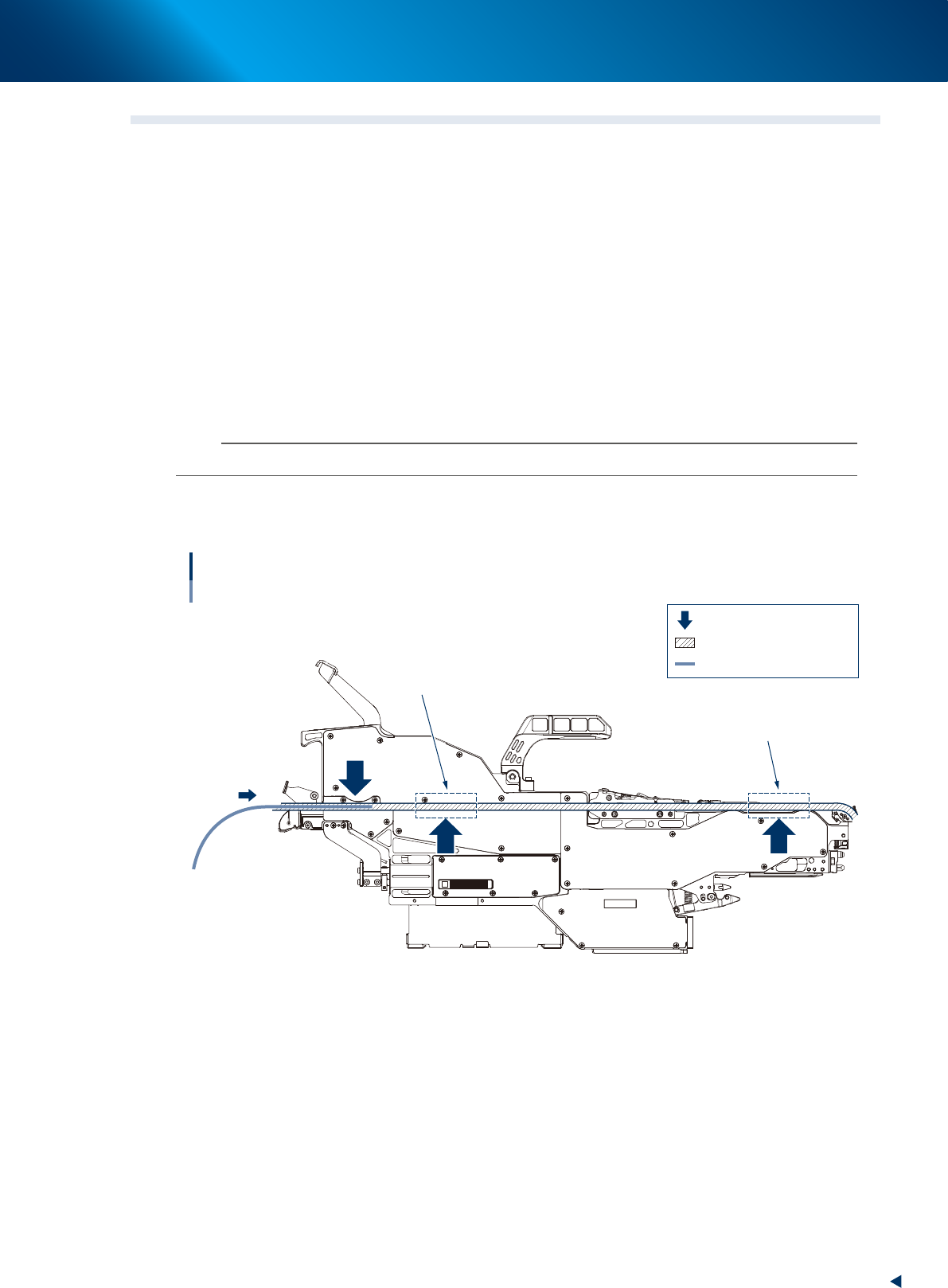
3.2.1 Loading component tape
The component tape to be added is fed into the feeder.
█
Operable conditions
• The component tape detection sensor 1 and 2 are OFF.
• No component tape is in the areas shown in the figure below.
1
Set the top of component tape.
Set the top of component tape to be added to the specific position on loading unit.
n
NOTE
See "2.2 Setting up component tape" for the procedure of tape setting.
2
Press the [LOAD] button.
The component tape is loaded. It is fed into the feeder. Then the setting is completed.
12
3
Loading component tape
: Component tape detection sensor
: Component tape path
: Component tape
No component tape must
not be in these areas.
No component tape must
not be in these areas.
63312-KLU-30
3. Operation panel
3-32
Chapter 3 Setting up
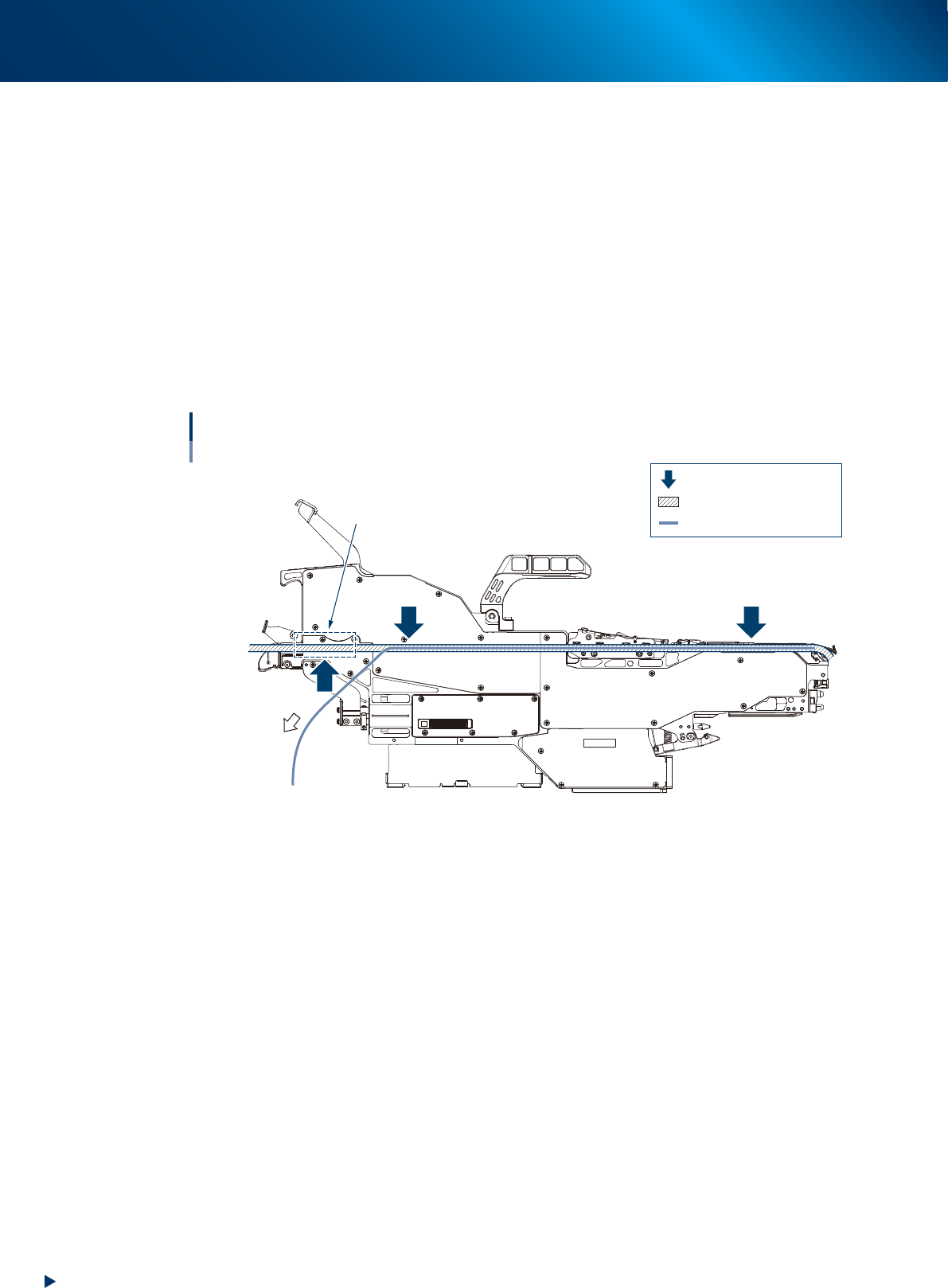
3.2.2 Unloading component tape
The component tape in operation is fed backward to eject.
█
Operable conditions
• The component tape detection sensor 3 is OFF.
• No component tape is on loading unit.
1
Eject the component tape.
Press the [BACK] and [FUNC] buttons once and simultaneously.
The component tape is unloaded automatically and ejected from the feeder.
2
Pull out the component tape.
When the motor stops spinning(ejection movement), pull it out manually.
12
3
No component tape must
not be in the area.
Unloading component tape
: Component tape detection sensor
: Component tape path
: Component tape
63313-KLU-30
4. Troubleshooting
3-33
Chapter 3 Setting up
4. Troubleshooting
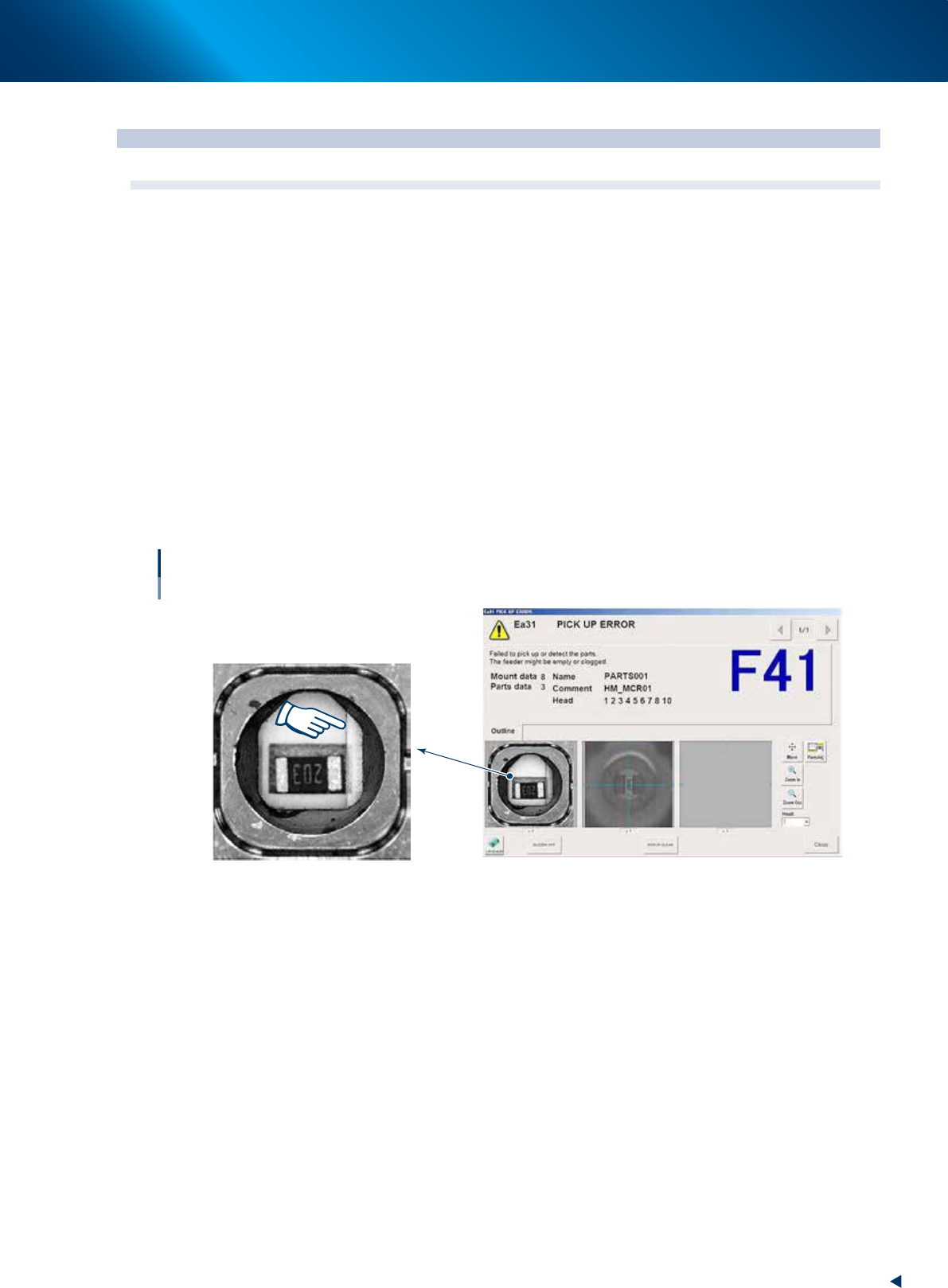
4.1 The cover tape does not open correctly.
█
Error : The cover tape does not open correctly and pickup error occurs.
►
Cause
1. Adhesive portion of cover tape sticks to component.
2. The top of component tape is already cut.
►
Countermeasure for cause 1
• Check that the adhesive portion of cover tape is appropriate using a seal checker.
• When the adhesive portion of cover tape is appropriate, check the cause 2.
• When the adhesive portion of cover tape is not appropriate, change the feeder to SS feeder or ZS
feeder.
►
Countermeasure for cause 2
• Cut the portion where cover tape has been cut.
• Fold top of component tape.
• Reload the component tape.
Cover tape does not open correctly.
Component pickup error
Cover tape does not open and it still remains.
64302-KLU-30