ALFeeder_E.pdf - 第42页
2. Loading/Unloading component tape 2-12 Chapter 2 Handling component tape 7 Check tha t the comp onent t ape is set co rrectly . The component t ape is set corre ctly if the follow ings are applied. 1. The yellow LED li…
2. Loading/Unloading component tape
2-11
Chapter 2 Handling component tape
5
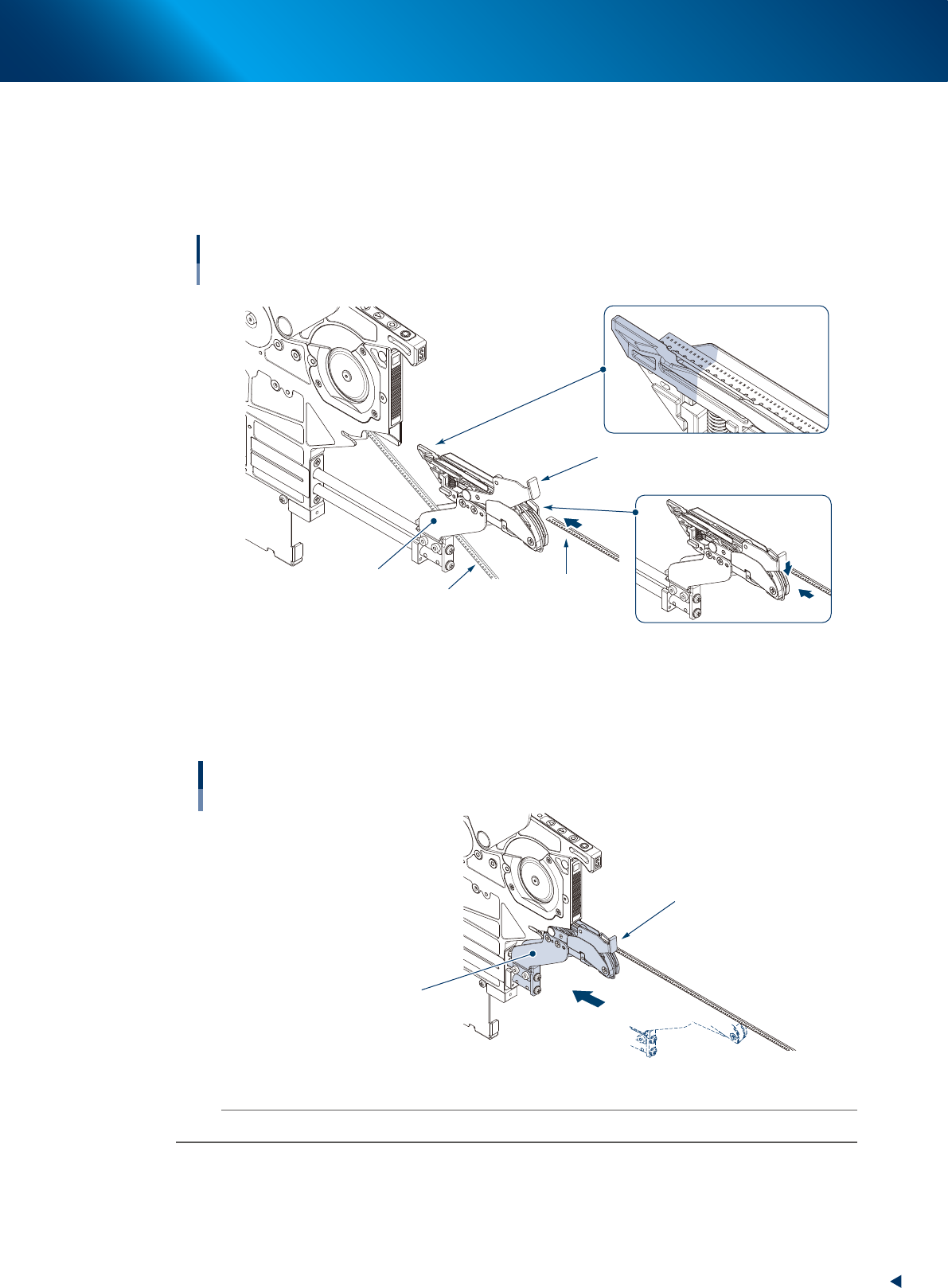
Set the component tape to be added to the loading unit.
1. While pressing the tape clamp lever, insert the component tape to be added to the loading
unit.
2. While pressing the tape clamp lever, insert the top of component tape to the set area as shown
in the figure below.
Setting component tape to be added
Loading unit
Component tape
to be added
Component tape
in operation
Tape clamp lever
Keep pressing down
tape clamp lever.
Set area
Clamp unit
Set top of component
tape in this area.
63222-KLU-50
6
Insert the loading unit into the feeder.
Keep pressing down the tape clamp lever and insert the loading unit into the feeder. Then release the
tape clamp lever.
Inserting loading unit
Loading unit
Tape clamp lever
63223-KLU-40
n
NOTE
A loading error may occur unless the loading unit is inserted into the end.
2. Loading/Unloading component tape
2-12
Chapter 2 Handling component tape
7
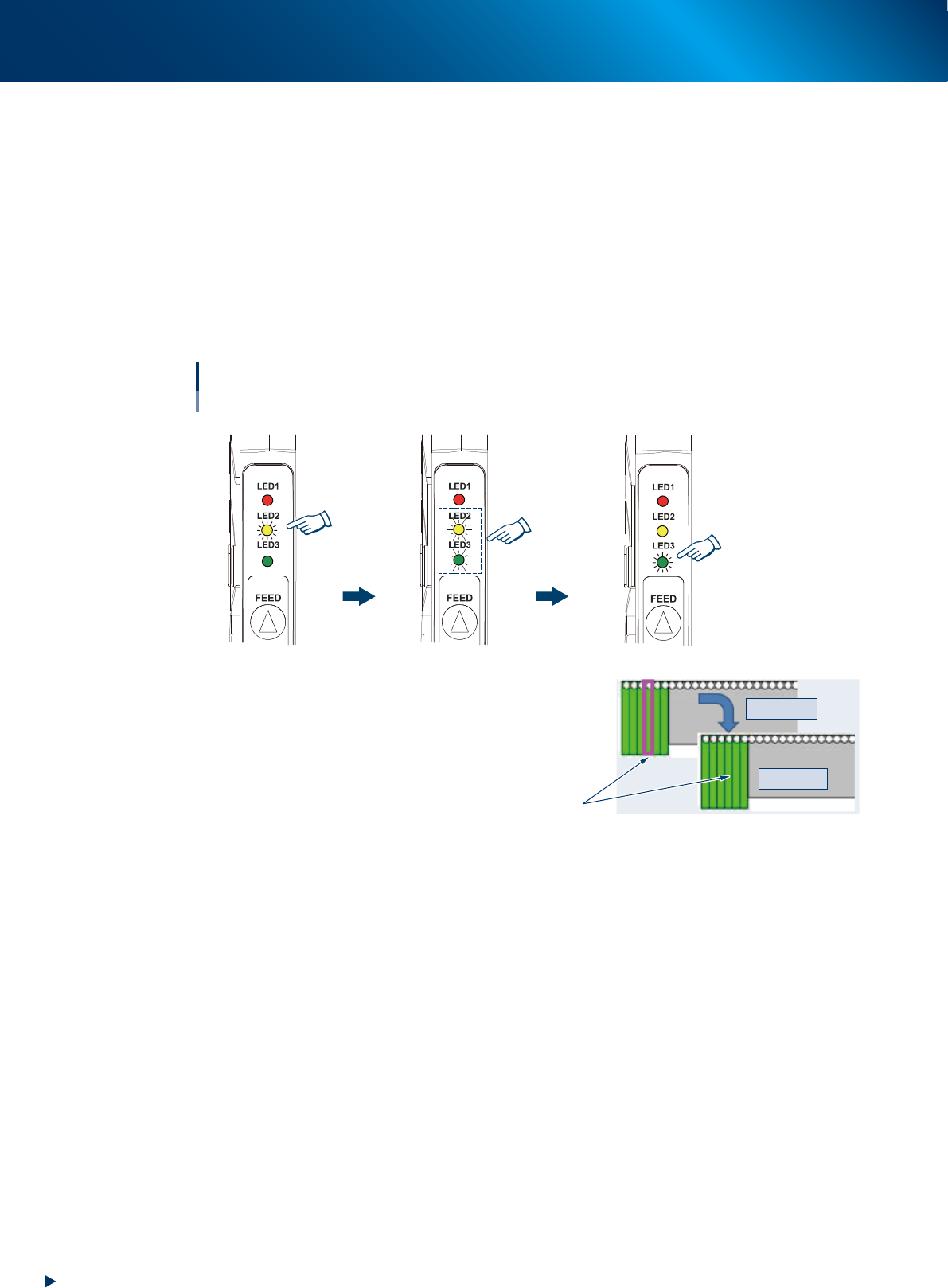
Check that the component tape is set correctly.
The component tape is set correctly if the followings are applied.
1. The yellow LED lights up for 1 second upon detecting tape insertion.
2. The yellow and green LED flash for 4 seconds simultaneously.
<To refill the component tape>
Check the "Monitor" - "Production" screen. The feeder set position is enclosed with a magenta
frame when "presettable".
3. The green LED turns into lighting upon completing tape setting.
<To refill the component tape>
The magenta frame disappears when the set for "presettable" is completed.
Yellow and green
LEDs flash simultaneously
for 4 seconds
Yellow LED
lights up for
1 second
Tape setting is completed
Completing component tape setting
With IT Option
Magenta frame disappears
[Monitor] - [Production] screen
Incompleted
Completed
Green LED lights up
63229-KLU-00
2. Loading/Unloading component tape
2-13
Chapter 2 Handling component tape
2.2 Unloading component tape
The following describes the procedure for unloading the component tape from Auto loading feeder.
The unloading procedure is common regardless to Optional software.
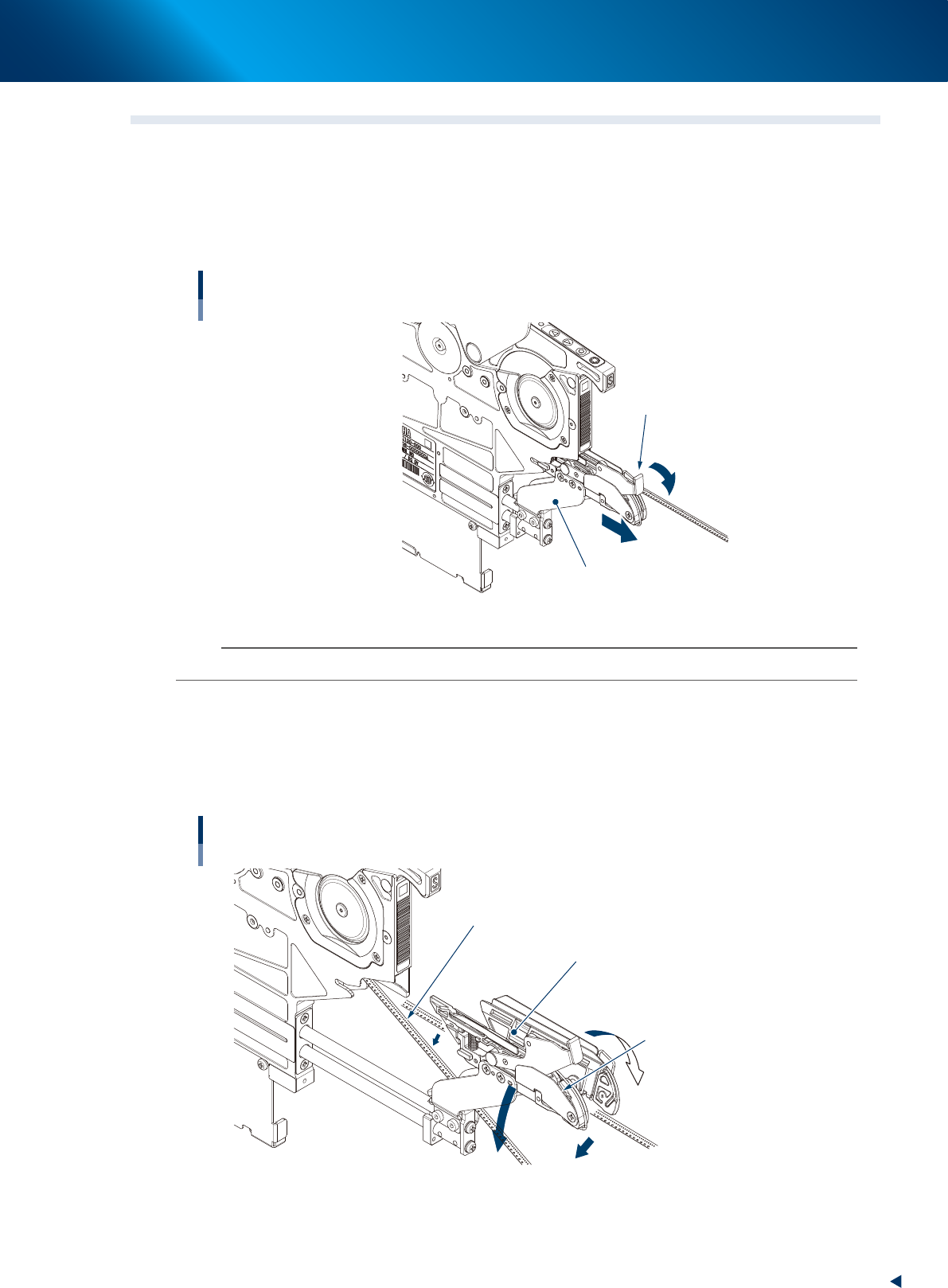
1
Pull the loading unit forward.
While pressing the tape clamp lever, pull the loading unit forward.
Pulling loading unit forward
Tape clamp lever
Loading unit
63225-KLU-40
n
NOTE
The loading unit does not open unless pulling it to the end completely.
2
Open the loading unit and move down the component tape.
1. The loading unit opens by releasing finger from the tape clamp lever.
2. Move down the component tape.
3. Keep pressing down the tape clamp lever and insert the loading unit into the feeder.
Moving down component tape to be unloaded
Loading unit
Component tape to be unloaded
The clamp unit opens to right and left
by releasing fingers from tape
clamp lever
Move down.
63226-KLU-40