MR8740T_Quick guide_eng_20191016H.pdf - 第153页
147 Initializing the Instrument 6.2 Initializing the Instrument Choose settings congured on the instrument and restore them to the factory default. > [System] > [Initialize] 1 1 Choose an item to be restored. Init…

146
Troubleshooting
If the instrument cannot save any data
Condition Check item or cause Remedy
Reference
page
No data can be saved
on a storage device that
includes a USB ash
drive.
• Does the storage device have
sufcient free space?
• Has the number of les in the
folder reached 5000?
Format or replace the storage
device.
p. 59
Up to 5000 les can be saved
in a folder. If you would like to
create more les, adjust the
quantity.
∗
• Is the storage device properly
inserted?
Properly insert the storage
device.
–
• Formatting a storage device is
required before rst use.
Format the storage device. p. 59
*: “4.4 Managing Files” of Instruction Manual
If the cause cannot be revealed
Initialize the instrument. All settings are restored to the factory default.
Refer to “6.2 Initializing the Instrument” (p. 147).
147
Initializing the Instrument
6.2 Initializing the Instrument
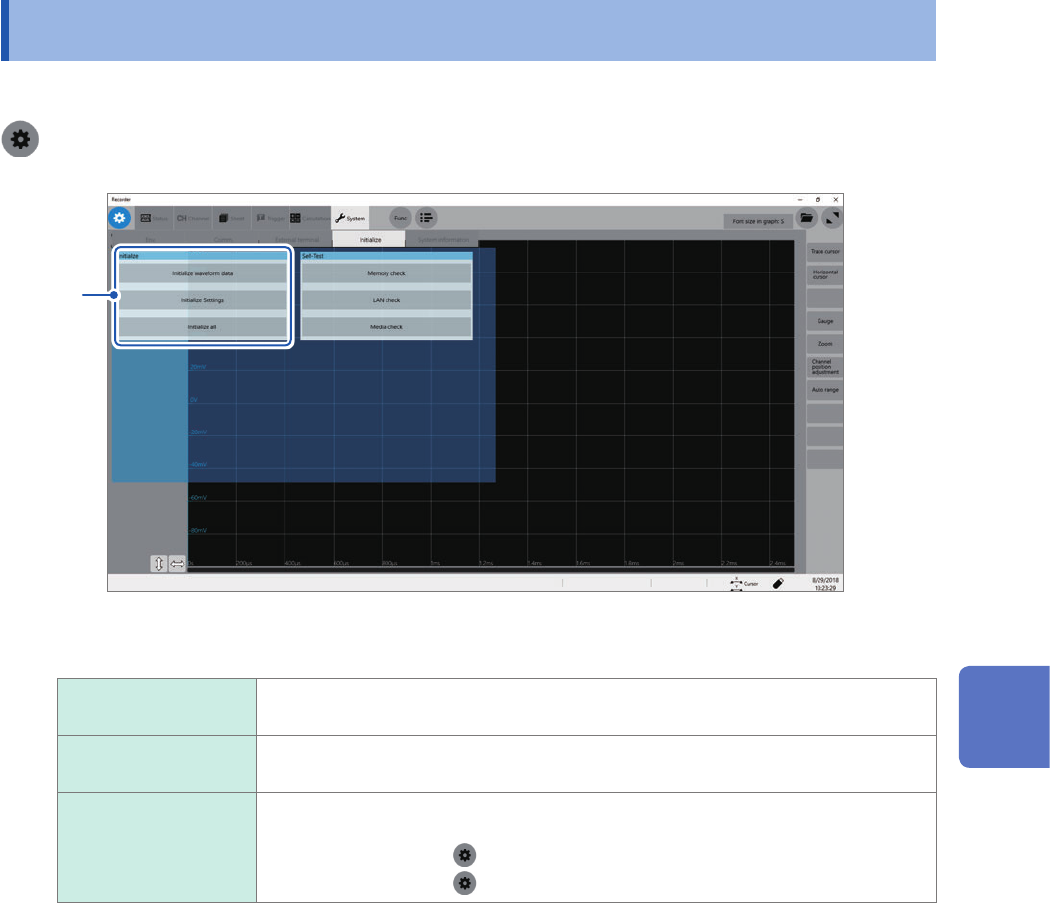
Choose settings congured on the instrument and restore them to the factory default.
> [System] > [Initialize]
1
1
Choose an item to be restored.
Initialize waveform
data
Discards the waveform data saved in the internal memory.
Initialize Settings Restores the settings for measurement, channels, sheets, triggers, and calculation
tabs.
Initialize all Restores all the settings to the factory default.
However, the following settings are not restored:
• Clock setting (
> [System] > [Date and time])
• Computer setting (
> [Comm.] > [Open PC settings])
2
Click [OK].
6
Maintenance and Service
148
Message
6.3 Message
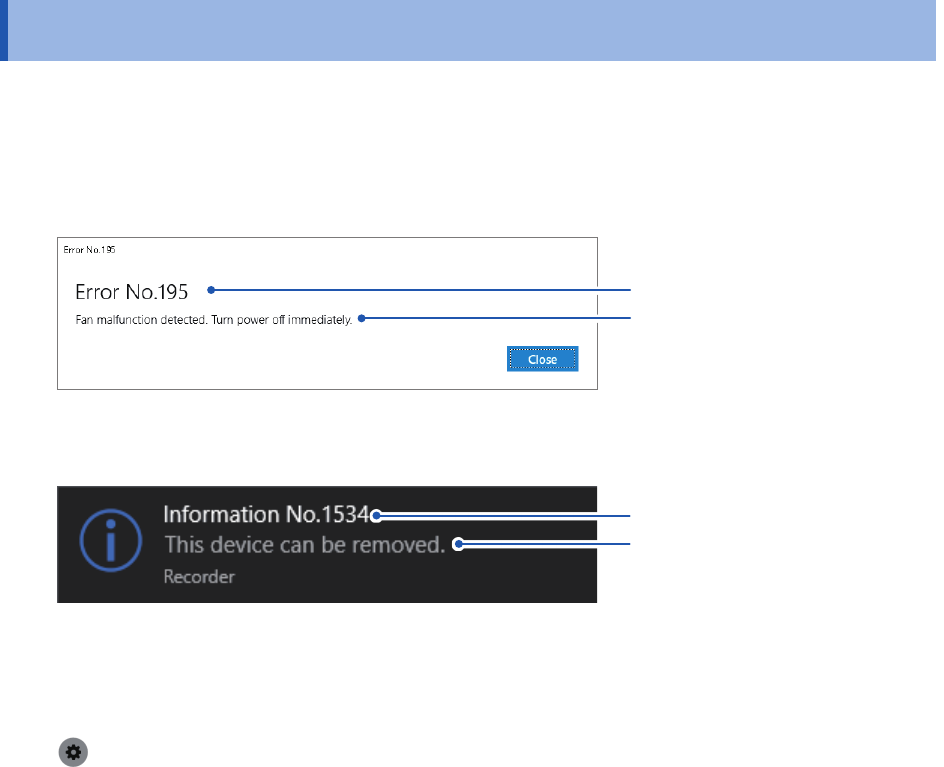
If any problem is found, the screen will display an error message or a warning message. It also
displays an information message with advice for usage.
Action that should be taken after a message
If a message remains
Message
Message No.
If an error or warning message is not cleared, check the details and click [Close].
If a message disappears in several seconds
Message
Message No.
Some of the warning and information messages disappear in a few seconds. Check the details
while the screen is displaying the message.
To inform of a message with a beep
Select [System] > [Env.], and set [Beep sound] to [Alert] or [Alert+Action].
Refer to “10 Specifying the System Environment Settings” of Instruction Manual.