MR8740T_Quick guide_eng_20191016H.pdf - 第162页
156 Self-check When the transmission or reception results in an error The Windows ® rewall of the computer designated as a destination may cause an error . Check the Windows ® rewall setting as follows: 1 Select [Syste…
155
Self-check
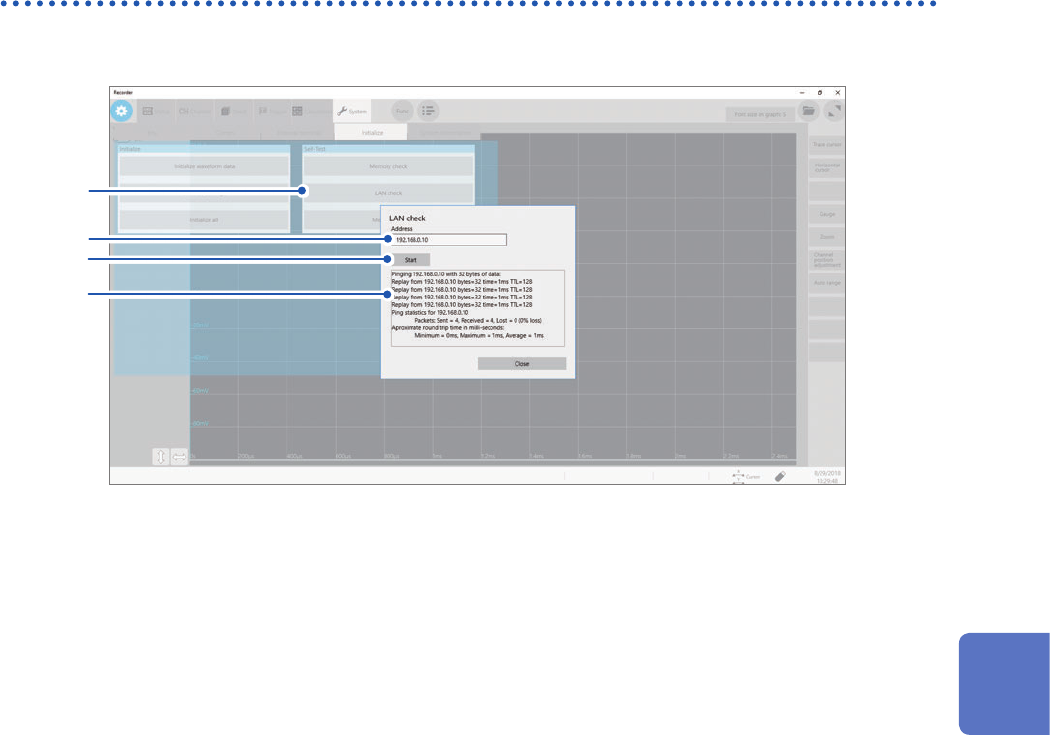
LAN check
This check tests the LAN cable for a break or other malfunctions.
3
2
1
4
1
Click [Memory check].
2
Enter an IP address used for connecting to LAN in the [Address] box.
3
Click [Open].
4
Check the results of transmission and reception on the screen.
6
Maintenance and Service
156
Self-check
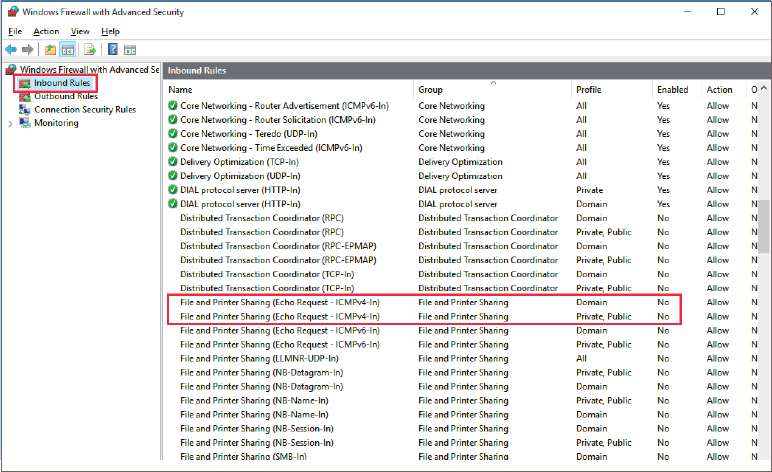
When the transmission or reception results in an error
The Windows
®
rewall of the computer designated as a destination may cause an error.
Check the Windows
®
rewall setting as follows:
1
Select [System and Security] > [Windows rewall] on [Control Panel].
2
Select [Advanced settings] on the right of the screen.
3
After selecting [Inbound Rules], check that [Yes] is displayed in the [Enabled] column of [File
and Printer Sharing (Echo Request - ICMPv4-In)].
If [No] is displayed in the [Enabled] column, an error will occur during the LAN check. Right-click the row and
select [Enable Rule].
157
Self-check
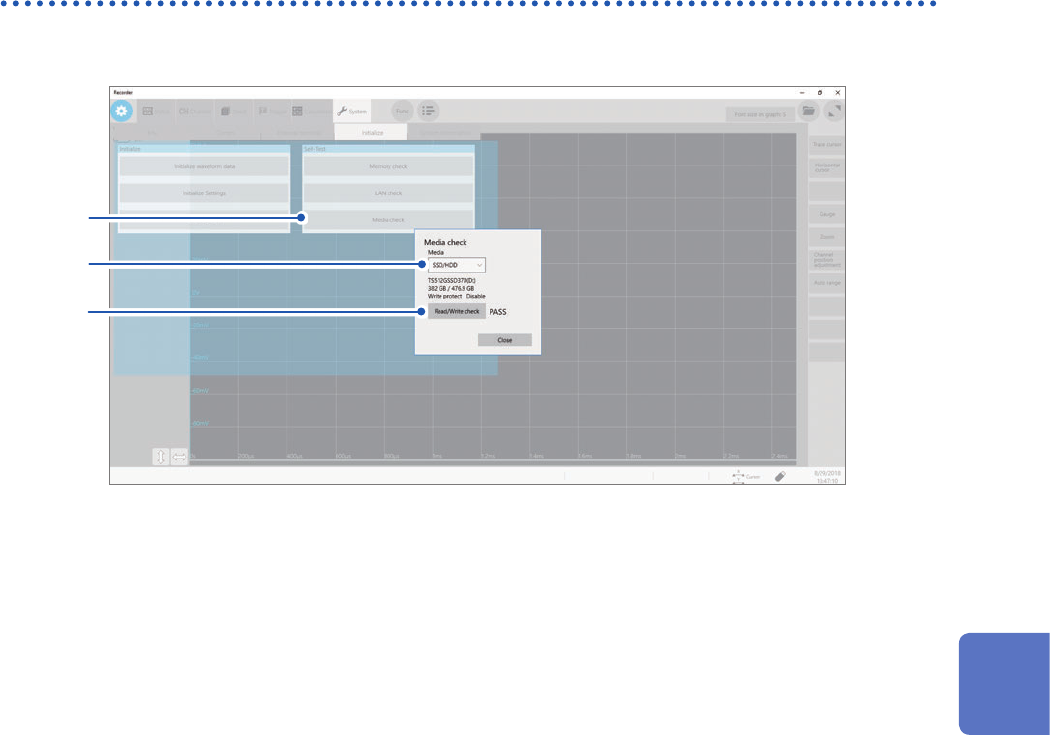
Media check
This check tests the storage devices for malfunction.
3
2
1
1
Click [Memory check].
2
Click the [Media] box and choose a storage device from the list.
The screen displays the information of the chosen storage device.
3
Click [Read/Write check].
The read/write check starts.
6
Maintenance and Service