MR8740T_Quick guide_eng_20191016H.pdf - 第87页
81 4 Analysis Method 4.1 Reading Measured V alues (T race Cursors) Y ou can read measured values (scaled values when the scaling is used) using trace cursors on the waveform screen. The instrument can simultaneously disp…
80
Measuring Signals With the Auto-range Setting
81
4
Analysis Method
4.1 Reading Measured Values (Trace Cursors)
You can read measured values (scaled values when the scaling is used) using trace cursors on the
waveform screen. The instrument can simultaneously display up to eight trace cursors. You can
read differences in times and measured values between any two cursors you choose from among
all cursors.
For information about other types of cursors than the trace cursor, refer to “2 Operating the
Waveform Screen and Analyzing Data” in Instruction Manual.
1
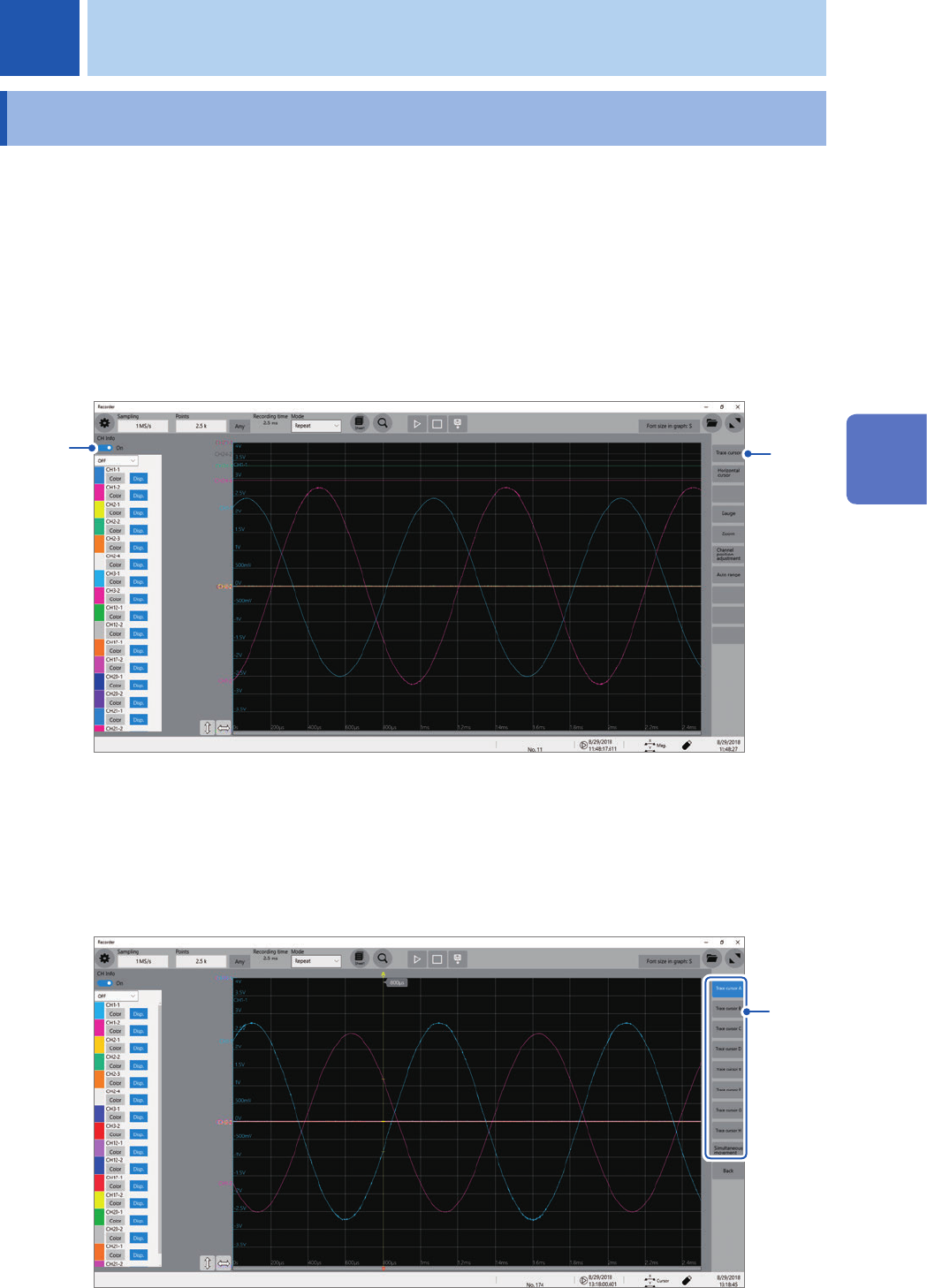
Set [CH Info] toggle switch to [On].
Click [CH Info] toggle switch to switch between [On] and [Off] for the information display setting of each
channel.
1
2
2
Click [Trace cursor].
3
Choose one or more cursors to be displayed from among
[Trace cursor A]
through
[Trace
cursor H]
by tapping them.
The chosen trace cursors are displayed on the waveform screen.
Drag the trace cursors on the waveform screen to move them.
3
4 Analysis Method
4
Analysis Method
82
Reading Measured Values (Trace Cursors)
4
Reading measured values
Click [
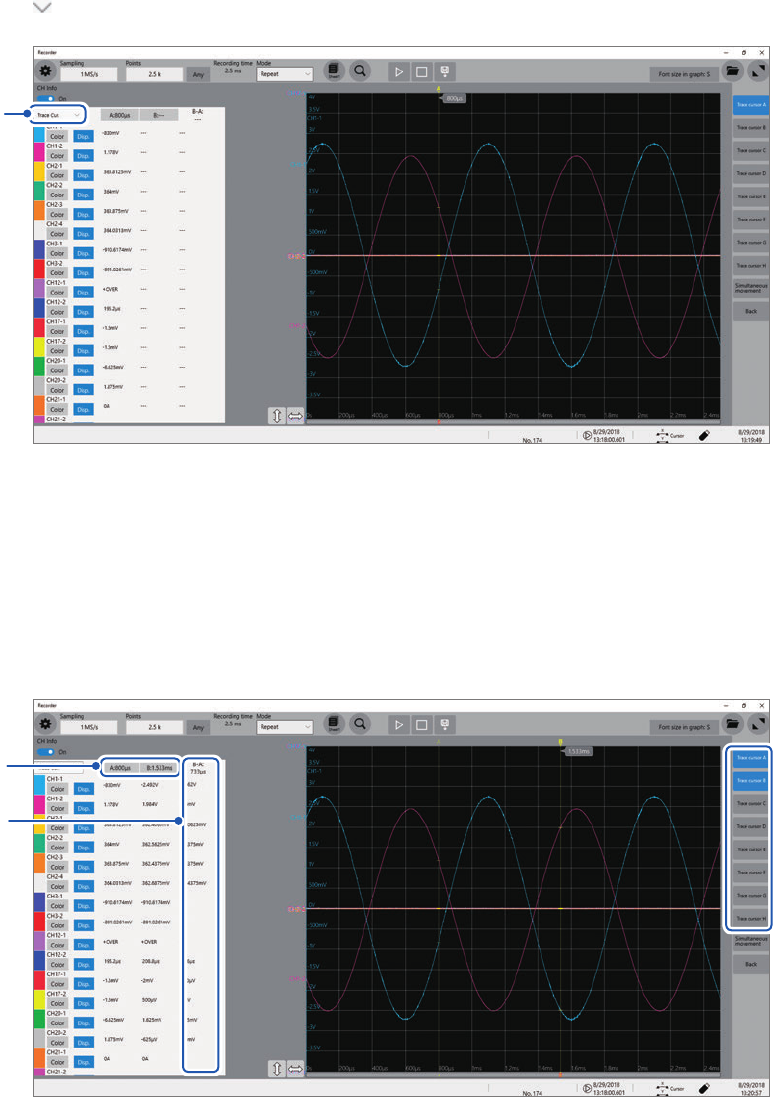
], and then choose [Trace Cur.] from the drop-down list.
4
5
Choose two cursors to be displayed from among [Trace cursor A] through [Trace cursor H]
by tapping them.
(Default setting: [Trace cursor A], [Trace cursor B])
The instrument displays differences between cursors you choose in
a
.
If you select a trace cursor other than the one selected in step
3
, the instrument displays the strings [---] in
the difference eld.
5
a