MR8740T_Quick guide_eng_20191016H.pdf - 第72页
66 Executing Calibration (For the Instrument With Model MR8990 Installed)
65
Executing Calibration (For the Instrument With Model MR8990 Installed)
2.9 Executing Calibration (For the Instrument With
Model MR8990 Installed)
Executing calibration regulates the zero position of each channel in Model MR8990 Digital
Voltmeter Unit on the reference potential of the instrument. Calibration involves all ranges of all
channels.
Before executing calibration
• Warm up the instrument for about 30 minutes after the power-on to stabilize the internal
temperature of the modules before executing calibration.
• You cannot execute calibration during measurement. However, the instrument performs
calibration at the start of measurement with the calibration setting set to on.
• No key operation is acceptable during calibration.
• The time required for calibration varies depending on the type and number of modules installed in
the instrument (it may take several seconds).
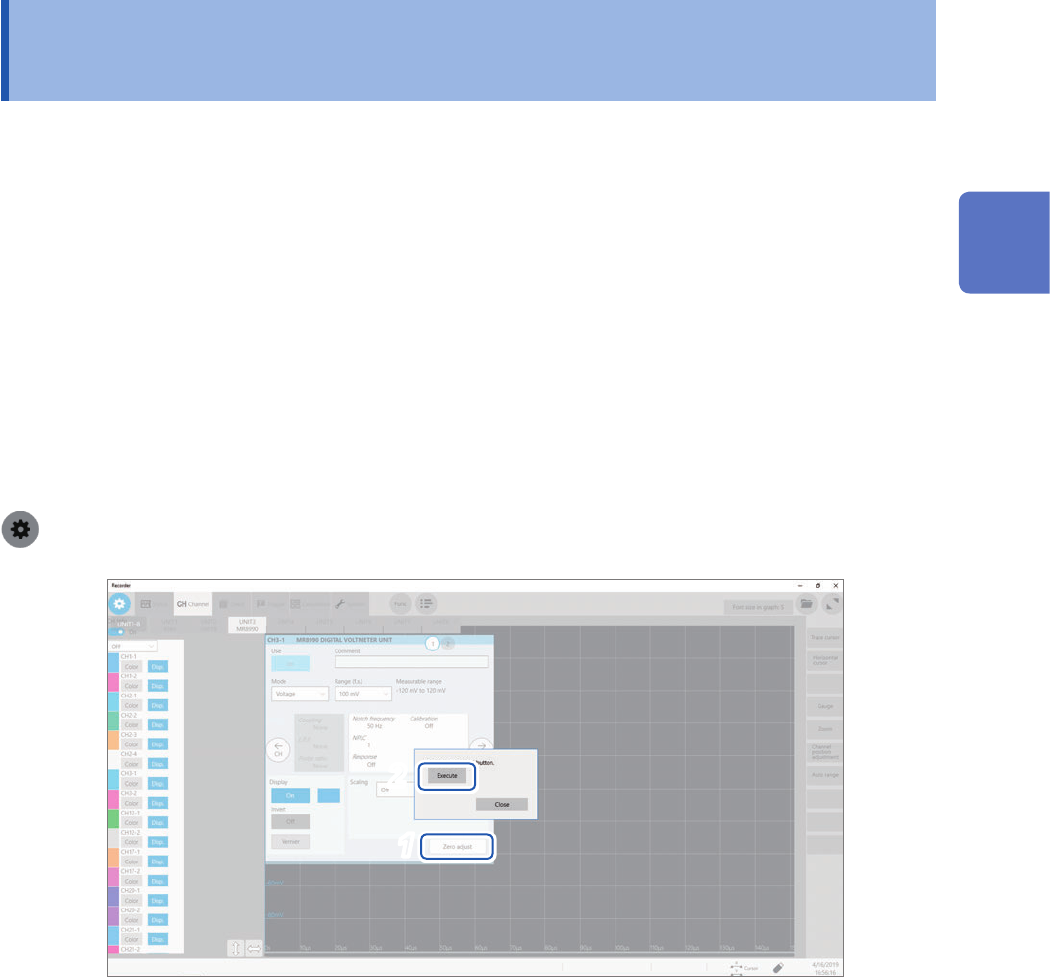
Executing calibration
> [Channel] > [MR8990]
2
1
1
Click [Zero adjust].
2
Click [Execute].
The instrument starts to calibrate Model MR8990.
Execute calibration again in the following cases:
• After replacing any modules
• After cycling the instrument
• After initializing the instrument
• When the ambient temperature has signicantly changed
The zero position may drift.
2
Preparing for Measurement
66
Executing Calibration (For the Instrument With Model MR8990 Installed)
67
3
Measurement Method
3.1 Inspection Before Measurement
Check if there is any damage to the instrument occurred during storage or shipping and verify that
it operates normally before using the instrument. If you nd any damage, contact your authorized
Hioki distributor or reseller.
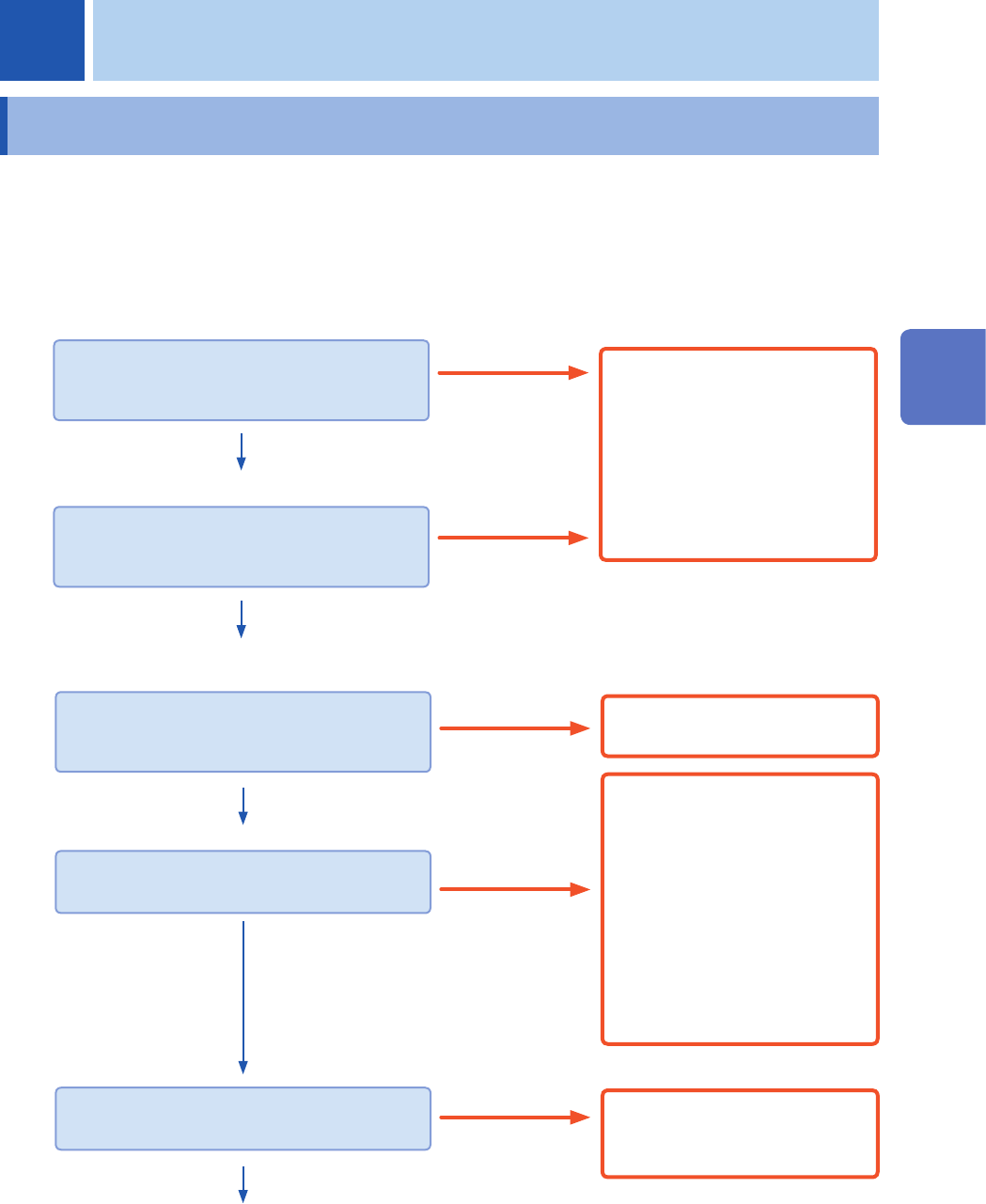
Inspecting peripheral devices
When using probes and connecting cords
Is the insulation of each probe of each cord
damaged?
Is the metal part exposed?
Yes
Do not use them because it may
cause an electric shock.
Send instrument for repair.
When using a current sensor
Does the current sensor (jaw) have a crack or
damage?
Yes
No
No
Inspecting the instrument and modules
Are the instrument and modules damaged?
Yes
Send instrument for repair.
No
When turning on the instrument
Does Windows
®
splash screen appear on the
screen?
Yes
Does the screen display waveforms?
Yes
No
• The power cord may have a
brake or the internal circuit of
the instrument may have failed.
Send the instrument for repair.
• Make sure that the monitor is
turned on and the connection
cable is correctly attached.
If
using another monitor and cable
cannot solve the problem, the
instrument may fail. Send the
instrument for repair.
Nothing appears.
An incorrect screen
appears.
The internal circuit of the
instrument may fail. Send the
instrument for repair.
The inspection is completed.
3 Measurement Method
3
Measurement Method