MR8740T_Quick guide_eng_20191016H.pdf - 第35页
29 Basic Operation 1.4 Basic Operation Mouse operation Using a commercially available USB mouse enables you to operate the instrument. Basic mouse operation for the instrument is as follows: Mouse operation Description C…
28
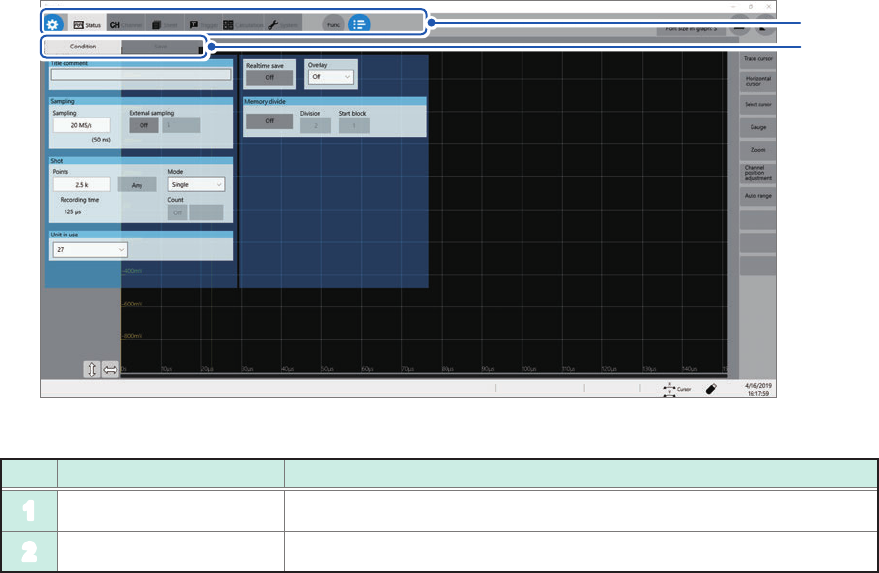
Screen
Cross-screen functions
1
2
No. Name Description
1
Menu tab Click a tab to choose a menu to open.
2
Sub-menu tab Click a tab to choose a sub-menu to open.
29
Basic Operation
1.4 Basic Operation
Mouse operation
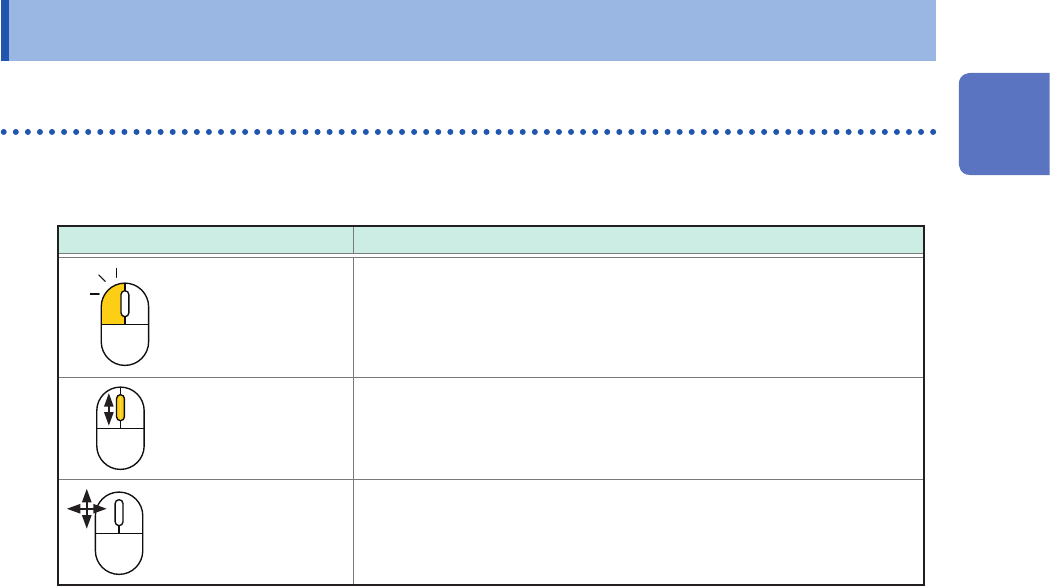
Using a commercially available USB mouse enables you to operate the instrument.
Basic mouse operation for the instrument is as follows:
Mouse operation Description
Click Allows you to choose a menu or execute an action.
Wheel button Changes options to be selected.
Up/down/left/right Moves the mouse cursor around.
External noise may cause the mouse to malfunction. Keep the mouse and mouse cable as far away
as possible from sources of noise.
Use the mouse on an insulated table. Some commercially available mouse devices are susceptible
to noise and using such a mouse on a metal table may cause the instrument to malfunction.
1
Overview
30
Basic Operation
Changing screens and settings
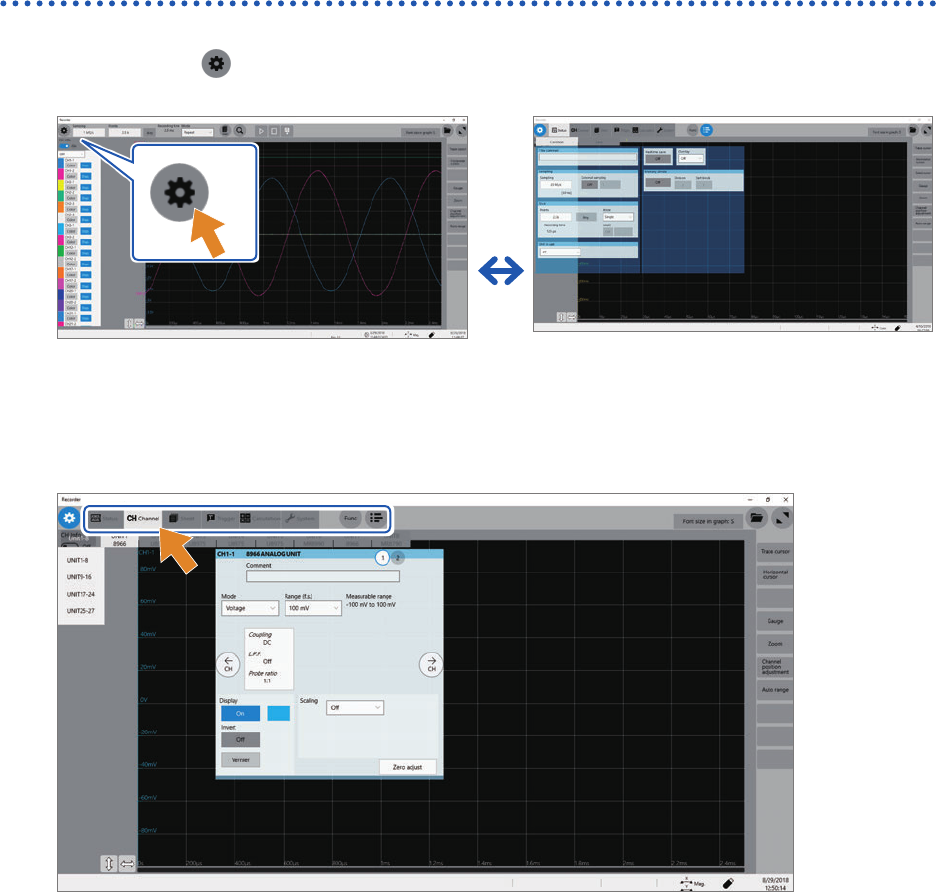
Switching between the waveform and setting screens
Click the button to switch between the waveform and setting screens.
Waveform screen
Setting screen
Switching the setting screens
Click a tab to switch the setting screens.