MR8740T_Quick guide_eng_20191016H.pdf - 第37页
31 Basic Operation Choosing an option from a list Example: Choosing a sampling rate Example: Choosing a measurement range of Model 8966 Entering numerical values Example: Entering a user-dened recording length Example: …
30
Basic Operation
Changing screens and settings
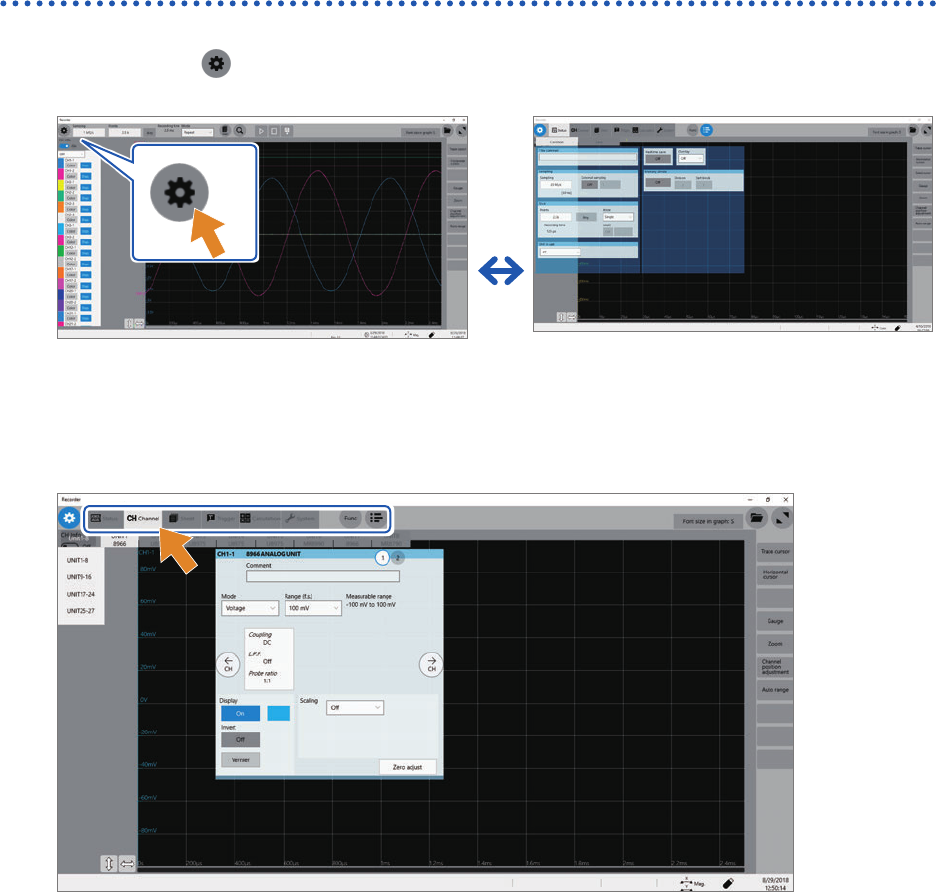
Switching between the waveform and setting screens
Click the button to switch between the waveform and setting screens.
Waveform screen
Setting screen
Switching the setting screens
Click a tab to switch the setting screens.
31
Basic Operation
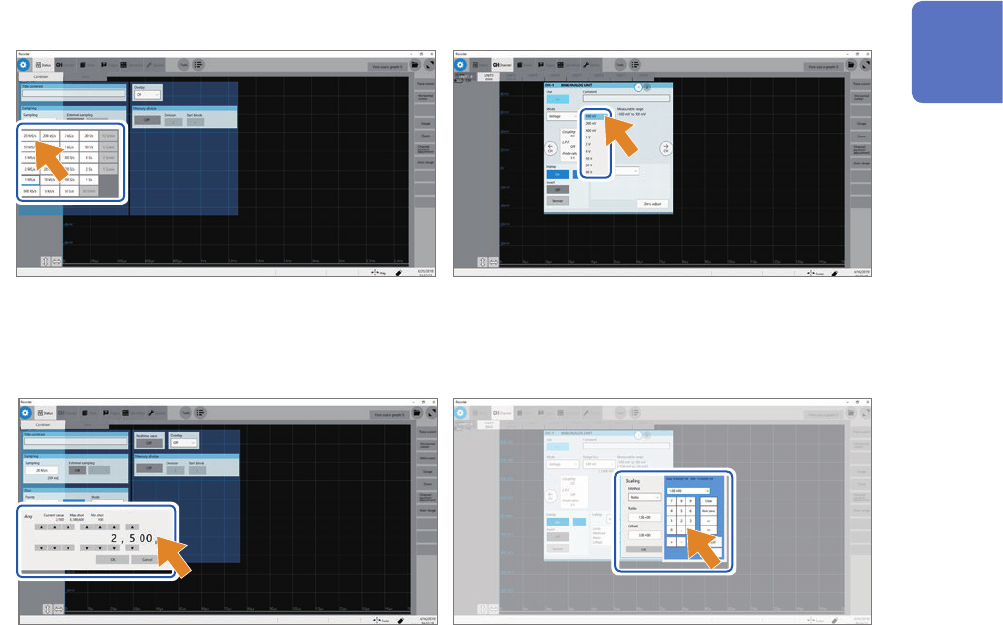
Choosing an option from a list
Example: Choosing a sampling rate Example: Choosing a measurement range of Model
8966
Entering numerical values
Example: Entering a user-dened recording length Example: Entering a scaling ratio
1
Overview
32
Basic Operation
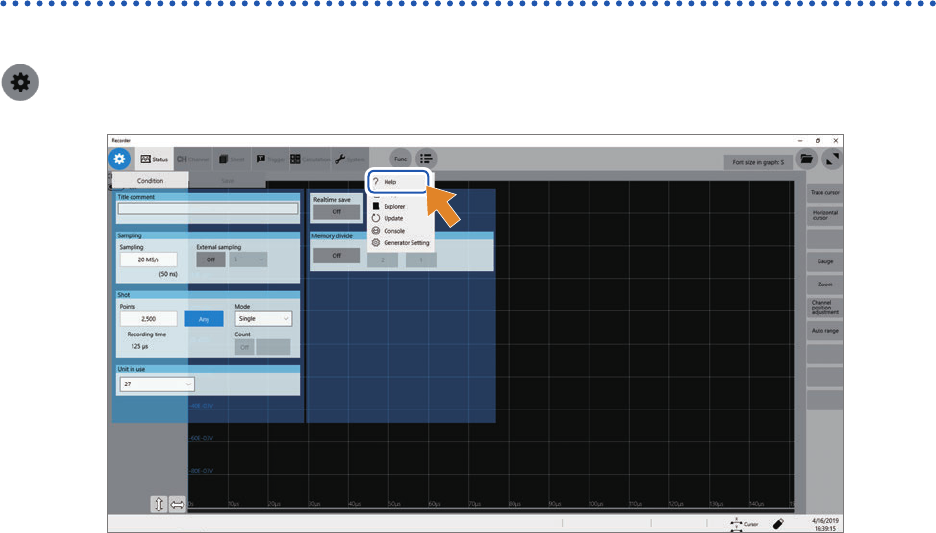
Help Function (Displaying Instruction Manual)
The HTML le of a selected manual appears.
> [Func] > [Help]