MR8740T_Quick guide_eng_20191016H.pdf - 第7页
1 Introduction Introduction Thank you for choosing the Hioki MR8740T Memory HiCorder (Model MR8740-50). Preserve this manual carefully and keep it handy to make full use of this instrument for a long time. Following manu…

Contents
ii
Model MR8990 Digital Voltmeter Unit
......116
Model U8974 High Voltage Unit
...............118
Model U8975 4ch Analog Unit
.................120
Model U8977 3CH Current Unit
(The rmware of ver. 2.00 or later is
required to install the module.)
................122
Model U8978 4CH Analog Unit
(The rmware of ver. 2.00 or later is
required to install the module.)
................125
Model U8979 Charge Unit
(The rmware of ver. 2.00 or later is
required to install the module.)
................127
Model U8991 Digital Voltmeter Unit
.........130
Model MR8790 Waveform Generator
Unit
........................................................132
Model MR8791 Pulse Generator Unit
......134
Model U8794 VIR Generator Unit
............137
6 Maintenance and
Service
143
6.1 Troubleshooting
..................................145
Before sending the instrument for
repair
......................................................145
6.2 Initializing the Instrument
...................147
6.3 Message
..............................................148
Error messages
......................................149
Warning messages
.................................150
6.4 Self-check
............................................154
Memory check
........................................154
LAN check
..............................................155
Media check
...........................................157
System conguration check
.....................158
6.5 Cleaning the Instrument
....................159
6.6 Disposing of the Instrument
(Removing the lithium battery)
..........159
7 Appendix 161
7.1 Mounting the instrument in a rack
....161
Rack-mount brackets
..............................161
How to secure the rack-mount
brackets
.................................................162
Index 163
Warranty Certicate
1
Introduction
Introduction
Thank you for choosing the Hioki MR8740T Memory HiCorder (Model MR8740-50). Preserve this
manual carefully and keep it handy to make full use of this instrument for a long time.
Following manuals are provided along with these models. Refer to manuals relevant to your
purpose.
Type Contents Printed PDF
Operating Precautions Information on the instrument for safe operation
–
Quick Start Manual
(This document)
Basic instructions and specications of the instrument
–
Instruction Manual Functions and instructions for the instrument –
Target audience
This manual has been written for use by individuals who use the product in question or who teach
others to do so.
It is assumed that the reader possesses basic electrical knowledge (equivalent to that of someone
who graduated from the electrical program at a technical high school).
Trademarks
• Microsoft and Internet Explorer are either registered trademarks or trademarks of Microsoft
Corporation in the United States and other countries.
• Any other products and company names are generally either trade names, registered trademarks
or trademarks of respective companies.
Safety notations
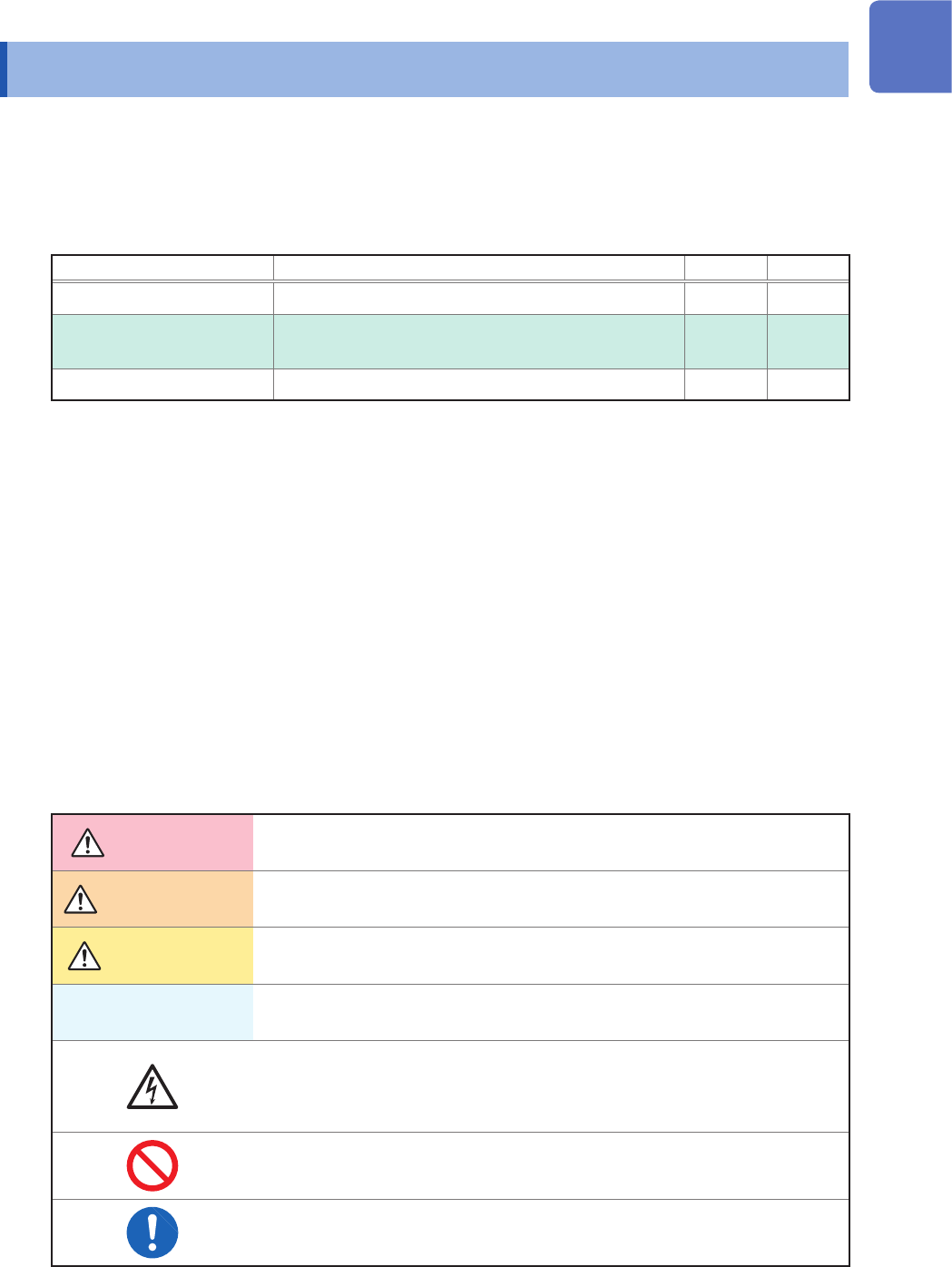
In this document, the risk seriousness and the hazard levels are classied as follows.
DANGER
Indicates an imminently hazardous situation that will result in death or serious
injury to the operator.
WARNING
Indicates a potentially hazardous situation that may result in death or serious
injury to the operator.
CAUTION
Indicates a potentially hazardous situation that may result in minor or moderate
injury to the operator or damage to the instrument or malfunction.
IMPORTANT
Indicates information related to the operation of the instrument or maintenance
tasks with which the operators must be fully familiar.
Indicates a high voltage hazard.
If a particular safety check is not performed or the instrument is mishandled,
this may give rise to a hazardous situation; the operator may receive an electric
shock, may get burnt or may even be fatally injured.
Indicates prohibited action.
Indicates the action which must be performed.
2
Introduction
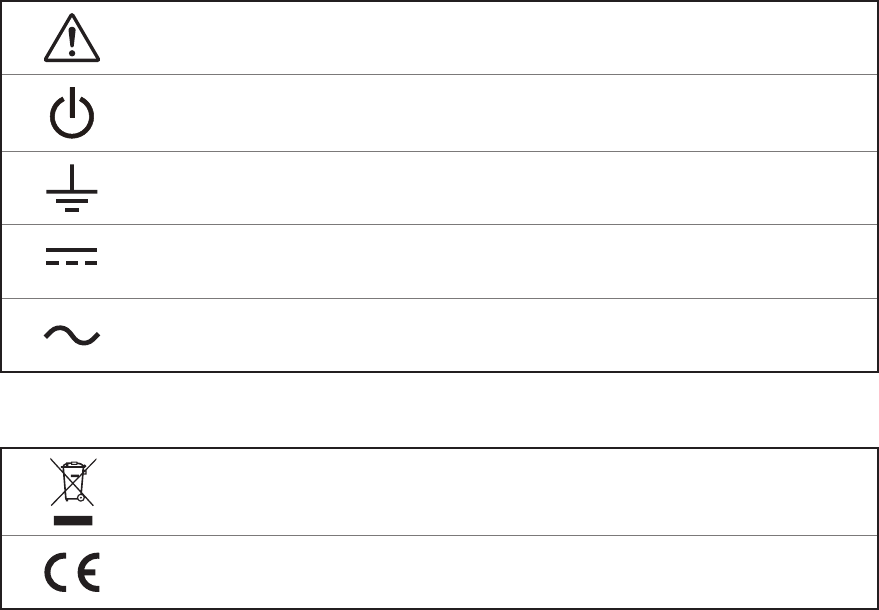
Symbols afxed to the instrument
Indicates cautions and hazards. When the symbol appears on the instrument, read the
corresponding topic in the Instruction Manual.
Indicates the power button that switches the instrument between on and off states.
Indicates a grounding terminal.
Indicates DC (direct current).
Indicates AC (alternating current).
Symbols for Standards
Indicates the Waste Electrical and Electronic Equipment Directive (WEEE Directive) in EU
member states.
Indicates that the product conforms to regulations set out by the EU Directive.