MR8740T_Quick guide_eng_20191016H.pdf - 第92页
86 Loading Data With Y our Computer (W ave Viewer)

85
Loading Data With Your Computer (Wave Viewer)
Starting Wave viewer
Before using Wave viewer, read the “READ ME.txt.”
Click the Start button of Windows
®
, select [Program] > [HIOKI] > [Wv].
Waveform Viewer starts.
Exiting Wave viewer
On the [File] menu of Wave viewer, click [Exit].
Alternatively, you can click the [Close] button at the top right of the screen to exit Wave viewer.
Uninstalling Wave viewer
1
Click the Start button to display the Windows
®
start menu, and then click [Control Panel] >
[Add or Remove Programs].
When you use Windows 10, click the Start button and select [Setting] > [System] > [Apps and Features].
2
Right-click [HIOKI Wave Viewer (Wv)] to display the shortcut menu, and then click [Uninstall].
Wave viewer is uninstalled.
When updating Wave viewer to the latest version, uninstall the earlier version before installing the latest
version.
4
Analysis Method
86
Loading Data With Your Computer (Wave Viewer)
87
5
Specications
5.1 Specications of Model MR8740T
General specications
1. Basic specications
Recording method Normal (memory recording)
Number of channels Analog: Up to 54 channels (when Model 8966 Analog Unit is used)
With logic modules installed: Up to 48 channels for analog and up to 48 channels for
logic (when Model 8973 Logic Unit is used)
Analog: Up to 108 channels (when Model U8975 4ch Analog Unit, Model U8978 4CH
Analog Unit, or Model U8991 Digital Volt Meter unit is used)
With logic modules installed: Up to 96 channels for analog and up to 48 channels for
logic (when Model 8973 Logic Unit is used*)
However, logic modules can be installed in slots 25 through 27 only.
*: The ground of the logic probe input connectors is equipotential to the GND terminal of
Model MR8740T.
Maximum sampling
rate
20 MS/s (when Model 8966 Analog Unit is used)
Simultaneously samples values across all channels.
10 MS/s for external sampling
Memory capacity 1 gigaword
Number of available
modules
Recording length per channel can be extended by limiting the number of available
modules.
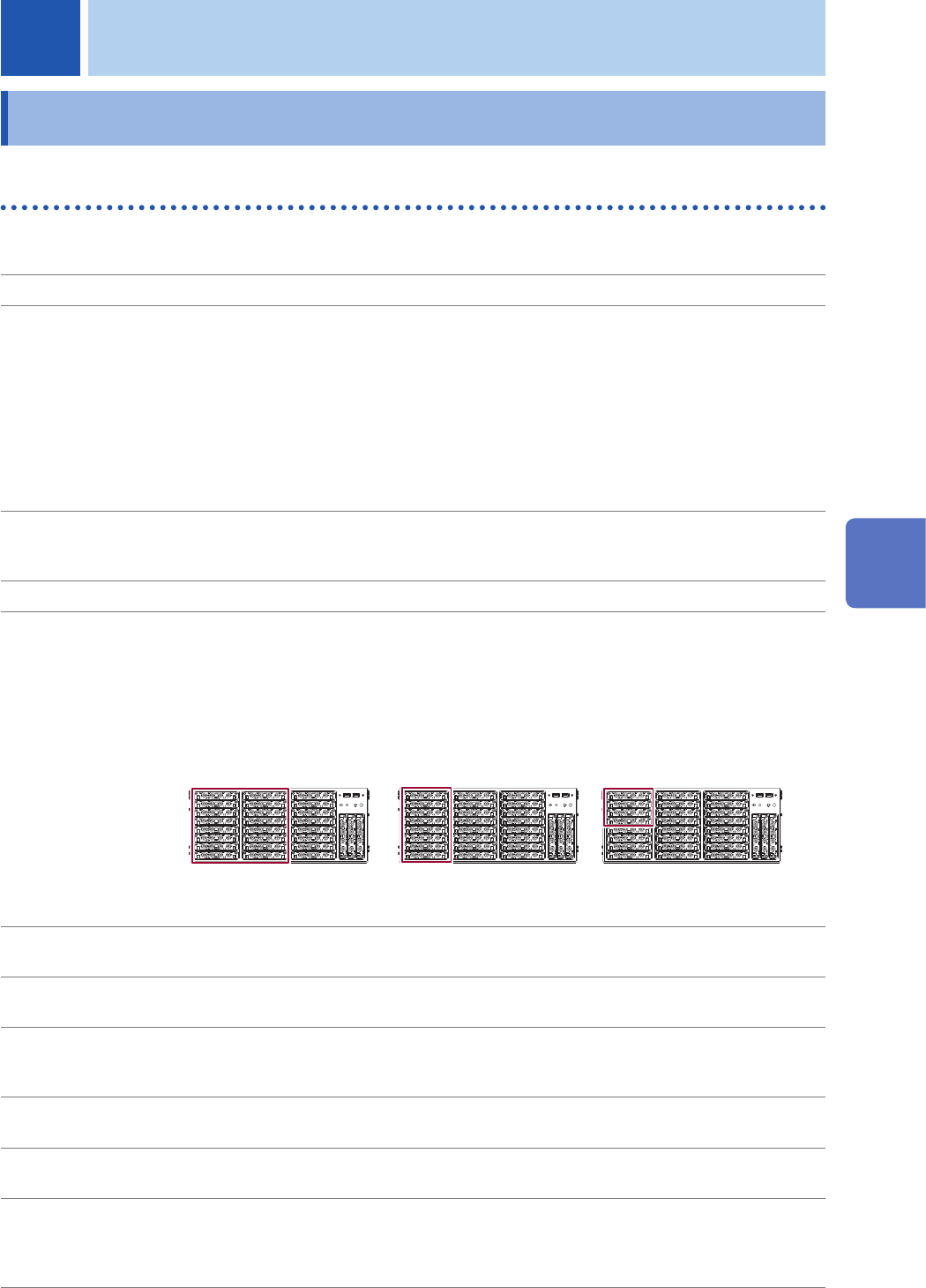
27 modules: Uses all slots.
16 modules: Uses slot 1 through 16.
8 modules: Uses slot 1 through 8.
4 modules: Uses slot 1 through 4.
16 modules
8 modules
4 modules
16 MW/ch
32MW/ch
64MW/ch
* Memory length is applicable when Model U8975 is installed.
* Modules installed in slots except for the above are invalid for measurement.
Built-in storage
device
SSD with a storage capacity of 480 GB
Operating
environment
Indoors, Pollution Degree 2, Operating altitude: up to 2000 m (6562 ft.)
Operating
temperature and
humidity
0°C to 40°C (32°F to 104°F), 80% RH or less (no condensation)
Storage temperature
and humidity
−10°C to 50°C (14°F to 122°F), 80% RH or less (no condensation)
Standards Safety: EN61010
EMC: EN61326 Class A
Power supply Rated supply voltage: 100 V to 240 V AC (Voltage uctuations of up to ±10% centered on
the rated supply voltage are allowed.)
Rated supply frequency: 50 Hz / 60 Hz
Anticipated transient overvoltage: 2500 V
5 Specications
5
Specications