MR8740T_Quick guide_eng_20191016H.pdf - 第64页
58 Preparing Storage Devices (Recording Media) Removing storage devices T ake the following procedure to remove the USB ash drive. 1 2 1 Click the remove button. 2 Click a storage device to be removed. 3 Remove the stor…
57
Preparing Storage Devices (Recording Media)
2.5 Preparing Storage Devices (Recording Media)
The storage device that can be used with the instrument are USB ash drives and a built-in drive.
Refer to “Handling storage devices” (p. 14).
USB ash drive
The instrument supports not all commercially available USB ash drives. You have to congure the
USB ash drive setting on the instrument to use USB ash drives.
Refer to “Formatting storage devices” (p. 59).
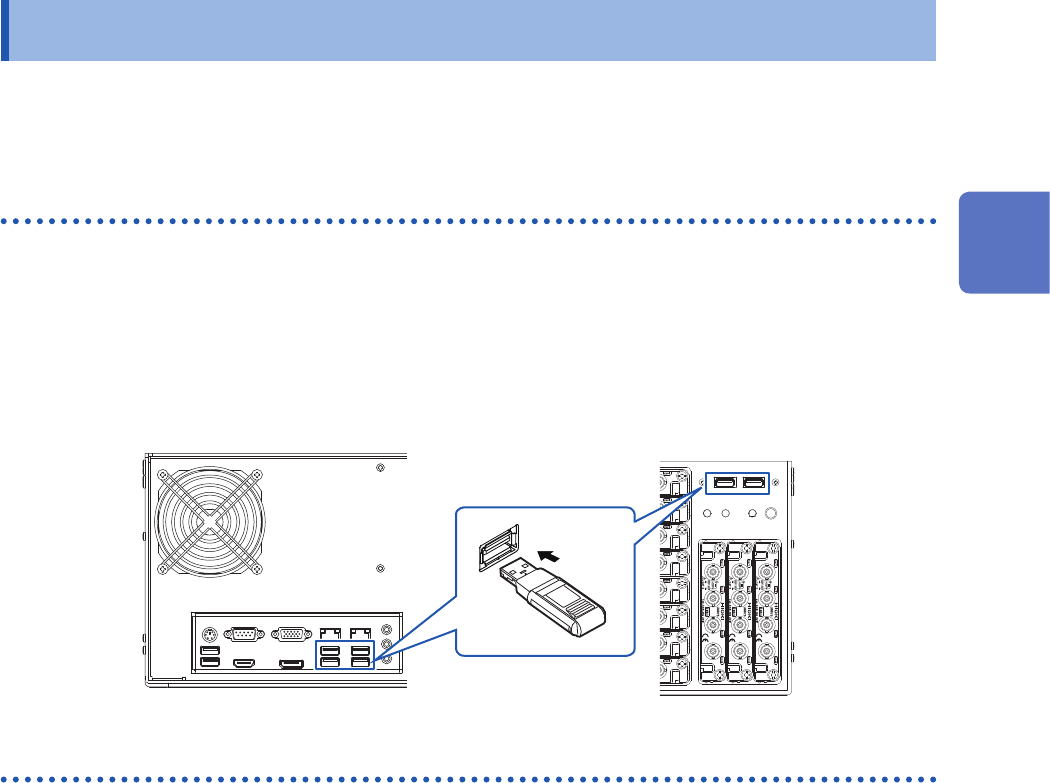
How to insert a USB ash drive
Align the USB ash drive with the connector, and fully insert it.
Rear side
Front side
Built-in drive
The built-in drive is factory-formatted.
Built-in SSD (capacity: 480 GB*)
*: Once the SSD has been formatted, the actually available capacity decreases.
You cannot remove the built-in drive.
2
Preparing for Measurement
58
Preparing Storage Devices (Recording Media)
Removing storage devices
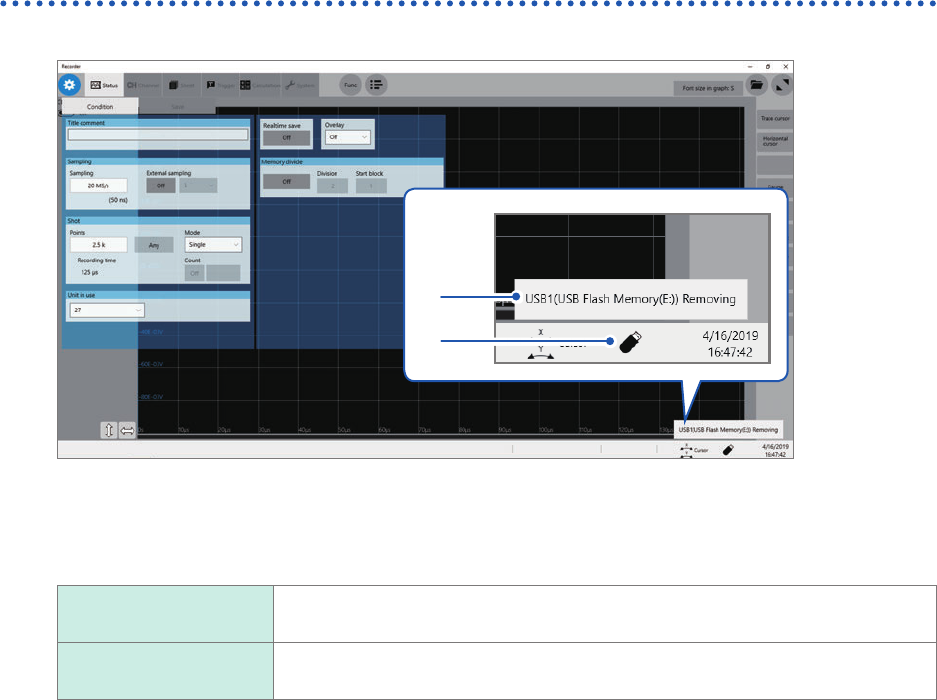
Take the following procedure to remove the USB ash drive.
1
2
1
Click the remove button.
2
Click a storage device to be removed.
3
Remove the storage device according to the message.
This device can be
removed.
Remove the storage device.
This device cannot be
removed.
Check whether the storage device is being accessed.
Be sure to use the remove button to remove any storage device. Do not use Windows
®
Explorer or
an icon on the Windows
®
taskbar to remove the storage device.
59
Preparing Storage Devices (Recording Media)
Formatting storage devices
The instrument can format USB ash drives and the built-in drive. Once they are formatted, the
“HIOKI_MR8740T” folder is created.
IMPORTANT
Note that formatting a storage device deletes all the information stored on the storage device and
information deleted cannot be recovered.
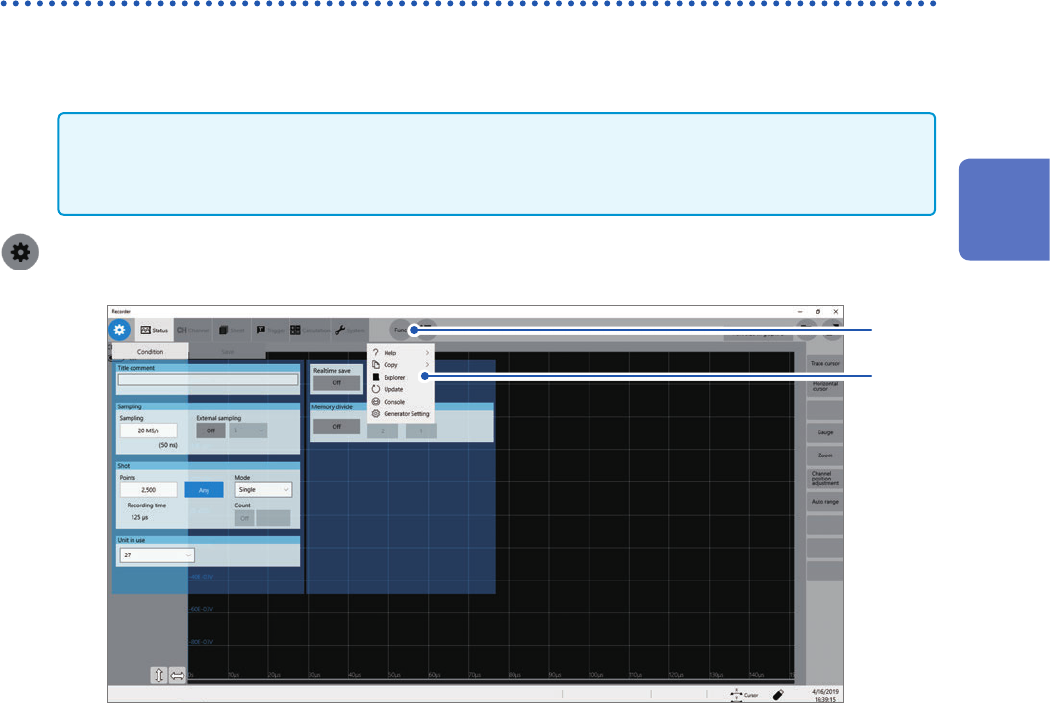
> [Func] > [Explorer]
2
1
1
Click [Func].
2
Choose [Explorer].
Explorer appears.
3
Right-click a storage device to be formatted.
4
Click [Format] on the shortcut menu.
2
Preparing for Measurement