MR8740T_Quick guide_eng_20191016H.pdf - 第85页
79 Measuring Signals With the Auto-range Setting • Be careful when performing auto-range measurement while using the TRIG OUT signals. Starting a measurement with the auto-range setting outputs a trigger signal from the …
78
Measuring Signals With the Auto-range Setting
3.7 Measuring Signals With the Auto-range Setting
The auto-range function is available only for signals inputted to analog measuring modules.
1
Input signals to an analog measuring module.
2
Click [Auto range] on the waveform screen.
3
Click [Execute].
The instrument species the sampling rate, measurement range, and zero position for each input
waveform automatically and starts a measurement.
The sampling rate is specied according to the lowest numbered channel of the channels with
[Display] set to [On]. In addition, it is automatically specied so that waveforms have a length of
between 1 cycle and 2.5 cycles while 2500 points are recorded.
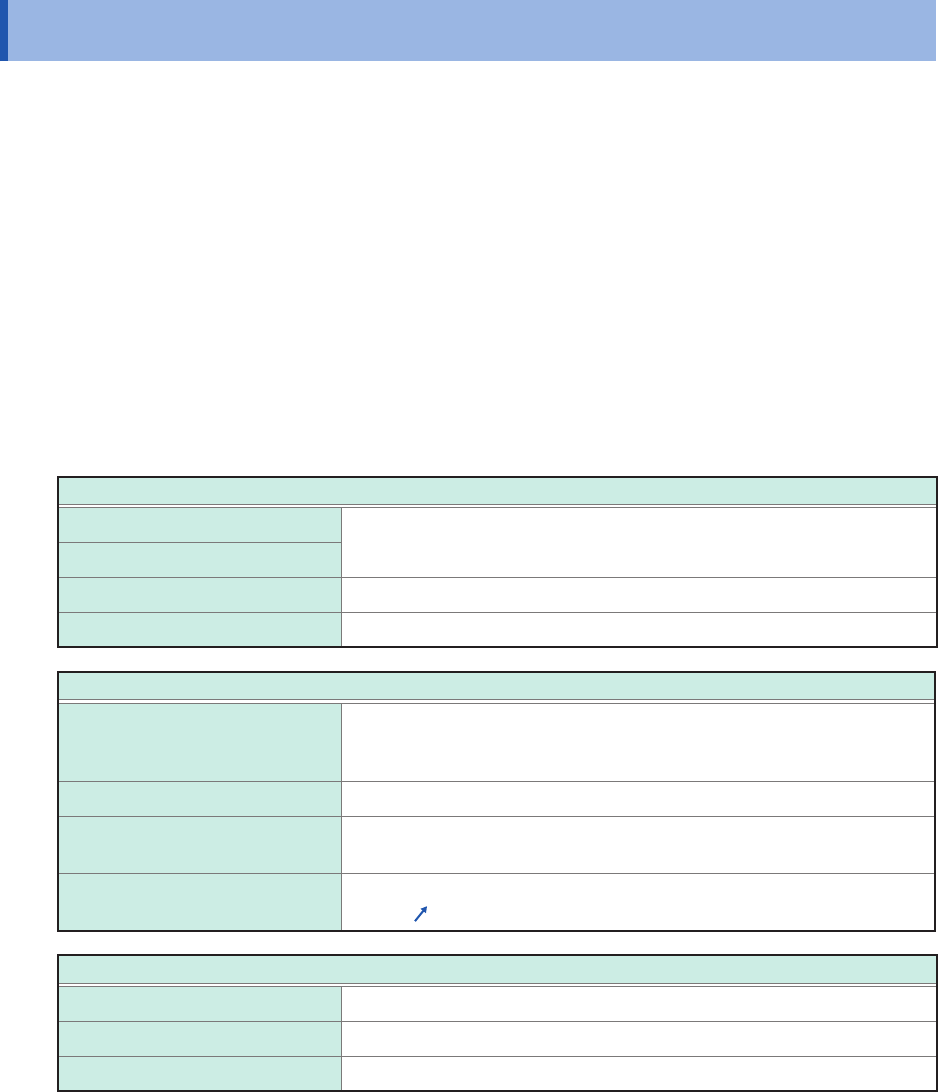
The auto-range function changes the following items:
Module conditions (for all channels)
Range (f.s.)
Automatically specied value
Zero position
L.P.F Off
Input coupling DC
Triggering condition (for one channel only)
Selecting the trigger logical
operation (AND or OR operation)
among trigger sources
OR
Pre-trigger 20%
Internal trigger Detects trigger levels beginning from the channel lowest-numbered
among the channels with the [Display] button set to [On].
Trigger type Level trigger
(Slope:
, Level: Automatically specied value, Filter: 10 samples)
Measurement conditions
Sampling rate Automatically set value
Points 2.5 k
Mode Repeat

79
Measuring Signals With the Auto-range Setting
• Be careful when performing auto-range measurement while using the TRIG OUT signals. Starting
a measurement with the auto-range setting outputs a trigger signal from the TRIG.OUT terminal.
• Input signals (waveforms) before starting a measurement with the auto-range setting. The auto-
range function changes the setting depending on a signal inputted on the start of execution.
• When an input signal acquired across the channel lowest-numbered among the channels with
the [Display] button set to [On] has an extremely small level, the sampling rate is specied
depending on the input signal of the next lowest-numbered channel.
• If the range setting fails for every channel with the [Display] button set to [On], the instrument
displays a warning message and cancels the measurement.
• When the auto-save is set to on, the instrument saves the data after specifying the setting value
of the auto-range.
• The instrument cannot choose an adequate automatic range for a signal with a frequency of
lower than 10 Hz. Manually choose a measurement range.
• The auto-range function is not available for the following modules:
Model 8967 Temp Unit
Model U8969 Strain Unit
Model 8970 Freq Unit
Model MR8990 Digital Voltmeter Unit
Model U8991 Digital Voltmeter Unit
Model 8973 Logic Unit
3
Measurement Method
80
Measuring Signals With the Auto-range Setting