MR8740T_Quick guide_eng_20191016H.pdf - 第160页
154 Self-check 6.4 Self-check Executing the self-check function checks the instrument for malfunctions. The self-check consists of the following checks: > [System] > [Initialize] (p. 155) (p. 154) (p. 157) “Initial…

153
Message
No. Message Solution Reference page
607 Current sensor removed.
Check the connection of the
current sensors.
–
616
Search target channel has no
data.
Start another measurement or
load a le.
“4.3 Loading Data” of Instruction
Manual
640
Number of search results
exceeded 10,000. Search has
been canceled.
The instrument can display up
to 10,000 search results.
“6 Search Function” of
Instruction Manual
641
Insufcient data to perform
search.
Check the scope of search.
“6 Search Function” of
Instruction Manual
642
Unable to capture a stable
fundamental wave.
Check the setting for the
fundamental wave.
“6 Search Function” of
Instruction Manual
650
Cannot set numerical value.
Check the setting of upper and
lower limits.
– –
6
Maintenance and Service
154
Self-check
6.4 Self-check
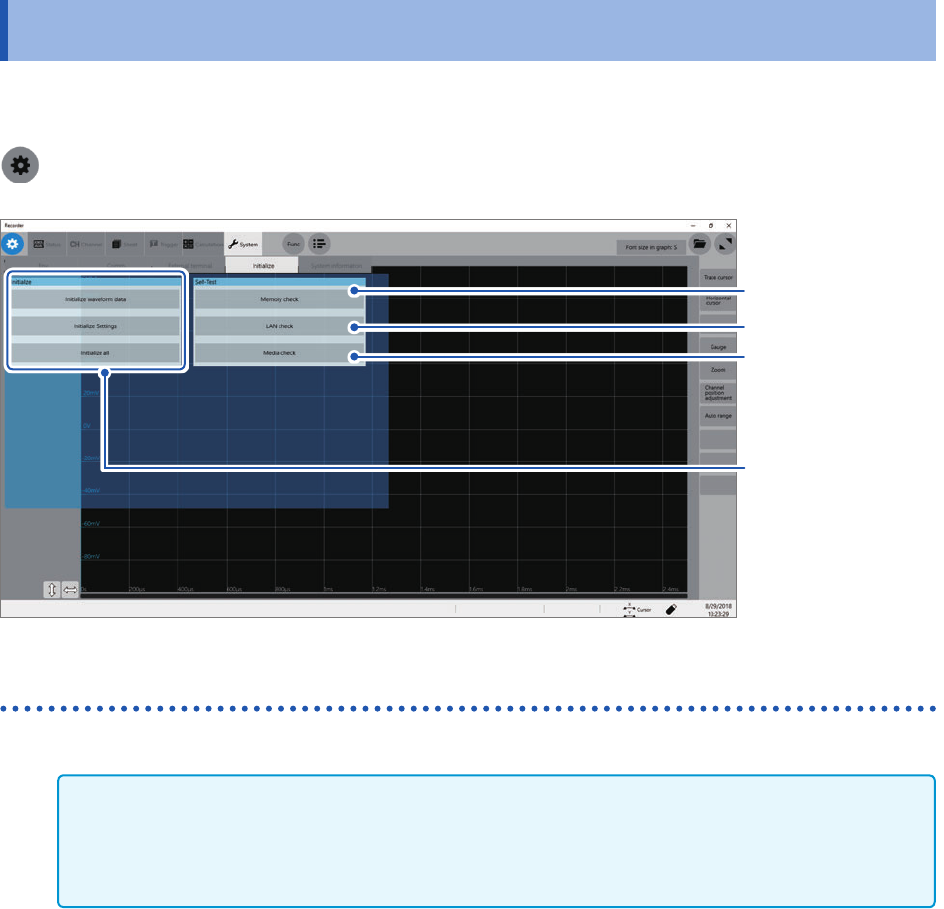
Executing the self-check function checks the instrument for malfunctions. The self-check consists
of the following checks:
> [System] > [Initialize]
(p. 155)
(p. 154)
(p. 157)
“Initializing the
Instrument”
(p. 147)
Memory check
Storage memory, backup memory (SRAM memory)
IMPORTANT
• Save measured data in a storage device before performing the memory check. Any measured
data will be deleted after the memory check.
• Do not turn off the instrument during the memory check.
1
Click [Memory check].
2
Click [Execute].
The memory check starts.
The memory check will nish in about 30 seconds.
155
Self-check
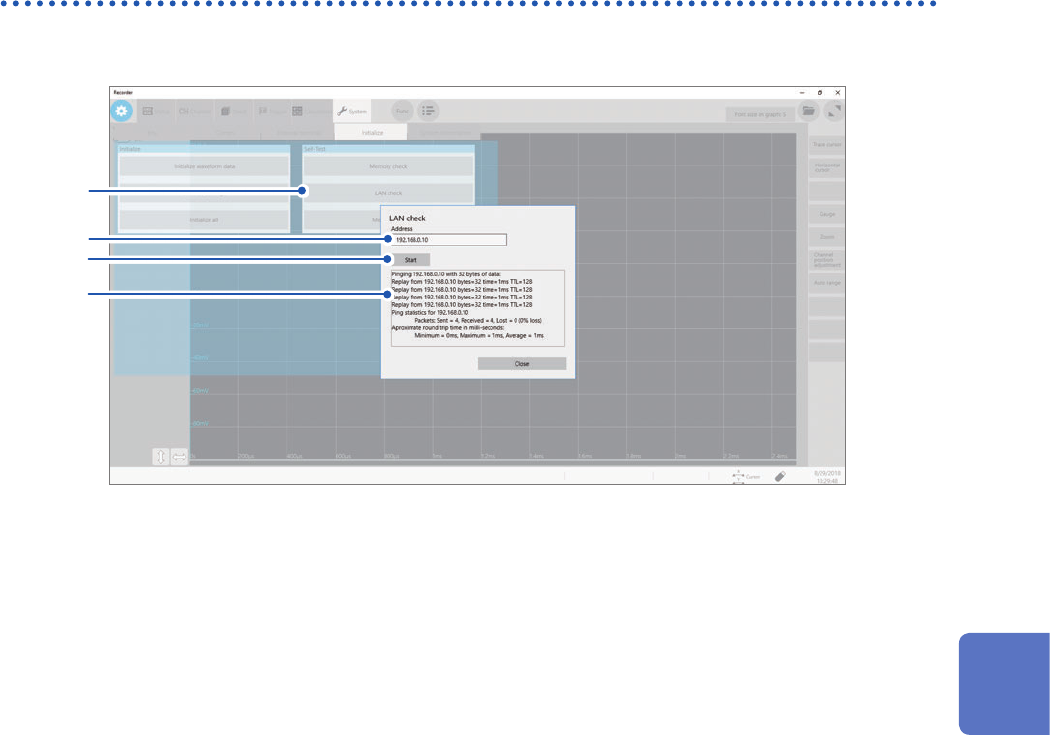
LAN check
This check tests the LAN cable for a break or other malfunctions.
3
2
1
4
1
Click [Memory check].
2
Enter an IP address used for connecting to LAN in the [Address] box.
3
Click [Open].
4
Check the results of transmission and reception on the screen.
6
Maintenance and Service