MR8740T_Quick guide_eng_20191016H.pdf - 第9页
3 Introduction Others * Additional information is presented below . Indicates the initial setting values of the items. Initializing the instrument restores settings to each of these values. (p. ) Indicates the location…
2
Introduction
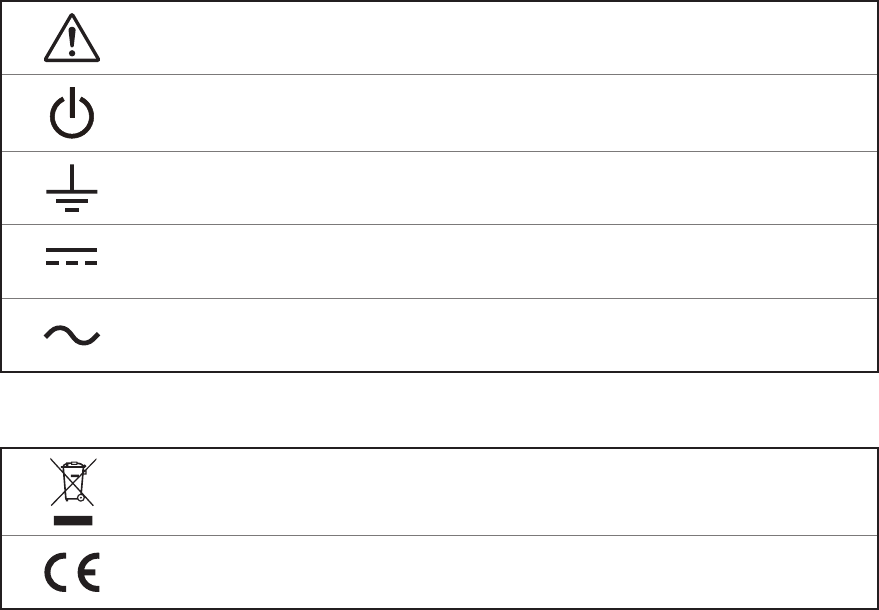
Symbols afxed to the instrument
Indicates cautions and hazards. When the symbol appears on the instrument, read the
corresponding topic in the Instruction Manual.
Indicates the power button that switches the instrument between on and off states.
Indicates a grounding terminal.
Indicates DC (direct current).
Indicates AC (alternating current).
Symbols for Standards
Indicates the Waste Electrical and Electronic Equipment Directive (WEEE Directive) in EU
member states.
Indicates that the product conforms to regulations set out by the EU Directive.
3
Introduction
Others
*
Additional information is presented below.
Indicates the initial setting values of the items. Initializing the instrument restores
settings to each of these values.
(p. ) Indicates the location of reference information.
START
(Bold-faced)
Names and keys on the screen are indicated in boldface.
[ ]
Menus, dialog boxes, buttons in a dialog box, and other names on the screen are
indicated in brackets ([ ]).
Windows
Unless otherwise specied, “Windows” represents Windows 7, Windows 8, and
Windows 10.
Current sensor Sensors measuring current are referred to as “current sensor.”
S/s
The number of times per second the analog input signals are digitized by the
instrument is represented in “samples per second (S/s).”
Example: “20 MS/s” (20 megasamples per second) indicates that the signal is digitized
20 × 10
6
times per second.
Notations
We dene measurement tolerances in terms of f.s. (full scale) and rdg. (reading) values, with the
following meanings:
f.s.
(maximum display value or scale length)
The maximum displayable value or scale length.
rdg.
(displayed value)
The value currently being measured and displayed on the measuring instrument.
setting
(setting value)
Indicates the value set as the output voltage, current, or other quantity.
4
Conrming Package Contents
Conrming Package Contents
When you open the package, inspect the instrument carefully to ensure that everything is in good
condition, and that no damage occurred during shipping. Carefully check the accessories, panel
keys and switches, and connectors. If the instrument seems to have been damaged or does not
work as specied, contact your authorized Hioki distributor or reseller.
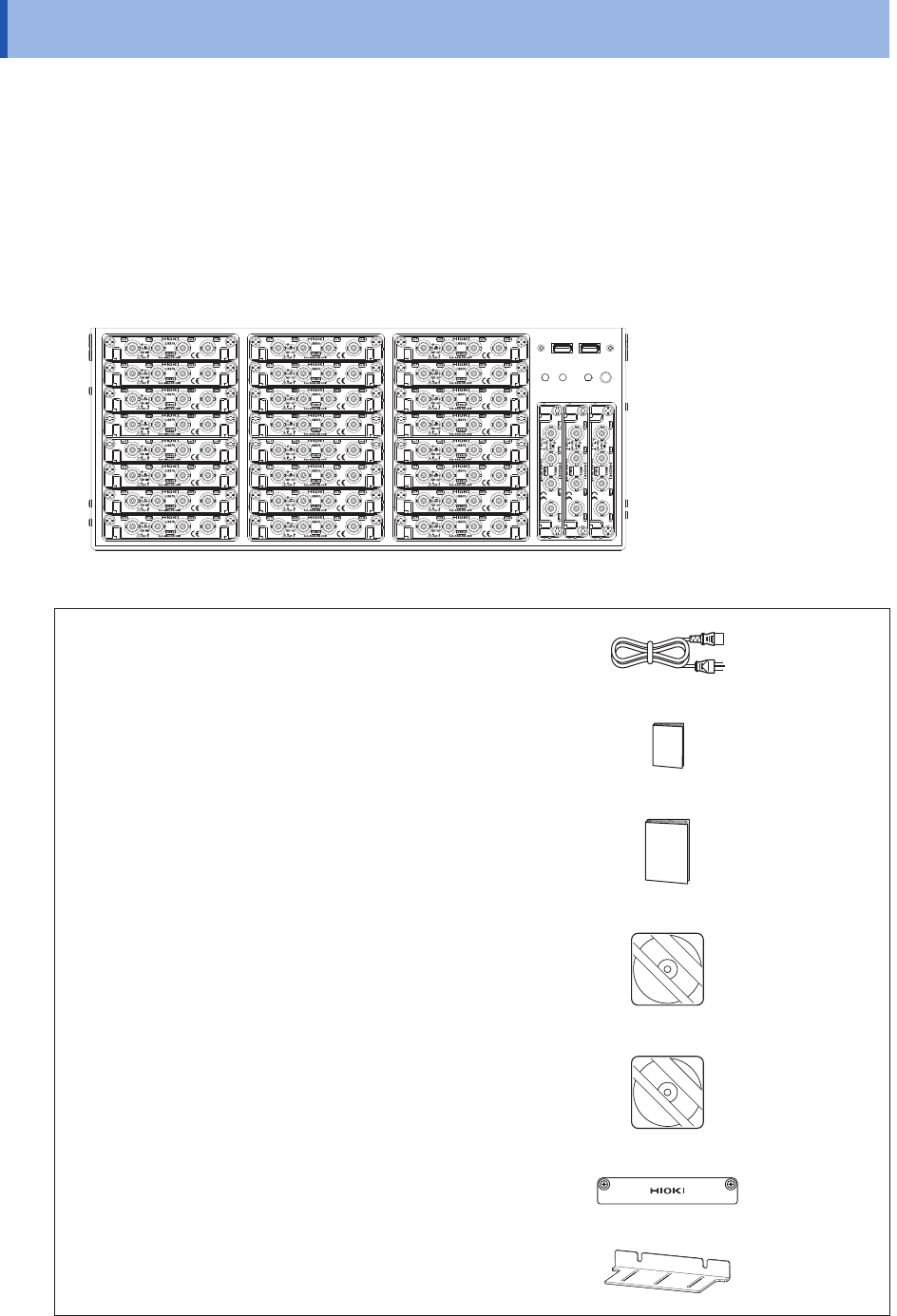
Check that the package contents are correct.
Instrument
Model MR8740T Memory HiCorder
Accessories
Power cord
(p. 60)
Operating Precautions (0990A903)
Quick Start Manual (This document)
Instruction Manual CD*
1
• Instruction Manual
MR8740C964-xx.pdf
(p. 32)
Application disc*
1
(p. 84)
Blank panel (for slots with no module installed)
(p. 34)
Rack-mount brackets
(p. 161)
*1: The latest version can be downloaded from our website.