MR8740T_user_manual_eng_20191016H.pdf - 第101页
96 Managing Files 4.4 Managing Files Opening the explorer allows you to manage data saved in storage devices. Operation available on the explorer Changing storage devices Storage devices can be changed. Sorting les File…
95
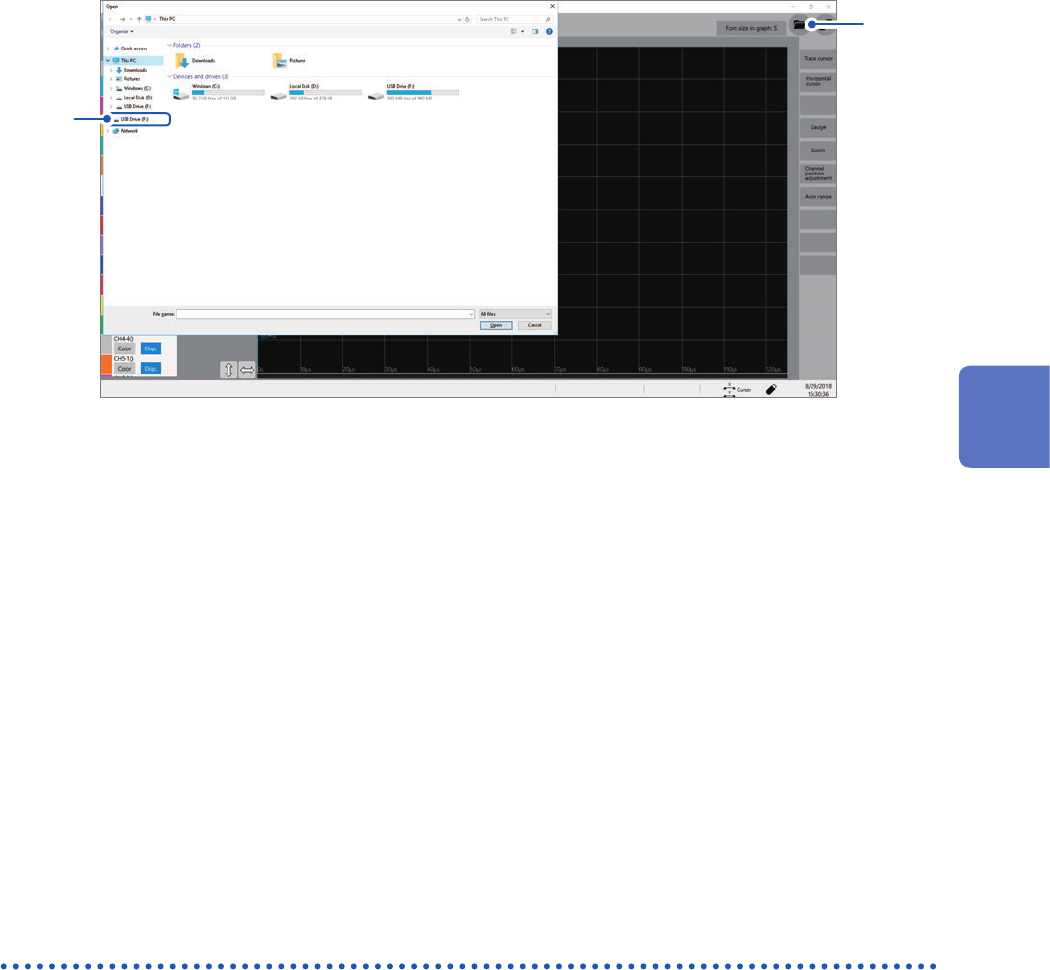
Loading Data
To display the le screen
1
2
1
Open the le screen.
2
Choose a storage device to be operated.
When loading data from a storage device
Insert a storage device before choosing it.
Others
• The instrument can load data saved with Model MR8740T Memory HiCorder only.
• Loading a waveform le changes the settings of the instrument to those when the waveform le
was saved. When you start a measurement in this state, the instrument measures waveforms
with the settings of the loaded waveform le; however, the settings of the modules are restored
to those set before the waveform le was loaded. To discard the module settings of the loaded
waveform le, execute [Initialize waveform data] (Refer to “6.2 Initializing the Instrument” in
Quick Start Manual.).
Automatically loading the settings (Auto-setup function)
The instrument automatically loads the setting data with the le name “STARTUP” stored in the
[CONFIG] folder in the [HIOKI_MR8740T] folder from a storage device at the time of startup.
The instrument searches the drives beginning from drive D in alphabetical order for the le
“STARTUP.SET,” loading the le found rst.
4
Saving/Loading Data and Managing Files
96
Managing Files
4.4 Managing Files
Opening the explorer allows you to manage data saved in storage devices.
Operation available on the explorer
Changing storage
devices
Storage devices can be changed.
Sorting les Files on a le list can be sorted based on the chosen basis.
Moving les to a
folder
Files can be moved to a folder of your choice.
Copying les or
folders
Files can be copied to a specied folder. When you choose folders to be copied, the
chosen folders are copied into the specied folder.
Creating a folder A new folder can be created.
Renaming a le
or folder
A le or folder can be renamed.
Deleting les or
folders
Files and folders can be deleted.
Format A storage device can be formatted.
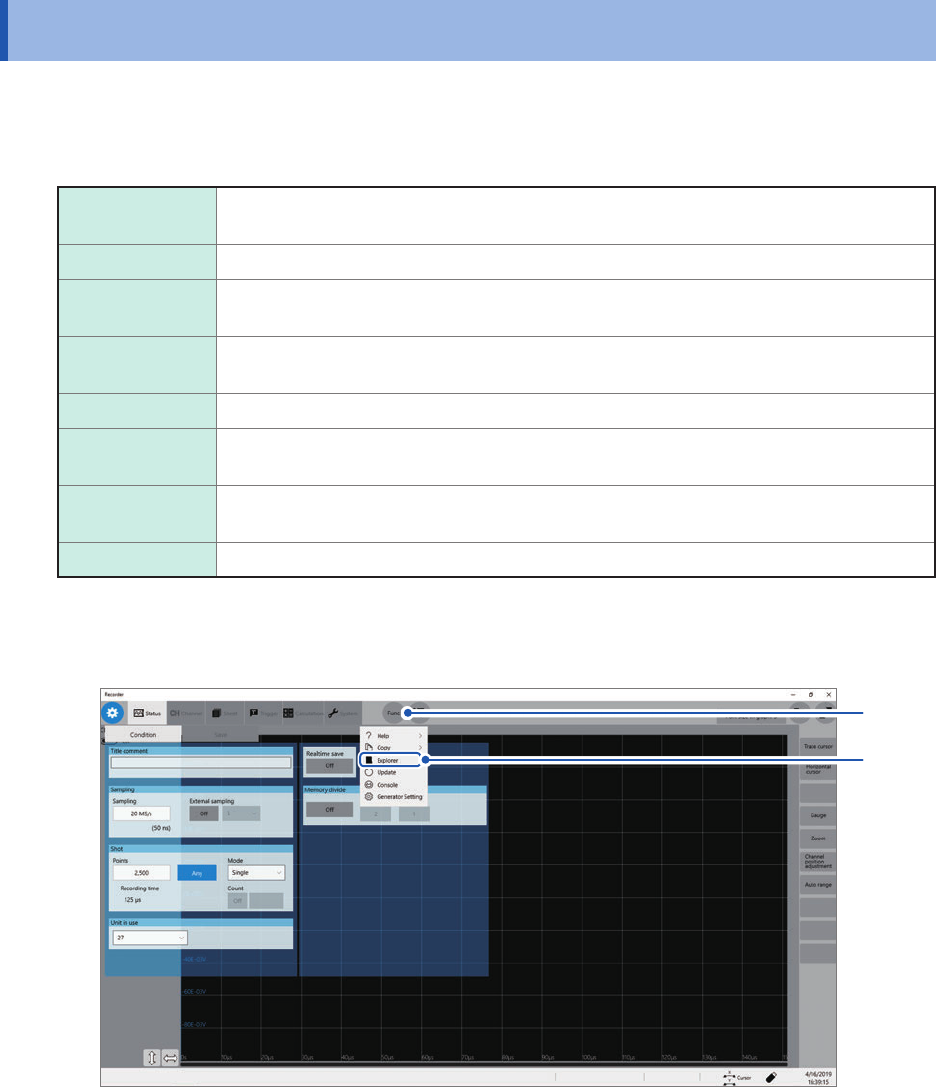
To open the explorer
1
2
1
Click [Func].
2
Choose [Explorer].
Explorer appears.
Choose a storage device to be operated.
97
5
Conguring the Trigger Settings
The trigger function allows you to start and stop measurements using specic signals.
When recording is started by specic signals, it is called “The instrument is triggered.”
In this chapter, the mark
represents the point the start trigger is activated.
In the descriptions of each trigger source, the mark
represents a point each trigger condition is
satised and a point each trigger is generated.
When the real-time save is set to [On], you cannot use the trigger function.
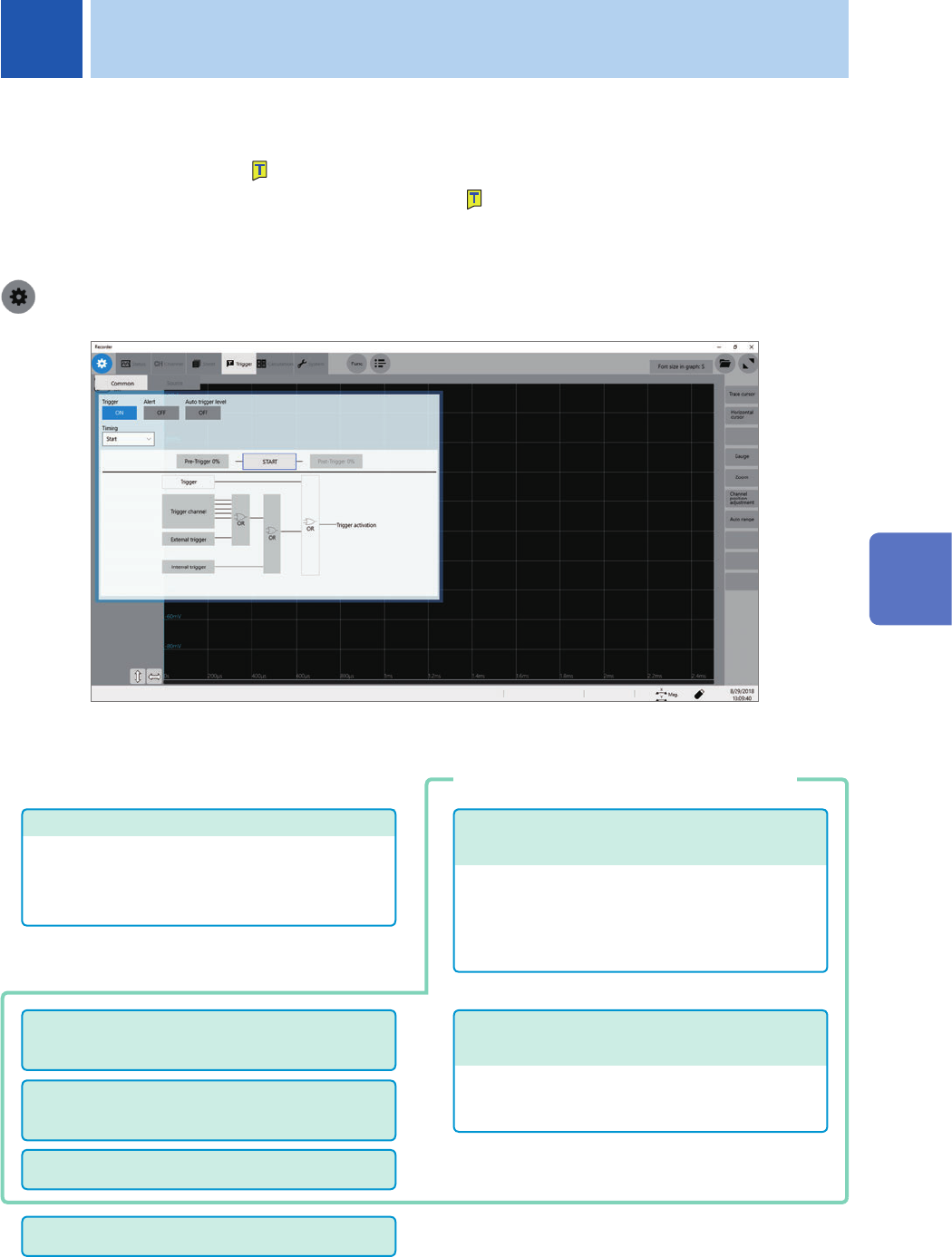
> [Trigger] > [Common]
Operation available on the [Trigger] screen
Conguring the logic trigger settings
(p. 114)
• Logic-trigger satisfaction conditions
• Trigger lter
• Trigger pattern
Conguring the analog trigger settings
(p. 106)
• Level trigger
• Window trigger
• Period trigger
• Glitch trigger
• Voltage drop trigger
Conguring the trigger setting
• Trigger timing (p. 100)
• Pre-Trigger (p. 102)
• Trigger satisfaction condition (logical AND or OR
operation) among the trigger sources (p. 105)
Conguring the interval trigger settings
(p. 116)
Conguring the external trigger settings
(p. 118)
Forcible trigger (p. 118)
Trigger output (p. 213)
Conguring the trigger source settings
5 Conguring the Trigger Settings
5
Conguring the Trigger Settings