MR8740T_user_manual_eng_20191016H.pdf - 第164页
159 8 W aveform Calculation Function The instrument makes calculations using acquired waveform data and pre-dened arithmetic expressions to numerically display calculation results on the waveform screen. When the real-t…
158
Numerical Calculation Types and Descriptions
159
8
Waveform Calculation Function
The instrument makes calculations using acquired waveform data and pre-dened arithmetic
expressions to numerically display calculation results on the waveform screen.
When the real-time save is set to [On], you cannot use the waveform calculation function.
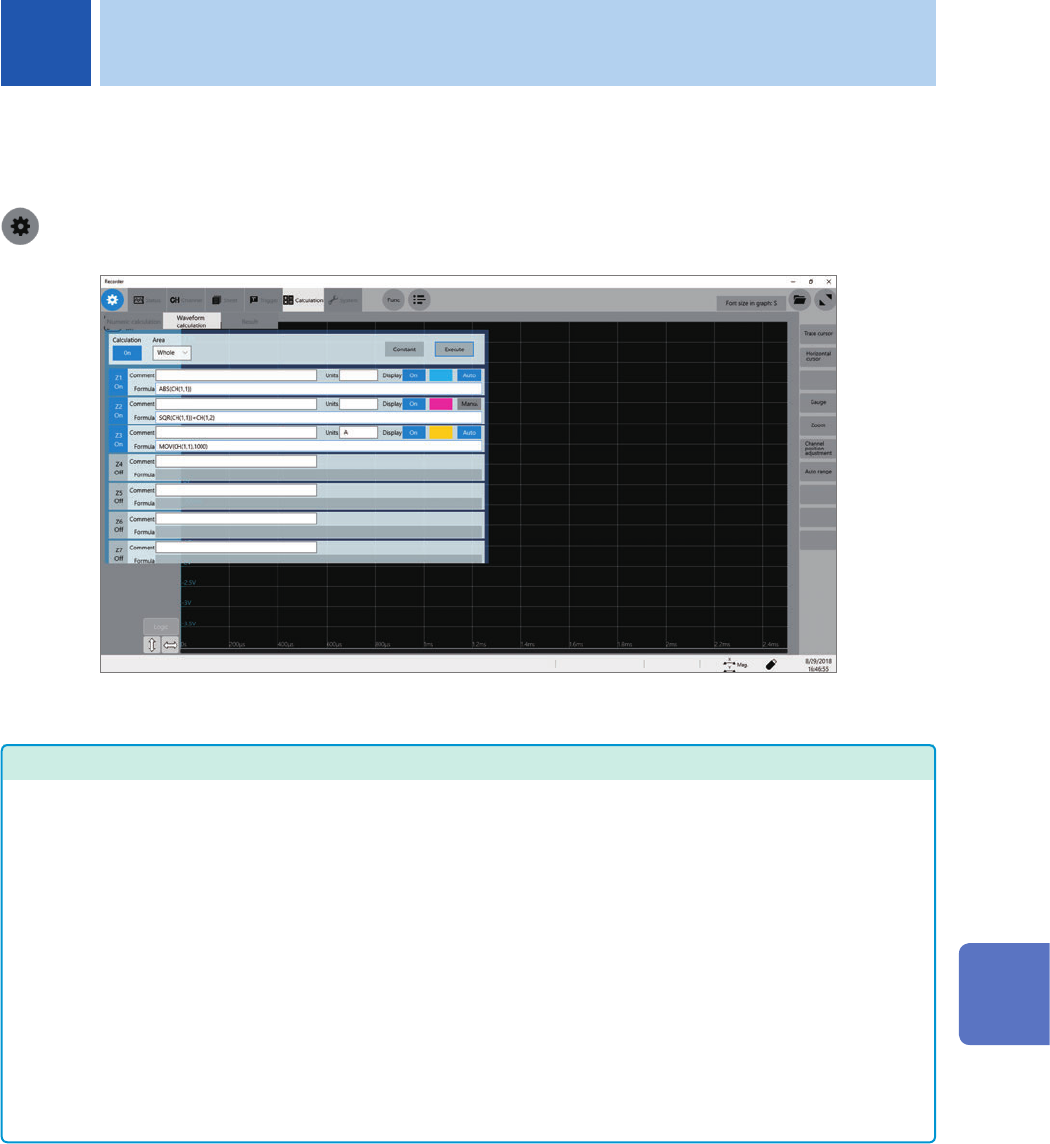
> [Calculation] > [Waveform calculation]
Operation available on the [Waveform calculation] screen
Waveform Calculation
• Four arithmetic operations (+, −, ×,
÷)
• Absolute value (ABS)
• Exponent (EXP)
• Common logarithm (LOG)
• Square root (SQR), cube root
(CBR)
• Moving average (MOV)
• Parallel move in the time axis
direction (SLI)
• Differential (1st-order [DIF], 2nd-
order [DIF2])
• Integration (1st-order [INT], 2nd-
order [INT2])
• Trigonometric function (SIN, COS,
TAN)
• Inverse trigonometric function
(ASIN, ACOS, ATAN, ATAN2)
• Waveform shifting by the PLC
delay time specied in Model
MR8990 Digital Voltmeter Unit
(PLCS)
(12 types in total)
Waveform parameter
• Average value (PAVE)
• Maximum value (PMAX)
• Minimum value (PMIN)
• Level (PLEVEL)
• Calculation by specifying a range
between cursors
You can specify a calculation
range between trace cursors A
and B or between trace cursors C
and D.
Details about arithmetic
expressions
“8.3 Operators of Waveform
Calculation and Calculation Results”
(p. 169)
In addition to the four arithmetic operations, 11 functions are available to calculate waveform data. You
can specify up to 16 arithmetic expressions.
When the scaling function is enabled, the instrument makes calculations using scaled values.
8 Waveform Calculation Function
8
Waveform Calculation Function
160
Waveform Calculation Procedure
8.1 Waveform Calculation Procedure
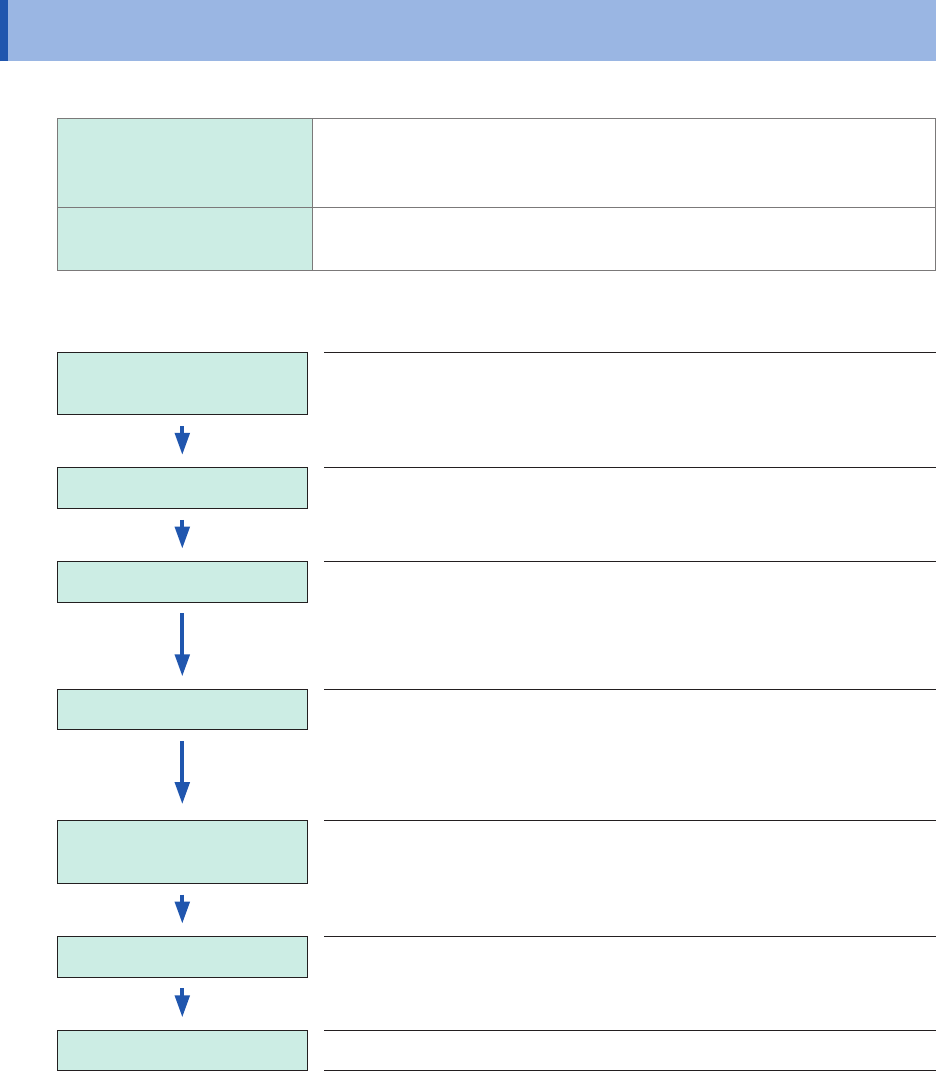
The following two methods are available:
Automatically making
calculations after
measurement
You have to congure the waveform calculation settings before
starting measurement.
(not available when the real-time save is set to on)
Making calculations using
existing data
The instrument can make calculations using waveform data that has
already been acquired or that saved on storage devices.
Performing calculation during measurement
Conguring the calculation
settings
Congure the calculation settings on the [Waveform
calculation] screen.
(p. 162)
Starting a measurement
Acquiring data When a trigger condition is satised, the instrument
starts to acquire data.
(If no trigger setting is congured, clicking the start icon allows
the instrument to start to acquire data.)
Calculation The message [Calculating] appears on the screen status
bar.
The instrument calculates the data, No. 1 through No. 108 in
turn
(To force-quit the calculation, click the stop icon.)
Displaying calculation
results
The instrument displays results on the waveform screen.
(Saving results) (When the auto-save is set to [On])
The instrument automatically saves calculation results.
Finishing the measurement