MR8740T_user_manual_eng_20191016H.pdf - 第35页
30 Changing the Display Position and Display Magnication of W aveforms Differentiating the waveform display position and display magnication of each analog channel 1 Click [Channel position adjustment] . 1 The channel …
29
Changing the Display Position and Display Magnication of Waveforms
2.4 Changing the Display Position and Display
Magnication of Waveforms
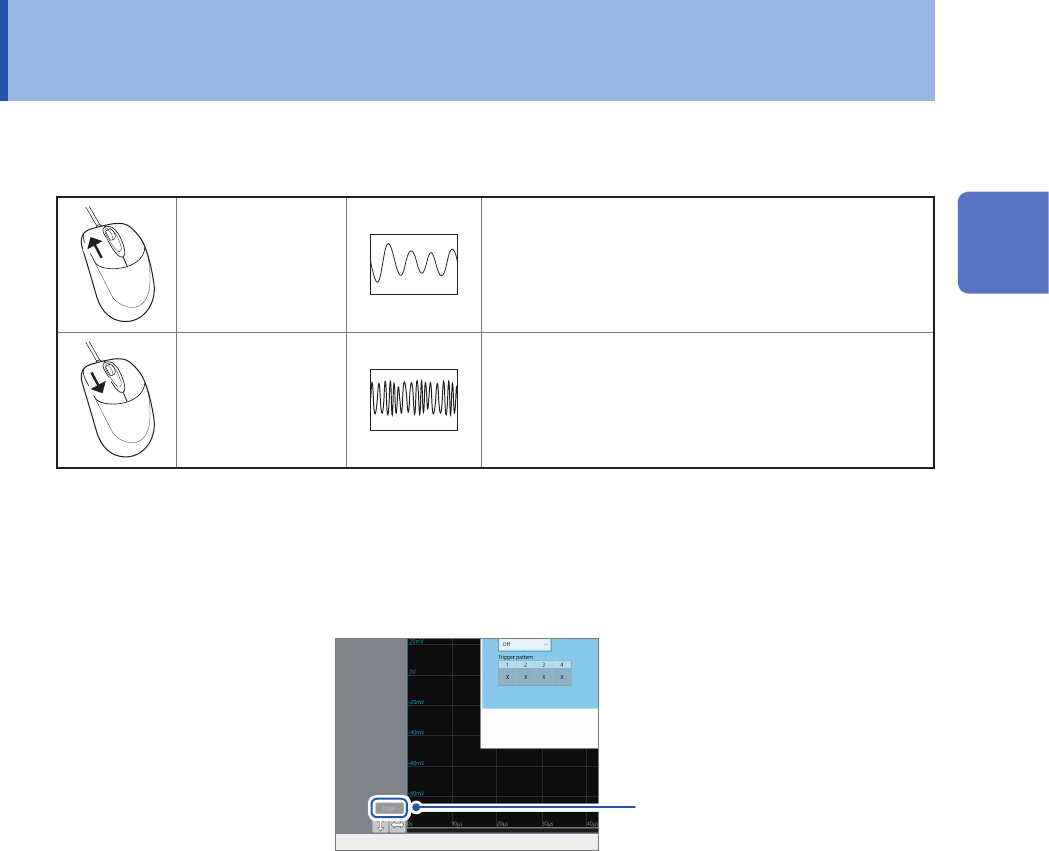
You can change the display magnication of waveforms by pointing to the time axis on the
waveform screen and rotating the wheel button.
Rotating the
wheel button
upward
Zooms in the waveforms.
Rotating the
wheel button
downward
Zooms out the waveforms.
To change the display position of logic channels in a batch
You can move logic channels only after click [Logic] to choose.
When [Logic] is not chosen, you can move analog channels only.
Click the button to select or
deselect it.
2
Operating the Waveform Screen and Analyzing Data
30
Changing the Display Position and Display Magnication of Waveforms
Differentiating the waveform display position and display
magnication of each analog channel
1
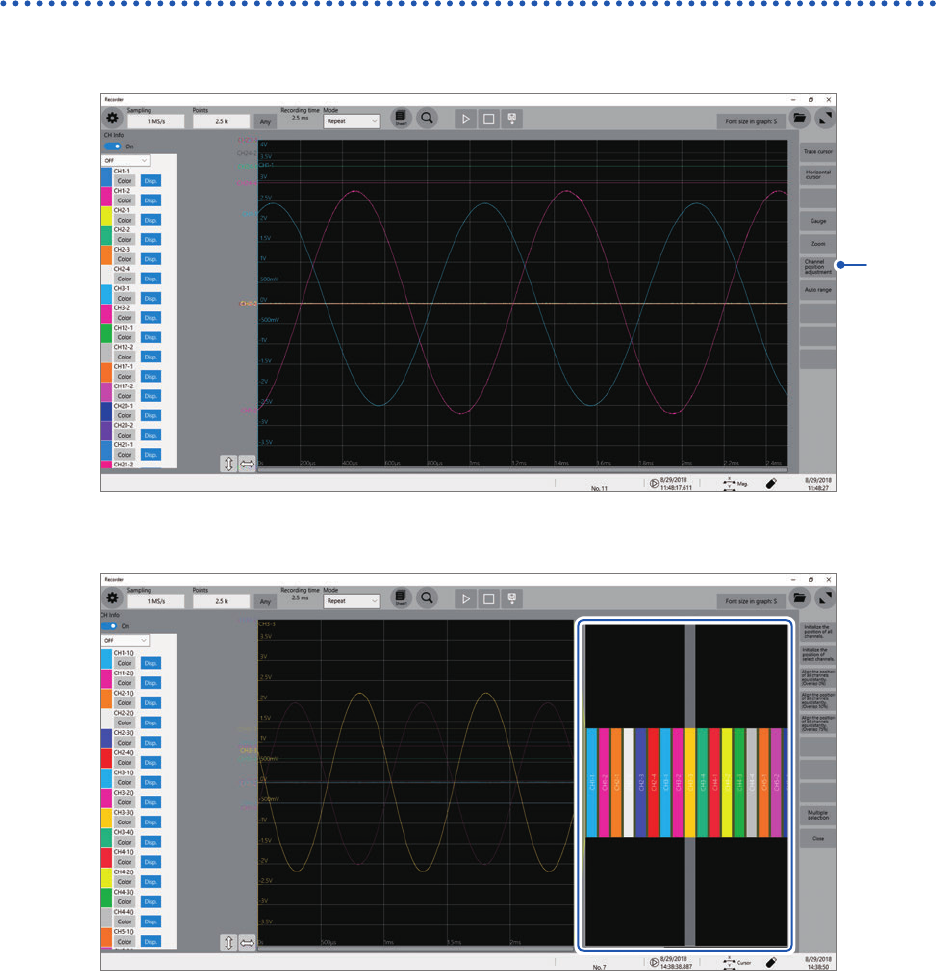
Click [Channel position adjustment].
1
The channel position adjustment screen appears.
The blue box area shows the display range of the waveform screen.
31
Changing the Display Position and Display Magnication of Waveforms
2
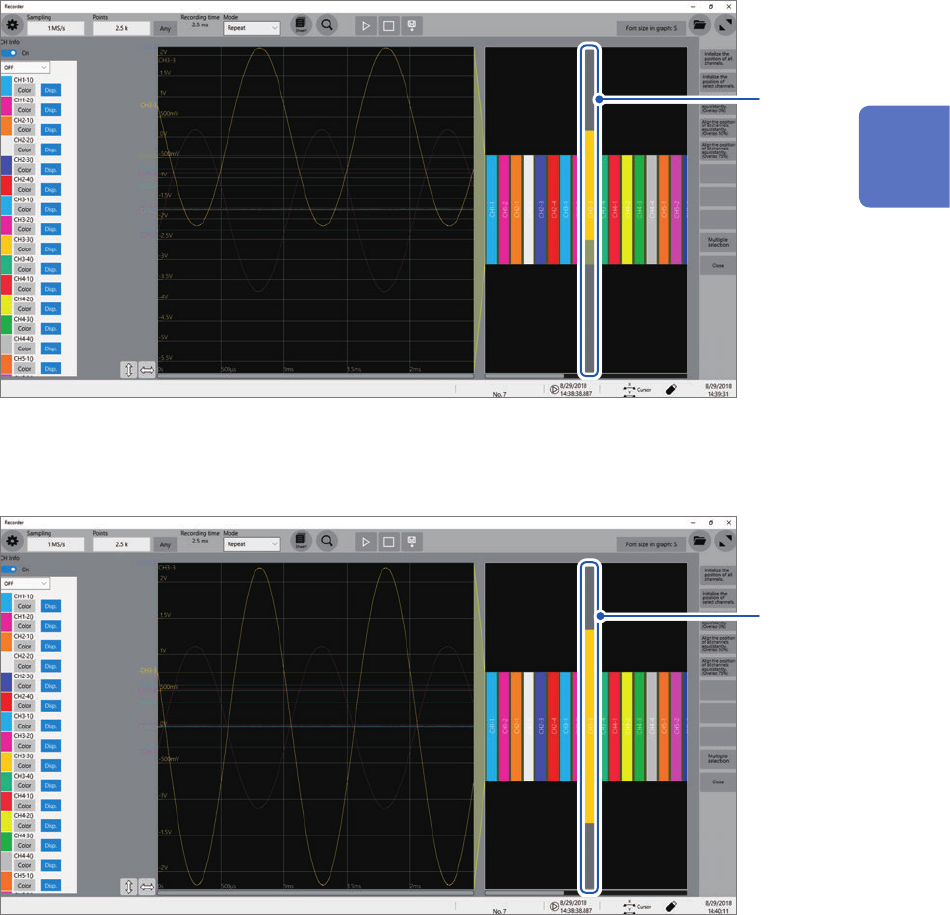
Click a channel number you want to move to choose and drag the chosen area.
The display position of the channel is moved.
2
3
Click a channel number the display position you want to change.
Rotating the wheel button while pointing to the selected area changes the display magnication.
3
2
Operating the Waveform Screen and Analyzing Data