MR8740T_user_manual_eng_20191016H.pdf - 第14页
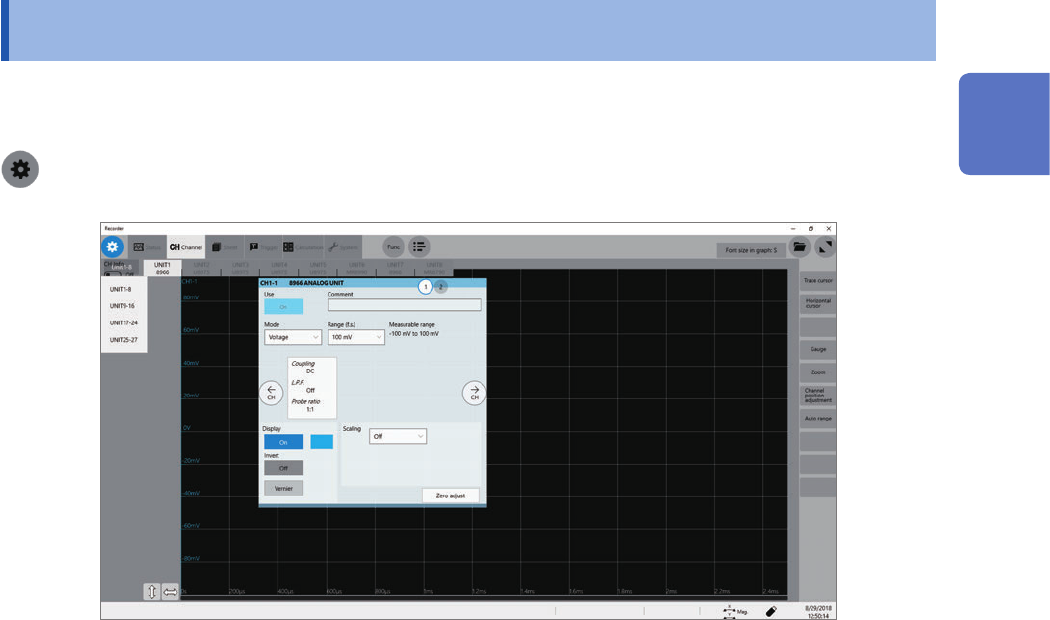
9 Conguring the Input Channel settings 1.3 Conguring the Input Channel settings Congure the settings of the analog and logic channels. > [Channel] Operation available on the [Channel] screen • Adding a comment to e…
8
Setting Measurement Conditions
To set the sampling rate automatically
Refer to “3.7 Measuring Signals With the Auto-range Setting” of Quick Start Manual.
Update rate of each module
The data refresh rate is not allowed to exceed the maximum sampling rate of each module.
The instrument measures the same data until the data gets updated, causing the instrument to plot
a stair-step waveform.
In addition, even though the instrument measures the same signal simultaneously, values may vary
due to differences in the sampling rate, frequency range, and frequency characteristics of modules.
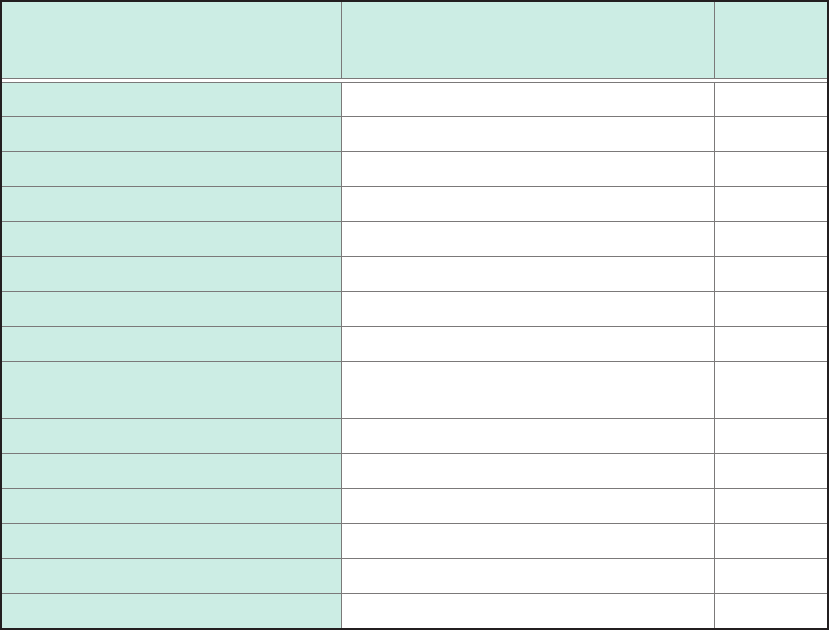
Modules
Maximum sampling rate of module
or
data refresh rate
Reference
page
Model 8966 Analog Unit 20 MS/s (50 ns) –
Model 8967 Temp Unit Depends on the data refresh setting. p. 47
Model 8968 High Resolution Unit 1 MS/s (1 µs) –
Model U8969 Strain Unit 200 kS/s (5 µs) –
Model 8970 Freq Unit Depends on the setting. p. 51
Model 8971 Current Unit 1 MS/s (1 µs) –
Model 8972 DC/RMS Unit Depends on the response setting. p. 56
Model 8973 Logic Unit 20 MS/s (50 ns) –
Model MR8990
Digital Voltmeter Unit
Depends on the NPLC setting. p. 57
Model U8974 High Voltage Unit Depends on the response setting. p. 59
Model U8975 4ch Analog Unit 5 MS/s (200 ns) –
Model U8977 3CH Current Unit 5 MS/s (200 ns) –
Model U8978 4CH Analog Unit 5 MS/s (200 ns) –
Model U8979 Charge Unit 200 kS/s (5 µs) –
Model U8991 Digital Voltmeter Unit Depends on the NPLC setting. p. 65
9
Conguring the Input Channel settings
1.3 Conguring the Input Channel settings
Congure the settings of the analog and logic channels.
> [Channel]
Operation available on the [Channel] screen
• Adding a comment to each channel
• Setting measurement conditions for each channel
• Conguring the display method setting for waveforms
• Converting measured values into physical quantities and displaying them
1
Measurement Method
10
Conguring the Input Channel settings
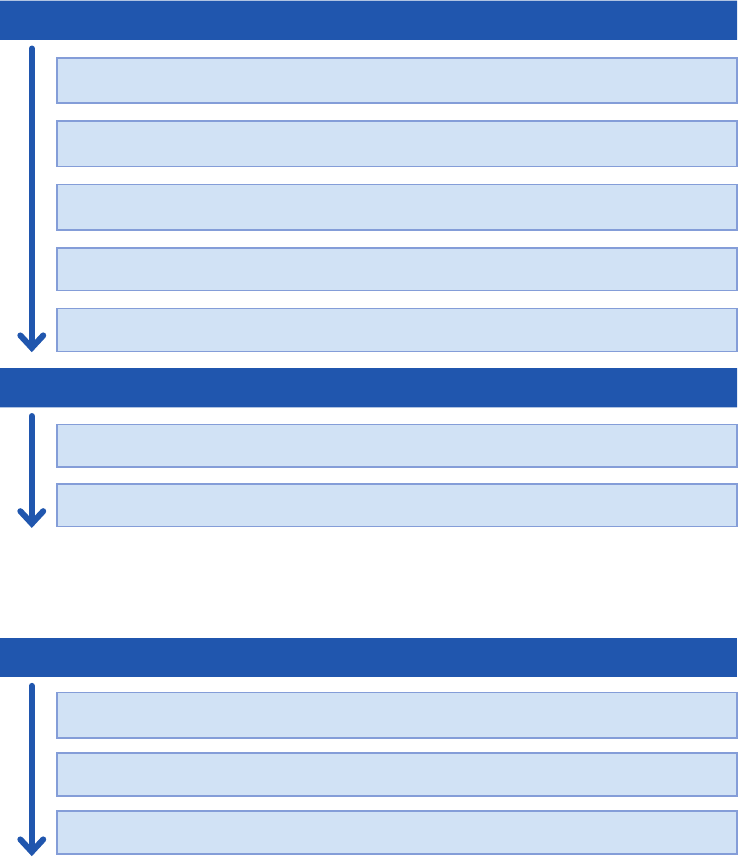
Channel setting procedure
Analog channels (CH1 through CH108) setting procedure
Conguring the input settings
Choose a measurement mode.
(p. 11)
Choose a measurement range for each measurement target.
(p. 12)
Convert input values (scaling function).
(p. 14)
Choose an input coupling method.
(p. 13)
Choose a low-pass lter cutoff frequency (if noise is present).
(p. 13)
Conguring the display settings
Select a waveform color.
(p. 14)
Convert input values (scaling function).
(p. 14)
Logic channels (Model 8973 Logic Unit) setting procedure
Conguring the display settings
Choose a logic recording width.
(p. 15)
Specify the display position of the waveform.
(p. 15)
Select a waveform color.
(p. 15)