MR8740T_user_manual_eng_20191016H.pdf - 第128页
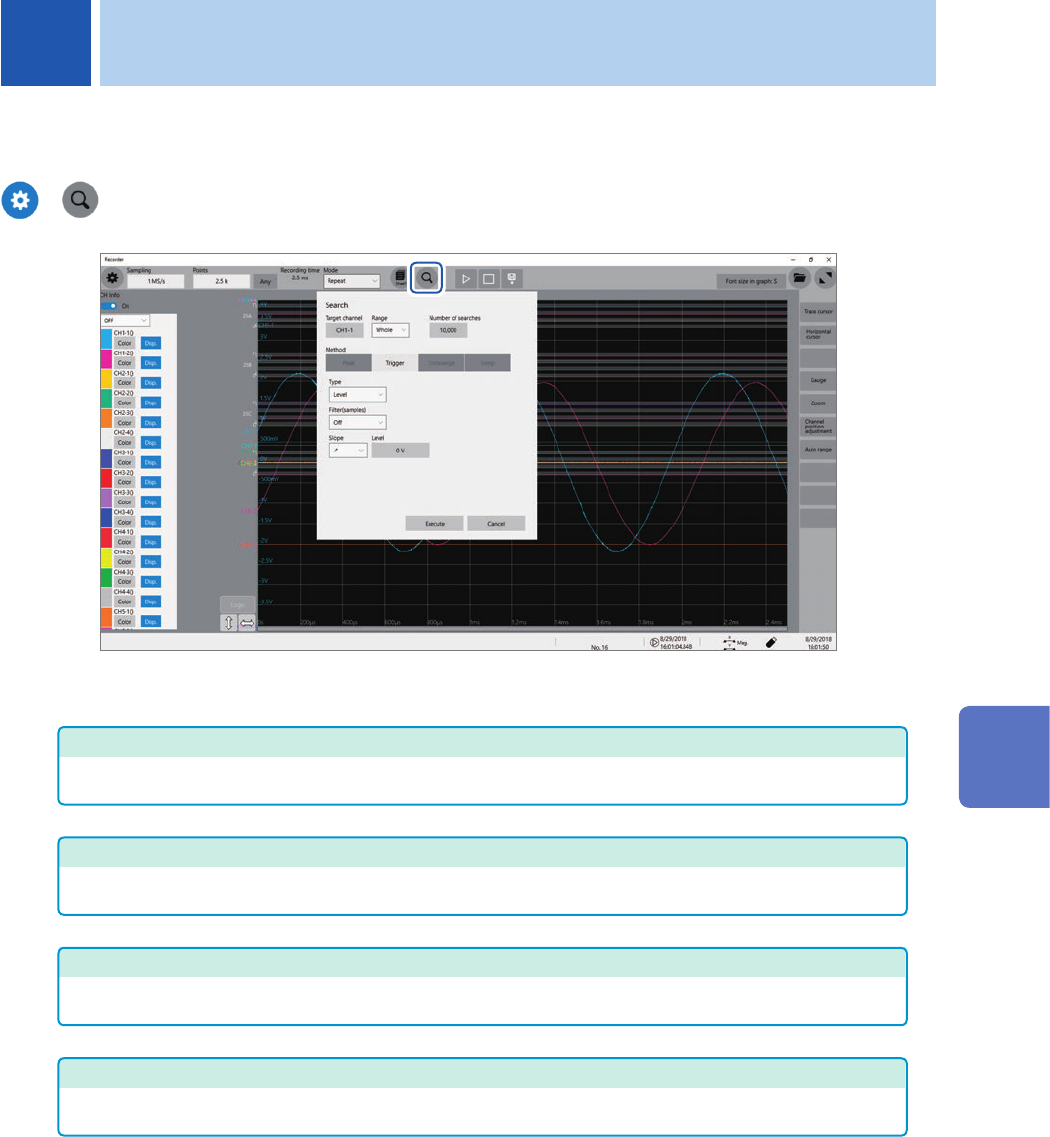
123 6 Search Function Using the search function allows you to search measured waveform data for positions where user- dened search criteria have been satised. > Operation available on the search screen Peak search Y…
122
Automatically Specifying the Trigger Level (Auto-trigger Level)
123
6
Search Function
Using the search function allows you to search measured waveform data for positions where user-
dened search criteria have been satised.
>
Operation available on the search screen
Peak search
You can search for the maximum, minimum, local maximum (maximal), or local minimum (minimal)
value. Select one of them. (p. 124)
Trigger search
You can search for the position where the specied trigger condition is satised. Specify the trigger
condition. (p. 126)
Memory HiConcierge
You can automatically detect differences from the fundamental wave based on the histogram or
standard deviation. Specify the fundamental wave. (p. 130)
Jump
The display can jump to the specied time, trace cursor position, event number, trigger point, or search
mark. (p. 132)
6 Search Function
6
Search Function
124
Searching For Peak Values
6.1 Searching For Peak Values
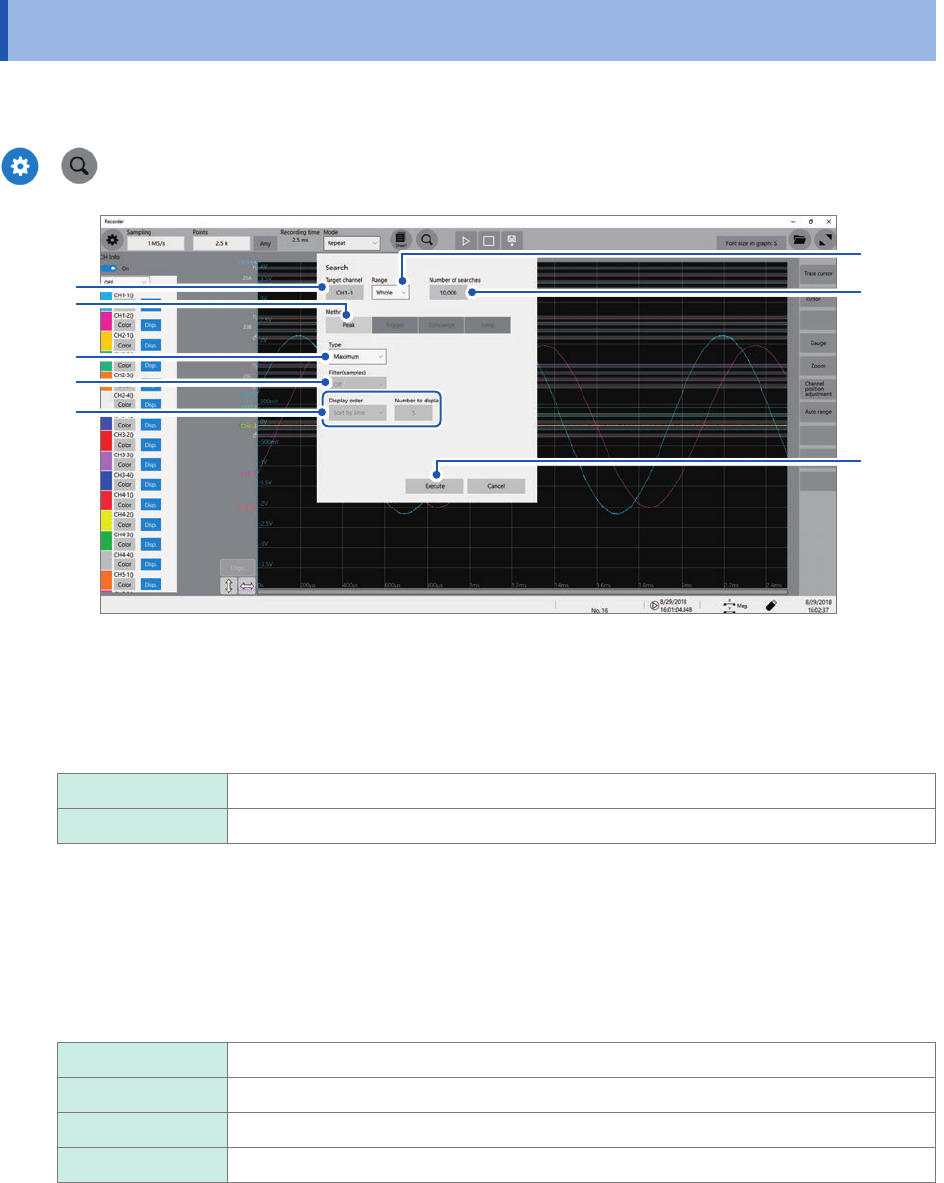
You can choose any one of the maximum, minimum, maximal, and minimal values and search
measured data for it.
>
3
1
4
5
2
6
7
8
1
Click the [Target channel] box, and then from the channel setting dialog box, choose a
channels to be searched for values.
2
Click the [Range] box, then choose an option for the search scope from the list.
Whole
Allows you to search whole waveform.
A_B, C_D Searches the scope specied with trace cursors A and B or trace cursors C and D.
3
Click the [Number of searches] box, and then enter the number of search results.
4
In the [Method] area, click [Peak] to choose a search method for searching for peak values.
5
Click the [Type] box, and then from the list, choose a value type to be searched for.
Maximum
Allows you to search for the maximum value.
Minimum Allows you to search for the minimum value.
Maximal Allows you to search for maximal values.
Minimal Allows you to search for minimal values.
• If search results have two or more maximum or minimum values, the instrument displays any one of them as
a representative value among the search results.
• Search results have multiple maximal or minimal values