MR8740T_user_manual_eng_20191016H.pdf - 第66页
61 Conguring Measuring-Module-Specic Settings (When you have to choose a current sensor setting) Click the [Mode] box, and then choose a connected current sensor . Available measurement ranges, which depend on chosen c…
60
Conguring Measuring-Module-Specic Settings
Conguring Model U8977 3CH Current Unit Settings
Each of Model 9709, Model CT6860 series, and Model CT6840 series consists of a current sensor
with the sub model-number “-05,” which has a metal connector, and that without the sub model-
number “-05,” which has a black plastic connector.
You can directly connect a current sensor that has the sub model-number “-05,” which has a
metal connector, with Model U8977 U8977 3CH Current Unit. Using Model CT9900 Conversion
Cable, you can connect a current sensor without the sub model-number “-05,” which has a plastic
connector (PL23), with Model U8977 3CH Current Unit.
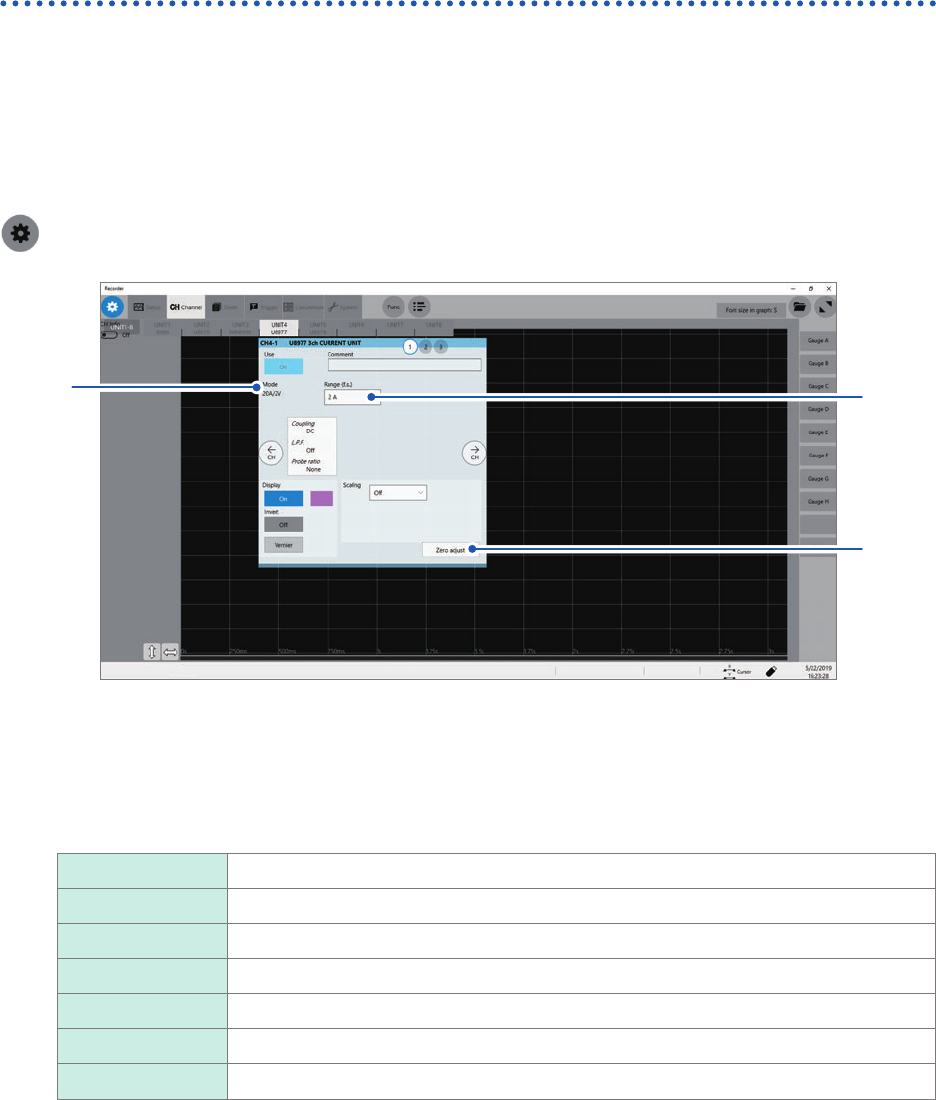
> [Channel] > [U8977]
3
1
2
Current sensors to be connected determine whether the instrument automatically recognizes mode
or whether you have to choose a current sensor setting.
1
(When the instrument automatically recognizes mode) Conrm the output rate displayed in
the [Mode] area.
Available measurement ranges, which depend on automatically recognized output rates, are as follows:
20A/2V 2 A, 4 A, 10 A, 20 A, 40 A, 100 A
50A/2V 4 A, 10 A, 20 A, 40 A, 100 A, 200 A
200A/2V 20 A, 40 A, 100 A, 200 A, 400 A, 1 kA
500A/2V 40 A, 100 A, 200 A, 400 A, 1 kA, 2 kA
1000A/2V 100 A, 200 A, 400 A, 1 kA, 2 kA, 4 kA
2000A/2V 200 A, 400 A, 1 kA, 2 kA, 4 kA, 10 kA
None When no current sensor is connected.
61
Conguring Measuring-Module-Specic Settings
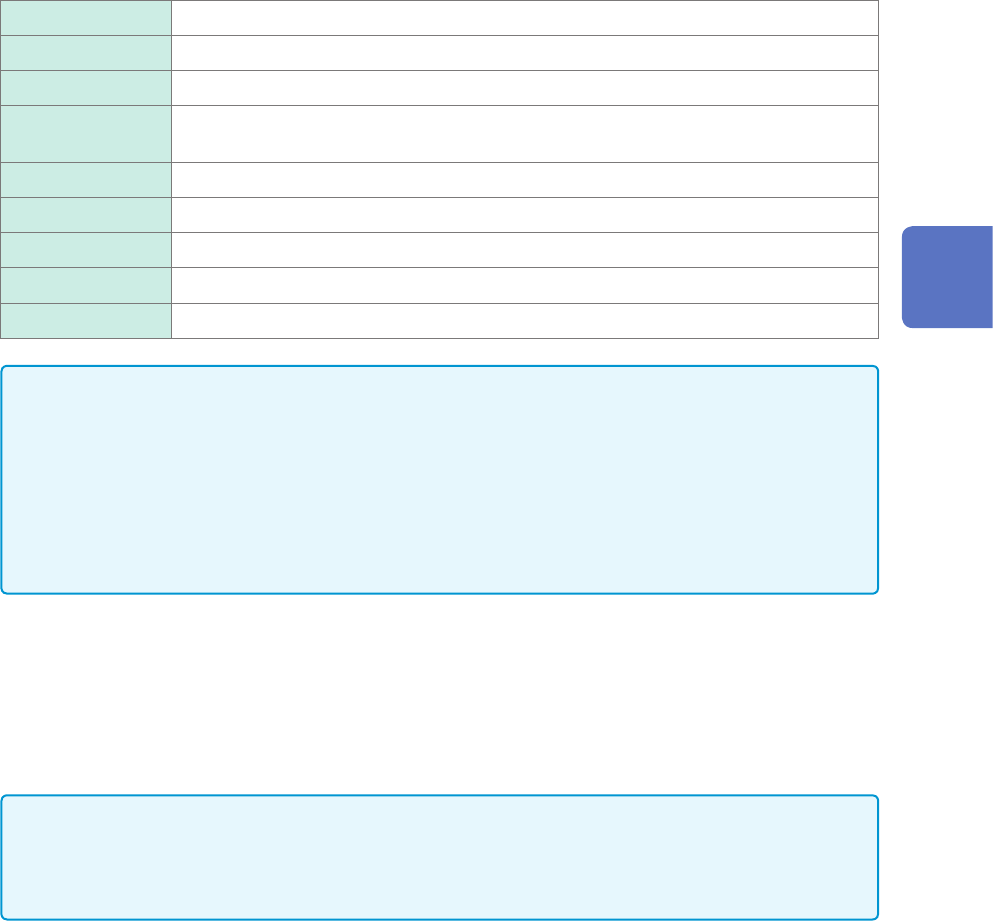
(When you have to choose a current sensor setting) Click the [Mode] box, and then choose
a connected current sensor.
Available measurement ranges, which depend on chosen current sensors, are as follows:
CT7631/CT7731 200 A
CT7636/CT7736 200 A, 400 A, 1 kA
CT7642/CT7742 2 kA, 4 kA
CT7044/CT7045/
CT7046
2 kA, 4 kA, 10 kA
0.1mV/A 2 kA, 4 kA, 10 kA, 20 kA, 40 kA, 100 kA
1mV/A 200 A, 400 A, 1 kA, 2 kA, 4 kA, 10 kA
10mV/A 20 A, 40 A, 100 A, 200 A, 400 A, 1 kA
100mV/A 2 A, 4 A, 10 A, 20 A, 40 A, 100 A
1000mV/A 0.2 A, 0.4 A, 1 A, 2 A, 4 A, 10 A
IMPORTANT
• When Model CT6846 or Model CT6865 connects via Model CT9900 Conversion Cable, the
instrument recognizes the sensor as a 500 A AC/DC sensor. Set the conversion ratio at 2.00 in
the scaling setting.
• When a current sensor included in Model CT6700 series is connected via Model CT9920
Conversion Cable, set a current sensor model name or its output rate.
• Make sure to execute zero-adjustment after you change the setting. Execute zero-adjustment
without any input.
2
(When you have changed the measurement mode) Click [Zero adjust].
The instrument performs zero-adjustment. Execute zero-adjustment without any input.
3
Click the [Range (f.s.)] box, and then choose a measurement range from the list.
The instrument automatically congures the scaling setting for a measurement range according to a
recognized current sensor.
IMPORTANT
The gure of each measurement range name represents the maximum current that Model U8977
can measure using the range. However, the instrument cannot measure currents that exceed the
rated current of a connected current sensor. Check the specications of the current sensor used.
3
Advanced Functions
62
Conguring Measuring-Module-Specic Settings
Congure Model U8979 Charge Unit Settings
This setting allows you to choose between voltage measurement and acceleration measurement
(charge-output or built-in pre-amplier) for an input channel.
A channel can measure either one of them.
Voltage mode and Preamp mode use BNC connectors, whereas Charge mode uses miniature
connectors.
Model U8979 can automatically recognize TEDS-compliant* sensors.
*: Transducer electronic data sheet
WARNING
Setting the measurement mode to [Preamp] allows Model U8979 Charge Unit
to constantly provide power (3.5 mA, 22 V) to sensors. Set any measurement
mode other than [Preamp] or tum off the instrument before connecting a sensor
or probe with a BNC terminal to avoid an electric shock or damage to the
measurement target.
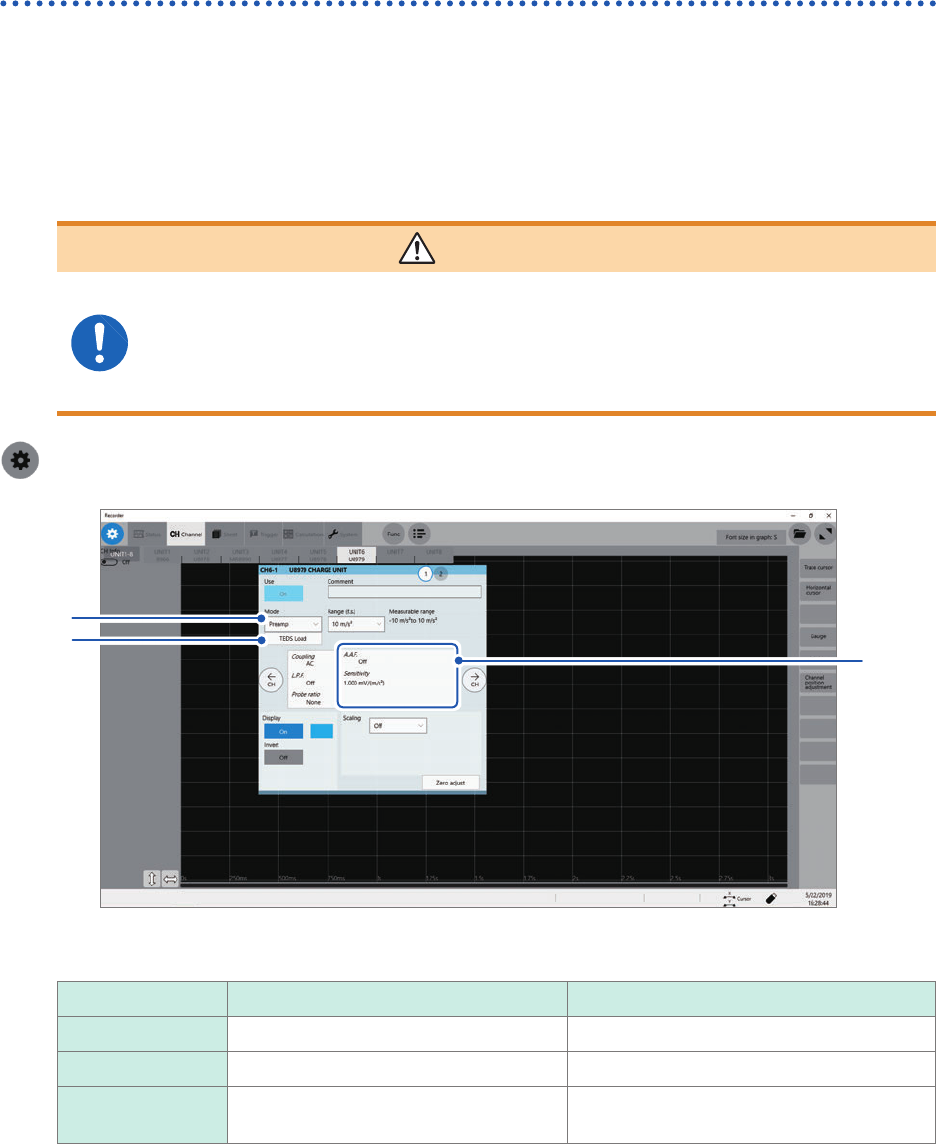
> [Channel] > [U8979]
3
1
2
4
5
1
Click the [Mode] box, and then choose a measurement mode from the list.
Mode Measurement target Measurement sensitivity
Voltage Voltage –
Charge
Charge-output acceleration sensor 0.1 pC/(m/s
2
) to 10 pC/(m/s
2
)
Preamp Acceleration sensor with a built-in pre-
amplier
0.1 mV/(m/s
2
) to 10 mV/(m/s
2
)
2
(When setting mode to [Preamp]) Click [TEDS Load].
Acquires sensitivity of a connected sensor. However, the instrument can acquire sensitivity of TEDS-compliant
acceleration sensors with a built-in pre-amplier only.
When sensor sensitivity has been acquired, it is automatically set.
3
Click the area that includes [A.A.F].
The setting dialog box appears.