MR8740T_user_manual_eng_20191016H.pdf - 第169页
164 Conguring W aveform Calculation Settings 8 Click to the arithmetic expression eld and enter an arithmetic expression. a b a (When choosing a channel) Click [Channel] and choose a channel you want to use for calcula…
163
Conguring Waveform Calculation Settings
4
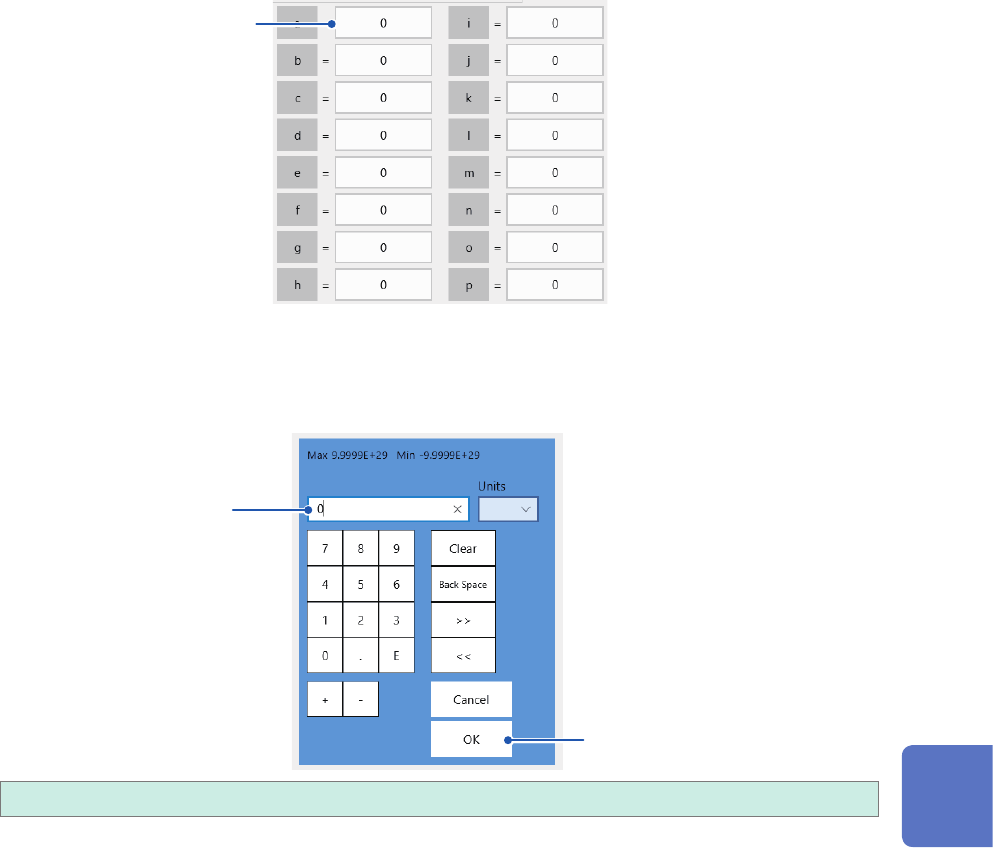
When a constant is used.
Click [Constant], and then specify constants to be used for calculation.
The numerical entry dialog box appears.
5
Click a box that has an alphabet you want to allocate a constant to.
5
The numerical entry dialog box appears.
6
Enter a constant.
6
7
−9.9999E+29 to −1.0000E29, 0, +1.0000E29 to +9.9999E−29
You can specify a number to ve or less signicant gures.
Use the numerical keypad, [+] button, and [−] button to enter.
The instrument feeds constants you have dened to the constant display on the arithmetic
expression setting dialog box.
7
Click [OK].
The numerical entry dialog box closes.
8
Waveform Calculation Function
164
Conguring Waveform Calculation Settings
8
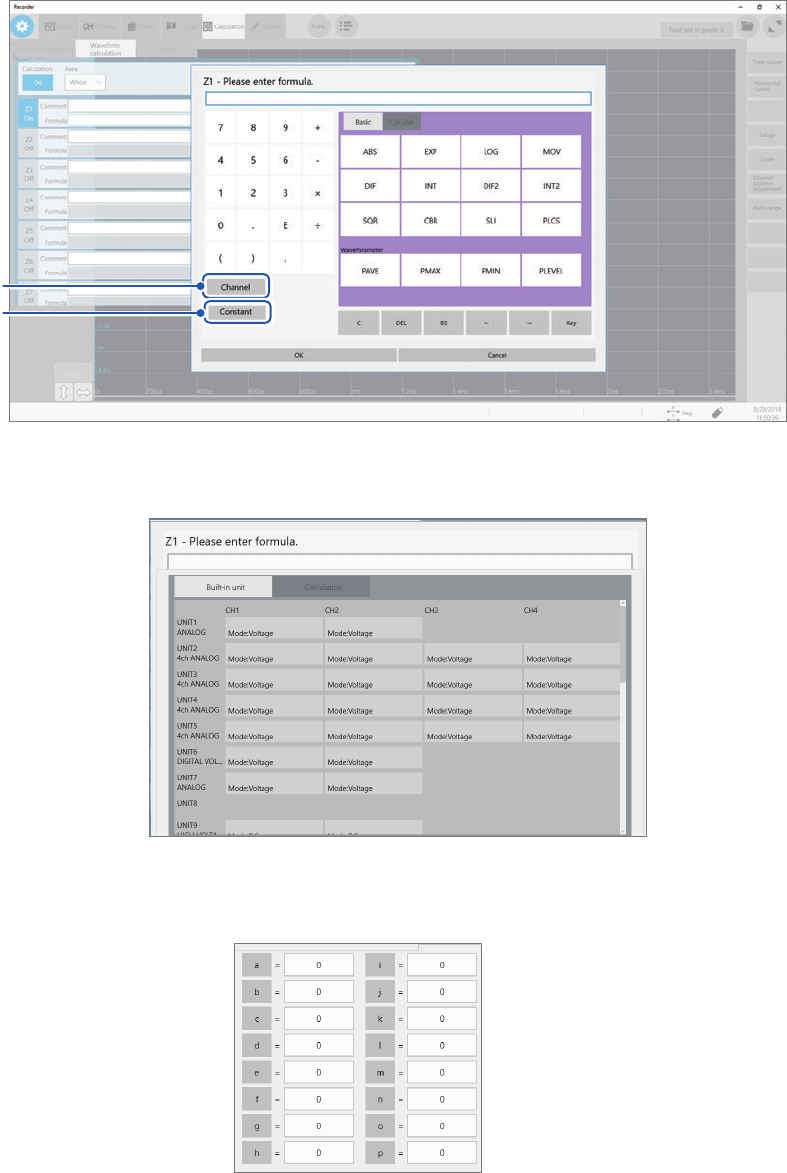
Click to the arithmetic expression eld and enter an arithmetic expression.
a
b
a
(When choosing a channel)
Click [Channel] and choose a channel you want to use for calculation.
b
(When entering a constant)
Click [Constant], and then enter a numerical value (p. 162).
9
Click the [Comment] box, and then enter a comment.
10
Click the [Units] box, and then enter a unit.
165
Conguring Waveform Calculation Settings
11
Click the [Display] button to set it to [On] or [Off].
Off
Displays no calculated waveform.
On Displays a calculated waveform.
12
Click the color button to the right of the [Display] button, and then choose a waveform
display color from the color pallet.
13
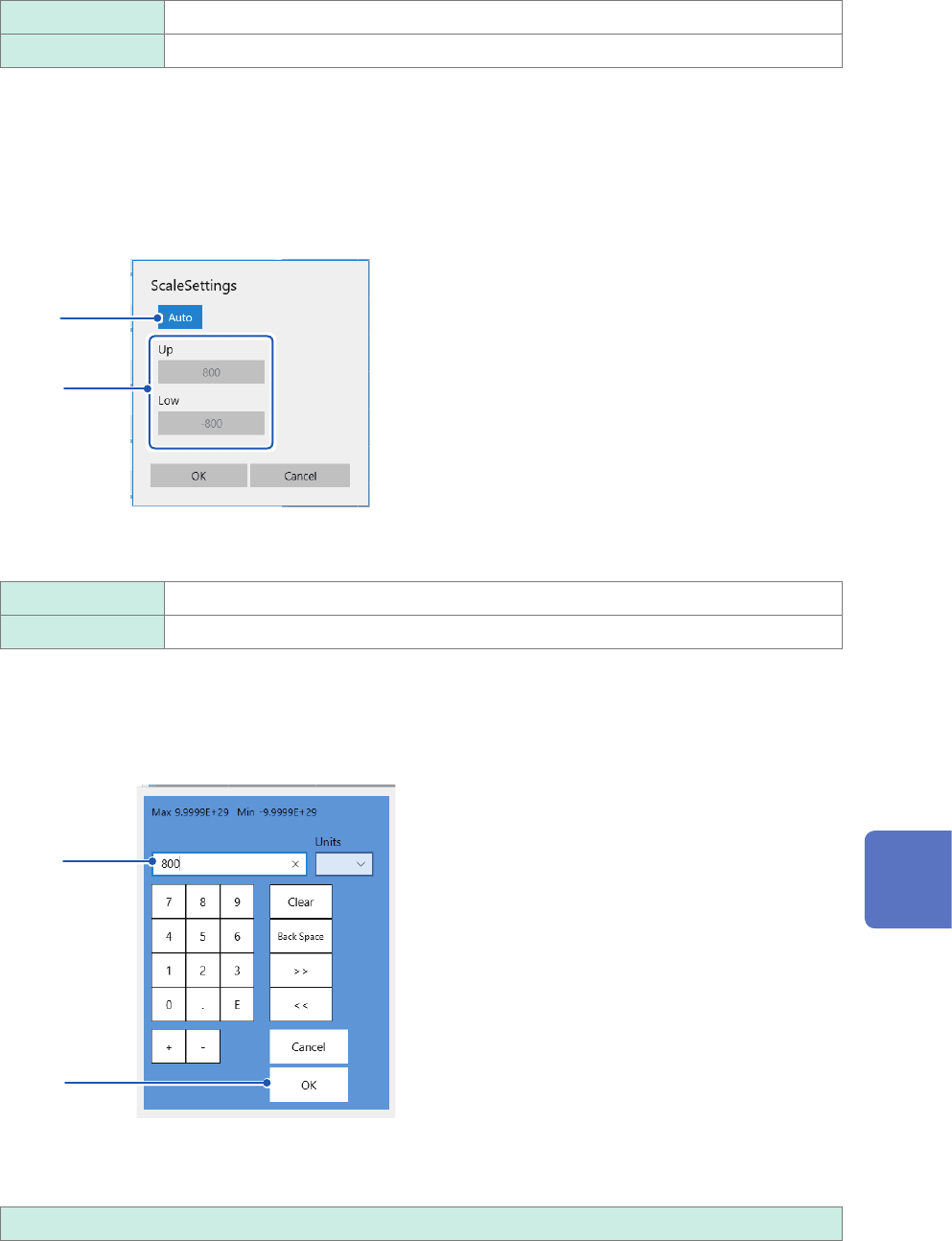
Click [Scale] to the right of the color button.
The scale setting dialog box appears.
14
15
14
Click the [Scale] button to set it to [Auto] or [Manual].
Auto Automatically scales a calculation result.
Manual Allows you to change the scale settings.
15
(When you choose [Manual] in the [Scale Settings] box.)
Click the [Up] or [Low] box.
The numerical entry dialog box appears.
(1)
(2)
(1) Enter an upper and lower value in each box.
Use the numerical keypad, [+] button, and [−] button to enter.
−9.9999E+19 to 9.9999E+19
(2) Click [OK].
The numerical entry dialog box closes.
8
Waveform Calculation Function