MR8740T_user_manual_eng_20191016H.pdf - 第219页
214 External Input and Output GND TRIG O UT 100 kΩ 10 kΩ 5 V High 4.0 V to 5.0 V Low 0 V to 0.5 V Pulse width When the auto-range function is used, the instrument is triggered, outputting the TRIG OUT signal. Be careful …
213
External Input and Output
Trigger output (TRIG.OUT)
The instrument outputs the signal when it is triggered. You can use this signal to control multiple
instruments, achieving synchronous operation.
How to output the signal
1
Connect each of the TRIG OUT and GND terminals to an external signal-inputting device
with wires.
Refer to “2.3 Connecting the External Control Terminals” in Quick Start Manual.
2
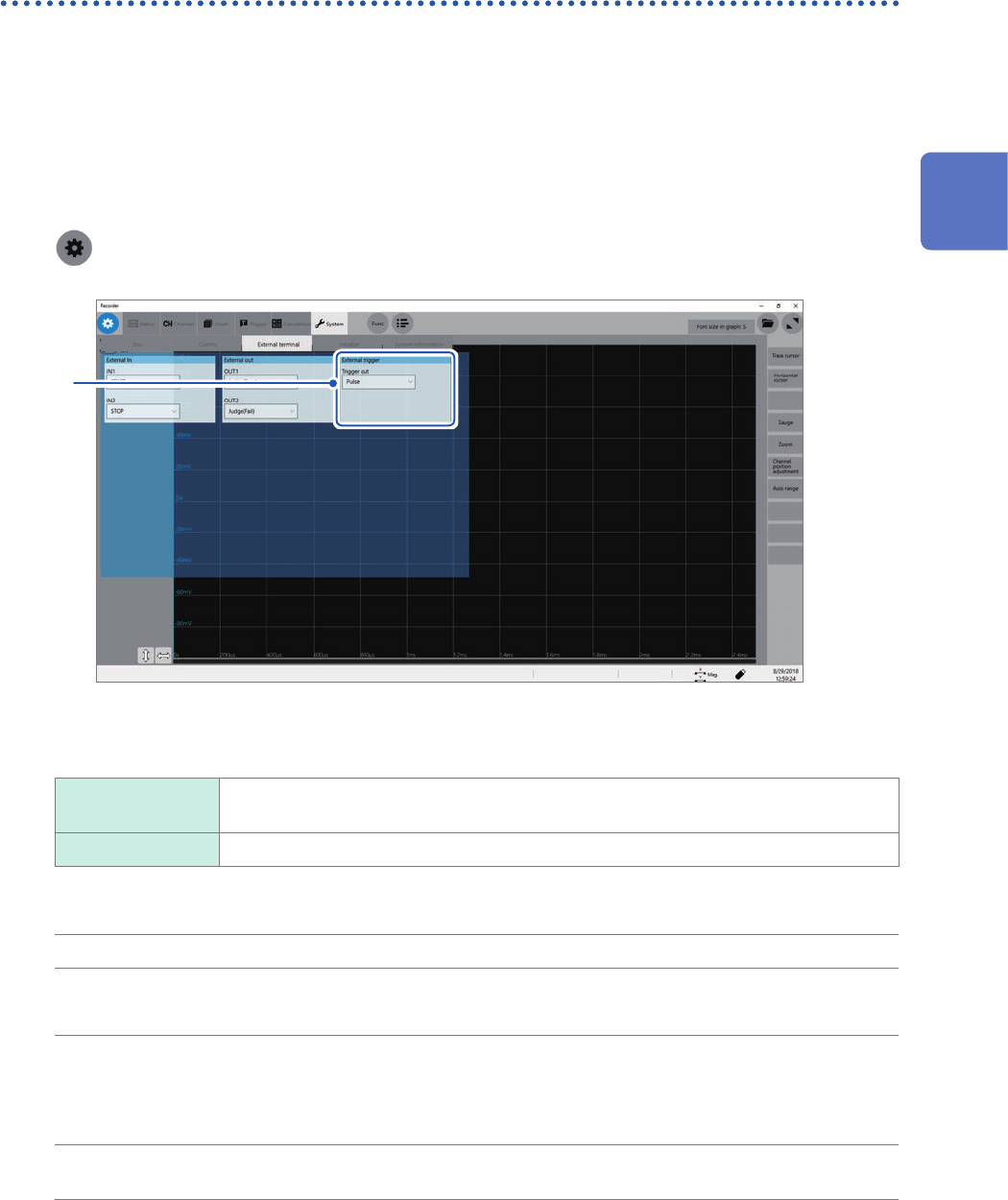
> [System] > [External terminal]
3
3
In the [External trigger] area, click the [Trigger out] box, and then from the list, choose a
signal output method.
Pulse
Outputs a low-level signal, and then switches it to the high level after the specied time
has elapsed.
Level at time Continuously outputs a low-level signal after triggered during the measurement.
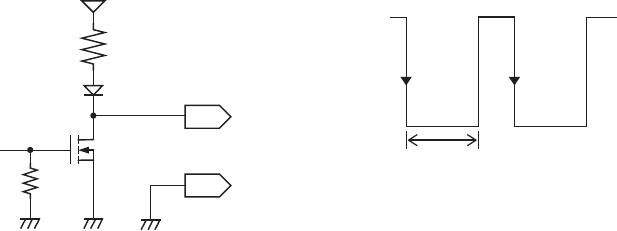
When triggered, the instrument outputs a pulse wave, which switches from the high level (4.0 V to 5.0 V) to the
low level (0 V to 0.5 V).
Output signal Open-drain output (with voltage output), active low*
Output voltage range High level: 4.0 V to 5.0 V
Low level: 0 V to 0.5 V
Pulse width With the pulse
setting:
2 ms ±1 ms
When the level
setting:
(Sampling rate) × (Number of data points after trigger) or longer
Maximum input
voltage
50 V DC, 50 mA, 200 mW
*: The instrument is triggered when the signal voltage level switches from the high level to the low level.
12
Externally Controlling the Instrument
214
External Input and Output
GND
TRIG OUT
100
kΩ
10 kΩ
5 V
High
4.0 V to 5.0 V
Low
0 V to 0.5 V
Pulse width
When the auto-range function is used, the instrument is triggered, outputting the TRIG OUT signal. Be careful
when performing auto-range measurement while using the TRIG OUT signals.
215
External Input and Output
External trigger terminal (EXT.TRIG)
Externally inputting the trigger signal can trigger the instrument. You can use this signal to control
multiple instruments, achieving synchronous operation.
How to an input signal
1
Connect each of the EXT.TRIG and GND terminals to an external signal-outputting device
with wires.
Refer to “2.3 Connecting the External Control Terminals” in Quick Start Manual.
2
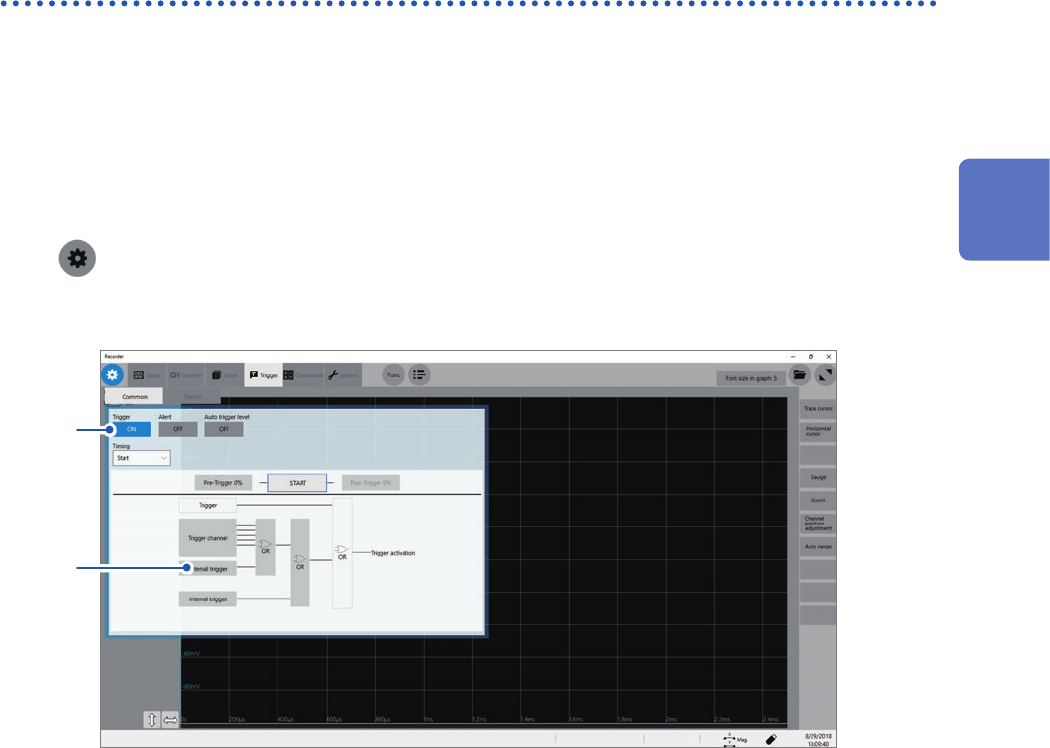
> [Trigger] > [Common]
3
Click the [Trigger] button to set it to [On].
3
4
12
Externally Controlling the Instrument