MR8740T_user_manual_eng_20191016H.pdf - 第54页
49 Conguring Measuring-Module-Specic Settings Conguring Model U8969 Strain Unit settings Model U8969 Strain Unit can execute auto-balance. Executing auto-balance regulates the reference output level of a transducer at…
48
Conguring Measuring-Module-Specic Settings
4
Click the [Burn out] box, and then choose between [On] and [Off] from the list for the wire
break detection setting.
You can detect a broken thermocouple wire during temperature measurement. If a thermocouple wire breaks,
measured values will uctuate.
Off
Does not check wires for a break.
On Check wires for a break by owing about a minuscule current of 100 nA through the
thermocouple.
If the thermocouple wires are long or have a relatively high resistance, set [Burn out] to [Off] to avoid
measurement errors.
5
Click the [Data update] box, and then choose a data update interval from the list.
Fast Updates data about every 1.2 ms.
Choose this option for a quicker response. However, choosing this option causes some
increase in noise superimposed on input signals.
Normal
Updates data about every 100 ms.
Choosing this option eliminates noise, leading to stable measurement.
Slow Updates data about every 500 ms.
Choosing this option leads to stabler measurement.
6
Click [Close].
The setting dialog box closes.
49
Conguring Measuring-Module-Specic Settings
Conguring Model U8969 Strain Unit settings
Model U8969 Strain Unit can execute auto-balance.
Executing auto-balance regulates the reference output level of a transducer at the specied zero
position. Auto-balance is available for Model U8969 Strain Unit only.
You can use Model 8969 Strain Unit you own with this instrument. The instrument displays the
model name of Model 8969 Strain Unit as [U8969].
Before executing auto-balance
• Turn on the instrument and leave it for 30 minutes to allow the internal temperature of the module
to stabilize.
• After connecting a strain gauge converter to the module, execute auto-balance without any input
including distortion.
• You cannot execute auto-balance during measurement.
• No operation is accepted during auto-balance.
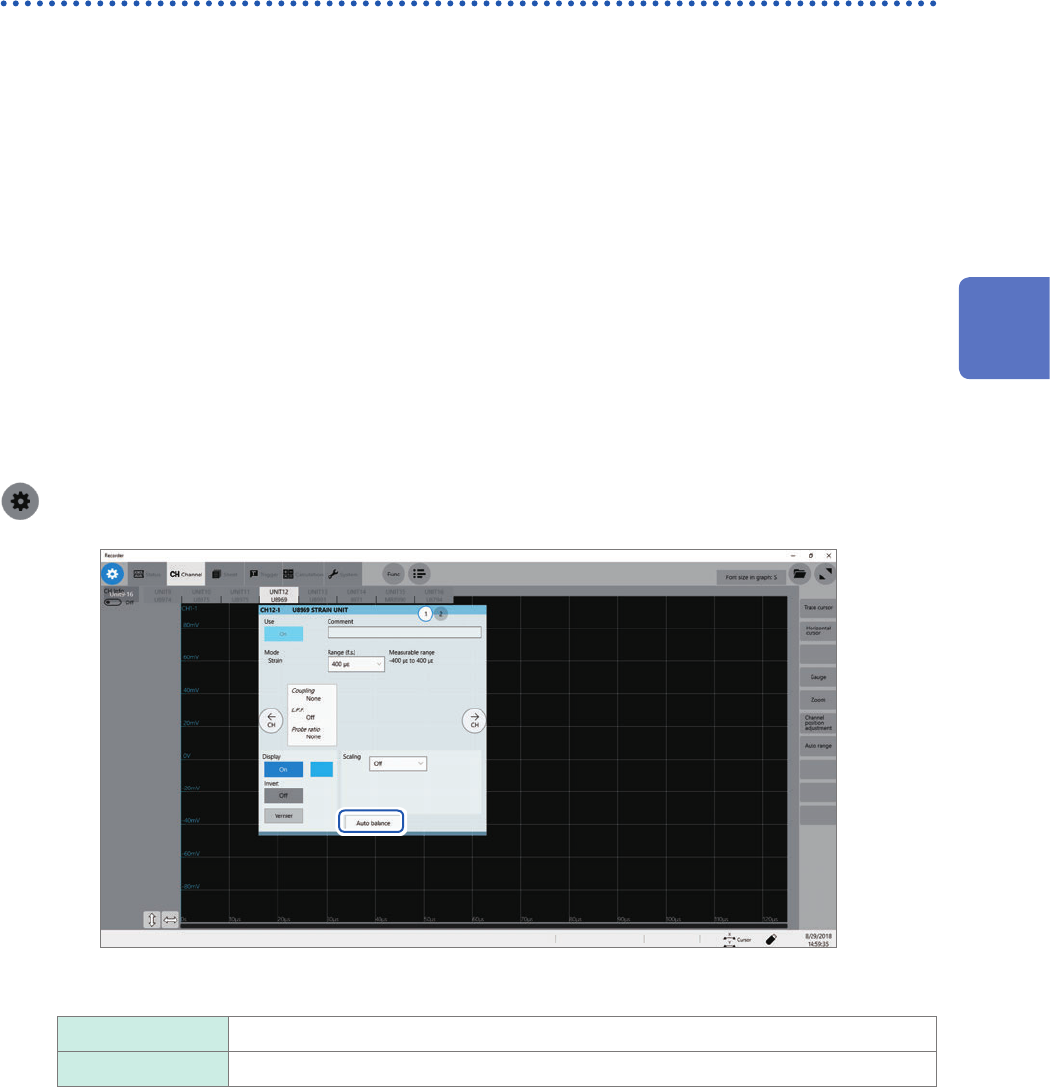
To execute auto-balance on the channel screen of each channel
> [Channel] > [U8969]
Click [Auto balance], and then choose an auto-balance setting from the list.
One channel only Executes auto-balance for only a channel displayed on the channel screen.
All Executes auto-balance for all of the channels Model U8969 is installed in.
3
Advanced Functions

50
Conguring Measuring-Module-Specic Settings
To execute auto-balance on the list screen
> [Channel] > > [Operate] > [Auto balance]
Executes auto-balance for all channels of the strain modules installed in the instrument.
In the following cases, execute auto-balance again.
• After changing the vertical axis (strain axis) range
• After replacing any modules
• After replacing the strain gauge converter
• After cycling the instrument
• After initializing the instrument
• When the ambient temperature has signicantly changed (the zero position may drift)
If auto-balance fails
Check the following items, and re-execute auto-balance.
• Is the strain gauge converter not subjected to any load?
(Make sure that the strain gauge converter is not subjected to vibration or any other loads.)
• Is the strain gauge converter properly connected measuring object?
• Is the measuring object not subjected to any load?