MR8740T_user_manual_eng_20191016H.pdf - 第99页
94 Loading Data 4.3 Loading Data Y ou can load data saved in a storage device or written in the internal memory of the instrument. Data loading procedure Before attempting to load the data, make sure that a storage devic…
93
Saving Data
9
(When using the memory division function)
Choose an option for blocks to be saved.
Display block
Saves waveforms included in displayed blocks.
All block Saves waveforms included in the specied number of blocks being used counting
from the start block.
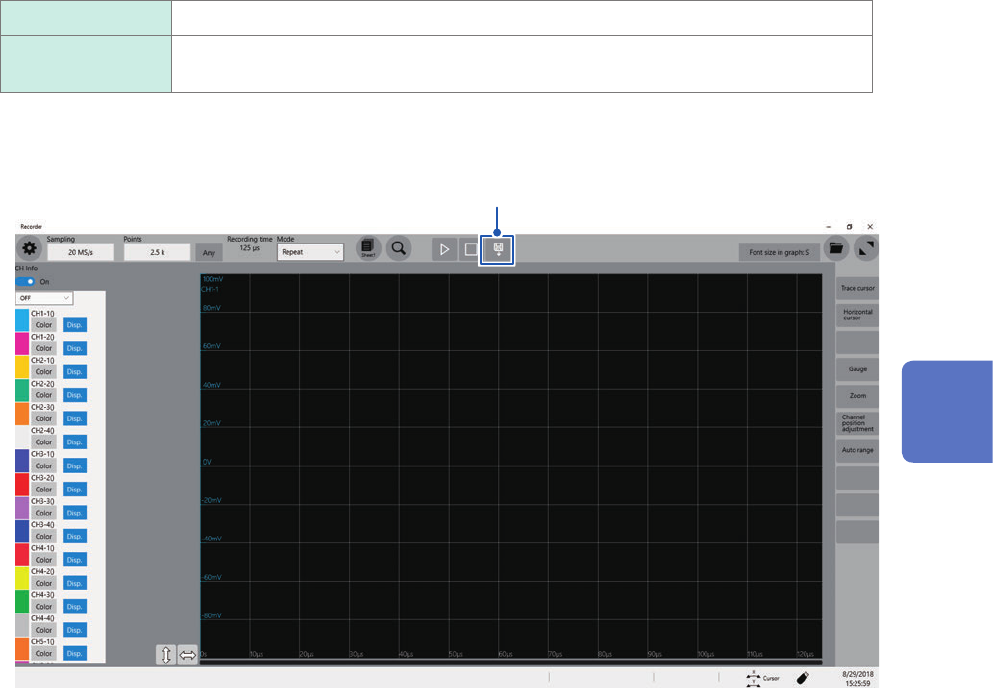
Whenever you click the save icon, the instrument saves data in the setting specied.
Click
4
Saving/Loading Data and Managing Files
94
Loading Data
4.3 Loading Data
You can load data saved in a storage device or written in the internal memory of the instrument.
Data loading procedure
Before attempting to load the data, make sure that a storage device is inserted, and the save
destination is correctly specied.
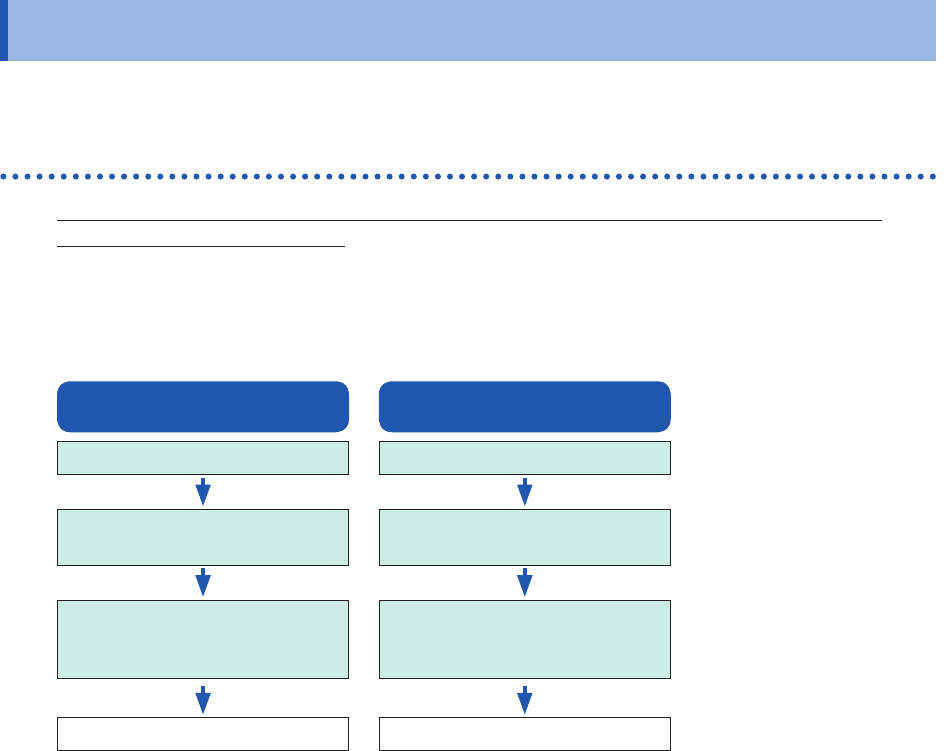
Open the le screen, select a storage device, and double-click the le to be loaded.
Waveform and settings les saved in waveform (binary) format can be loaded on the instrument.
The instrument displays only loadable les on the le screen.
Setting data
Insert a storage device.
Select data to be loaded
(Extension: .SET).
Double click the le
or
select [Open].
Loads data.
Waveform data
Insert a storage device.
Select data to be loaded
(Extension: .MEM).
Double click the le
or
select [Open].
Loads data.
95
Loading Data
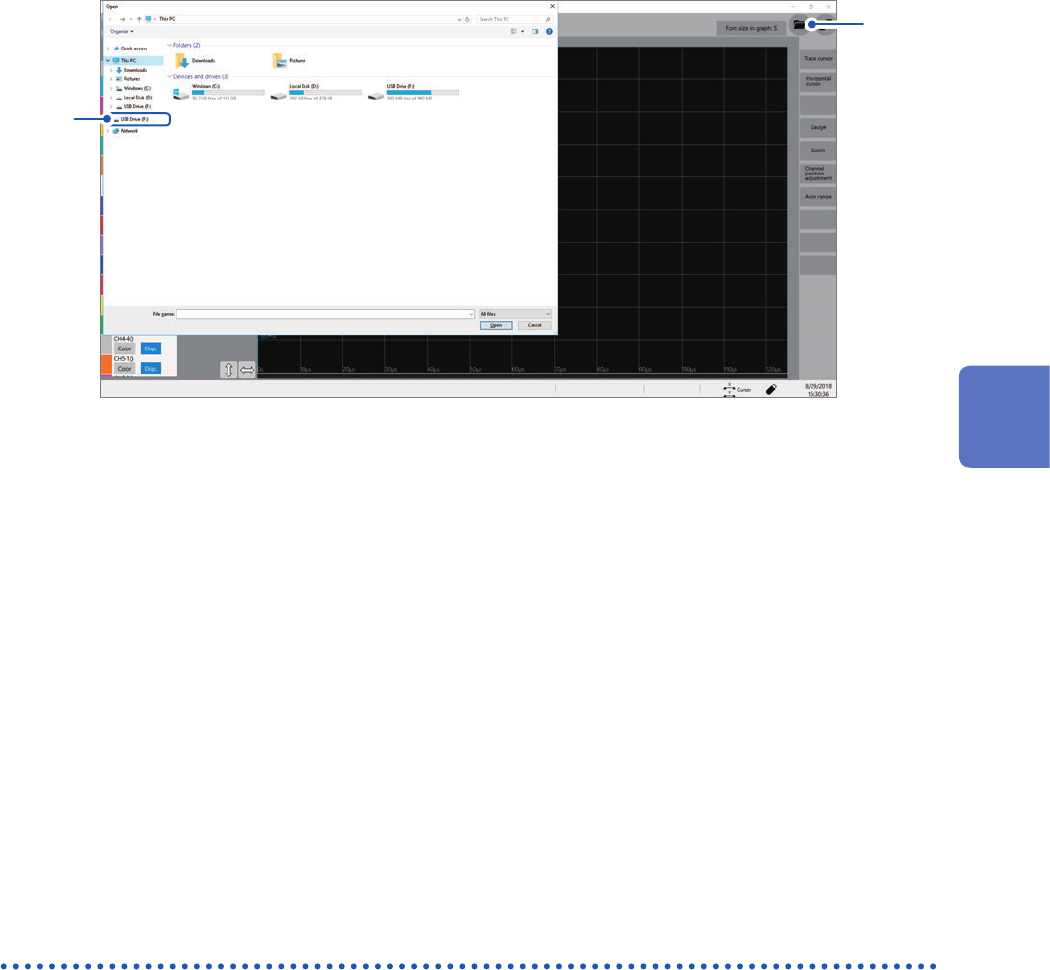
To display the le screen
1
2
1
Open the le screen.
2
Choose a storage device to be operated.
When loading data from a storage device
Insert a storage device before choosing it.
Others
• The instrument can load data saved with Model MR8740T Memory HiCorder only.
• Loading a waveform le changes the settings of the instrument to those when the waveform le
was saved. When you start a measurement in this state, the instrument measures waveforms
with the settings of the loaded waveform le; however, the settings of the modules are restored
to those set before the waveform le was loaded. To discard the module settings of the loaded
waveform le, execute [Initialize waveform data] (Refer to “6.2 Initializing the Instrument” in
Quick Start Manual.).
Automatically loading the settings (Auto-setup function)
The instrument automatically loads the setting data with the le name “STARTUP” stored in the
[CONFIG] folder in the [HIOKI_MR8740T] folder from a storage device at the time of startup.
The instrument searches the drives beginning from drive D in alphabetical order for the le
“STARTUP.SET,” loading the le found rst.
4
Saving/Loading Data and Managing Files