3OM-996-005.pdf - 第150页
Fig. 3B138 "Pattern Program" Edit Window 0403-002 2-81 AIM01EDTP 4.1 Basic Operations in Edit Windows
4. "Pattern Program" Edit Window
4.1 Basic Operations in Edit Windows
4.1.1 Window Layout
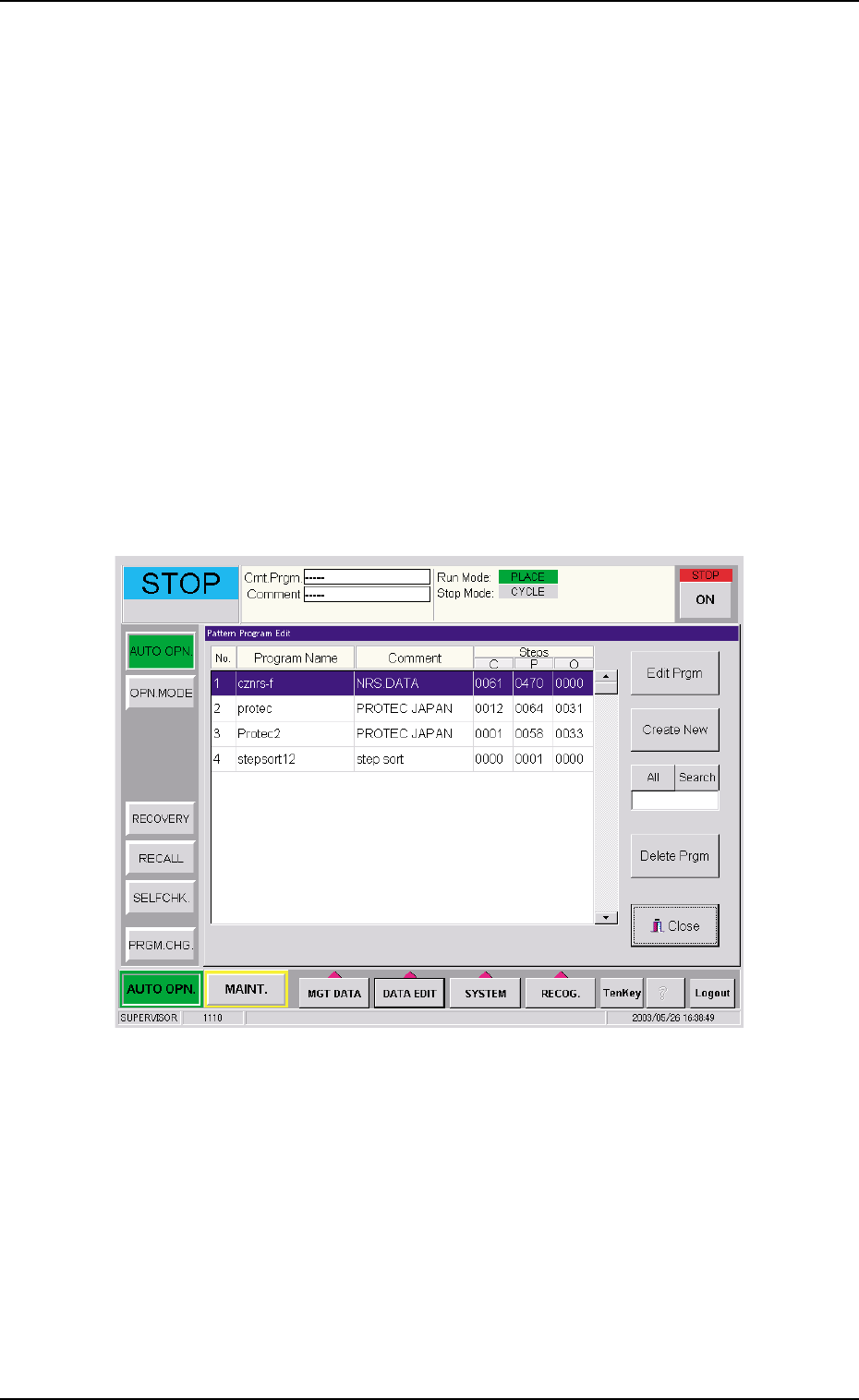
Described below is how to open the "PATTERN PROGRAM EDIT" win-
dow.
• New Data Creation
(1) Press the [DATA EDIT] button on the main menu bar. An "EDIT SEL."
menu opens.
(2) Press the [PATT PRGM] button. The "Pattern Program Edit" win-
dow opens.
Fig. 3B137 "Pattern Program Edit" Window
(3) Press the [Create New] button. The "Pattern Program" edit window
opens.
4. "Pattern Program" Edit Window
0403-002 2-80 AIM01EDTP
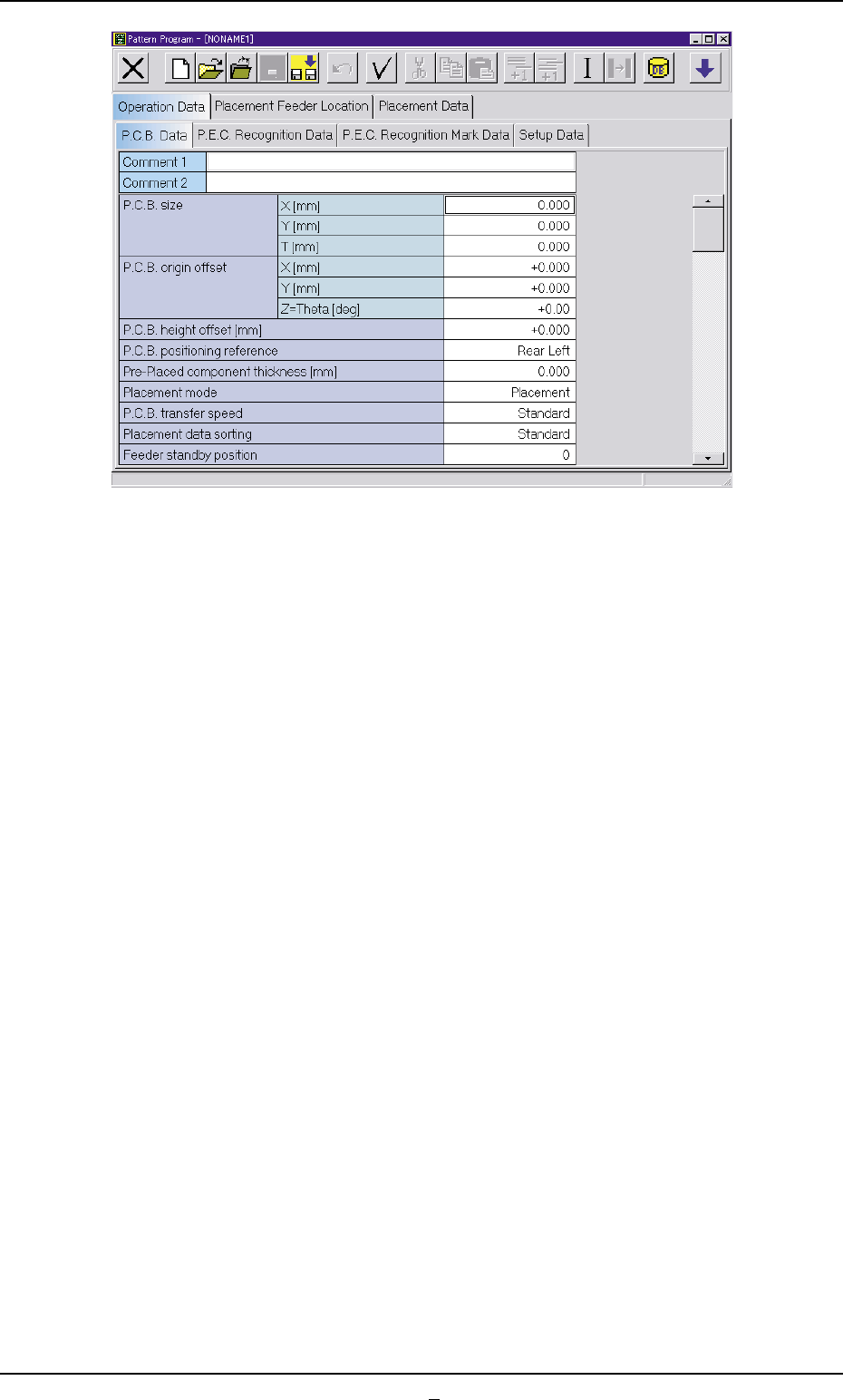
Fig. 3B138 "Pattern Program" Edit Window
0403-002 2-81 AIM01EDTP
4.1 Basic Operations in Edit Windows
• Use of Existing Pattern Program
(1) Press the [DATA EDIT] button on the main menu bar. An "EDIT SEL."
menu opens.
(2) Press the [PATT PRGM] button.
The "Pattern Program Edit" window opens.
(3) Select the pattern program to be edited and press the [Edit Prgm]
button.
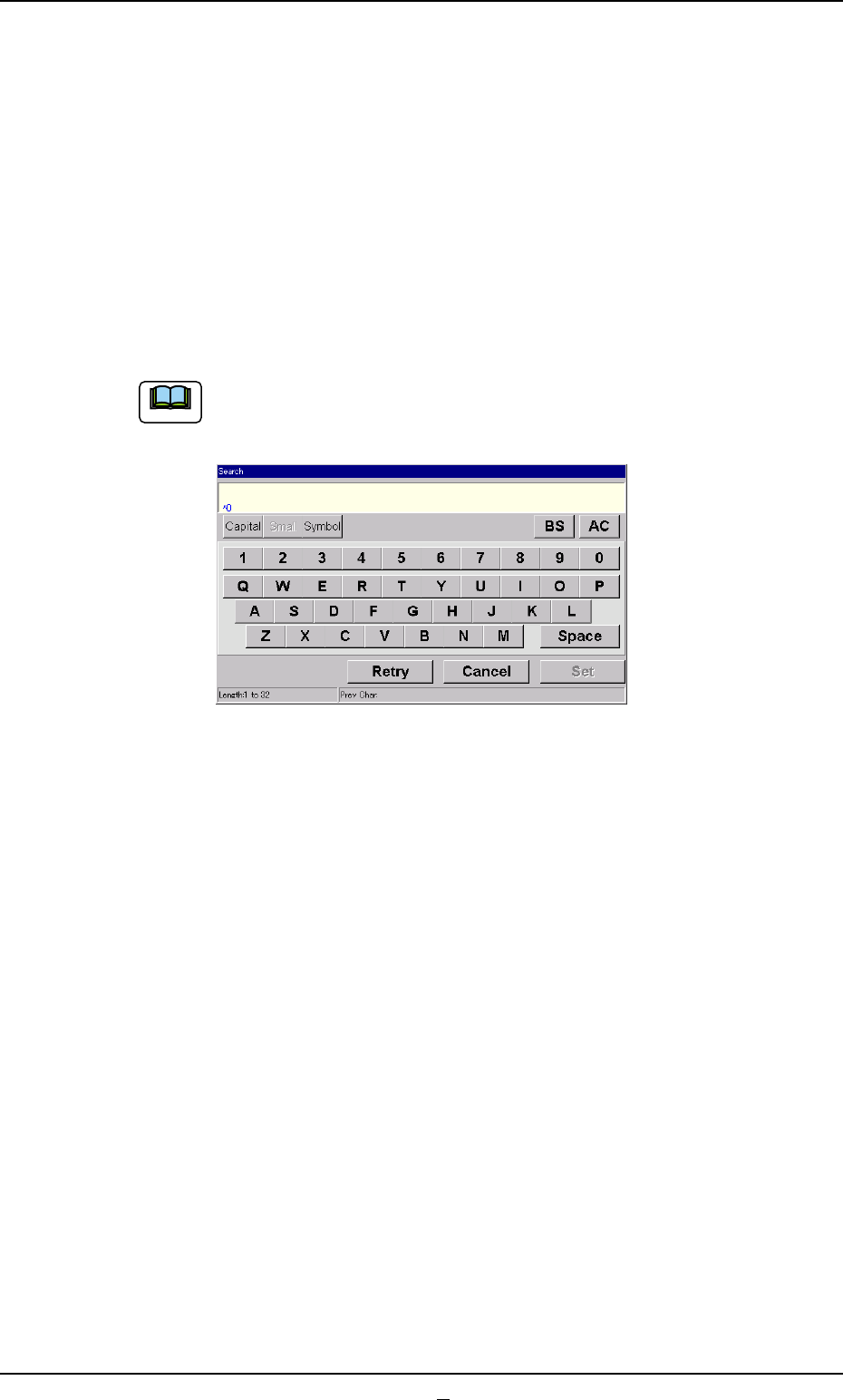
The search function can be used to quickly find appropriate
pattern programs.
Fig. 3B138-1
When the [Search] button is pressed, the "Search" window
opens.
When the desired pattern program name is entered and the
[Set] button is pressed, the result appears in the "List of Model
Names" pane.
"*" (asterisk) and "?" (question mark) can be used as wild cards.
abc* : The search function retrieves the program names which
start with "abc".
a?c : The search function retrieves the program names which
start with "a" and contain "c" as the third character.
When the [All] button is pressed, all pattern programs are displayed.
Note
4.1 Basic Operations in Edit Windows
0403-001 2-81-1 AIM01EDTP