3OM-996-005.pdf - 第340页
0305-001 5-52 AIM01EDTP Counts of T ape W aste Chips The counts of tape cuts differ , depending on the components being used. The table below depicts the counts per cutting for the applicable com- ponents. T able 3E1 Car…
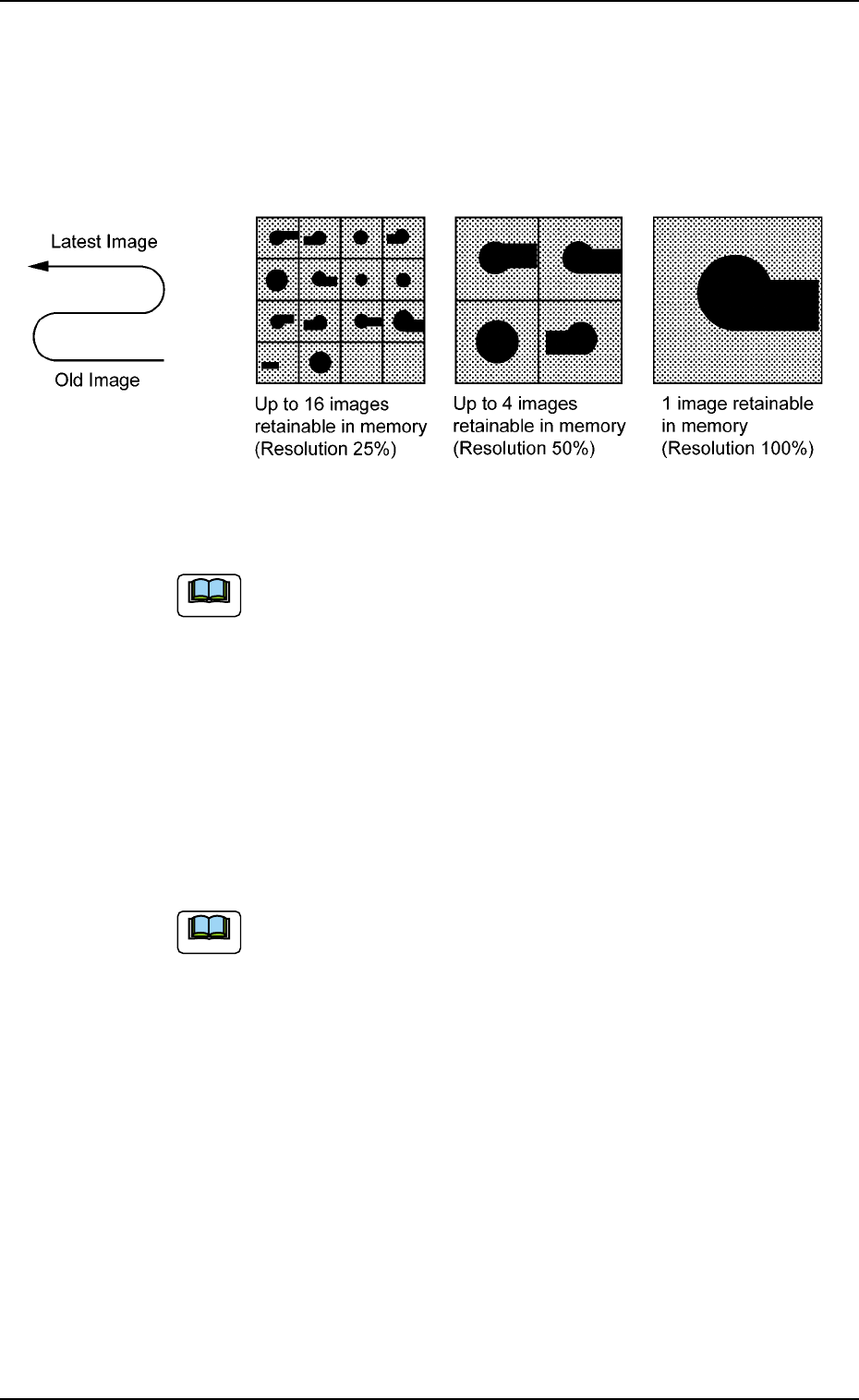
# of images
When "Save (Recog NG)" or "Save (Recog OK)" is set in the "Mode"
text box, select "1 (100% Resolution)", "4 (50% Resolution)", or "16
(25% Resolution)" as a proper resolution for the number of saved
images.
Fig. 3E43
The image data stored in memory is cleared when the
power switch of the machine is furned off.
*9 Trash box fill up warning mode
Notice, Stop
This function calculates the quantity of waste tape according to the
number of counts determined by the carrier data (tape feed, feed
pitch, type) in the component library data, issues a warning mes-
sage indicating that the trash box is full of waste tape, and performs
the stop operation of the machine.
When "0" is set in each text box, this function becomes
invalid.
The parameters specified here are reflected in the "Trash Box No-
tice" and "Trash Box Stop" text boxes in the "Warning Maint" tab
sheet of the "OPN. MODE" window (submenu) and in the "Notice"
and "Stop" text boxes in the "Trash Box" group box in the second
"Opn Mode" tab sheet of the "OPN. MODE" window (submenu).
0305-001 5-51
AIM01EDTP
3.3 "Auto Operation" Tab
Note
Note
0305-001 5-52 AIM01EDTP
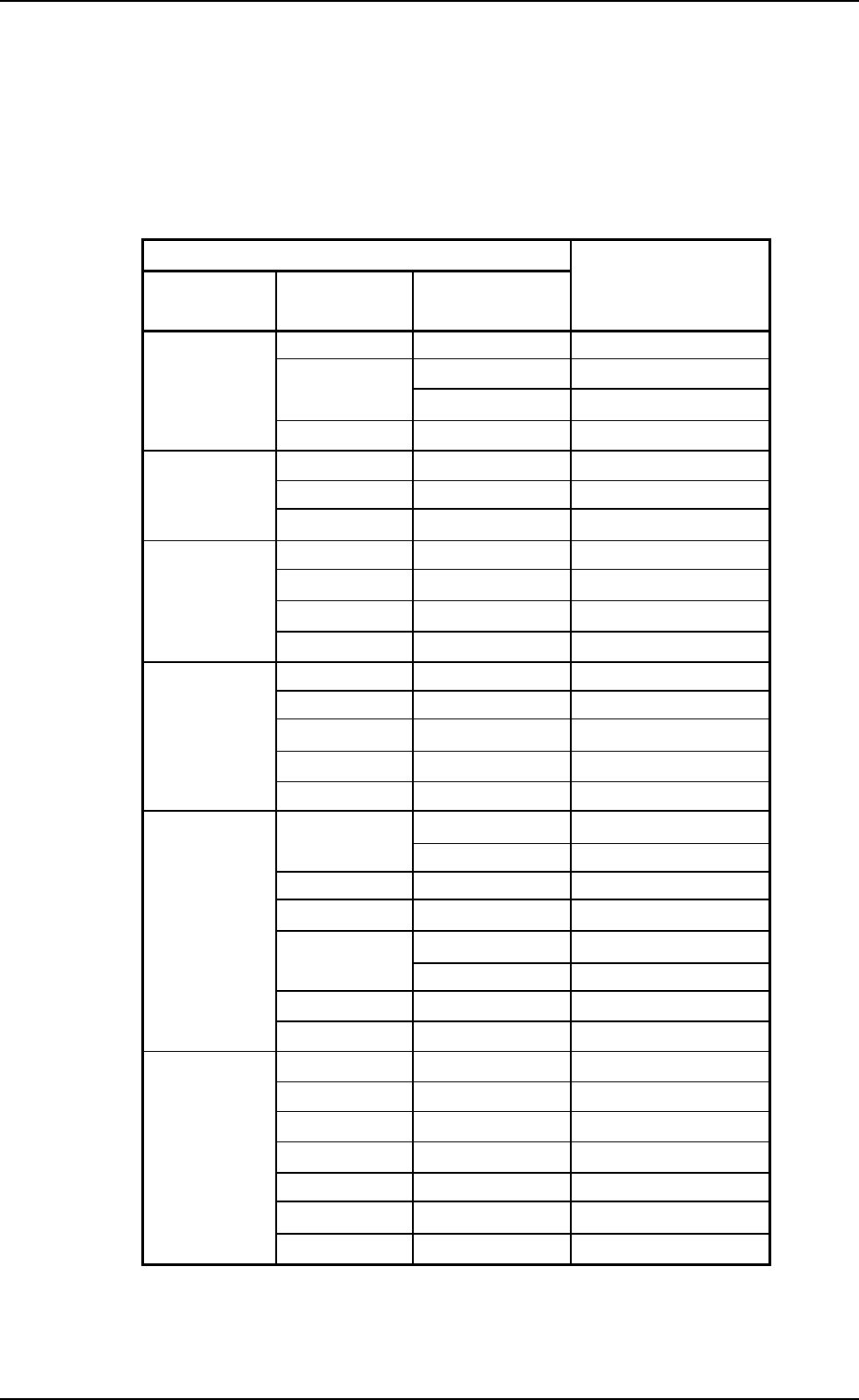
Counts of Tape Waste Chips
The counts of tape cuts differ, depending on the components being used.
The table below depicts the counts per cutting for the applicable com-
ponents.
Table 3E1
Carrier Data Counts per Cut
Tape Feed Feed Pitch
Type
(mm) (mm)
2 Paper 1
8
4
Paper 2
Embossed 4
8 Embossed 8
4 Embossed 6
12 8 Embossed 18
12 Embossed 27
4 Embossed 8
16 8 Embossed 24
12 Embossed 36
16 Embossed 48
8 Embossed 36
12 Embossed 54
24 16 Embossed 72
20 Embossed 90
24 Embossed 108
12
Embossed 72
Adhesive 24
16 Embossed 96
20 Embossed 120
32
24
Embossed 144
Adhesive 48
28 Embossed 168
32 Embossed 192
12 Embossed 99
16 Embossed 132
20 Embossed 165
44 24 Embossed 198
28 Embossed 231
32 Embossed 264
36 Embossed 297
*10 Component box fill up warning mode
Notice [%]
Enter a parameter in the "Notice [%]" text box.
3.3 "Auto Operation" Tab
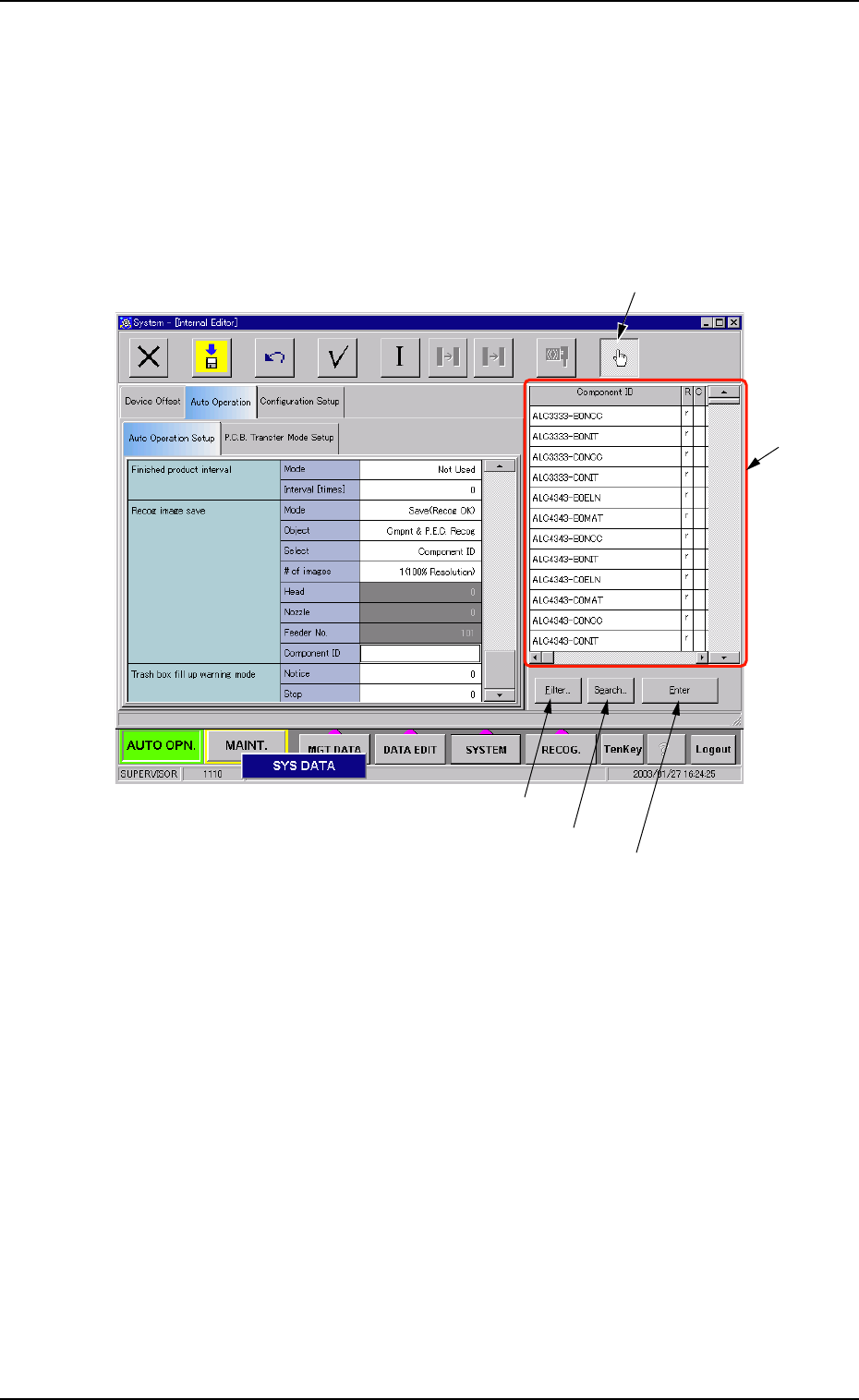
• How to specify a component ID name
(1) Set "Component ID" in the "Select" text box of the label "Recog
image save". The "Component ID" text box turns white.
(2) While selecting the "Component ID" text box, press the "Selecting
the component ID" button. A list of component IDs is displayed.
Fig. 3E44
3.3 "Auto Operation" Tab
"Selecting the component ID" Button
"List of
Component
IDs" Pane
[Filter...] Button
[Search...] Button
[Enter] Button
0305-001 5-53 AIM01EDTP