3OM-996-005.pdf - 第164页
4 .2 "Operation Data" T ab 4.2.1 "P .C.B. Data" T ab • Sheet Layout When the "P .C.B. Data" tab is pressed in the "Operation Data" tab sheet, the following tab sheet appears. Fig. …
4.1.4 Saving a Pattern Program
This session describes how to save a newly created or an edited pat-
tern program.
• Operation Procedure
(1) Select the "Save" or the "Save As" icon on the tool bar.
Save : Select this to replace the original pattern program
with the edited one.
Save As : Select this to save a newly created pattern program
or save the edited pattern program with another
name (as an another file).
(2) When the "Save" icon is pressed, the active pattern program is saved
with the current name (model name), replacing the original program
with the active one.
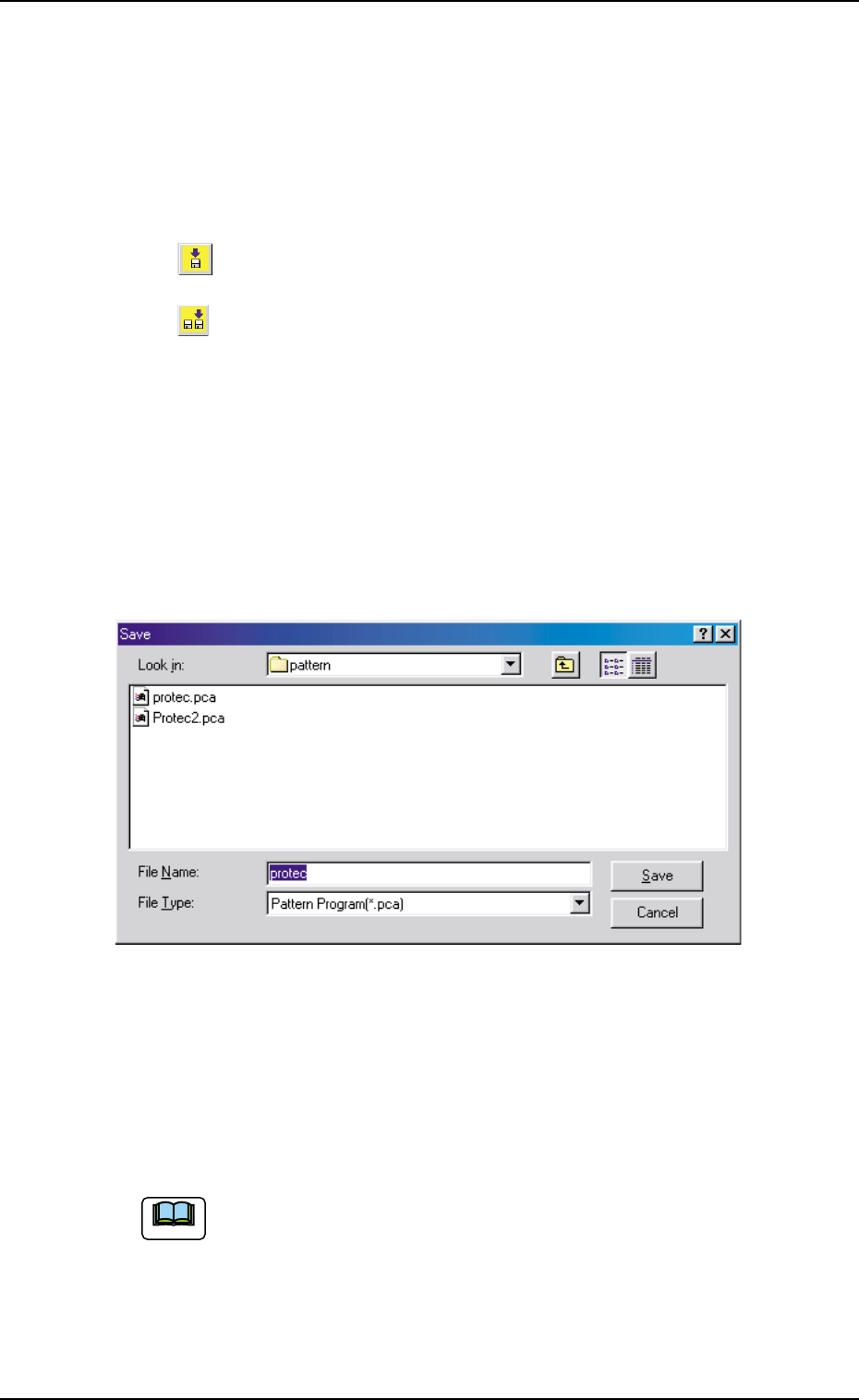
(3) When the "Save As" icon is pressed, the following "Save As" dialog
box opens.
Fig. 3B153 "Save" Dialog Box
(4) Enter the pre-determined pattern program name in the "File Name:"
text box and press the [Save] button in the "Save As" dialog box.
The currently displayed pattern program is saved with the entered
file (model) name.
An extension (pca) is automatically assigned to the entered file
name, indicating that the file contains a pattern program.
0305-001 2-92
AIM01EDTP
4.1 Basic Operations in Edit Windows
Note
4.2 "Operation Data" Tab
4.2.1 "P.C.B. Data" Tab
• Sheet Layout
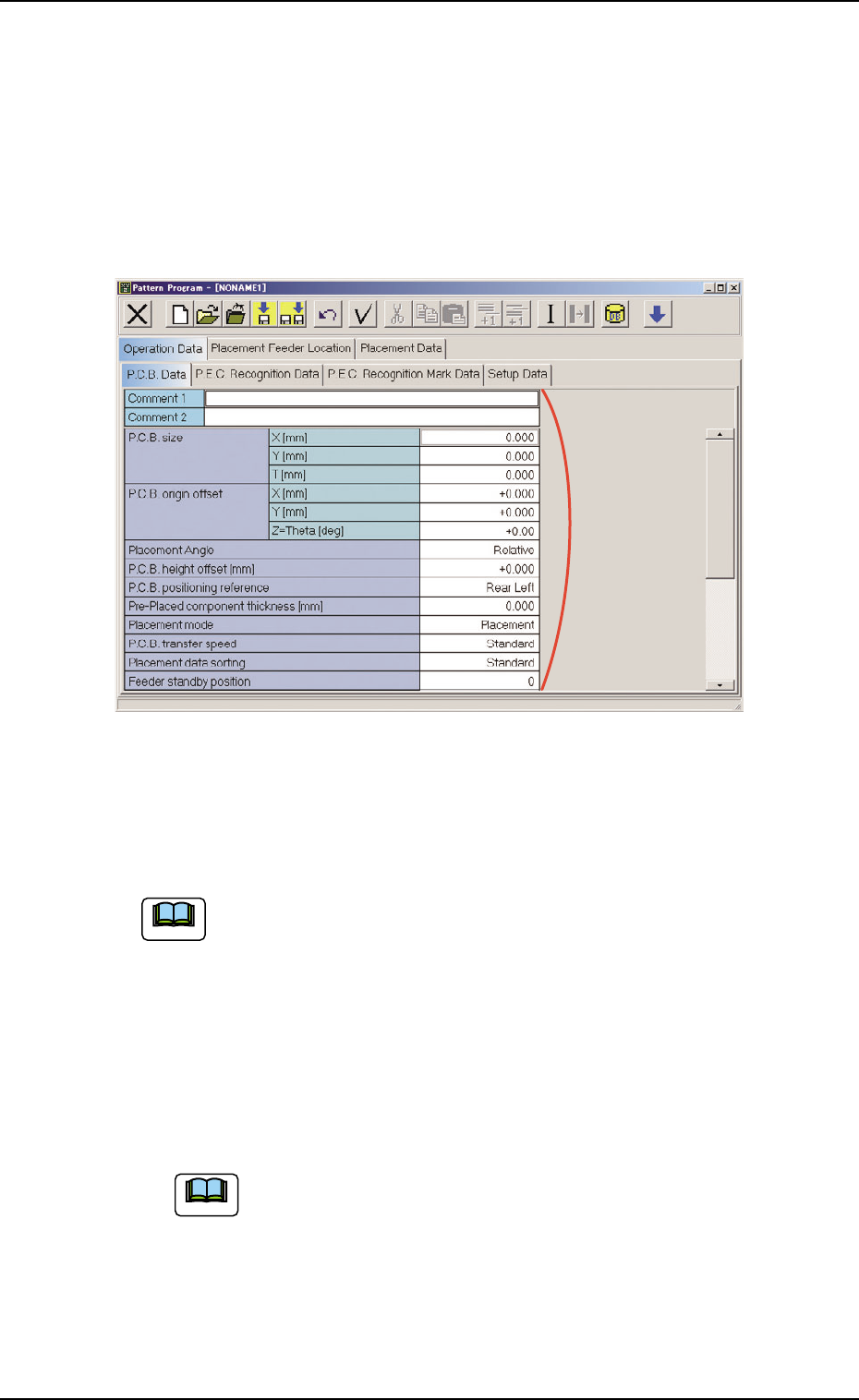
When the "P.C.B. Data" tab is pressed in the "Operation Data" tab
sheet, the following tab sheet appears.
Fig. 3B154 "P.C.B. Data" Tab Sheet
• Sheet Composition
Each parameter is displayed or can be entered.
Refer to "4.1.3 Basic Usage of Text Boxes" for the detailed in-
formation on how to enter each parameter.
*1 Comment 1, Comment 2, P.C.B. size, P.C.B. origin offset, Place-
ment Angle, P.C.B. height offset [mm], P.C.B. positioning ref-
erence, Pre-Placed component thickness [mm], Placement
mode, P.C.B. transfer speed, Placement data sorting, Feeder
standby position
Enter comments in the "Comment 1" and "Comment 2" text
boxes through keyboard navigation. All kinds of characters
can be used.
*1
0510-002 2-93 AIM01EDTP
4.2 "Operation Data" Tab
Note
Note
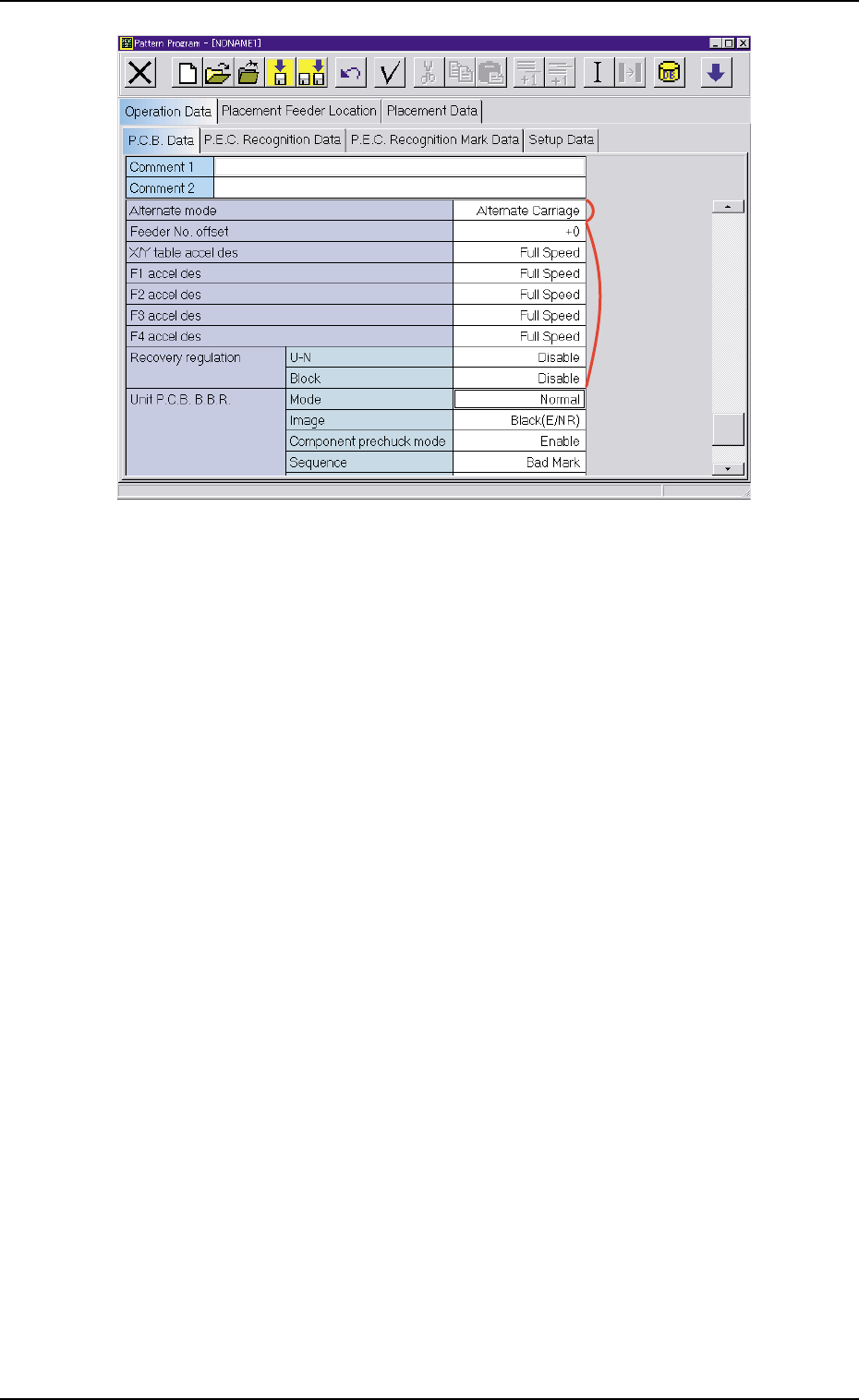
Fig. 3B155 "P.C.B. Data" Tab Sheet
*2 Alternate mode
*3 Feeder No. offset, X/Y table accel des, F1 accel des, F2 accel
des, F3 accel des, F4 accel des, and Recovery regulation
*3
*2
0305-001 2-94 AIM01EDTP
4.2 "Operation Data" Tab