3OM-996-005.pdf - 第289页
: When pressed, the "Nozzle T ype Property" window opens, enabling the operator to add a new nozzle type. This function is available only in the "Nozzle Data" tab sheet. : When pressed, this deletes t…
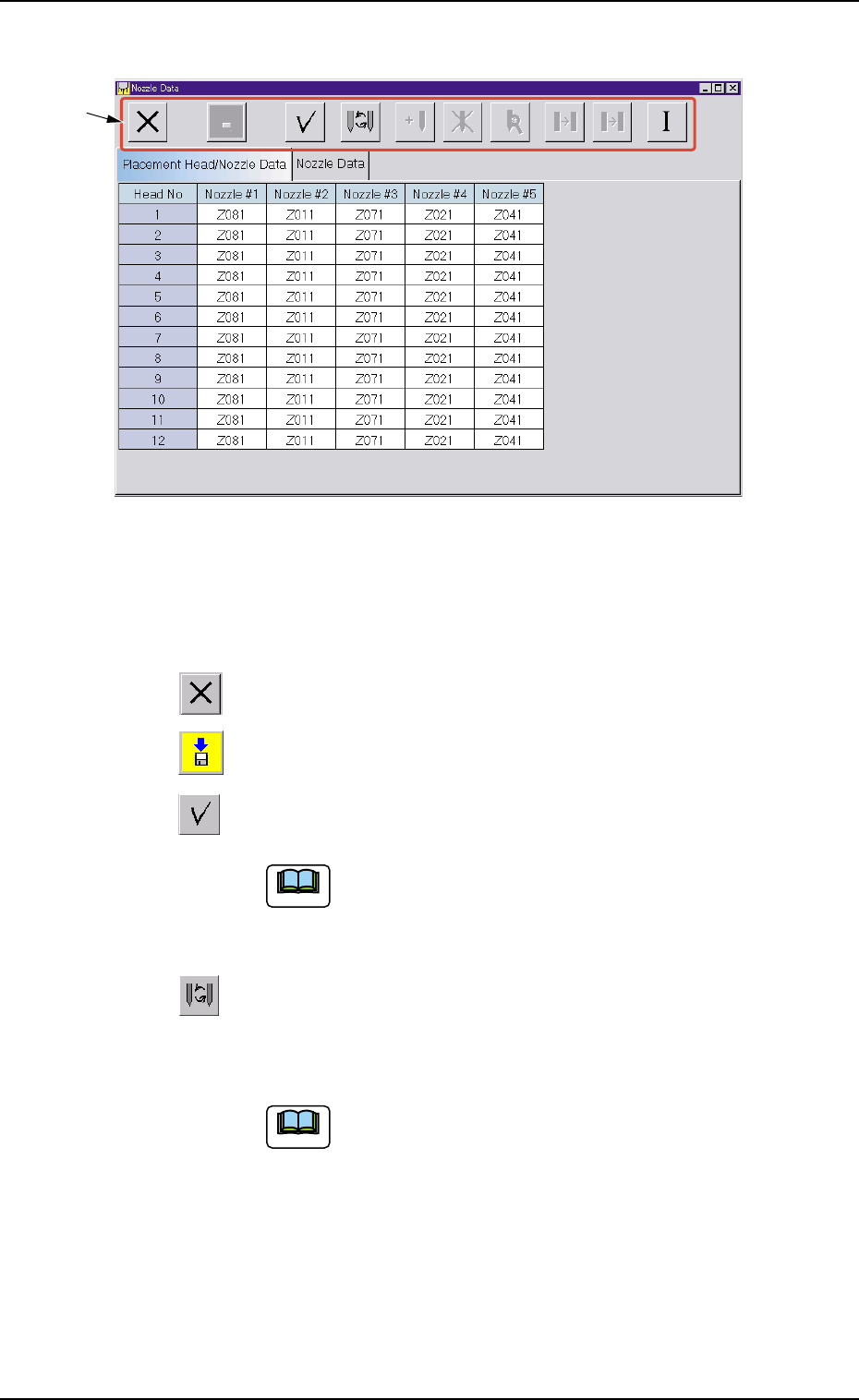
• Composition of "Nozzle Data" Window
Fig. 3E7 "Nozzle Data" Window
*1 Icons
The following functions can be executed.
: When pressed, this closes the "Nozzle Data" window.
: When pressed, this saves the entered parameters.
: When pressed, this checks the entered parameters.
When an error is found, an error message box
opens.
: When pressed, this opens the "Nozzle Type" window.
This window enables you to change the currently selected
nozzle type to another one.
(a) Double-clicking a text box also opens the
"Nozzle Type" window.
(b) Clicking a "Nozzle #" label (title) selects the
nozzle Nos. on all heads at a time.
0305-001 5-7
AIM01EDTP
*1
2.1 Display of Each Window
Note
Note
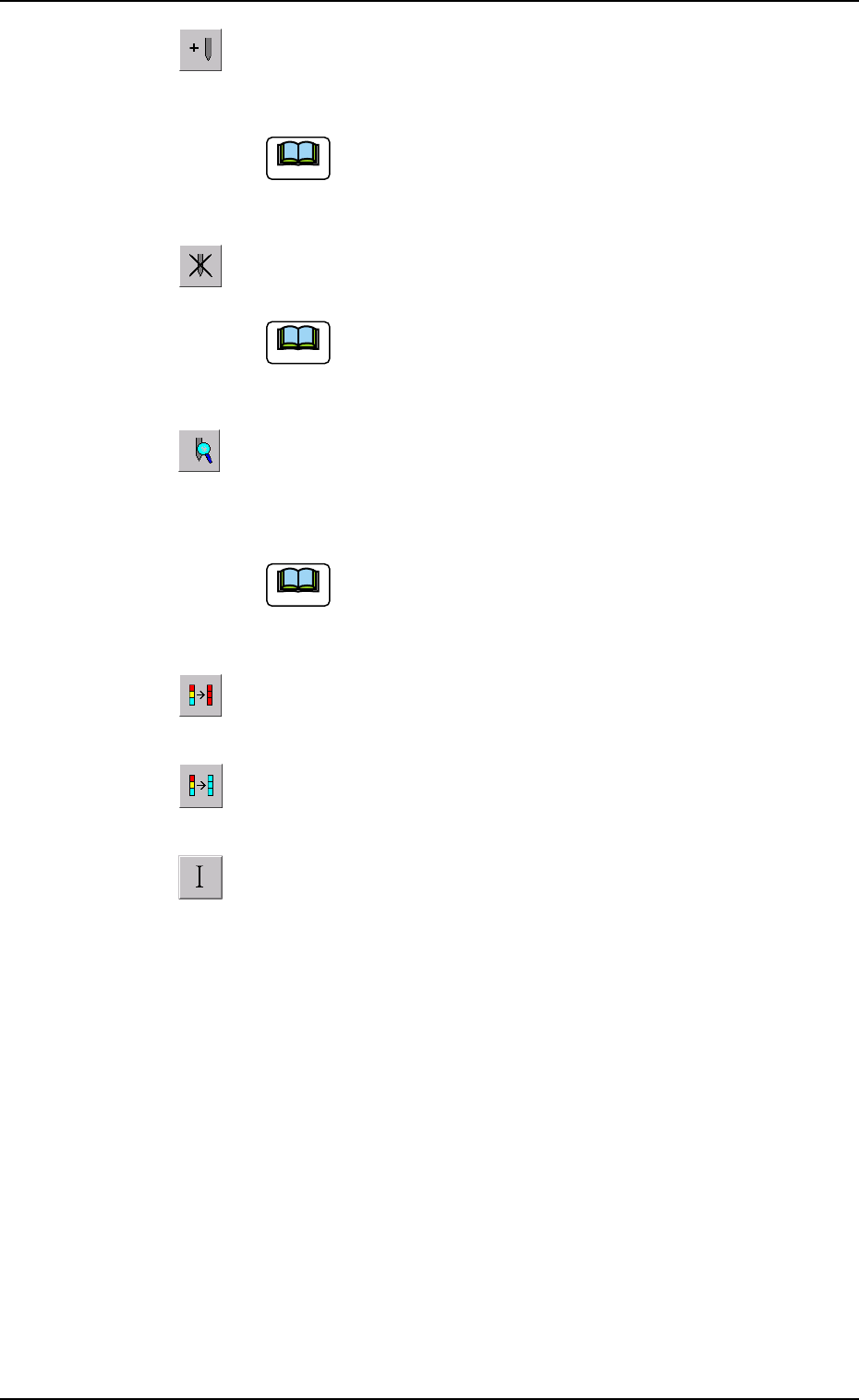
: When pressed, the "Nozzle Type Property" window opens,
enabling the operator to add a new nozzle type.
This function is available only in the "Nozzle Data"
tab sheet.
: When pressed, this deletes the selected nozzle type.
This function is available only in the "Nozzle Data"
tab sheet.
: When pressed, this opens the "Nozzle Type Property" win-
dow for the selected nozzle type, enabling the operator to
change the nozzle type.
This function is available only in the "Nozzle Data"
tab sheet.
: When pressed, this fills all the selected text boxes with the
parameter in the first text box.
: When pressed, this fills all the selected text boxes with
the parameter in the last text box.
: When pressed, this initializes the selection (sets the de-
faults).
0305-001 5-8
AIM01EDTP
2.1 Display of Each Window
Note
Note
Note
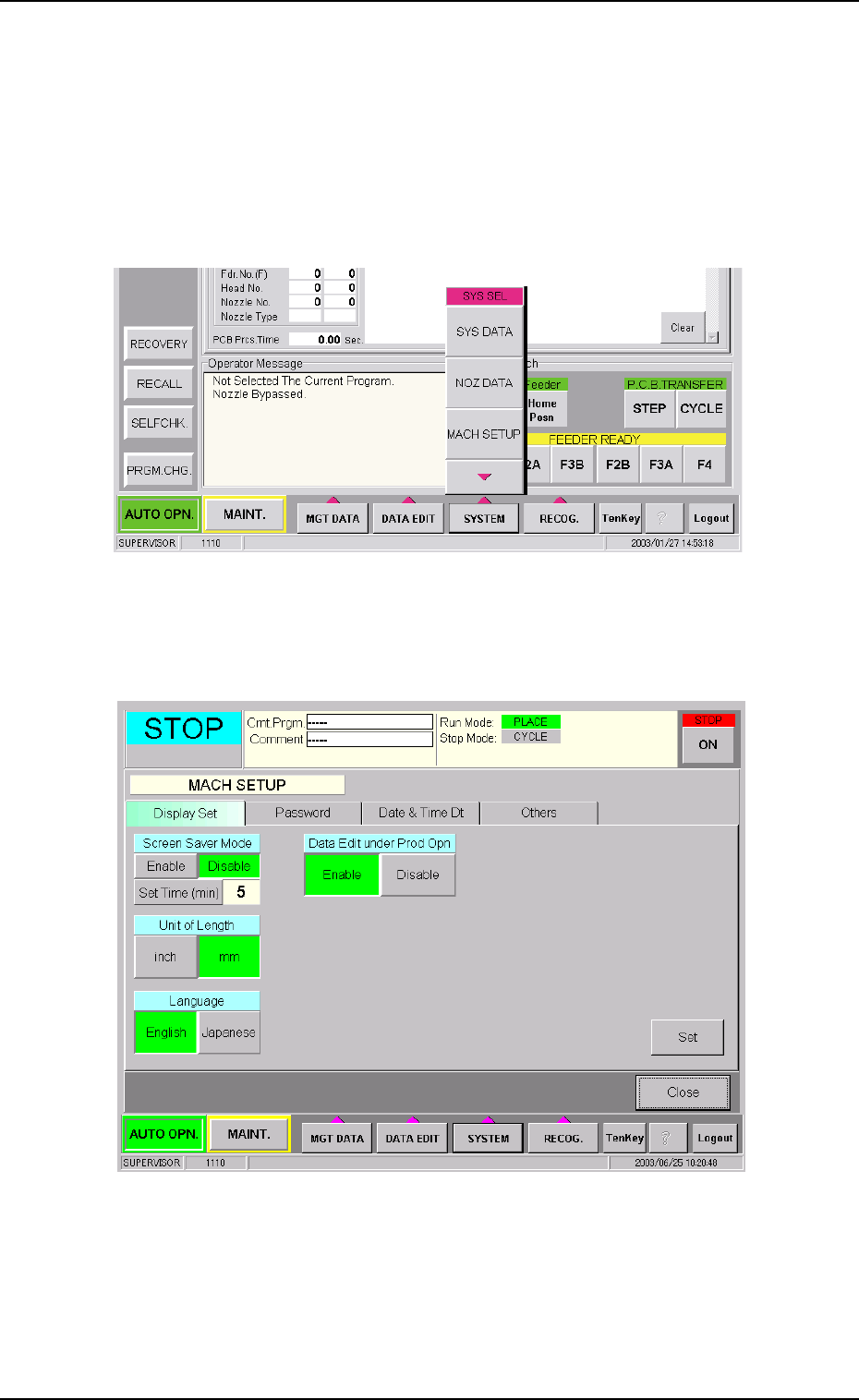
2.1.3 "MACH SETUP" Window
The following describes how to open the "MACH SETUP" window.
• Window Layout
(1) Press the [SYSTEM] button on the main menu bar. The "SYS SEL"
menu opens.
Fig. 3E8
(2) Press the [MACH SETUP] button. The "MACH SETUP" window
opens.
Fig. 3E9 "MACH SETUP" Window
0305-001 5-9
AIM01EDTP
2.1 Display of Each Window