3OM-996-005.pdf - 第182页
T ransfer of P-No. (1 ) Select the P-No. to be transferred with the touch screen or the pointing device. The selected line (P-No.) turns blue, indicating that it is selected. (2) Select the "Move the selected step d…
*3 P-No.
Shown are the step Nos.
Refer to "• Operation Procedure" (described later) for the
detailed information on how to add or delete a step No. (P-
No.).
*4 X [mm], Y [mm], Z
= =
= =
= theta [deg], H [mm], Fdr No., C, Comment
• Operation Procedure
Addition of Step (P-No.)
(1) When the [Add One Line] icon (
) is selected, a new step (line)
is added to the last one (last P-No.).
Insertion of Step (P-No.)
(1) Select a new step (P-No.) to be inserted with the touch screen or
the pointing device.
(2) When the [Insert One Line] icon (
) is selected, a step (line) is
inserted at the selected position and the subsequent steps (P-
Nos.) are shifted down.
Deletion of Step (P-No.)
(1) Select the step (P-No.) to be deleted with the touch screen or the
pointing device.
(2) When the [Cut] icon [
] is selected, the selected line (P-No.)
is deleted and the subsequent lines (Fdr Nos.) are shifted up.
Step (P-No.) Copy and Paste Commands
(1) Select the step (P-No.) to be copied with the touch screen or the
pointing device.
(2) When the [Copy] icon ( ) is selected, the selected line (P-No.)
is copied.
(3) Select the position where the copied step (P-No.) should be
pasted.
(4) When the [Paste] icon [ ] is selected, the selected line (P-
No.) is pasted.
Note
0305-001 2-110 AIM01EDTP
4.4 "Placement Data" Tab
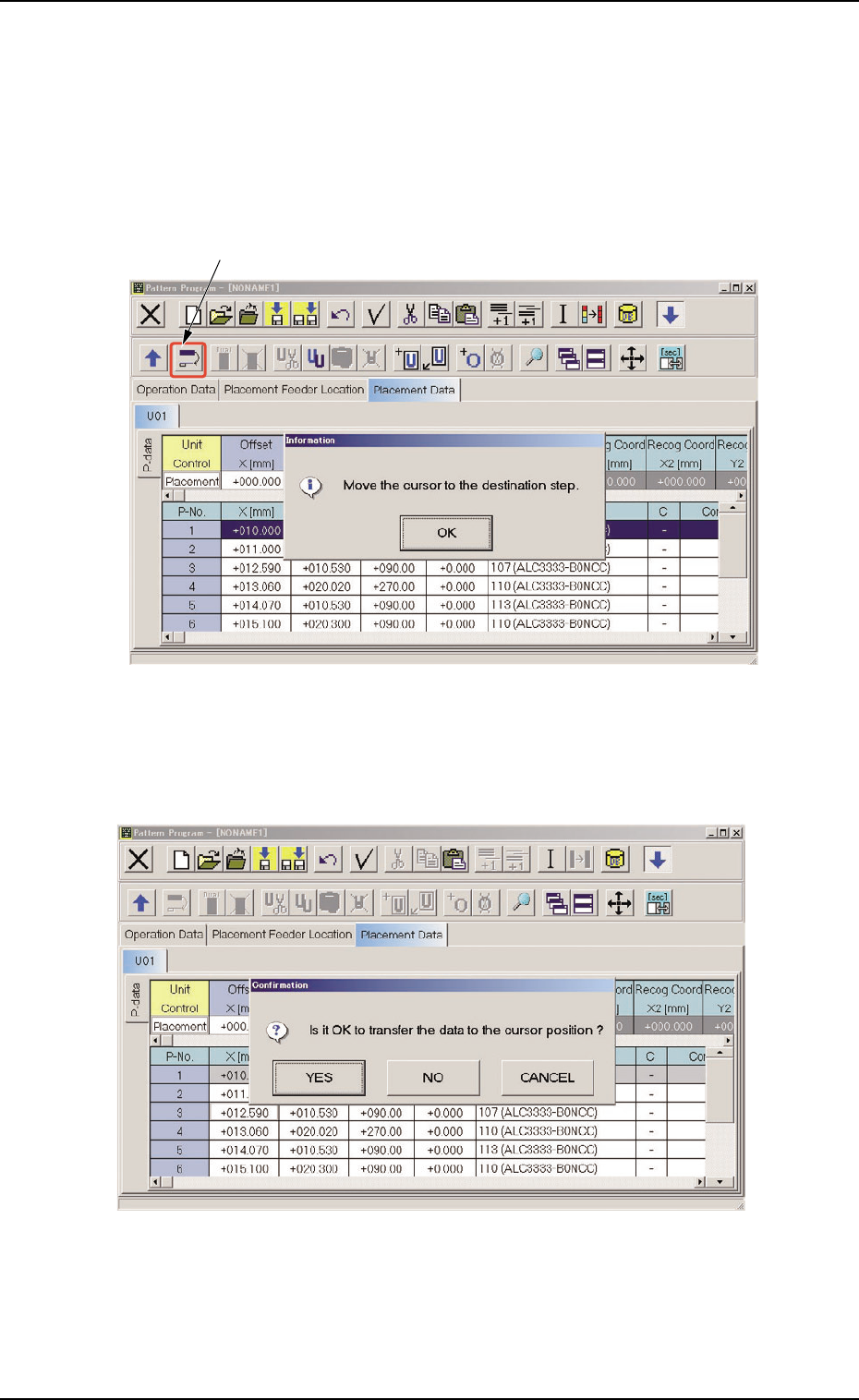
Transfer of P-No.
(1) Select the P-No. to be transferred with the touch screen or the pointing
device.
The selected line (P-No.) turns blue, indicating that it is selected.
(2) Select the "Move the selected step data" icon.
Fig. 3B171
(3) Press the [OK] button and specify the destination step.
Fig. 3B172
4.4 "Placement Data" Tab
"Move the selected step data" Icon
0510-002 2- 11 1 AIM01EDTP
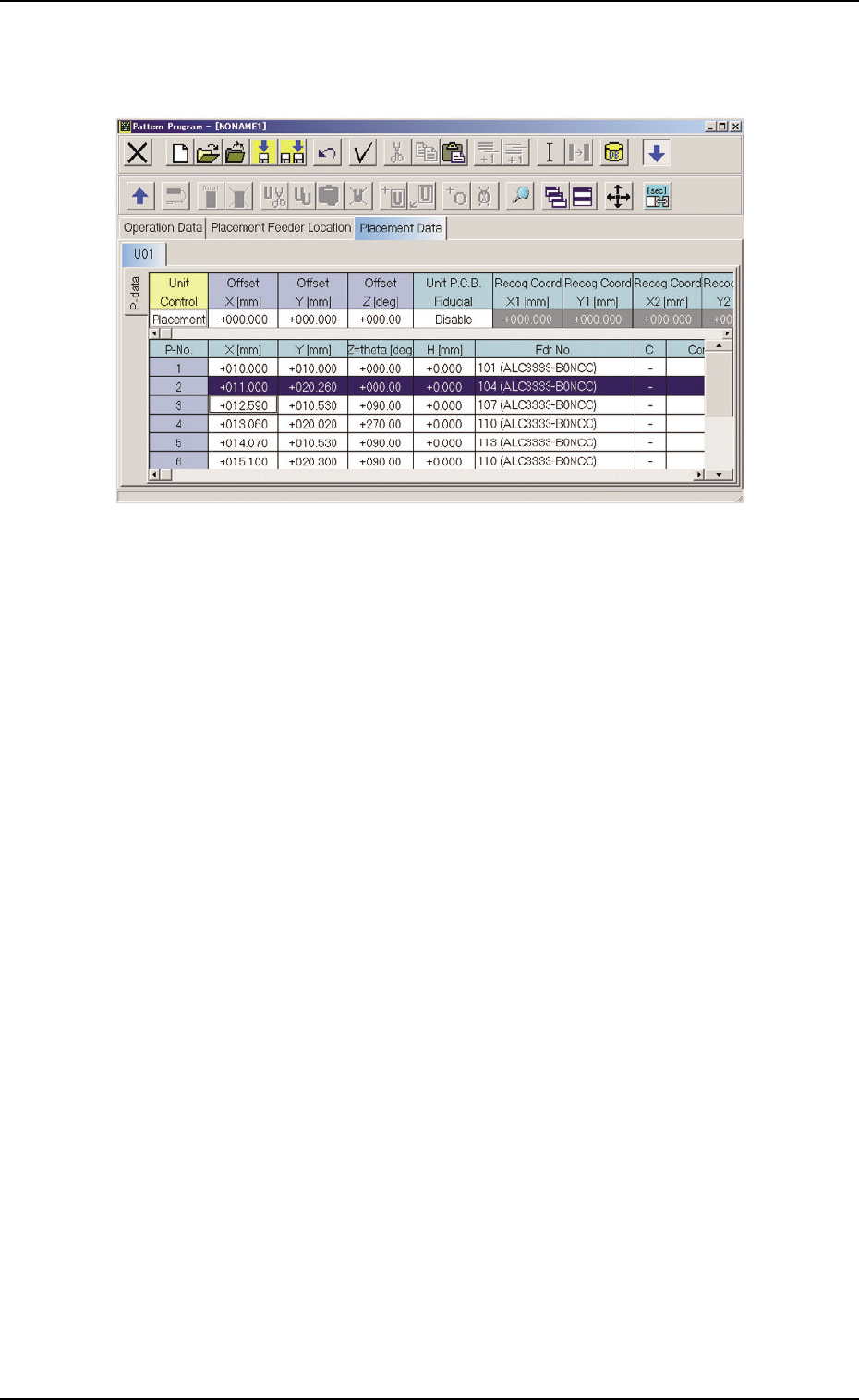
(4) Press the [YES] button. The line (step) of the selected P-No. is trans-
ferred to the step just above the specified line (step).
Fig. 3B173
4.4 "Placement Data" Tab
0510-002 2-112 AIM01EDTP