3OM-996-005.pdf - 第356页
• Operation Procedure Nozzle T ype Change Operation (1) Select the text box of "Head No." related to the nozzle (Nozzle #) to be changed and double-click it. The "Nozzle T ype" window opens. Fig. 3E57…
4. Nozzle Data
Nozzle types can be set for each nozzle position (Nos. 1 through 5) on
each head.
The nozzle data can also be set.
4.1 "Placement Head/Nozzle Data" Tab
• Sheet Layout
When the "Placement Head/Nozzle Data" tab is pressed in the "Nozzle
Data" window, the following tab sheet appears inside the window.
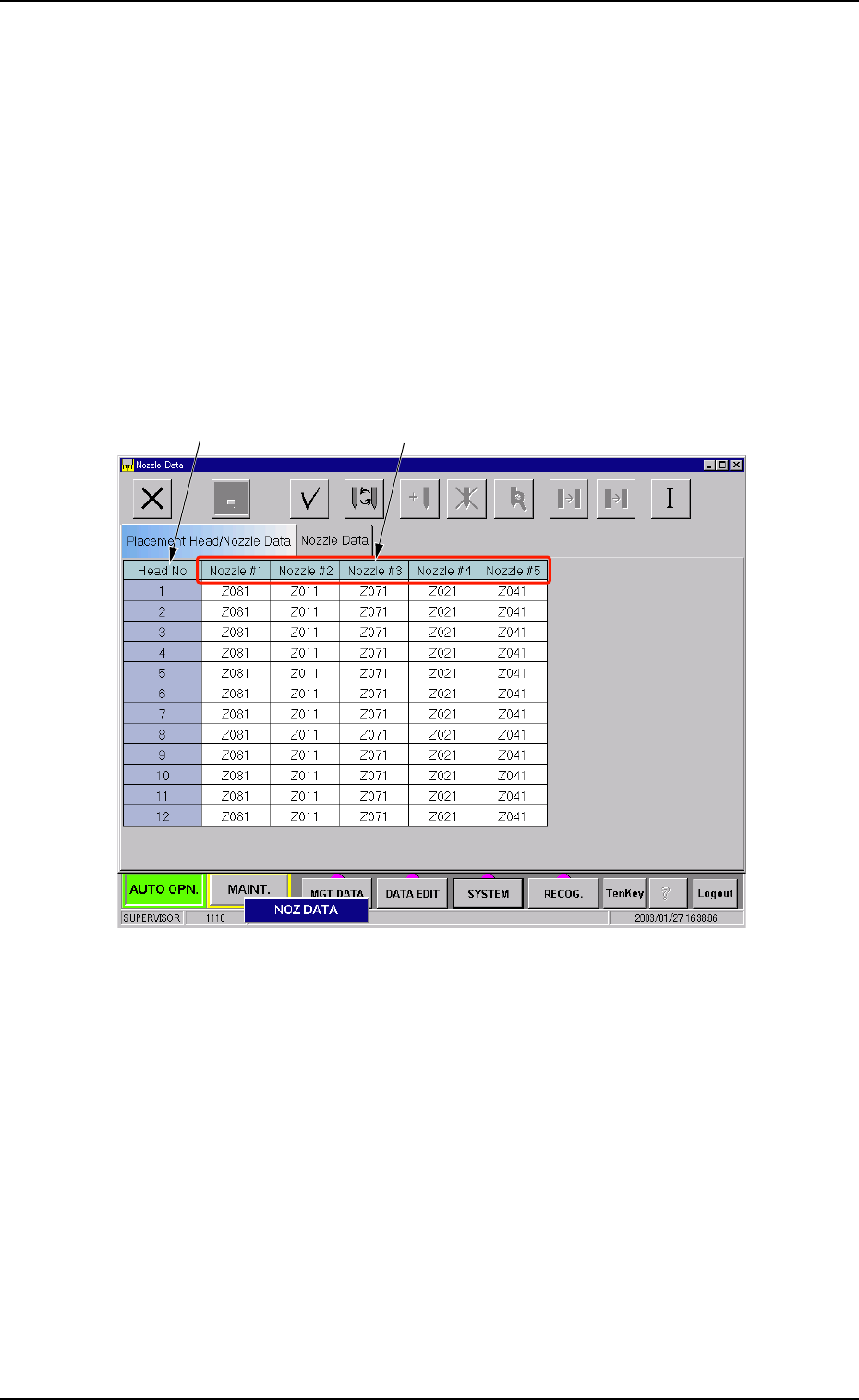
Fig. 3E56 "Placement Head/Nozzle Data" Tab Sheet
• Sheet Composition
*1 Head No
The head Nos. are displayed.
*2 Nozzle #1 to #5
Set a nozzle allocation No. in each text box.
When you double-click an arbitrary text box (nozzle allocation No.),
the "Nozzle Type" window opens.
0305-001 5-67
AIM01EDTP
*1 *2
4. Nozzle Data
• Operation Procedure
Nozzle Type Change Operation
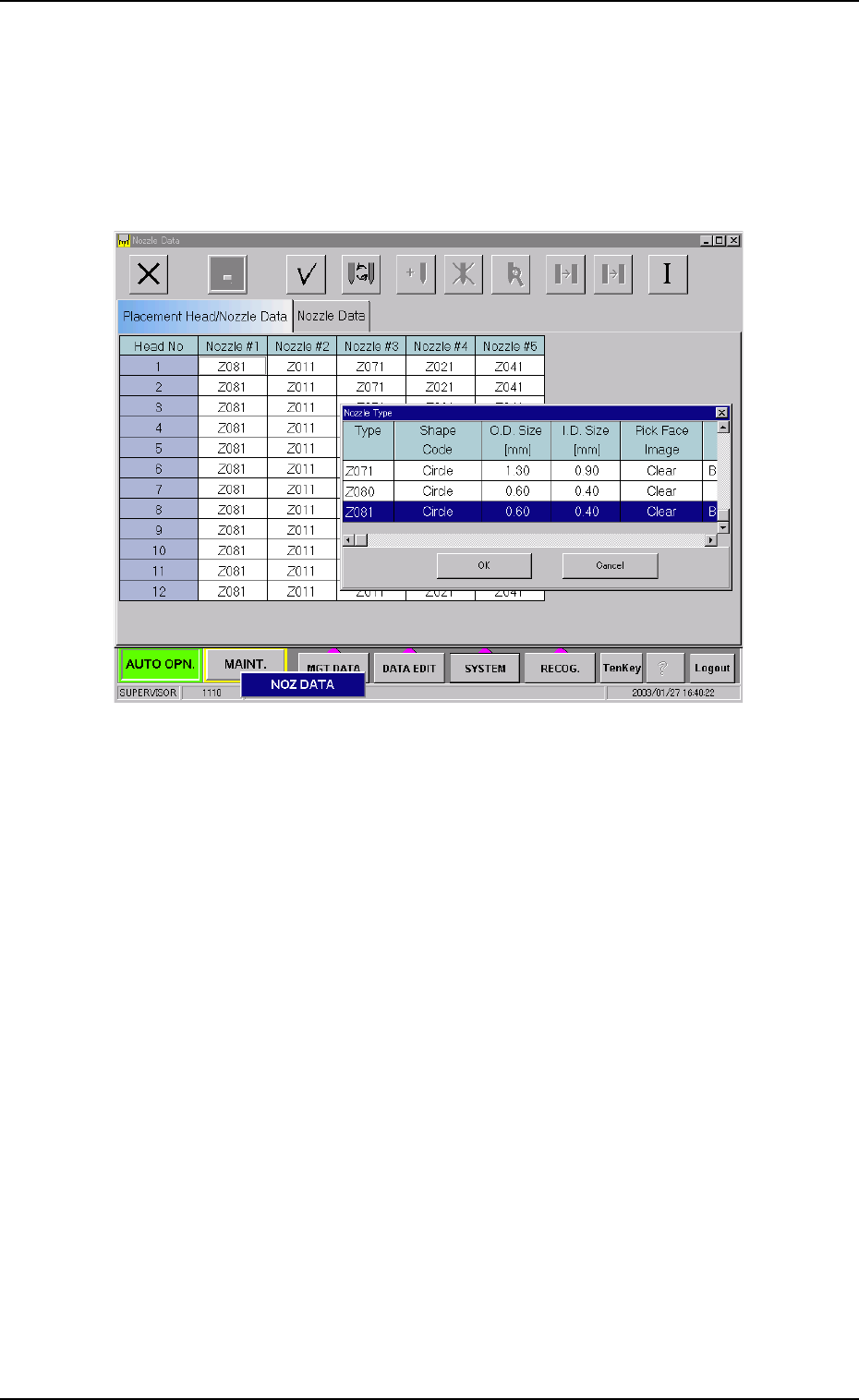
(1) Select the text box of "Head No." related to the nozzle (Nozzle
#) to be changed and double-click it.
The "Nozzle Type" window opens.
Fig. 3E57
(2) Select the nozzle to be allocated and press the [OK] button.
The selected nozzle type is set in the specified text box.
0305-001 5-68 AIM01EDTP
4.1 "Placement Head/Nozzle Data" Tab
4.2 "Nozzle Data" Tab
The corresponding tab sheet enables the operator to set parameters to
be used for recognition of various types of nozzles. It is required to
register the nozzle data on the machine side before parameter settings.
• Sheet Layout
When the "Nozzle Data" tab is pressed in the "Nozzle Data" window,
the following tab sheet appears inside the window.
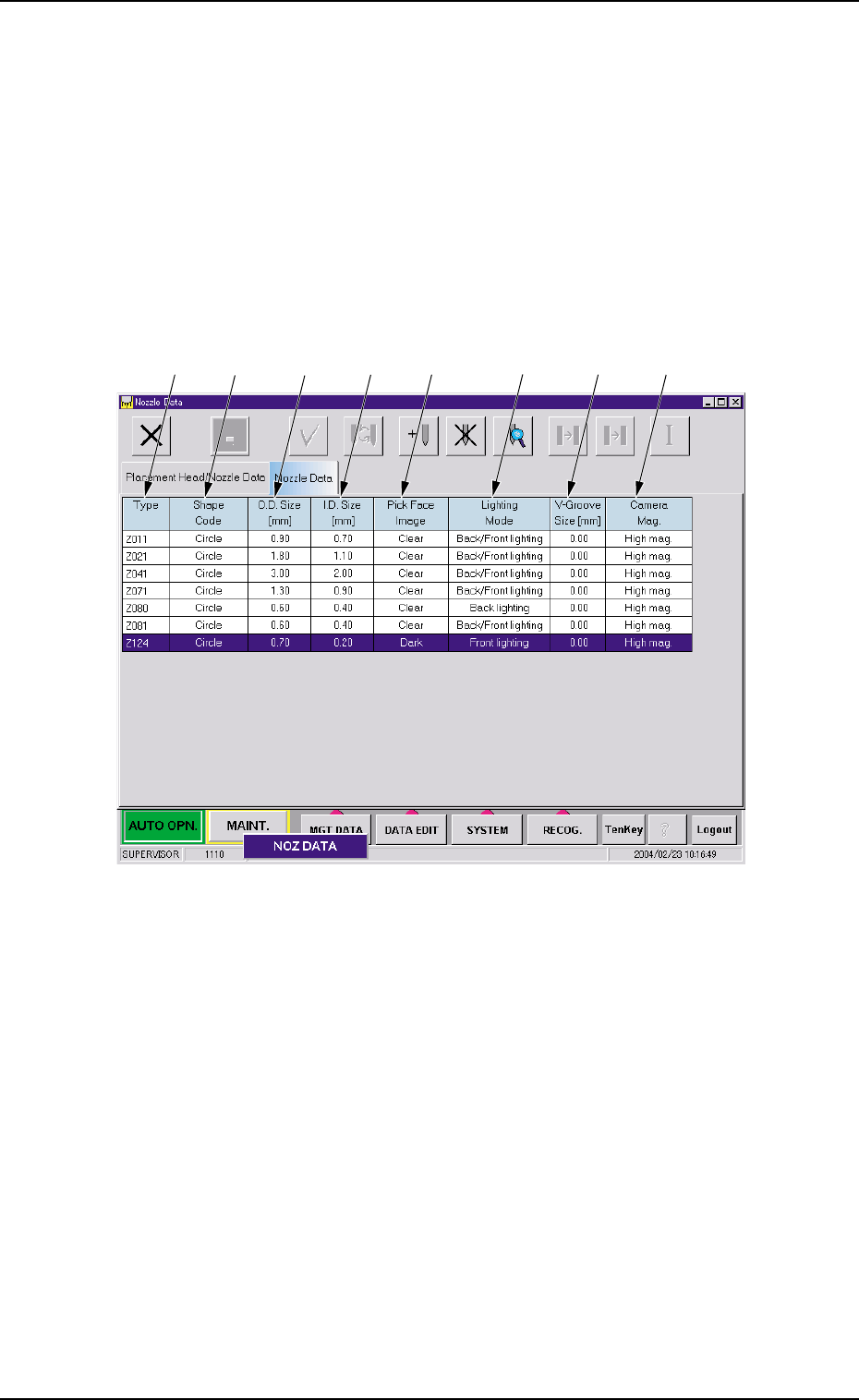
Fig. 3E58 "Nozzle Data" Tab Sheet
• Sheet Composition
*1 Type
Displayed are the nozzle types.
*2 Shape Code
Displayed are the shape codes of the nozzles.
*3 O.D. Size [mm]
Displayed are the outside diameters of the nozzles.
*4 I.D. Size [mm]
Displayed are the inside diameters of the nozzles.
*5 Pick Face Image
Displayed are the image properties of the nozzle's pick faces.
0403-002 5-69
AIM01EDTP
*1
*2
*3
*4
*5
*6
*7
*8
4.2 "Nozzle Data" Tab