OperationInstruction_Vsision XP.pdf - 第111页
V ISION XP+ V AC Page 103 5 Software 5.4 The Data Menu Operating Instructions V ersion 1.5 5.4.5 M achine Parameters This funct ion may only be utiliz ed by service techni cians from Rehm Thermal S ystems, or in accordan…
Page 102 VISION XP+ VAC
5 Software
5.4 The Data Menu
Operating Instructions
Version 1.5
5.4.4 The Scheduler (optional)
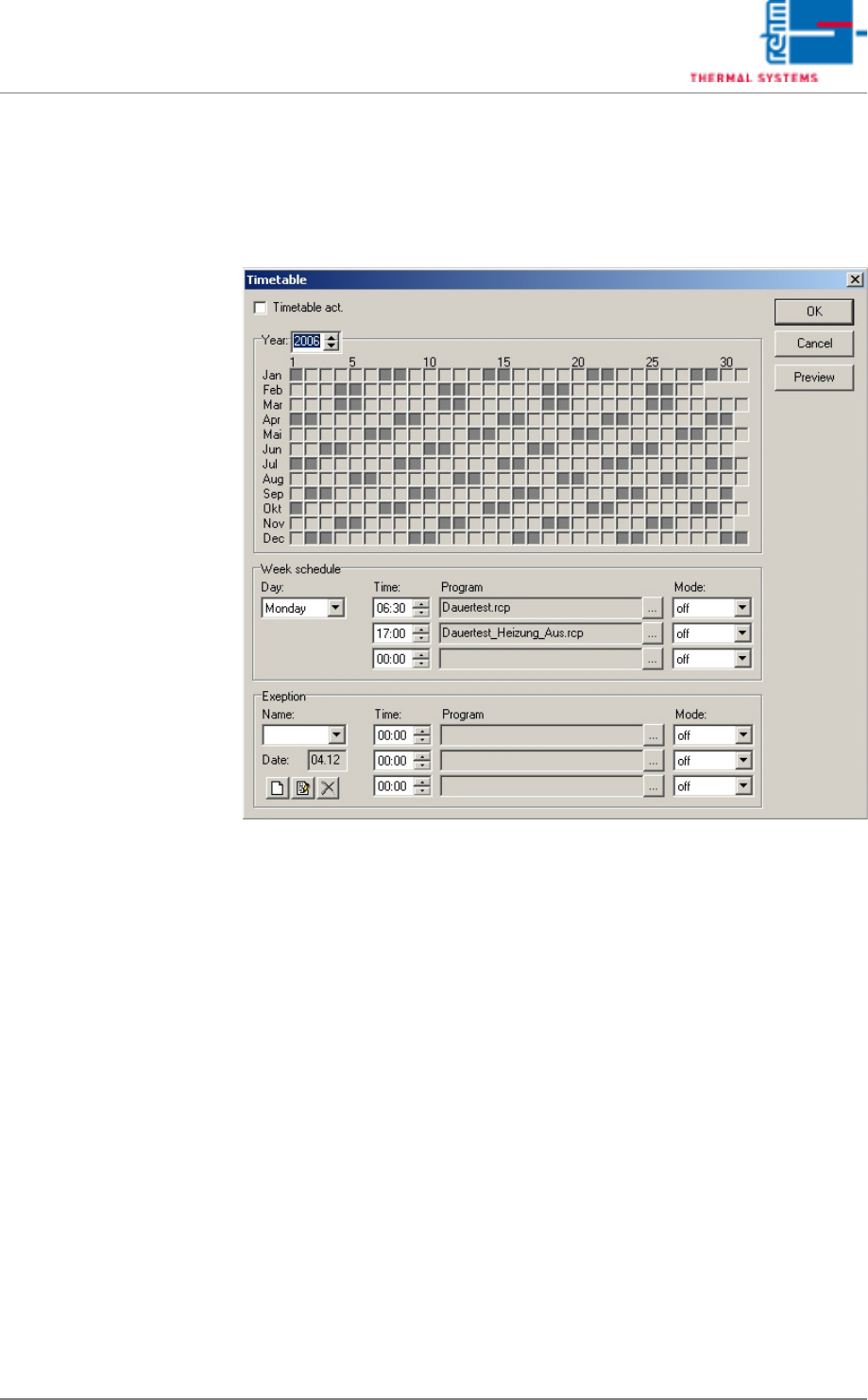
Programs can be loaded and started on specified days at specified times
with the scheduler.
Fig. 5-38 The Scheduler
Proceed as follows in order to create a schedule for a program:
1. Select a day.
2. Set a time.
Up to three actions can be executed per day.
3. Select the program to be used.
4. Select a mode.
Continuous: each selected day throughout the year (e.g. every
Monday).
Off: The selected program is not active.
One-time only: on the next selected day (e.g. next Tuesday).
5. These entries must be repeated for each day of the week in order to fill
out the schedule.
6. The Exceptions function accommodates additional scheduling tasks,
e.g. for holidays or high priority jobs.

VISION XP+ VAC Page 103
5 Software
5.4 The Data Menu
Operating Instructions
Version 1.5
5.4.5 Machine Parameters
This function may only be utilized by service technicians from
Rehm Thermal Systems, or in accordance with specially issued instructions.
The values of machine parameters are indicated in the masks blue and they
are independent of the product.
Page 104 VISION XP+ VAC
5 Software
5.5 The Masks Menu
Operating Instructions
Version 1.5
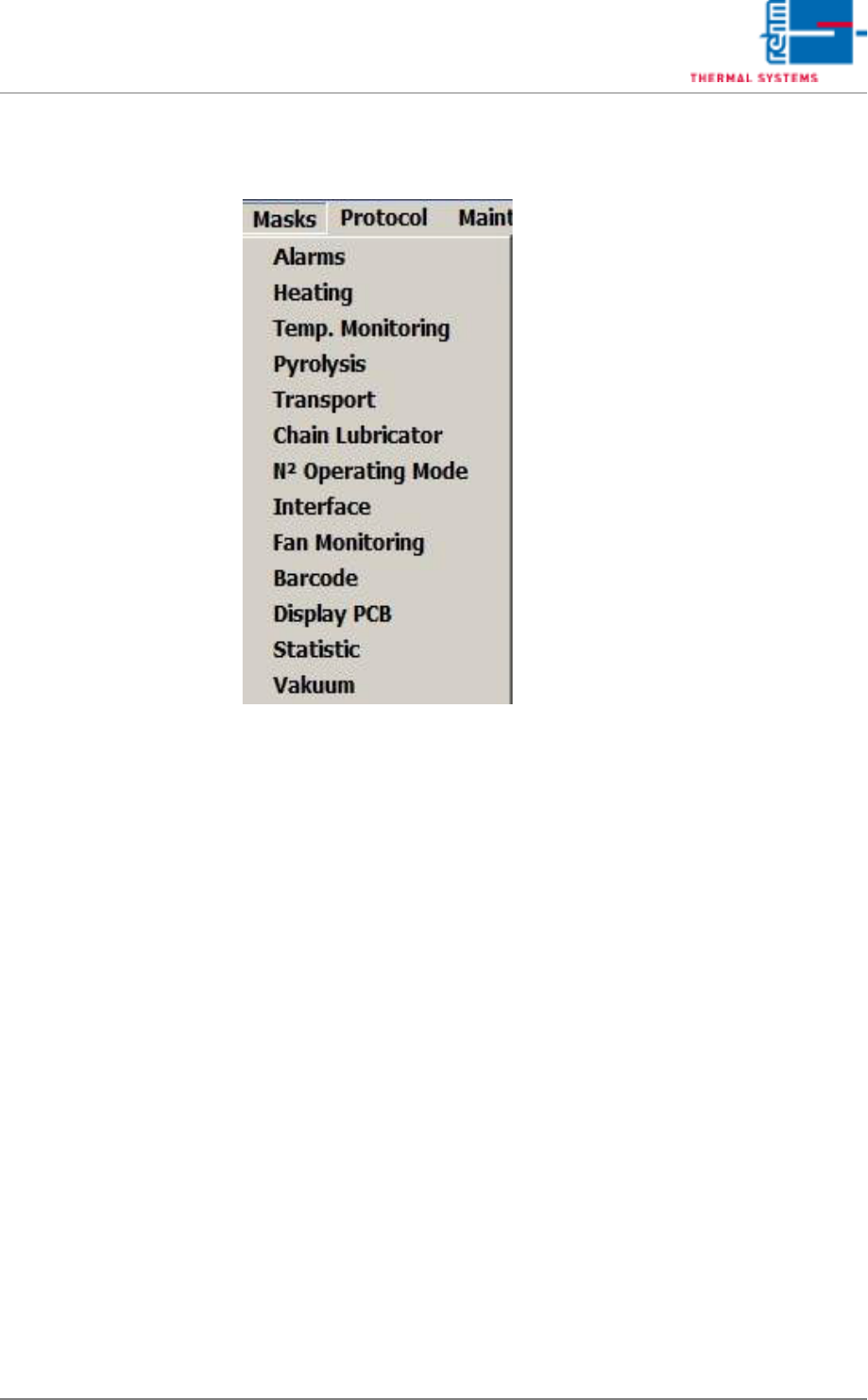
5.5 The Masks Menu